

GPT Workspace
AI AutomationUpdated November 13, 2026
AI agent for Google Docs, Sheets, Slides, Gmail and Drive that edits your files, runs GPT formulas in bulk and automates routine Workspace tasks.
We may earn a commission when you sign up through our links. It does not affect our reviews.
What is GPT Workspace?
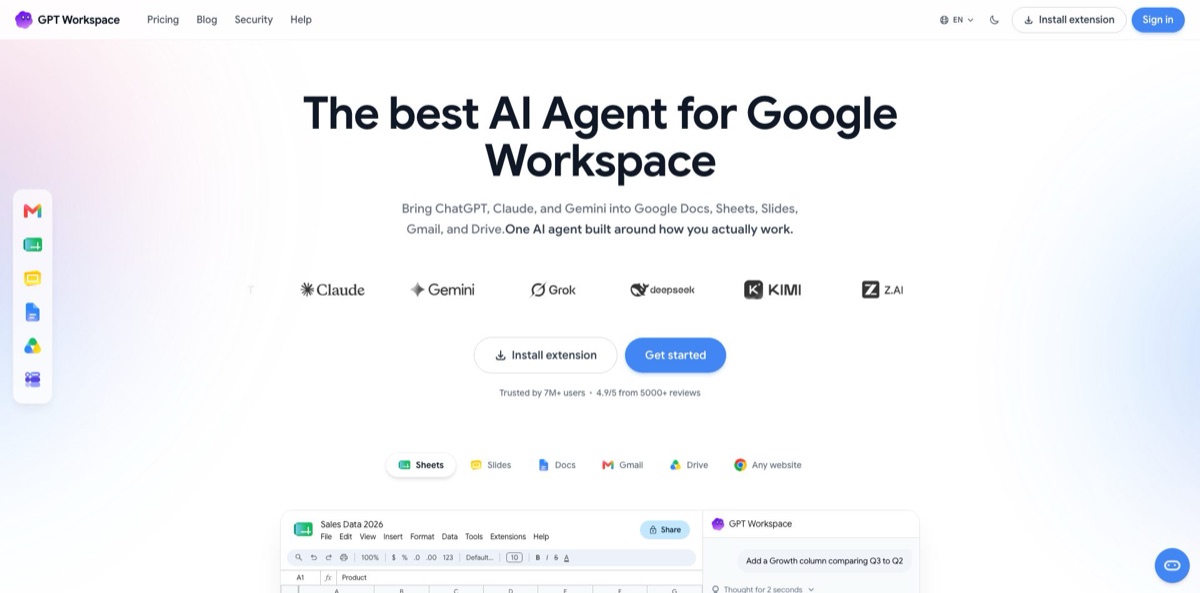
GPT Workspace is an AI agent from Qualtir, a Swiss developer, that works inside Google Docs, Sheets, Slides, Gmail, Drive, Forms and Calendar through a Chrome extension and a Google Workspace add-on. A main agent passes each request to a specialist for the app involved and acts through Google’s APIs, so the change lands in the real file: a formula fills a column, a deck appears in Slides, a draft waits in Gmail. Sheets users also get nine =GPT formulas and a Bulk run tool, and routines run prompts on a schedule or when an email or file arrives. You need no API key; the service picks GPT, Claude, Gemini or GLM models per task. The weak spot is the credit system, which bills the real model cost, so premium models, images and web lookups drain small plans fast. Choose it if your work already lives in Google Workspace.
How to start using GPT Workspace?
Pick your entry point first. The Chrome extension adds a side panel with the chat on every page, plus AI bars in Docs and Sheets and extra buttons in Gmail; it also runs in Edge and Brave. The Marketplace add-on works in any browser and puts a sidebar in Docs, Sheets, Slides and Forms and a card in Gmail and Drive. Either way, you click Sign in with Google and accept the permissions. Every account starts on the Free plan with no card.
For a first real task, open a spreadsheet you actually use. Click Extensions, then GPT Workspace, then Enable GPT formulas, because formulas are switched on per spreadsheet. Type something like =GPT(“Write a one-line summary of”, B2) in an empty column and fill it down a few rows. If you prefer plain requests, open the side panel with Cmd+Shift+Space (Ctrl+Shift+Space on Windows) and ask for a chart of revenue by month.
Spend a few minutes on the settings that control cost and quality. In Formula settings you choose the standard or advanced model tier, the default temperature of 0.5 and the output length. In the chat, the slash key opens snippets such as Summarize or Change tone, the at sign attaches a Drive file, and the paper clip uploads up to 10 files of 30 MB each. Projects keep their own instructions, memory and Drive knowledge for recurring clients or reports.
Check the output before you scale it. Bulk run’s Preview processes the first five rows for real and extrapolates the cost to the whole range. In the Chrome extension, the version history button opens Google’s own history, so you can see what the agent changed. Settings, then Subscription, shows usage against your quota. Routines appear as a card with the trigger, delivery and exact prompt, and nothing is saved until you click Confirm.
Who is it for?
E-commerce and catalog managers
You maintain thousands of product rows that need descriptions, translations or category tags. GPT_CLASSIFY, GPT_TRANSLATE and Bulk run fill whole columns from one instruction, and rows with identical inputs are billed once. A week of copy-paste work becomes a background job you check in the evening.
Sales and operations teams
Lead lists arrive with company names and little else. Bulk run’s Web enrich mode fills Website, Industry, HQ country, LinkedIn URL and Description per row on the Standard and Pro plans. Reps start outreach with researched rows instead of blank cells.
Managers with crowded inboxes
Long threads and routine replies eat the morning. The extension summarizes threads into key points and action items and drafts replies from the thread. You read the gist, pick a direction and edit a draft instead of writing from scratch.
Consultants, teachers and trainers
Decks and quizzes take hours to assemble from source material. The agent builds a Slides deck from a prompt or an attached document, then regenerates or restyles individual slides, and it can turn a document into a Google Form. Your time goes into the argument, not the layout.
Small teams on Google Workspace
A separate AI tool means another login and pasted data. Standard and Pro include team billing with seats added by email, and Enterprise adds a signed DPA and volume discounts. One subscription covers every Google app the team touches.
Developers using Claude, ChatGPT or Cursor: Your assistant cannot reach your Google files on its own. GPT Workspace hosts MCP servers for ten Google apps, from Gmail and Sheets to Meet and Tasks, signed in with Google OAuth. Reading and editing through them costs no credits; only AI generation does.
GPT Workspace pricing
Every plan covers all the apps, and usage is counted in credits. A credit is a unit of spend: 1,000,000 credits correspond to $1 of model cost, and each request is charged what the model actually cost, so the price of a request depends on the model and the length of the prompt and answer. Monthly credits expire at the end of each 30-day cycle. Paid plans are billed monthly or yearly, and the yearly option charges for nine months out of twelve.
A small monthly credit allowance, decks limited to 10 slides, one project with 10 knowledge files and Bulk run in preview only, up to 50 rows.
About 7M credits a month shared by chat and formulas, advanced models in chat, standard models in Sheets, Bulk run jobs of up to 500 rows and standard support. At the documented rate, 7M credits equal roughly $7 of model usage, so heavy chat or image work outgrows it quickly.
Unlimited chat, about 22M credits for Sheets formulas, advanced models in chat and Sheets, team billing, top-ups, pay per usage beyond the formula quota, unlimited Bulk run rows with Web enrich, and unlimited projects with 100 knowledge files each.
Everything in Standard, about 60M Sheets formula credits (the pricing page lists 61M), priority support, priority access to new models and projects with 300 knowledge files each.
Custom. A data processing agreement under GDPR Article 28, a security questionnaire, centralized billing and invoicing, volume discounts and dedicated onboarding, arranged through a booked call.
Standard and Pro can add capacity. Top-ups cost $10 per 1,000,000 credits, from $5 to $1,000 at a time, and never expire. Pay per usage keeps formulas running past the quota at $6 per million credits, billed at the end of the cycle within a budget of $10 by default and up to $1,000. A full refund is available within 30 days if usage stayed within 60% of the plan’s monthly credits; top-ups and pay-per-usage charges are not refundable.
GPT Workspace key features
The agent chat routes each request to a specialist for Docs, Sheets, Slides, Drive, Gmail, Calendar, Forms or Tasks, working through the Google APIs with the permissions you granted. One prompt can span apps, such as finding a report in Drive, summarizing it in a new Doc and emailing the link. Ambiguous or destructive requests trigger a question first, and bulk Drive deletions need a confirmed count.
Nine Sheets formulas cover most bulk text jobs: GPT, GPT_LIST, GPT_TABLE, GPT_TRANSLATE, GPT_CLASSIFY, GPT_COMPLETE, GPT_WEB, GPT_IMAGE and GPT_FILE. You set a standard or advanced model per formula, and GPT_CLASSIFY uses a decision model the docs call about ten times cheaper than a text formula. GPT_WEB pulls live facts through Perplexity Sonar Pro Search on paid plans, and GPT_FILE reads PDFs, images, audio and video from a URL.
Bulk run fills a column without a formula in every cell
You pick input columns, write one instruction with {{Header}} placeholders, choose a mode (Prompt, Translate, Classify, Extract or Web enrich) and set a credit ceiling. The job runs on the company’s servers in batches of 20 rows, can be paused or resumed, and writes plain values that never recalculate.
Slides generation turns a prompt or an attached document into a complete deck
You pick a design from the template library or one of your own presentations, and the agent plans each slide, writes a style guide and renders the slides. Afterwards you can regenerate one slide, restyle the deck or translate it without touching slides you built by hand.
The Chrome extension adds Gmail tools without the add-on: Summarize with key points and action items, AI Reply, a write bar in every compose window and three reply chips with different stances. The same side panel works on any website, summarizes YouTube videos with timecodes from captions and adds a free dark mode to Google’s apps.
Routines turn a chat prompt into an automation
A routine can start on a schedule, on a new email, a changed sheet or document, a new file in a Drive folder, a form response, a calendar event or the end of a Meet call, and it delivers results by email, as a chat thread or as a spreadsheet row. A run that fails for a missing permission uses no credits.
Hosted MCP servers expose Gmail, Docs, Sheets, Slides, Drive, Calendar, Meet, Forms, Tasks and Contacts to Claude, ChatGPT, Cursor or your own agent with Google OAuth. The Sheets and Slides servers each offer 57 tools, and the API accepts 500 requests per 30 seconds per account. Reading and editing files through them is free; generation tools draw on credits.
GPT Workspace Pros & Cons
Pros
The agent edits real Google files through the APIs instead of handing you text to paste, so a request ends with a formatted Doc, a working formula or a finished deck. One subscription covers Docs, Sheets, Slides, Gmail, Drive, Forms, Calendar, Tasks, the Google Chat app and the MCP servers. The Sheets tooling is deep: nine formulas, Bulk run with a priced preview, caching for repeated inputs and a cheaper classifier model. The help center explains in plain terms what each action costs and how to spend less. The security page lists ISO 27001, CASA Tier III and GDPR compliance, and states that documents are not stored and AI providers keep zero data. Start with Sheets, where these strengths show most clearly.
Cons
Credits track real model cost, so the Starter plan’s roughly 7M credits buy about $7 of model usage, and the docs warn that premium models cost 10 to 30 times more per token than standard ones. Images, web lookups, long files and multi-step agent runs drain balances quickly, and monthly credits do not roll over. Top-up credits cost $10 per million, ten times the stated model rate. The 4.9 store ratings deserve some caution: the help center offers bonus credits for 5-star reviews with suggested text, and several Marketplace reviews repeat the same wording. The product is built only for Google Workspace. Set a pay-per-usage budget and keep standard models as the default.
Use GPT Workspace if you want…
- Classify and translate thousands of spreadsheet rows at once.
- Enrich lead lists with company websites and industries.
- Draft Gmail replies from the full thread context.
- Generate Google Slides decks from an existing document.
- Summarize long Drive files without opening each one.
- Schedule a daily briefing from your calendar and inbox.
- Log new invoices from a Drive folder into Sheets.
- Give Claude or ChatGPT access to Google files.
GPT Workspace alternatives
 Google GeminiRead review →
 Microsoft CopilotRead review →
 Numerous.aiRead review →
 SheetAIRead review →
 MaxAIRead review →
 MonicaRead review →
 Bardeen AIRead review →
GPT Workspace Reviews
G2 reviewers praise the quick setup, the ease of use and the grammar fixes inside Google apps, while others mention that it sometimes runs slowly and can return irrelevant or outdated answers.
A Capterra reviewer liked that it works inside Google Workspace and speeds up drafting, but noted that it does not support Microsoft 365 and that the free plan is limited.
A Chrome Web Store user likes having the chat right inside the Google Doc, where it reads the document directly and teammates can scroll back through the chat history to see what was done.
Several Chrome Web Store users call it handy for Docs and spreadsheets, but say it is only useful while you have credits and wish the credit limits were higher.
Another Capterra reviewer found it fast for producing content, but sometimes hard to make it understand exactly what was wanted.
FAQ
Is GPT Workspace free?
Yes. Every account starts on the Free plan with a small monthly allowance of credits for chat and formulas, with no card required. Free decks are capped at 10 slides, and Bulk run works in preview mode up to 50 rows.
Is GPT Workspace part of ChatGPT Plus?
No. It is an independent product from Qualtir that is not affiliated with OpenAI, and a ChatGPT Plus subscription does not include it. You also do not need your own OpenAI API key.
What happens to my Google data?
The company states that documents and emails are processed in real time, never stored and never used to train AI models. Infrastructure runs on Google Cloud in US regions, and Enterprise customers can sign a DPA.
Which AI models does it use?
The chat agents choose models from the GPT, Claude, Gemini and GLM families per task, and paid plans get advanced models in chat. In Sheets you pick a standard or advanced tier per formula, and the company does not guarantee that a specific model name stays available.
Does it work with Microsoft Excel or Word?
It is built for Google Workspace, not Microsoft 365. The chat can read attached PDF, Word and PowerPoint files and create Google files from them, and an Excel file in Drive is best opened as Google Sheets before you work on it.
What happens when I run out of credits?
On Free and Starter, you upgrade, earn bonus credits or wait for the monthly reset. On Standard and Pro, you can buy top-ups or switch on pay per usage so Sheets formulas keep running within a budget.
Can I cancel and get a refund?
Cancel from Settings, then Subscription, and you keep the plan until the paid period ends; a one-month pause is also offered. A full refund applies within 30 days if usage stayed within 60% of the monthly credits.
Does GPT Workspace have an API?
It offers hosted MCP servers for ten Google apps that Claude, ChatGPT, Cursor and other MCP clients can call after a Google sign-in. Reading and editing through them is free, while AI generation uses your plan’s credits.
Similar tools
 FPT.AIVietnamese enterprise AI platform from FPT Smart Cloud for chatbots, call-center voicebots, document reading and eKYC that automate customer operations.
 Frigate NVROpen-source NVR that runs real-time AI object detection on your own hardware and sends camera events to Home Assistant and other MQTT
 QodexAI QA agent that runs real API, UI and security tests on every pull request and posts review findings with the failing