

Gradio
Developer ToolsUpdated October 5, 2026
Gradio is an open-source Python library for building and sharing interactive web interfaces for machine learning models instantly.
We may earn a commission when you sign up through our links. It does not affect our reviews.
What is Gradio?
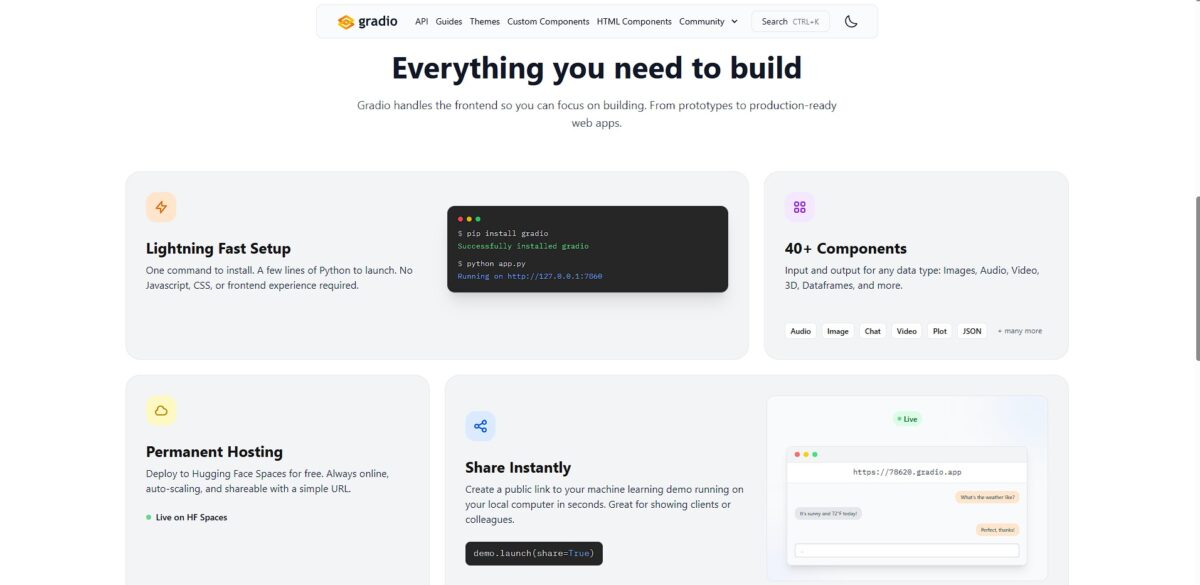
Gradio turns Python functions into interactive web interfaces without requiring a single line of CSS or JavaScript. It acts as a bridge for machine learning engineers who need to show their models to non-technical stakeholders without the overhead of building a full React frontend. I noticed it handles complex inputs like webcam feeds or audio files with almost zero configuration, though it struggles with highly custom pixel-perfect layouts. This matters because it shifts the focus from UI boilerplate back to model logic and rapid validation. Use Gradio to spin up a shareable demo link in seconds, but look elsewhere if you need a branded, production-grade consumer app.
How to start using Gradio?
Start by running pip install gradio in your terminal. You need a Python environment ready to go. A virtual environment prevents dependency conflicts with other ML libraries like Transformers or PyTorch. This simple command lets you move from a local script to a functional web interface in seconds, with no custom CSS or JavaScript needed just to test a model.
Define your logic in a standard Python function. This function takes your model inputs and returns the prediction. You then wrap this function in the Gradio Interface class. Specify your input types, like an image uploader or a text box, and your output types. The library handles the data conversion between the browser and your backend. This allows researchers to focus on model performance rather than frontend state management.
Execute your script to launch a local server. A link appears in your console immediately. If you want to show a colleague across the world, set share=True in the launch method. This generates a public URL that tunnels to your machine for 72 hours. I’ve found this much faster than configuring a Flask server or setting up a temporary AWS instance. It makes remote collaboration on model behavior nearly instant.
Integrate your UI directly into Jupyter or Colab notebooks. The interface renders right below your code cell. You can tweak parameters and see the visual results without switching tabs. This immediate feedback loop helps you catch edge cases in image processing or NLP tasks early. On the downside, it’s less flexible for complex, multi-page web applications.
Who is it for?
The Python-First ML Researcher
You need to turn a complex PyTorch script into a clickable demo by lunch. Gradio maps your function arguments directly to UI sliders and text boxes without touching a line of CSS. Your attention moves from frontend state management back to model accuracy.
The Non-Technical Stakeholder’s Best Friend
If your boss needs to see how a model handles webcam data, send a temporary public link. The interface loads in their browser and streams local frames directly to your machine for processing. That ends the “it works on my machine” friction during cross-departmental reviews.
The Rapid Prototyper
You value speed over pixel-perfect branding. Gradio provides a library of pre-made components for audio, 3D files, and chatbots that work out of the box. The catch is a rigid grid system that makes highly custom layouts difficult to achieve, but you can validate an idea in ten minutes instead of ten hours.
The Hugging Face Power User
Gradio serves as the native UI layer for thousands of models on the Hub. You can load a remote space and wrap it in a custom interface with two lines of code. Chaining multiple open-source models into a single workflow becomes easy.
The Notebook Dweller
You spend your life in Jupyter or Colab and hate switching browser tabs. Gradio renders interactive widgets directly under your code cells, providing a live dashboard for your experiments. I noticed it handles large dataframes and image galleries without crashing the kernel, which tightens the feedback loop during the data exploration phase.
Gradio pricing
Gradio exists as an open-source Python library, meaning the software itself costs nothing. You can download, modify, and integrate it into commercial projects without license fees. This removes the financial barrier for researchers who need to turn a script into a clickable demo by Monday morning. Because it runs on your hardware, you only pay for the underlying compute you choose to use.
The core library is free under the Apache 2.0 license. This lets you build interfaces locally without a credit card. You can prototype offline or behind a corporate firewall without worrying about seat limits.
Variable. You manage the server costs on platforms like AWS or a private Linux box. While this gives you control over data residency, memory-intensive models can lead to high cloud bills if you don’t scale down, so keep an eye on active instances.
Free/Paid. You can host simple Gradio apps on Hugging Face for free, but production-grade hardware (GPUs) requires a subscription. It comes down to convenience versus cost: you skip the Nginx configuration but lose some low-level infrastructure control. In return, you get one-click public sharing for global feedback.
Gradio key features
Wrap existing Python functions in web interfaces using a few lines of code
This eliminates the need to write custom CSS or JavaScript just to show a model to a colleague. Your local script becomes a shareable tool in minutes.
Generate public links automatically to host your local environment on an external URL
You can send a link to a teammate who doesn’t have a GPU, and they can run your inference in their browser. No cloud servers to set up for quick feedback.
Mix and match predefined components like sliders, image uploaders, and 3D viewers
The gallery handles high-dimensional data without lagging, making it easier to spot edge cases in image classification. You spend zero time on UI layout and all your time on model logic.
Display internal model states or intermediate steps like attention maps and dataframes
Instead of print statements, you get a live-updating dashboard that shows exactly where your pipeline is stalling. Debugging complex ML workflows becomes visual rather than textual.
Incorporate state management to build multi-step wizards or chatbot interfaces
The tool tracks user history so you can create a dialogue-based interaction without managing a database. That way you can prototype conversational AI with minimal backend overhead.
Gradio Pros & Cons
Pros
Gradio turns Python functions into interactive web interfaces with just a few lines of code. It skips the frontend fatigue of React or HTML/CSS for machine learning engineers. You can drag and drop images or audio directly into your browser to test model outputs instantly. This matters because it slashes the time between finishing a training script and getting stakeholder feedback. The built-in sharing feature generates a public link that bypasses local firewall headaches. The trade-off is a rigid layout system that resists deep aesthetic customization. Use Gradio when you need a functional demo in ten minutes rather than a polished product.
Cons
The library struggles with complex, multi-page application logic. It lacks the fine-grained state management found in dedicated frontend frameworks. If your interface requires highly specific pixel-perfect branding, the default styling will feel restrictive. Large data visualizations can sometimes lag because the backend-heavy architecture forces frequent round-trips to the server. Users expecting a snappy, client-side experience may get frustrated. In testing, complex dependencies occasionally break the auto-reloading during local development. Stick to simpler layouts to avoid fighting the framework’s core assumptions.
Use Gradio if you want…
- Deploy shareable ML demos in just minutes.
- Build interactive UIs without writing any HTML.
- Get instant public links for stakeholder feedback.
- Enable non-technical users to test your models.
- Create complex dashboards using only pure Python.
- Iterate on model parameters via real-time sliders.
- Embed sleek interfaces directly into Jupyter notebooks.
- Showcase Hugging Face models with zero infrastructure.
Gradio alternatives
Gradio Reviews
The fastest way to turn a Python function into a web demo. I love how it handles image and audio inputs right out of the box without any frontend boilerplate.
Perfect for showing model prototypes to stakeholders who don’t want to look at a notebook. The shareable links are a lifesaver for quick feedback loops.
Incredible for ML-specific components like ChatInterface. It lacks the layout flexibility of Streamlit for complex dashboards, but for pure model demos, nothing is quicker.
The Hugging Face integration makes deployment effortless. It can be a bit sluggish with high-concurrency apps, but it’s my go-to for experimentation and internal tools.
FAQ
Can I share my Gradio app with others without hosting it on a server?
Yes, you can create a public link by setting share=True in the launch method, which generates a temporary URL that allows others to access the app running on your local machine for up to 72 hours.
Do I need to know JavaScript or CSS to customize the appearance of my app?
No, Gradio includes a built-in theming engine and a Theme Builder that allows you to modify colors, fonts, and sizing using pure Python code, though you can still use custom CSS if you want more control.
How can I keep track of user data or chat history between interactions?
You can use the gr.State component to store session data that persists for a single user during their visit, ensuring information like conversation history remains available across multiple function calls.
Is it possible to embed a Gradio demo into an existing website?
Yes, Gradio apps can be embedded into any webpage using an inline frame or by using the Gradio JavaScript client to integrate the interface more deeply into your frontend.
Can I build complex layouts with multiple rows and columns?
Yes, the gr.Blocks class provides a flexible way to design custom layouts using components like gr.Row, gr.Column, and gr.Tab to organize your interface exactly how you want it.
Does Gradio support real-time data streaming for things like audio or video?
Yes, Gradio supports streaming inputs and outputs, allowing you to process and display data in real-time which is useful for applications like live speech-to-text or continuous video analysis.
Similar tools
 Novita AIDeveloper cloud with one API for 200+ open-weight AI models, plus GPU instances, dedicated endpoints and isolated sandboxes for AI agents.
 You.comDeveloper platform of web search, content extraction, cited research and model inference APIs that feed AI agents and RAG apps real-time web
 QodoAI code review platform that runs specialized agents on every pull request, enforces team rules and checks changes against tickets and linked