
Grok AI
AI AssistantsUpdated October 5, 2026
xAI’s Grok is a real-time, witty chatbot using live X data for unfiltered news, insights, and engaging conversation.
We may earn a commission when you sign up through our links. It does not affect our reviews.
What is Grok AI?
Grok is a conversational model from xAI that pulls live data directly from the X platform to bypass the usual training data cutoffs. It skips the sanitized, corporate tone of other assistants, favoring a snarky, “rebellious” personality that handles provocative topics without immediate refusal. In my testing, it excels at explaining technical memes or summarizing heated public threads where other bots might stall on content filters. This direct pipeline to X means it identifies viral trends or breaking news minutes after they happen, though its reliance on social posts can occasionally mirror the bias of the source feed. While it handles complex reasoning through a “Think” mode, its primary draw is this unvarnished, real-time context. No static model can give you that kind of pulse on current events. Use it for social research and unfiltered brainstorming, but cross-reference its factual claims against traditional sources.
How to start using Grok AI?
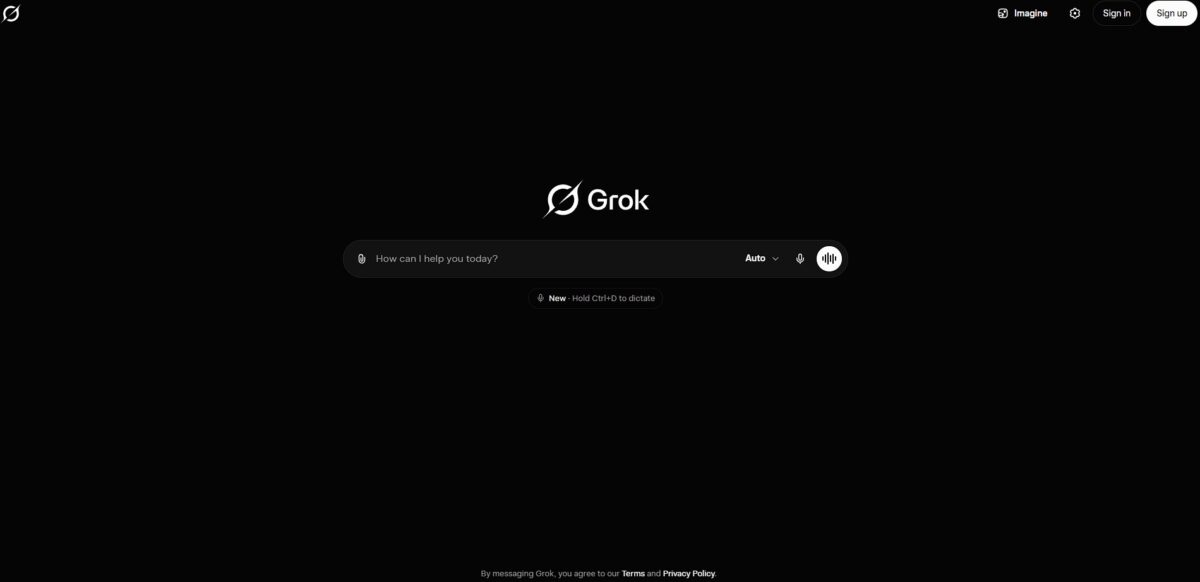
Head to grok.com or open the X app on your phone. You can start with a limited free version or jump straight into a paid plan like X Premium or SuperGrok. Linking your X account is the most direct path because it anchors the bot to your existing social feed. That way, the AI can reference your specific interactions and the news you actually follow.
Once you are in, look for the Grok tab on the sidebar. You can toggle between different models like Grok 4 or the reasoning-heavy Grok 4 Heavy if you have the right subscription. I noticed the interface feels more like a chat room than a clinical document editor, which helps when you are just trying to brainstorm or verify a trending rumor. Real-time data access means you don’t have to wait for a database update to ask about a tech launch that happened ten minutes ago.
You can switch between “Fun Mode” and “Regular Mode” to adjust how much snark you want in the replies. If you are a developer, try pasting a block of code and asking for a fix or an explanation of a complex regex pattern. The “Think” mode is a good choice for these technical tasks because it forces the bot to show its work before giving a final answer. This prevents the “black box” feeling where you get code that works but you don’t know why.
Experiment with the “Imagine” feature by typing a prompt to generate images or short videos with sound. You can even use your voice to describe a scene if you are on mobile. I’ve found that giving it a specific “Persona” like “Homework Helper” or “Unhinged Comedian” changes the utility immediately. Choosing a persona early stops the bot from defaulting to a generic assistant voice.
Who is it for?
News junkies and X power users
If you need to know why a hashtag is spiking right now without clicking through fifty bot-filled replies, this is the tool. It summarizes the chaotic live firehose into a readable paragraph. Why this matters: You get the context of a breaking story in seconds instead of minutes.
Crypto and stock traders
Markets move on rumors and social sentiment. Grok tracks these shifts in real-time, offering a speed advantage over models trained on older data. Seconds of lead time on a trending ticker can prevent a bad trade.
Journalists and researchers
It acts as a first-pass filter for public opinion or “vibe checks” on specific events. It’s useful for finding the general narrative, though it can struggle to separate organic talk from coordinated influence campaigns. You get a high-level map of a conversation before you dive into the primary sources.
Anti-censorship advocates
The model is tuned to answer questions that other “aligned” AI assistants might refuse or lecture you on. It doesn’t shy away from controversial topics or use heavy-handed moralizing.
Tech-curious developers
Those building on the xAI API can integrate real-time social signals into their own apps. It works well for monitoring brand sentiment, but the API costs can scale quickly. That means you can build automation that reacts to world events as they happen on the X platform.
Grok AI pricing
Accessing xAI’s tech requires picking a side between the social app and the dedicated grok.com portal. Since the model pulls from live X data, you are essentially paying for a real-time filter of global noise.
Free: $0/month. You get restricted access to Grok 3 on most platforms. It serves well for casual curiosity, but the message caps will leave you hanging mid-discussion if a topic trends. For deep-dive sessions, you’ll need a paid seat.
X Premium: Approximately $8/month. This grants basic entry within the X ecosystem. It opens up the chatbot but keeps limits strictly managed. If you already pay for the blue checkmark, the bot feels like a free add-on rather than a standalone investment.
X Premium+: Approximately $16 - $40/month. This tier unlocks Grok 4 and higher usage quotas on the social platform. It eliminates most friction for power users who want to analyze long PDF uploads or generate images without hitting a wall. The trade-off is the high monthly cost if you find the social feed distracting.
SuperGrok: A specialized subscription via grok.com. This targets heavy researchers who prefer a clean interface over the X timeline. It prioritizes access to the newest models like Grok 4 and provides the largest buffers for Think Mode reasoning.
xAI API: Metered usage. Developers pay for tokens consumed rather than a flat monthly fee. This removes the social interface entirely, allowing for integration into custom scripts or internal workflows.
Grok AI key features
Direct X Stream Access
Grok taps into the live firehose of posts on X to surface events as they unfold. In practice, it spots regional ISP outages through user complaints long before official dashboards reflect them. This matters because you get a live pulse on current events instead of relying on a model with a static knowledge cutoff.
Unfiltered Response Logic
The model uses a less restrictive safety layer designed to handle controversial or edgy topics without a moralizing lecture. It answers questions that other assistants might dodge due to sensitive keywords, though it still prevents illegal content. As a result, the conversation stays fluid and honest without constant “as an AI” interruptions.
Multimodal Screenshot Analysis
You can upload images or screen grabs for the model to interpret and reason over. It works well for converting whiteboard sketches into JSON or explaining a cryptic error code from legacy server logs. You no longer have to describe complex visual data to the AI by hand.
Integrated Python Sandbox
Grok writes and executes Python code in the background to solve complex math or data processing tasks. Instead of just guessing the next word, it builds a script to ensure the calculation follows strict logic. This matters because you get verifiable answers for technical problems rather than probabilistic hallucinations.
Public Sentiment Summarization
The assistant aggregates thousands of public opinions from X into a single report. It helps you understand if a new software update is stable or if users are reporting specific hardware conflicts in the wild. No more scrolling through endless threads to find a consensus.
Grok AI Pros & Cons
Pros
Grok pulls live data from X posts and global news cycles to surface trends before they hit major search engines. I noticed it tracks sentiment shifts during breaking tech news faster than typical web crawlers. This lets you analyze public discourse while a narrative is still forming rather than waiting for indexed articles, so you can react to market movements or software bugs in minutes. Developers get a massive 2-million-token window in Grok-4 to parse entire repositories or long documentation sets without losing context.
Cons
The direct tie to X means responses often reflect raw social media noise rather than peer-reviewed facts. I’ve seen it mistake viral sarcasm for actual news, which requires you to manually verify its claims against more structured sources. In short, you get speed at the expense of verified authority. While Grok-4 handles complex reasoning, the UI feels cluttered compared to minimalist editors, often burying task automation menus. Full access typically requires a paid subscription, making it a poor choice if you only need a basic chatbot for offline logic.
Use Grok AI if you want…
- Real-time insights from the latest X global data streams.
- Unfiltered, spicy AI perspectives on controversial trending topics.
- Direct integration with X for analyzing public conversation threads.
- Rapid summarization of breaking news as it happens live.
- Native X ecosystem tools for straightforward developer API access.
- A conversational assistant with a unique, witty sense of humor.
- Instant verification of emerging narratives across the web.
- Advanced multimodal processing for deep image and post analysis.
Grok AI alternatives


Grok AI Reviews
Unbeatable for tracking live trends on X, though I always double-check the factual accuracy.
Refreshing to get direct answers without the constant ‘as an AI’ moralizing lectures.
The ‘Fun Mode’ personality makes brainstorming feel a lot more human and less clinical.
DeepSearch is a massive timesaver for cutting through the noise of breaking news cycles.
Great for technical explanations, but the UI can feel a bit cluttered within the X app.
FAQ
How does Grok use data from X for real-time information?
Grok has direct access to the live stream of public posts on X, allowing it to provide up-to-the-minute news, track trending topics, and summarize public sentiment. Unlike many other AI models with static training data, Grok can synthesize information from events as they unfold by analyzing recent tweets and web content.
Can I opt out of having my posts used to train Grok?
Yes, users can opt out of having their public X posts and interactions used for model training by navigating to the Grok & Third-party Collaborators section within their account settings. Additionally, making your account private prevents your posts from being used in Grok’s training data.
What is the difference between Grok’s Fun and Standard modes?
Standard mode provides objective, balanced, and straightforward answers focused on accuracy. In contrast, Fun mode (sometimes referred to as “spicy” or “unhinged”) gives the AI a more rebellious personality with wit, humor, and a willingness to engage in controversial or edgy topics, modeled after The Hitchhiker’s Guide to the Galaxy.
Does Grok support image and video generation?
Yes, through features like Grok Imagine, users can generate high-quality images and short 6-second videos from text prompts. It also offers photo editing capabilities, such as adding text, drawing, or redacting parts of an image through natural language commands.
What is DeepSearch and how is it used?
DeepSearch is an advanced research mode that uses a virtual agent to conduct exhaustive web searches on your behalf. It navigates multiple online sources to gather detailed information and presents the findings in a comprehensive, structured report, making it ideal for complex inquiries that require more than a simple chat response.
What unique voice personalities does Grok offer?
Grok’s Voice Mode includes several distinct personas beyond a standard assistant, such as Storyteller, Conspiracy (focused on paranormal topics), and Unlicensed Therapist. It also features an “unhinged” option that can react with more emotion and an 18+ mode for adult roleplay scenarios.
Similar tools
 FreedomGPTMulti-model AI app that puts hundreds of chat, image and video models, including its own censor-free Liberty models, behind one credit balance.
 ElephasPrivate desktop AI for Mac and Windows that answers questions from your own documents with page-level citations and hides personal details first.
 MagaiPaid AI workspace that puts ChatGPT, Claude, Gemini, Grok and dozens of image and video models in one chat, with memory and