

Hama
Image EditingUpdated November 13, 2026
Free browser-based AI eraser that removes people, objects, text and blemishes from photos with a brush, plus an inpainting API for developers.
We may earn a commission when you sign up through our links. It does not affect our reviews.
What is Hama?
Hama is a browser-based object eraser run by South Korea’s Sandoll Inc. You paint over a person, a caption, a logo or a skin blemish, and a server-side inpainting model rebuilds the background behind it. The API documentation names that model as LaMa (Resolution-robust Large Mask Inpainting with Fourier Convolutions), an open-source research model, so the core engine is a known quantity rather than a secret recipe. The tool solves one narrow problem: removing small distractions without learning a clone stamp. The weak spots are just as clear. Free downloads are capped at 720px, HD output depends on a “PRO” sign-in the FAQ calls free only for a limited time, no paid prices are published, and the iOS app has not been updated since June 2024. Pick it for quick social-size fixes, not for print work.
How to start using Hama?
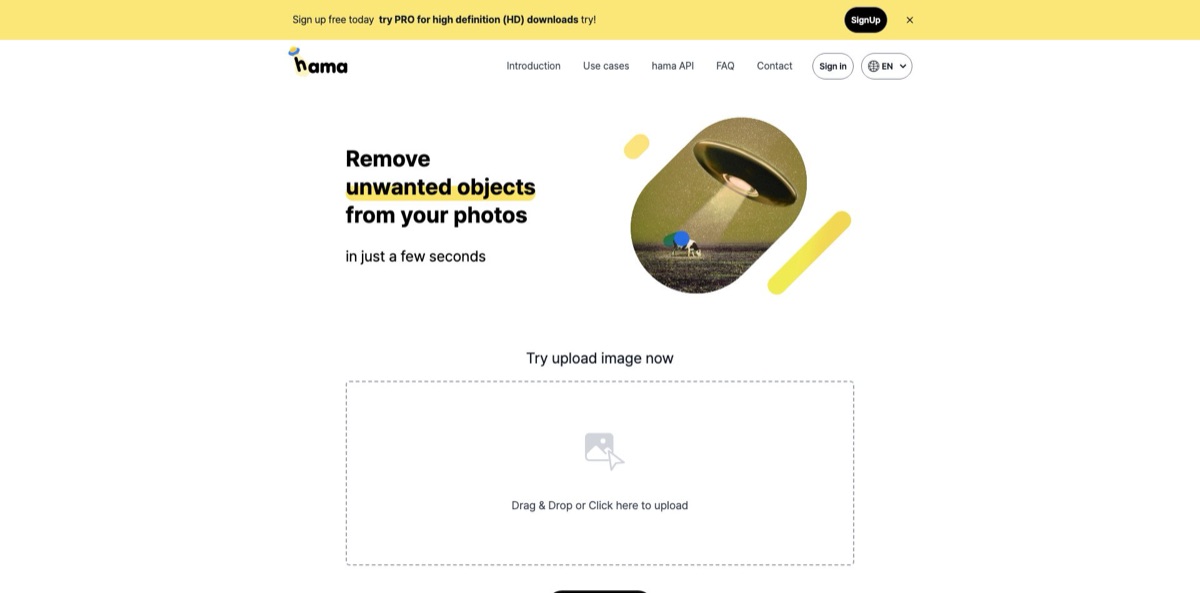
Open hama.app in Chrome, Safari or another desktop or mobile browser. There is nothing to install and you can edit without an account. Drag a photo onto the “Drag & Drop or Click here to upload” box, or tap “Try with an example” to load one of the built-in sample photos. If you want HD downloads, sign in first: the site offers Google and Kakao login, and the FAQ says HD comes with the free PRO tier once you are logged in.
A good first job is the classic travel fix: a stranger walking through your shot of a landmark. Pick the brush and paint over the whole person, including the shadow on the ground. The FAQ advice is specific here: cover an area slightly larger than the object, and mark everything you want gone in one pass instead of nibbling at it piece by piece. Then click Erase and wait a few seconds while the image goes to Hama’s servers and comes back filled in.
The editor is deliberately bare. You get a brush with adjustable size, zoom and move controls for close work, undo, and a View Original toggle that flips between before and after. For blemishes, wrinkles or a date stamp in the corner, zoom in and shrink the brush so you don’t eat into nearby detail. If a ghost of the object remains, brush the same spot again and erase once more; the site’s own tip says repeated passes improve the result.
Before you download, compare against the original at full zoom and look for smeared textures, repeated patterns or bent straight lines, which are typical inpainting artifacts. Free downloads are limited to 720px, so sign in if you need more. You can also share the result by link or to KakaoTalk, LINE, WhatsApp and Twitter. Downloads are blocked inside in-app browsers, so copy the link into Chrome or Safari if the button does nothing.
Who is it for?
Travelers and casual photographers
Tourists, cars and signposts end up in nearly every landmark photo. Hama lets you brush them out in a browser tab with no account and no install. You keep the composition you wanted instead of cropping around the problem.
Social media users
Pimples, stray hairs, tattoos or a cluttered background can spoil an otherwise good profile shot. The zoom and small-brush workflow handles spot retouching quickly. Since social platforms compress images anyway, the 720px free cap matters less here than anywhere else.
Online sellers and designers
Product photos and mockups often carry stray props, stickers or old branding. Hama’s use-case pages describe removing logos and decorations for detail pages, thumbnails and mockups. Check that you have the rights to the image first, as the site itself warns that watermarks signal copyright.
Families with old photos
Scans of worn prints have scratches, folds and small damaged patches. Brushing over those areas lets the model rebuild them from surrounding detail. It handles small defects, not faded color or heavy blur.
Real estate and map-imagery teams
Listing photos and street views pick up passers-by and parked cars. Hama’s documentation lists both as target uses and advises removing only what is necessary so the photo still shows the real property. That restraint protects you from misleading buyers.
Developers prototyping an eraser feature
Building an inpainting service from scratch takes time and GPU budget. Hama’s HTTP API takes an image plus a binary mask and returns the cleaned PNG. You can test the concept before committing to a heavier vendor.
Hama pricing
Hama has no pricing page. Everything public about cost sits in the FAQ and API docs, and it describes a free service with a resolution cap rather than a subscription ladder. There are no credits, seats or usage meters on the web app, and the FAQ says you can edit unlimited images. The catch is output size, and the fact that the free status of the HD tier is described as temporary.
Unlimited edits with no account. Uploads of any size are accepted, but downloads are limited to 720px. Very large uploads can time out, according to the troubleshooting page.
Signing in switches on HD downloads. The FAQ states that PRO is free “for a limited time”, and no paid price, billing period or plan limits are published anywhere on the site.
Custom. You request a key by email. Standard responses are fixed at 1280×720 PNG, HD output is tied to a Pro subscription whose price is not listed, and collaboration agreements remove the file size and wait-time limits. Pricing is quote-based.
Hama key features
Brush-and-erase inpainting
You paint a mask over the unwanted area, click Erase, and the server fills it with background generated from the surrounding pixels. There are no layers, selections or clone sources to manage. That makes it usable by anyone who can scribble with a mouse or a finger.
LaMa model under the hood
The API docs identify the engine as LaMa, an inpainting model published as open-source research under the Apache 2.0 license. Its authors designed it for large masks, varying resolutions and periodic structures such as brickwork, fences and grass.
Repeat erasing for stubborn objects
If the first pass leaves a smudge, you brush the same spot again and erase once more. Each pass works on the previous result, and undo lets you step back if a pass makes things worse. The vendor’s own tip recommends this loop for better output.
Text, watermark and date-stamp removal
The same brush clears captions, subtitles, logos and the date stamps printed by old cameras. The use-case page pairs this with a copyright caution, which you should take seriously. It’s fine for your own photos; for anyone else’s images, get the license first.
Spot retouching for portraits
Zoom in, shrink the brush and paint over blemishes, wrinkles, scars or tattoos. The fix is local, so the rest of the face stays untouched. That makes it a lighter alternative to full beauty filters that smooth the whole skin.
Inpainting HTTP API
A multipart POST with an original image (JPG or PNG, up to 16 megapixels and 4MB) and a same-size binary JPG mask returns a PNG, with a 30-second response window. Errors come back as JSON with status codes. It gives web builders, template services and photo apps a bolt-on eraser without training a model.
Multilingual web app plus mobile access
The site runs in English, Korean, Japanese, Chinese and Russian, and works in mobile browsers with an add-to-home-screen option. A free iOS app from Sandoll also exists, though its store title is in Korean and its last update was version 1.0.1 in June 2024.
Hama Pros & Cons
Pros
Hama is about as low-friction as photo cleanup gets. You open a page, drop a photo, brush, and click Erase, with no account and no credit meter. The engine is LaMa, an established open-source inpainting model built for large masks and repeating structures, which suits the walls, fences, grass and sky behind most travel-photo intruders. Unlimited free edits make it a safe place to experiment on throwaway images. Developers get a short, clear API spec with documented file limits and response formats. Use it as a quick first pass for social-size images, and keep a desktop editor for anything that needs pixel-level control.
Cons
The free 720px download cap rules out print and most professional delivery, and HD depends on a PRO tier the FAQ describes as free only for a limited time, with no published price for afterward. Development looks slow: the sitemap dates from 2023 and the iOS app last changed in June 2024. The English terms state that intellectual property rights in data generated in the service and data users upload are attributed to the company, and the privacy policy keeps photo files for three months. Read both before uploading client work or anything sensitive.
Use Hama if you want…
- Remove strangers from travel photos in seconds.
- Erase date stamps and captions from your own pictures.
- Retouch blemishes on a profile photo without filters.
- Clean small scratches from scanned family prints.
- Fix photos in a browser without installing software.
- Edit unlimited images without paying or creating an account.
- Prototype an eraser feature with a simple inpainting API.
- Clear stray props from product shots before listing.
Hama alternatives
 ClipdropRead review →
 SnapEditRead review →
 PixelcutRead review →
 Cutout.ProRead review →
 Phot.AIRead review →
 PixlrRead review →
Hama Reviews
A Product Hunt commenter used it to remove an extra person from a stitched panorama and found it easier than Photoshop’s content-aware fill, but the low-resolution download was too pixelated to judge the result properly, so they asked for an HD version.
Launch-day commenters on Product Hunt called it simple and useful and liked the clean website, though their feedback stayed at first-impression level with no long-term use described.
Ratings on There’s An AI For That are split: eight of 15 voters give it five stars, while five rate it only one or two, for a 3.7 average and no clear consensus.
FAQ
Is Hama free to use?
Yes. The FAQ says you can edit unlimited images for free, with downloads limited to 720px unless you sign in for the free PRO tier, which the company describes as free for a limited time.
Can I download images in full resolution?
Only up to HD, and only after signing in for Hama PRO. The free version caps downloads at 720px, and the API returns 1280×720 images unless you have a Pro subscription.
Does Hama have an API?
Yes. The inpainting API accepts a JPG or PNG image up to 16 megapixels and 4MB plus a same-size binary mask, and returns a PNG. You request a key by email; pricing is not published.
What happens to the photos I upload?
The FAQ says photos are not shared with third parties or used for other purposes. The privacy policy lists photo files as collected to generate and store editing results, with a three-month retention period, and the terms attribute rights in uploaded and generated data to the company.
Who makes Hama?
Hama is operated by Sandoll Inc. of South Korea, which is named in the terms, the privacy policy and the App Store listing. The original 2022 Product Hunt launch pointed users to a Coxwave support address.
Is there a mobile app?
The web app works in mobile browsers and can be added to your home screen. Sandoll also publishes a free iOS app, last updated to version 1.0.1 in June 2024.
Why does Hama show “There was a temporary error, please try again”?
The troubleshooting page blames server load from many simultaneous users or images so large that processing runs past a few tens of seconds. Try again later or reduce the image resolution.
Is it legal to remove watermarks with Hama?
The tool can erase watermarks and logos, but Hama’s own use-case page warns that they indicate copyright. Remove them only from images you own or are licensed to edit.
Similar tools
 BgEraserBrowser-based AI background remover that turns up to 20 photos per batch into transparent PNGs without an account, plus offline apps for
 ImgkitsBrowser-based set of AI photo tools for background removal, object cleanup, upscaling, old photo restoration, image generation and image-to-video.
 FacetuneLightricks' face-aware photo and video editor for iOS, Android and the web: retouching, reshaping, makeup, hair and outfit try-on, and AI headshots.