

Heidi
AI AssistantsUpdated October 21, 2026
AI medical scribe and clinical assistant that turns patient visits into structured notes, letters and cited evidence answers for clinicians.
We may earn a commission when you sign up through our links. It does not affect our reviews.
What is Heidi?
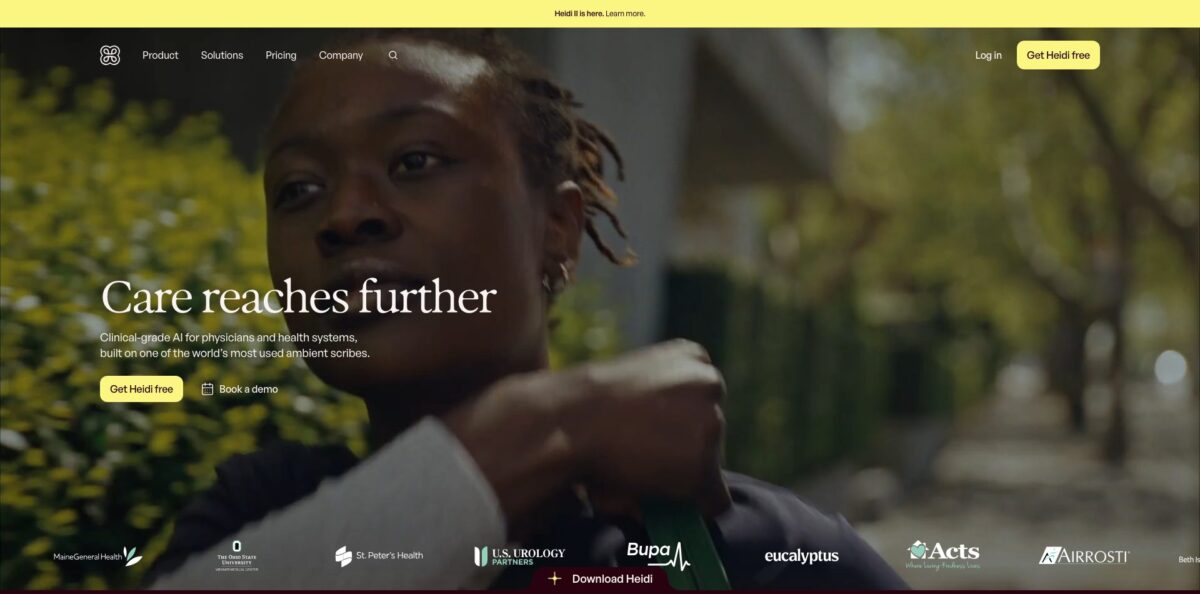
Heidi, built by the Australian company Heidi Health, is an ambient AI scribe that listens to a patient visit, transcribes it and drafts a structured clinical note in the template you choose. Around that core sit Dictate for typing by voice into any app, Evidence for cited answers drawn from full-text journals, and, since the Heidi II release in October 2026, Agents and Routines that handle pre-charting, referral letters and results follow-up. The problem it targets is the evening spent finishing records: the vendor claims 59 minutes of clinician time returned per day. The free plan covers unlimited ambient documentation, which is rare in this market. The weak spots are long, multi-problem visits, where notes need more editing, and a mobile app that some users call buggy. Pick it if you want to trial a capable scribe at zero cost before committing a team.
How to start using Heidi?
Click Get Heidi free on the website to create an account; the free plan needs no card, and the paid Clinician plan comes with a 14-day trial. Heidi runs in a web browser, on mobile, and as a desktop app for macOS and Windows. The desktop app matters if you run telehealth, because it can capture call audio directly, and it is also where the free Dictate feature lives. Teams and health systems go through the Talk to us form instead, since EHR integration and SSO are set up with Heidi’s staff.
Your first real scenario is a single consultation. Open a session before the patient sits down, start recording, and talk as you normally would. When the visit ends, Heidi turns the transcript into a note using a standard template such as a SOAP note. Before you rely on it, check your clinic’s consent process: Heidi says it does not enforce consent rules, so how you inform patients and record their agreement stays your responsibility. The company provides patient explainer sheets and optional consent forms to help.
The screen that shapes your results is Templates. You can build a template from scratch, convert a past note into one, or describe what you need and let Heidi draft it. Note templates cover clinical records like SOAP or therapy notes, while Document templates produce referral letters and after-visit summaries. Add your own headings, placeholders and standard phrasing so the output sounds like you, and expect to refine a template over a few sessions before it fits.
Before anything goes into the chart, read the note line by line. Heidi’s own guidance for trainees is that every AI-generated note must be reviewed and corrected like a handwritten one, and that applies to everyone. If you have an integration such as Epic, athenahealth or Oracle Cerner, push the reviewed note into the record; otherwise copy it across. Delete sessions you no longer need, because Heidi states that deleted data is permanently removed and cannot be recovered.
Who is it for?
Primary care physicians
You see a full list of short, mixed visits and finish notes after hours. Heidi drafts each note during the visit and can prepare a morning brief of the day’s patients. The free plan lets you test it on a real clinic day before paying.
Specialists and surgeons
Your letters back to referring doctors pile up between cases. Document templates and the visit paperwork routine draft the referral or GP letter from the finished note. Long, complex consultations still need careful editing, so budget review time.
Allied health and mental health clinicians
Physiotherapists, dietitians and psychologists use Heidi for session notes, home exercise programs and updates to referrers. Custom templates handle formats such as DAP notes. Several App Store reviewers in these fields report faster charting, though some find the data section of notes too long.
Hospital teams and nurses
Ward rounds and shift handovers eat time that should go to patients. Heidi II adds ward round prep and handover routines in ISBAR or your team’s format, with every fact cited back to the record. These features rely on integrations, so they suit organizations willing to set them up.
Practice managers and health system IT
You need governance, central billing and EHR writeback rather than a tool each clinician installs alone. The Teams plan adds team controls, shared templates, SSO and EHR integration with a pooled monthly capacity. Pricing is quote-based, so involve procurement early.
Medical trainees
Students and residents can verify their status and get the Clinician plan free. That gives you advanced templates and journal access while you learn to document. You still own every note, and Heidi says so explicitly.
Heidi pricing
Heidi sells per-seat subscriptions. Scribing and evidence questions do not draw down any usage allowance; Agents, Routines, Dictate and other credit-based features do. Free accounts get a small weekly allowance, paid seats get a monthly one, and when a Standard seat runs out those features pause until the next month while notes keep working. Heidi says it never charges overages. The US prices below come from the official pricing page in USD and exclude applicable sales taxes.
One free seat with unlimited transcription and ambient documentation, standard templates and task management. Dictate, Ask, advanced templates, coding, patient linking and Agents are available as a limited trial, and evidence answers are capped.
Adds custom templates, Routines for pre-charting and billing code support, evidence inside the visit that uses patient context, live evidence suggestions, full-text journal access and CPD or CME tracking. A 14-day free trial is offered.
Identical to Standard but with five times the Agents usage, aimed at clinicians who run Agents every day.
Custom. For practices, provider groups and health systems. Includes shared templates and sessions, team management, centralized billing, priority support, guided onboarding, EHR integration, and optional SSO, custom hosting and dedicated customer success. Assistant and admin users are free and draw from a shared credit pool.
Clinician plan free after verifying student status.
Heidi key features
Ambient scribe: Heidi listens to the whole consultation and writes a structured note in your chosen template
Transcription is unlimited even on the free plan. Company research reports that across 77 languages, 97.5% of transcription errors carried low clinical risk, though that figure comes from Heidi’s own papers.
Custom templates: Build Note templates for clinical records and Document templates for letters and summaries
Start from defaults, a past note or a plain-language description, and edit in rich text, HTML or drag-and-drop. Teams can share templates to keep documentation consistent across departments.
Dictate: A desktop feature that lets you hold one key, speak, and drop clean clinical text wherever your cursor sits, from the EHR to Outlook. It needs no voice training, supports more than 90 languages and learns drug names after one correction. Dictate is free on Heidi Desktop for macOS and Windows.
Evidence: Ask clinical questions inside a session and get answers grounded in the full text of journals such as the New England Journal of Medicine, Wiley and Cochrane, cross-referenced with the patient’s history. Answers include citations you can check. Paid plans add full-text journal access and CPD tracking.
Agents and Routines: Introduced with Heidi II, Agents carry tasks to completion, such as pre-charting tomorrow’s list, chasing pathology results or filling a PDF form from the session. Save a task and it becomes a Routine that runs on a schedule. Heidi starts in Manual mode, and it will not prescribe, delete records or submit claims in any mode.
EHR integrations: Heidi lists integrations with Epic, Oracle Cerner, athenahealth, eClinicalWorks via Vim, Altera, AlayaCare, CareStack and practice systems like Cliniko and Halaxy. Depending on the system, it either embeds inside the record or syncs finished notes into the chart.
Security and compliance: Heidi states it holds ISO 27001, ISO 42001 and SOC 2 Type 2 credentials and meets HIPAA, GDPR, PIPEDA and the Australian Privacy Principles. It acts as a HIPAA Business Associate, offers a BAA to every covered entity it works with and hosts US data in the United States. It also says consultation data, transcripts and notes are not used to train its models.
Heidi Pros & Cons
Pros
The free tier is the headline: unlimited ambient documentation with standard templates costs nothing, so you can judge note quality on real patients before any budget conversation. Template control is deep, letting you mirror your own headings and phrasing, and Evidence adds cited answers from full journal articles without leaving the visit. The privacy story is concrete, with a stated BAA for US covered entities, regional hosting, ISO and SOC 2 credentials and a clear statement that patient data does not train models. Heidi II pushes beyond notes into referral letters, results follow-up and handovers, with Manual mode as a safety default. On the App Store the app holds roughly 4.7 stars from more than 2,500 US ratings. Start on the free plan and keep a short log of the edits you make to each note.
Cons
Quality drops on long, multi-problem encounters and narrative-heavy sessions, where users report more cleanup and notes that run too long. Several App Store reviews describe crashes, recordings that fail to process, battery drain on older versions and an iPad or Mac login error, so reliability varies by device. Some clinicians say Heidi ignores templates until corrected repeatedly, and free users complain when features move behind the paywall. The Max seat at $409/month billed monthly is expensive if you only want more Agent runs, Heidi II is not available in the EU or UK, and Teams pricing is not public. Keep a fallback way to document, such as a second recording device, until you trust the app on your hardware.
Use Heidi if you want…
- Turn spoken consultations into structured clinical notes.
- Draft referral letters and after-visit summaries from the note.
- Dictate clinical text into any app on your desktop.
- Get cited evidence answers without leaving the visit.
- Pre-chart tomorrow’s patients with an overnight routine.
- Push reviewed notes straight into Epic or athenahealth.
- Test an AI scribe free before buying seats.
- Standardize documentation with shared templates across a team.
Heidi alternatives
Heidi Reviews
Physicians on the App Store say ambient capture lets them focus on the patient and trust that the assessment and plan will be recorded, though they would like the tool extended to nurses and front-line staff.
A long-term outpatient user praises the support team but says voice detection is weak and about 80% of each note comes out right, leaving small fixes every time.
Several iPhone users describe crashes after updates, recordings that fail to process and slow performance on older phones, while still rating the ambient listening itself highly.
Some reviewers find that Heidi drifts back to generic output and ignores their templates until corrected repeatedly, and one compares it unfavorably with free alternatives.
Clinicians on G2 highlight how it summarizes an entire examination into any custom template, while aggregated reviews elsewhere flag the need for a stable internet connection and frustration with trial billing.
FAQ
Is Heidi free?
Yes. The Free plan includes unlimited transcription and ambient documentation with standard templates, plus a limited trial of Dictate, Ask, Agents and other features. Paid plans start at $110/month per seat when billed annually.
Is Heidi HIPAA compliant?
Heidi states it is HIPAA compliant, acts as a Business Associate and makes a BAA available to every covered entity it works with. It also says US customer data is hosted within the United States.
Does Heidi use patient data to train its AI?
No, according to Heidi. Its support documentation says consultation data, session transcripts and generated notes are not used to train its models, and staff cannot open your sessions without your explicit consent.
Which EHR systems does Heidi integrate with?
Heidi lists Epic, Oracle Cerner, athenahealth, eClinicalWorks via Vim, Altera and many practice management systems such as Cliniko, Halaxy and CareStack. On the pricing page, EHR integration is listed under the Teams plan.
How many languages does Heidi support?
Heidi Dictate supports more than 90 languages, and the company’s transcription research covered 77 languages. Heidi II agent features are rolling out in English first.
What is the difference between a Standard and a Max seat?
A Max seat includes five times the Agents usage of a Standard seat; everything else is identical. Scribing and evidence questions never count against either allowance.
Do I need to get patient consent?
Heidi does not enforce consent rules, so obtaining and recording consent follows your clinic’s policies and local law. The company provides patient explainer sheets and optional consent forms.
Can I cancel my Heidi subscription at any time?
Yes. You keep access until the end of the current billing cycle, and on an annual plan you are not charged for the following year.
Similar tools
 FreedomGPTMulti-model AI app that puts hundreds of chat, image and video models, including its own censor-free Liberty models, behind one credit balance.
 ElephasPrivate desktop AI for Mac and Windows that answers questions from your own documents with page-level citations and hides personal details first.
 MagaiPaid AI workspace that puts ChatGPT, Claude, Gemini, Grok and dozens of image and video models in one chat, with memory and