

Hex
Data AnalysisUpdated November 13, 2026
Collaborative analytics workspace that mixes SQL, Python and AI agents in notebooks, then publishes results as data apps and plain-language answers.
We may earn a commission when you sign up through our links. It does not affect our reviews.
What is Hex?
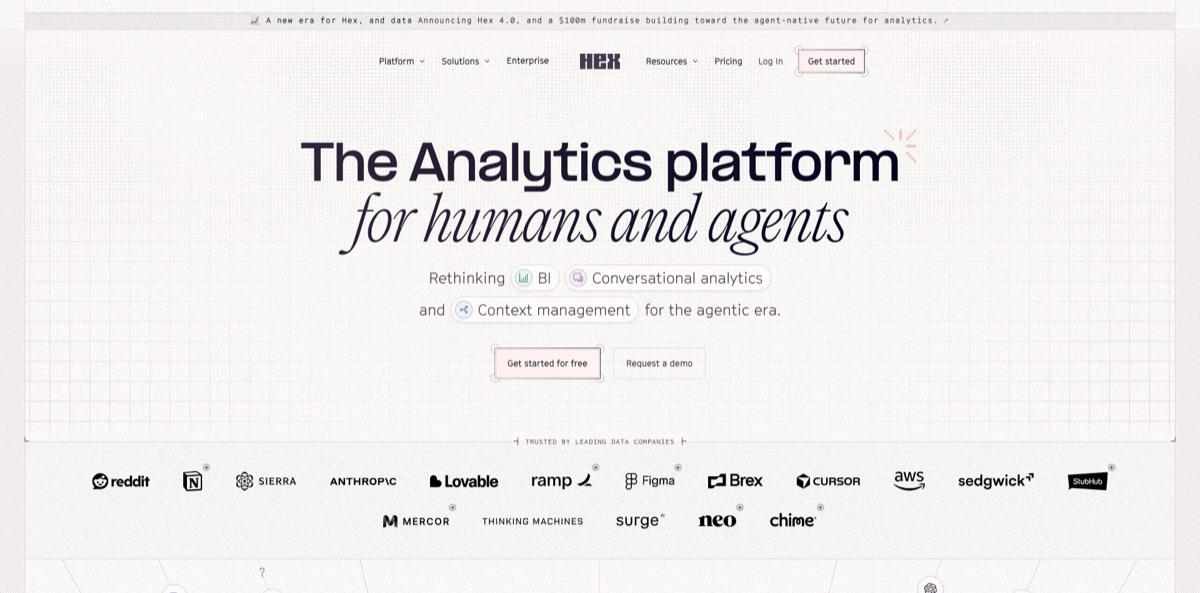
Hex is a cloud analytics workspace from Hex Technologies, founded in 2019, where SQL, Python and R cells, no-code charts and AI agents share one notebook. Analysts query Snowflake, BigQuery, Databricks or Postgres, mix the results with Python, and publish the work as an interactive data app. Business users ask questions in plain language through Threads, in Slack, or from Claude and ChatGPT over MCP, and the answers draw on context the data team curates in Context Studio. On October 27, 2026 the company released Hex 4.0, a from-scratch rewrite built on plain code, along with a $100 million raise. It replaces the hop between notebooks, BI dashboards and ad-hoc data requests. The weak spots are lag on long notebooks, a credit meter on every AI action and $75 per editor for the team features. Pick it if your data already lives in a warehouse.
How to start using Hex?
Sign up at app.hex.tech. The Community plan is free, and anyone can try the Team plan for 14 days without a payment card. If you do nothing at the end of the trial, the workspace drops back to Community and loses premium features. An Admin then adds a workspace connection under Settings, Data sources, + Connection, which every member can reuse. Editors can also add a project-only connection from the Data browser sidebar in Notebook view. Supported sources include Snowflake, BigQuery, Databricks, Redshift, Postgres, ClickHouse, MotherDuck, Athena, Trino and MySQL.
Your first real task is a project. Open a new one and write a SQL cell against a warehouse table, then reference its output as a dataframe in a Python cell, or query a Python result back in SQL. Add a Chart, Pivot or Map cell to visualize the output without code. If you would rather describe the job, ask the Notebook Agent in plain language: it creates and edits SQL, Python, Markdown, Pivot and Chart cells that you can read and correct before you trust the numbers.
Next, set up the AI side. Admins choose the workspace default model under Settings, AI & Agents, while each user can switch models in the Model & effort picker, which defaults to Auto. In Context Studio, endorse the tables you trust, write workspace rules and guides with your business definitions, and on Team or Enterprise build semantic models or sync them from dbt MetricFlow, Cube or Snowflake Semantic Views. Mark sensitive connections so the MCP server and the Slack agent never touch them.
Before you share anything, arrange the cells you want stakeholders to see in the App view, then publish and share the app with the right people. On Team, add a scheduled run so the app refreshes on its own. Run a few Threads questions that business users will actually ask and check the Context Studio warnings for missing context or user doubt. Watch credit use too: Hex warns you at 80% of your grant, and when credits run out new agent prompts are blocked.
Who is it for?
Data analysts
You split your day between a SQL editor, a Python notebook and a BI tool, then rebuild the same chart for stakeholders. Hex keeps SQL, Python and charts in one notebook and turns the result into a shareable app. Ad-hoc requests stop turning into a chain of exports.
Heads of data at growing companies
Your team is buried in one-off questions from sales, finance and product. Threads lets those people ask in plain language, while Context Studio shows what they asked and where the agent lacked context. You fix definitions once instead of answering the same question every week.
Business users and operators
You need numbers for a meeting, not a ticket in the data team’s queue. You can ask Hex in Slack or in Threads and get a chart grounded in endorsed tables and semantic models. Expect better answers when the data team has curated context first.
Data scientists
Exploratory work often outgrows a laptop and dies in a local Jupyter file nobody else can open. Hex hosts Python and R with configurable compute, with pay-as-you-go profiles up to 128 GB of memory and GPUs on Team and Enterprise, and keeps the work shareable. Your models and stakeholder views live in the same project.
Analytics engineers
You already maintain dbt models and want them used, not ignored. Hex enriches schemas with dbt docs, exports projects to GitHub or GitLab, and runs inside Airflow, Dagster or Prefect pipelines. Your modeling work becomes the foundation for AI answers.
Engineers using coding agents
You prototype analysis in Claude Code, Cursor or Codex and end up sharing HTML files with no permissions or provenance. The Hex CLI and MCP server push that work into a governed, versioned Hex project. Note that external AI tools need the Team or Enterprise plan.
Hex pricing
Hex charges per Editor seat per month, and every plan allows unlimited users. On top of the seat, AI work runs on credits that are spent by effort: a simple count question costs about 1 credit, a correlation analysis about 3, and an interactive data app about 10. Paid plans include a monthly credit grant per seat that resets each billing cycle and does not roll over. Auto top-ups add 50 credits for $25 when the workspace pool drops below 25 credits. The pricing page shows one monthly price per Editor and no separate annual rate.
Free. A Hex agent trial with 5 credits per editor per month, any data source, all cell types, Small compute (4 GB, 0.5 CPU), up to 5 published apps and 7-day version history. Good for hobby projects and portfolios.
The Hex agent with standard credits (30 per editor per month), Medium compute (8 GB, 1 CPU), up to 5 published apps, up to 3 shared collections and components, and 30-day version history. Students and educators at universities and bootcamps can get this plan free through support.
Extended credits (40 per editor per month), unlimited published apps, visual exploration with drill down, unlimited version history, scheduled runs and alerts, semantic models, REST APIs, Git export, dbt, Airflow and Dagster integrations, user groups and access to external AI tools over MCP.
Custom. Adds Explorer seats as a per-seat add-on, custom credit grants, audit logs, OAuth database connections, OIDC SSO, bring-your-own-key for OpenAI and Anthropic, an observability API, and add-ons for single tenant, HIPAA, embedded analytics and custom Docker images, plus dedicated support.
Medium compute is included on all paid plans. Team and Enterprise can pay per minute for bigger profiles, from Large (16 GB) at $0.32 per hour to 4XL (128 GB) at $2.58 per hour, or GPUs at $2.93 per hour (L4) and $4.06 per hour (A10G).
Hex key features
Agentic notebooks combine SQL, Python and R cells with no-code Table, Pivot, Chart and Map cells
A graph-based execution model tracks how cells depend on each other, which Hex says makes projects more reproducible than classic notebooks, and heavy SQL can be pushed down to the warehouse instead of hitting memory limits. The Notebook Agent writes and edits those cells from a plain-language request. You get working code you can audit instead of a black-box answer.
Threads is the conversational layer for people who do not write SQL
It answers from semantic models, endorsed tables and existing workspace projects, cites what it used, and logs a missing-context warning when a definition is not documented. Users can ask from Hex, Slack, the CLI or an MCP client, and recurring questions can run on a schedule with answers sent to email or Slack.
Context Studio is where the data team manages what agents know: workspace rules, guides, endorsements and semantic models built in Hex or synced from dbt MetricFlow, Cube or Snowflake Semantic Views. Observability views show conversation volume, topics, warnings and the source of every question. A Review Agent suggests fixes, and evals let you test context changes before they reach users.
Data apps turn a notebook into an interactive dashboard with inputs and filters, and generative apps let you describe the app to the Hex agent instead of laying it out by hand. Viewers can use Chat with App to summarize content, change filters or rerun the project.
Warehouse-first integrations cover Snowflake, BigQuery, Databricks, Redshift, Postgres, ClickHouse, MotherDuck, SQL Server and more. Hex reads dbt docs into schemas, supports OAuth warehouse logins on Enterprise, exports projects to GitHub or GitLab, and can be triggered from Airflow, Dagster or Prefect. A public API covers anything without a native connector.
The Hex CLI and MCP server let coding agents and chat assistants work with Hex directly
Commands such as hex project, hex cell, hex run, hex thread and hex guide create projects, run analyses and update context from a terminal or CI pipeline. Claude, ChatGPT, Codex and Cursor connect through official connectors or the MCP endpoint at app.hex.tech/mcp on Team and Enterprise.
Governance controls sit underneath the AI
Hex says its AI providers do not train on customer data and run under zero data retention agreements by default, sensitive connections can be excluded from external integrations, and Governed mode restricts what the agent uses. Hex is audited annually for SOC 2 Type II and HIPAA, and Enterprise adds BYOK and audit logs.
Hex Pros & Cons
Pros
Hex removes the split between where analysis happens and where it gets shared. SQL and Python sit in the same notebook, results pass between them as dataframes, and the same project becomes an app for stakeholders. The AI layer is grounded in context you control: endorsed tables, semantic models and written rules, with warnings when the agent lacks a definition. Business users can ask in Slack or Threads, while analysts audit every generated query. Warehouse integrations, dbt support, Git export and a CLI make it fit an existing data stack instead of replacing it. Start by endorsing a handful of clean tables so early answers build trust.
Cons
Users regularly report lag once a notebook grows long, and compute above Medium costs extra per hour. Every AI action draws on credits, and grants of 30 or 40 credits per editor can run out quickly if you build apps, which cost around 10 credits each. The free plan is limited to Small compute and a trial of the agent. Useful team features such as scheduled runs, semantic models and MCP access start at $75 per editor, and Explorer seats sit on Enterprise. Self-serve quality also depends on the context your data team writes. Budget time for context setup and set per-user credit limits early.
Use Hex if you want…
- Combine SQL and Python in one shared notebook.
- Turn warehouse queries into interactive data apps quickly.
- Let business users ask data questions in Slack.
- Ground AI answers in your own semantic models.
- Replace static dashboards with scheduled, refreshing data apps.
- Track what colleagues ask agents and where answers fail.
- Query company data from Claude, ChatGPT or Cursor.
- Move legacy BI and Jupyter work into versioned projects.
Hex alternatives


Hex Reviews
G2 reviewers like reducing big tables with SQL and then charting the result in Python inside one project, which speeds up dashboard work. A common gripe is that app filters start running while viewers are still changing them.
Daily users on Reddit’s data science forums describe Hex as the right mix of notebook and BI-style visuals. Lag on long, cell-heavy notebooks remains their most repeated complaint.
An analyst comparing tools on r/dataengineering found Hex more notebook-like than Omni and best suited to technical users. The agent took more setup there and did not give good results at first.
Recent G2 reviews credit the agent and context tracking for turning a week of analysis into an afternoon. Some still find it unclear when to use semantic models versus guides, and one long-time user says the cost is getting harder to justify.
On Capterra and Gartner, users praise how quickly the agent builds dashboards without being taught table structure. They want broken queries flagged in the app itself and faster backend startup when rerunning code.
FAQ
Is there a free version of Hex?
Yes. The Community plan is free and includes a Hex agent trial with 5 credits per editor per month, Small compute and up to 5 published apps. You can also try the Team plan free for 14 days without a payment card.
How do Hex AI credits work?
AI features use credits based on effort, from about 1 credit for a simple count to about 10 for an interactive data app. Professional includes 30 credits per editor per month and Team 40, grants do not roll over, and auto top-ups add 50 credits for $25.
Does Hex use my data to train AI models?
Hex states that its AI providers do not train on customer data and operate under zero data retention agreements by default. Some advanced models need limited retention for safety monitoring and must be enabled by an Admin, and Enterprise customers can bring their own OpenAI or Anthropic key.
Which databases can Hex connect to?
Hex connects to Snowflake, BigQuery, Databricks, Redshift, Postgres, ClickHouse, MotherDuck, Athena, Trino, Presto, Starburst, MySQL, MariaDB, SQL Server and several Google Cloud databases. It also integrates with dbt, GitHub, GitLab, Airflow, Dagster and Prefect.
Can I use Hex from Claude, ChatGPT or Cursor?
Yes. Hex offers official connectors for Claude, ChatGPT, Codex and Cursor plus an MCP endpoint for other clients, but working with Hex from an external AI tool requires the Team or Enterprise plan.
Do business users need to know SQL or Python?
No. Threads and the Hex agent in Slack answer plain-language questions from your semantic models and endorsed tables, and data practitioners can open the same work in a notebook when a question needs deeper analysis.
How do I cancel or change my Hex plan?
Professional and Team customers can cancel or change plans anytime from Settings, Manage Plan, and keep paid access until the end of the billing period. Enterprise customers handle renewals and cancellations with their account representative.
Does Hex offer discounts for students or non-profits?
Students and educators at universities and bootcamps can get the Professional plan free by contacting support@hex.tech. Qualified non-profits can apply for a discounted program through the same address.
Similar tools
 WindwardMaritime AI platform that fuses AIS, satellite and ownership data into vessel risk scores, sanctions screening, alerts and container ETAs.
 Delve AIAI market research platform that builds personas from analytics, CRM and social data, then lets you chat with them or run synthetic
 Speak AIConversation intelligence platform that transcribes interviews, calls and meetings in 100+ languages and turns them into themes, scores and structured data.