
HeyGen
Video GenerationUpdated October 19, 2026
AI video platform for talking-avatar videos, personal digital twins and lip-synced video translation into 175+ languages for marketing and training.
We may earn a commission when you sign up through our links. It does not affect our reviews.
What is HeyGen?
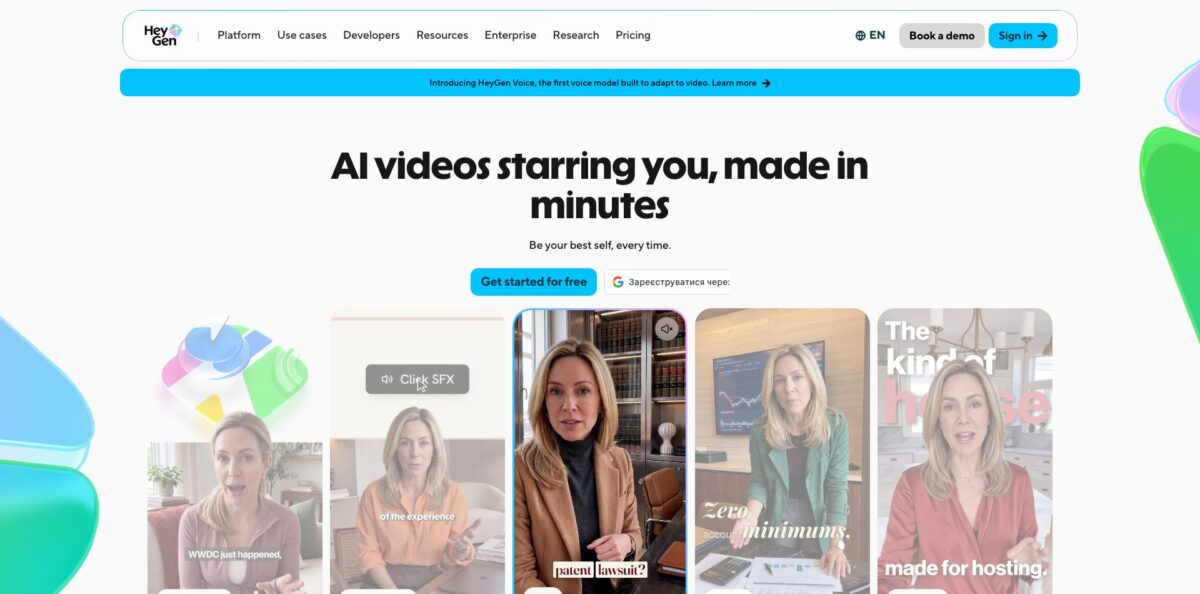
HeyGen is a browser-based AI video studio that turns a script, a slide deck, an audio file or a short prompt into a finished presenter video, without a camera or crew. You pick a stock avatar, animate a single photo, or record a short clip to build a digital twin of yourself, and the platform generates the voice, lip movement and gestures to match your text. Its second big job is localization: upload an existing video or paste a YouTube link and HeyGen re-voices it in 175+ languages and dialects with your cloned voice and synced lips. The weak spot is cost predictability, because every generation draws on a shared credit balance that heavier models burn faster. Pick it if you publish script-driven training, sales or social videos on a schedule and want one face across many markets.
How to start using HeyGen?
Create a free account at heygen.com; no credit card is needed, and the Free plan gives you 3 videos per month, each up to one minute. That is enough to judge avatar quality and lip-sync before you pay. If you want your own face on screen, record a short consent video first. HeyGen requires on-camera verification from the person being cloned for every video-based digital twin, so nobody can build an avatar of you from public footage.
Your first real project usually happens in AI Studio, the script-based editor. It opens with a default avatar and a first scene; you replace the avatar from the right panel, then type the script for that scene on the left. Keep each script section under 2,000 characters, as the help center recommends, and add new scenes with the + Scene button, either blank or from a template. If you already have a PowerPoint or PDF, import it instead and the avatar presents each slide, using your speaker notes as the script if you like.
The voice panel is where most of the polish happens. You can change accent, tone, speed and voice engine, insert pauses in half-second steps, or swap the generated voice for your own recording via Upload Audio or Record Audio. Timing in AI Studio is tied to the text rather than a timeline: select an element on the canvas and drag its two markers inside the script to control when it appears and disappears.
Full video previews are not available while editing, because rendering the avatar takes time, but you can play back the audio for each scene. When the script sounds right, submit the project for generation, review the render and export it or share a link. For translations, open the video translator, upload the file or paste a YouTube URL, choose up to 10 target languages at once, and use Edit & Review to proofread the translated script before the final render.
Who is it for?
L&D and training teams
Course modules go stale every time a policy or product changes, and reshooting a presenter is slow and expensive. With HeyGen you edit the script and regenerate the scene, then push it to your LMS through SCORM export on the Business plan. Interactive quizzes and branching help turn passive videos into checked lessons.
Marketers running multiple markets
Localizing one campaign video into a dozen languages normally means voice actors, studios and weeks of back-and-forth. The video translator clones the original speaker’s voice and re-syncs the lips, so one master cut becomes regional versions. A brand glossary keeps product names and protected terms intact.
Solo creators and personal brands
Posting daily on TikTok, Reels or Shorts burns out anyone who films every clip. A digital twin lets you publish vertical 9:16 videos from a script, with auto captions and your cloned voice. You still write the content, but you stop setting up lights and retaking lines.
Sales and customer success reps
Generic outreach gets ignored, while recording a personal video for each prospect does not scale. Templates let you record once and generate personalized versions that greet each prospect by name. Integrations with HubSpot, Zapier, Make and n8n on the Business plan connect this to your CRM workflows.
Coaches, advisors and course creators
Explaining the same concepts to every client eats hours each week. You can turn a brief into a recurring explainer delivered by your own avatar, so clients get consistent answers and your face stays on every lesson. Voice cloning keeps the delivery sounding like you across modules.
Developers and product teams
If you need video generation inside your own app, the HeyGen API exposes Video Agent, avatar video, translation, lip-sync and voice cloning endpoints. An MCP server and a CLI let AI coding agents and CI jobs create videos without hand-written HTTP calls.
HeyGen pricing
HeyGen uses a credit model: each paid plan includes a monthly credit allocation that you spend across every feature, and the cost of a video depends on the AI model, duration and complexity. HeyGen’s avatar page lists 16 to 31 credits per finished minute for Avatar IV and 48 credits per minute for Avatar V. Monthly subscribers’ unused credits roll over for one extra month; annual subscribers’ credits accumulate until renewal, and all credits expire if you cancel. Prices below are from the official pricing page in USD.
3 videos per month up to 1 minute each, access to Avatar IV, standard processing, 500+ stock video avatars, 1 custom video avatar and 30+ languages; videos carry a watermark.
600 credits, videos up to 30 minutes, 1080p export, unlimited photo avatars, watermark removal, voice cloning, 175+ languages and dialects, credit rollover.
1,000 credits, 4K export, faster processing, translation script editing and proofreading, and access to all advanced AI models. Higher Pro tiers add credits only, scaling up to 100,000 credits for $4,300/month.
1,500 credits, videos up to 60 minutes, 5 custom video avatars, SAML/SSO, workspace collaboration, interactive video, SCORM export, LMS integrations, and connectors for n8n, Make, HubSpot and Zapier.
Custom. No video duration cap, highest concurrency, SCIM provisioning, proofreader seats for translation, multi-workspace control, a dedicated customer success manager and invoice billing.
Extra digital twin slots are listed at $29/month, and API usage is priced separately in the developer dashboard.
HeyGen key features
Avatar V digital twins: You record a short clip and HeyGen trains a twin that copies how you look, gesture and move, usually ready in 10 to 20 minutes. It keeps one consistent identity across wide, medium and close-up shots and up to 500 outfits and settings. You get a presenter that looks like you in a 30-second ad or a long course module without filming each one.
Photo avatars and a stock library: Upload one front-facing photo and Avatar IV animates it into a talking presenter, including stylized or non-human characters. If you prefer not to appear yourself, the stock library offers hundreds of AI actors cleared for commercial use on paid plans.
Video translation with lip-sync: Upload a file or paste a YouTube link and HeyGen translates the speech into 175+ languages and dialects, clones the speaker’s voice and re-syncs the mouth. You can run up to 10 languages at once, proofread the script, and enforce a brand glossary with protected terms. Translated videos in a collection share a multilingual player you can embed on a site or LMS.
AI Studio editor: Instead of a timeline, you edit a script document split into scenes, with per-scene voices, pauses, music, B-roll, templates, captions and a Brand Kit. Element timing is set by dragging markers inside the text. Teams get comments, tagging and multi-user editing, so reviews happen in the same place as production.
Video Agent: Type an idea and the agent writes the script, picks an avatar and voice, adds motion graphics and B-roll, and renders a share-ready video. Every element stays editable in AI Studio afterwards, so you can fix text or timing without regenerating from scratch. It is the quickest path from a rough prompt to a usable first cut.
Interactive and L&D tools: Business and Enterprise plans add clickable links, quizzes, branching decisions and SCORM export. This turns avatar videos into trackable lessons inside an existing LMS. It suits onboarding and compliance training where you need proof that people watched and answered.
API, MCP server and ChatGPT app: Developers can call Video Agent, avatar video, translation, lip-sync and voice endpoints, or connect HeyGen’s MCP server to Claude, Cursor and other agents. Inside ChatGPT you can type /heygen to turn a conversation into an avatar video, drawing on your plan’s credits. Note that the older v1/v2 API is supported only until October 31, 2026, so existing integrations need migrating.
HeyGen Pros & Cons
Pros
Avatar realism and lip-sync are the reasons most people choose HeyGen, and its 4.8 rating on G2 across more than 1,000 reviews backs that up. Reviewers repeatedly mention how quickly a plain script becomes a polished presenter video, and how easy the interface is for people with no editing background. The translation workflow is a genuine time saver: one source video becomes many language versions with the original voice preserved. Business features such as SSO, SCORM export, interactive quizzes and CRM connectors make it usable well beyond social clips. Security credentials (SOC 2 Type II, GDPR, CCPA) and mandatory consent for digital twins help when legal teams get involved. Build a reusable template with your Brand Kit early, so every new video starts on-brand.
Cons
The credit system is the most common complaint. Different avatar models consume credits at different rates, so the same budget yields very different minute counts, and some reviewers report lost credits after downgrades or policy changes. Downgrading to Free also restricts downloads, which has caught users with finished videos still in their accounts. Several users report that avatars can look slightly unnatural in long videos or with complex scripts, and custom twins can drift between scenes, with hands as a weak point. Support quality gets mixed feedback, from fast replies to unresolved billing disputes. Download every finished video locally and track your credit use per model before you change or cancel a plan.
Use HeyGen if you want…
- Turn scripts into presenter videos without filming.
- Translate existing videos with your own cloned voice.
- Build a digital twin that presents for you.
- Convert slide decks into narrated avatar videos.
- Publish daily vertical clips for TikTok and Reels.
- Update training modules by editing text, not reshooting.
- Send personalized sales videos at scale.
- Add quizzes and branching to LMS video lessons.
- Generate avatar videos through an API or AI agent.
HeyGen alternatives
 D-ID Creative RealityRead review →
 AkoolRead review →
 Rask AIRead review →
 InVideoRead review →
 TavusRead review →
HeyGen Reviews
A long-time business user says a simple script turns into a professional-looking video in minutes and that making versions for different audiences and languages is easy, but avatars can still feel a little unnatural in longer videos or with complex scripts.
A broadcast-media account executive values how much time it saves when producing campaign and pitch assets, while noting occasional bugs, slow processing of larger footage, and costs that climb quickly for heavy users.
One creator praises Avatar Shots for getting usable results on the first try most of the time, but is unhappy that unused purchased credits were cut under a new carry-over policy and that regenerations for mispronounced words are no longer refunded.
A hospitality CEO who built a personal avatar found the likeness and voice inaccurate, with appearance changing between scenes and distorted hands, and spent more time fixing output than producing usable videos.
A user who downgraded to the free plan reports losing remaining credits and being unable to download finished videos without paying again, and also struggled to get a Castilian rather than Latin American Spanish accent.
FAQ
Is there a free version of HeyGen?
Yes. The Free plan costs $0, needs no credit card, and includes 3 videos per month up to one minute each, access to Avatar IV and one custom video avatar, with a watermark on exports.
How do HeyGen credits work?
Each paid plan includes monthly credits spent across all features, and the cost depends on the model, length and complexity. Monthly plans roll unused credits over for one extra month, annual plans accumulate them until renewal, and credits expire when you cancel.
How many languages does HeyGen support?
Paid plans cover 175+ languages and dialects for avatar videos and video translation, while the Free plan offers 30+ languages. You can translate one video into up to 10 languages at once.
Can someone create an avatar of me without permission?
HeyGen requires an on-camera consent video from the person being cloned for every video-based digital twin, and custom avatars are tied to your workspace rather than shared with other users. Removal requests are honored.
Can I use HeyGen videos commercially?
Yes, on eligible paid plans you can use videos for ads, marketing, social media and client work. Stock avatars are cleared for generated videos, and custom avatars require that you hold the rights and consent.
Does HeyGen have an API?
Yes. The API covers Video Agent, avatar video, translation, lip-sync, voice cloning and text to speech, with an MCP server and CLI on top. API usage is priced separately from the web plans.
What integrations does HeyGen offer?
The Business plan adds connectors for n8n, Make, HubSpot and Zapier, plus LMS integrations and SCORM export. HeyGen also works inside ChatGPT through its app and connects to AI agents via MCP.
Can I cancel my HeyGen subscription at any time?
Yes. Cancellations and downgrades take effect at the end of the current billing cycle, after which your account moves to the Free plan and unused credits are lost.
Similar tools
 AIAIAll-in-one AI studio that puts Veo, Sora, Kling, Seedance and other models behind one credit balance for video, images, music and voice.
 ToMoviee AIWondershare's AI creative studio that turns text prompts and images into short videos, pictures, music, sound effects and voiceovers.
 Morph StudioBrowser AI video studio that runs Seedance, Kling, Veo and its own style transfer model, with a storyboard canvas for multi-shot clips.