
Hyper3D Rodin
Art GenerationUpdated November 18, 2026
AI 3D model generator from Deemos that turns text prompts or up to five reference images into textured, editable 3D assets with shape controls.
We may earn a commission when you sign up through our links. It does not affect our reviews.
What is Hyper3D Rodin?
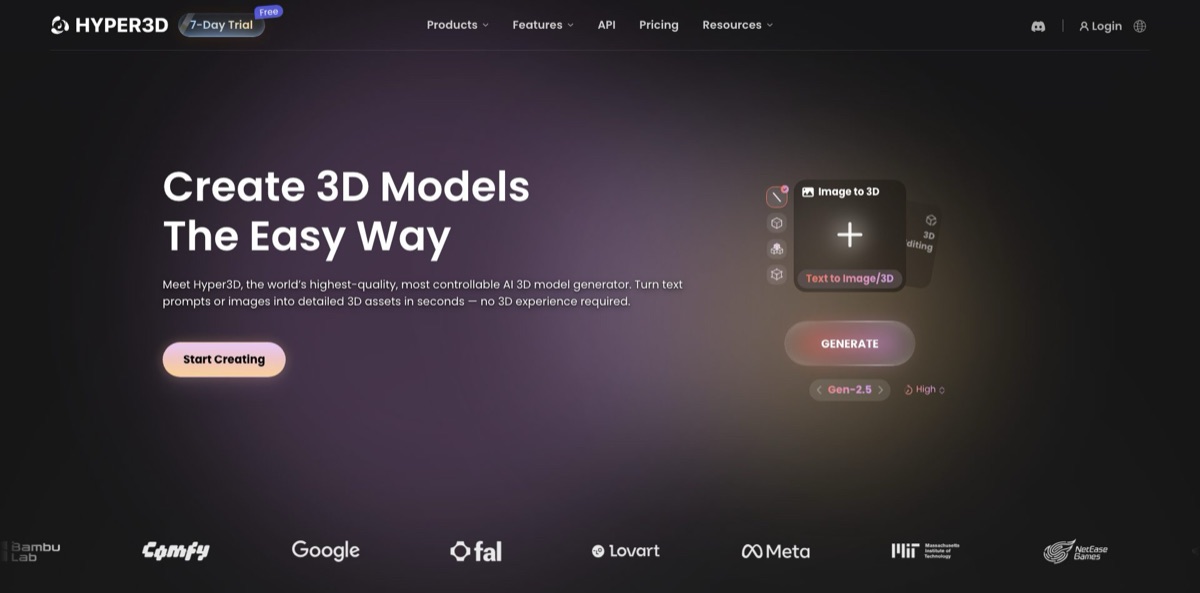
Rodin is the 3D foundation model behind Hyper3D, a browser workspace from Deemos that converts a text prompt or one to five reference images into a textured mesh you can download as GLB, FBX, OBJ, STL or USDZ. The team behind it published the CLAY and CAST papers at SIGGRAPH, and that research shows up as controls most generators lack: bounding boxes, voxels and point clouds that fix proportions before the mesh is built, plus quad topology and part splitting afterwards. It cuts out the blocking-out stage for game props, product mockups and printable figures. The weak spots are consistency between runs, organic characters, and a billing setup that draws regular complaints. Pick it if you need controllable, high-detail assets for games, e-commerce or 3D printing and can budget some time for cleanup.
How to start using Hyper3D Rodin?
Open hyper3d.ai and click Start Creating to reach the Rodin workspace. Sign-up is free and the feature pages say no credit card is required. Before generating anything, check which account or team is active, because plans, credits, privacy limits and advanced controls differ by workspace. Free accounts can generate and preview at Medium quality and below without paying, and credits are only taken when you confirm a result you want to keep.
Pick your starting point. Image to 3D accepts one clear picture with the whole subject in view, in JPG, PNG or WebP; paid plans can add up to four more views from any angle, with no fixed front or side shots required. If you only have an idea, use Text to 3D, or hover over Text to Image/3D and choose Turbo Gen to make a reference image from a prompt or Remix Gen to adjust an existing one. Text to 3D shows a concept image first, so you can fix the prompt before any geometry is generated.
Next comes the settings panel. Choose Gen-2.5, the most capable model, or Gen-1.5 for faster, simpler objects. Gen-2.5’s Thinking Effort runs from Extreme-Low at about 4 seconds to Extreme-High at about 80 seconds, and the High and Extreme-High levels charge 0.5 and 1 credit during generation instead of at confirmation. Turn on Private if the result must stay out of the public gallery, set the batch size, and add a Bounding Box, Voxel or Point Cloud guide when exact proportions matter.
Once the preview loads, rotate it to check the back, thin parts and surface detail. Hover over Confirm to choose Triangle Geometry for real-time delivery or Quad Topology if you plan to keep editing the mesh, and read the credit cost shown on the button. Confirm the textures as well, otherwise your download arrives without them. Then export as OBJ, FBX, GLB, USDZ or STL, with 3D Print-Ready and Sim-Ready options for printing or simulation work.
Who is it for?
Indie Game Developers
You have concept art for dozens of props but no budget for a modeler on each one. Rodin turns a sketch into a textured mesh with a polycount you choose, and the Unity, Unreal and Godot add-ons bring it straight into your scene. Expect a cleanup pass before anything ships.
Technical Artists at Studios
Blocking out background assets eats days that should go to hero pieces. Bounding Box, Voxel and Point Cloud controls lock proportions to your layout before generation, and BANG splits a finished model into editable parts. The Business plan adds API access and 5x or 10x batch generation for bigger runs.
E-commerce and Product Teams
A 360-degree viewer or AR preview needs a 3D model of every product, and a photo shoot alone will not give you one. Upload product photos, set an exact height in centimeters before export, and download USDZ for Apple AR or GLB for the web. Small logos and printed text still need a check against the real item.
3D Printing Hobbyists
Turning a drawing or a photo of a figure into a printable file used to require sculpting skills. Rodin exports watertight STL or 3MF files, and BANG to Parts helps when you want multi-color prints. Check scale, wall thickness and supports in your slicer before printing.
App Developers and AI Agent Builders
You want 3D generation inside your own product or coding workflow without training a model yourself. The REST API runs asynchronous jobs from 0.5 credit per generation, and the remote MCP server lets Codex, Claude Code or Kimi Code request models straight from chat. Budget for the Business plan, because API access starts there.
Educators and Students
Verified students, teachers and classrooms get Creator-tier benefits at education pricing. That suits portfolio work and class projects where you want to show how text and images become geometry without first teaching a full 3D package.
Hyper3D Rodin pricing
Hyper3D charges in credits on a pay-by-result basis. At Medium quality and below you can generate and preview for free, and credits leave your balance only when you confirm a result. Gen-2.5 High costs 0.5 credit and Extreme-High 1 credit per generation, charged up front, while extras such as BANG part splitting, 12K textures and Smart UV add to the bill. Subscription credits renew each billing cycle and expire at the end of the period, while directly purchased credits stay valid until used. Yearly billing saves 20%.
Generate and preview before you pay, with basic image-to-3D and text-to-3D, 10 private assets, public gallery publishing and export from legacy models. Direct credits cost $1.50 each when you need them.
Estimated at about 60 models per cycle, with multi-image to 3D, Smart Low-Poly, HD and custom textures, baked normals from high-poly, redos (Geometry x20, Material x6), unlimited export and any use, and unlimited private assets. Larger credit tiers are offered at $60, $120, $180 and $240 per month.
Estimated at about 416 models, adding full API access, high-resolution textures, High-Poly Quads, redos (Geometry x50, Material x15), 120 requests per minute on the first three tiers and 240 on higher ones, premium image and video models such as Nano Banana 2 and Veo 3.1, and a ChatAvatar commercial license. Credit tiers scale up to $1,200 per month.
Custom. Private on-premise deployment, custom LoRA and fine-tuning, team administration, volume discounts, AI+Artist production support and, for the API, a 99.9% uptime SLA with custom rate limits.
Creator benefits at education pricing after verification; the price is not listed publicly on the pricing page.
Hyper3D Rodin key features
Gen-2.5 with adjustable Thinking Effort
You pick one of five effort levels, from Extreme-Low at roughly 4 seconds to Extreme-High at roughly 80 seconds, and the workspace shows the expected time beside each one. Low settings work for fast iteration, while High is meant for references with difficult structure or fine geometry.
3D ControlNet for shape guidance
Bounding Box sets overall proportions, Voxel lets you block out the rough form, and Point Cloud matches exact positions before Rodin builds the mesh. Instead of fixing a stretched or squashed model afterwards, you define the envelope up front. This is the main reason to choose Rodin over simpler prompt-only generators when a model has to fit an existing layout.
Single or multi-image input
One image is enough for most objects, and Rodin fills in the sides it cannot see. Paid plans accept up to five images of the same object from any angle, with no required order or camera position. Extra views help most when the back or underside carries details a single photo hides.
Topology, polycount and export control
You can set from 20K to 2M triangles or 4K to 50K quads, choose triangle or quad output, use Smart Low-Poly for lighter meshes, and bake normals from high-poly detail. Exports cover GLB, FBX, OBJ, STL, USDZ, glTF, 3MF and DXF, with 3D Print-Ready and Sim-Ready presets. Models come with PBR maps including albedo, roughness and metalness.
BANG to Parts, Partial Edit and rigging
BANG splits a Rodin model or your own uploaded mesh into 1 to 12 levels of parts, guided by a text instruction, and Partial Edit regenerates a selected region without rebuilding the whole asset. Since late October 2026 the workspace also rigs humans, animals and creatures automatically, and a November update added prompt-editable skeletons and motion presets. Together these turn a single static mesh into something you can modify and animate.
High-resolution texturing
8K textures are available to all users, 12K comes through the HighPack option, and the texture stage supports Smart UV, partial redo, and emissive and bloom previews. A texture-only API endpoint applies PBR or shaded materials to an existing model from a reference image.
API, MCP and DCC add-ons
The REST API handles text-to-3D, image-to-3D, texturing and part splitting as asynchronous jobs, with status and download checks that cost no credits. The remote MCP server connects Codex, Claude Code and Kimi Code through browser sign-in, and official add-ons cover Blender, Unity, Unreal Engine, Maya, 3ds Max, Cinema 4D, Godot and Omniverse, plus a ZBrush bridge. Generated assets reach your scene without a manual download and import loop.
Hyper3D Rodin Pros & Cons
Pros
Rodin gives you more control over geometry than most AI 3D tools. You can fix proportions with a bounding box, block out the form with voxels or match a point cloud before generation, then choose triangles or quads, set polycount anywhere from 4K quads to 2M triangles, and split the result into parts. Trustpilot reviewers and independent comparisons single out mesh quality and fidelity to the reference image, and the pay-by-result model lets you preview at Medium quality without spending credits. Export coverage is wide, and the add-ons for Blender, Unity, Unreal and Maya, plus the MCP server, fit it into an existing pipeline. Use the free preview loop to shortlist shapes, then pay only for the winners.
Cons
Billing is the most common complaint. Trustpilot reviewers describe charges after cancelling or after a trial ended, a cancellation flow with retention screens, and refunds that came only after chasing support, while the terms state that payments are generally non-refundable. Output also varies between runs, organic characters and faces trail hard-surface objects, and some users find downloaded textures weaker than the preview or UV maps awkward in other software. API access requires the $120 Business plan, and the credit math takes time to learn because costs change with model, effort level and add-ons. Set a reminder before any trial or renewal date, and test every confirmed texture in your target engine.
Use Hyper3D Rodin if you want…
- Turn concept art into textured 3D props quickly.
- Control proportions with boxes, voxels or point clouds.
- Generate quad-topology meshes ready for further editing.
- Export watertight STL or 3MF files for 3D printing.
- Create AR-ready USDZ and GLB models of products.
- Split generated models into separate editable parts.
- Add 3D generation to your app through an API.
- Request 3D assets from Claude Code or Codex via MCP.
Hyper3D Rodin alternatives


Hyper3D Rodin Reviews
Several Trustpilot reviewers praise the mesh quality, one calling it the best they tested and another noting clear gains with Gen-2.5, though some still want cleaner UV maps and textures when the model goes into other software.
One user was impressed by the in-browser preview but found the downloaded textures noticeably weaker than what the viewer showed, and asked for the two to match.
Billing draws the harshest Trustpilot feedback: people report being charged after cancelling or after a trial ended, with refunds arriving only after repeated emails to support.
Some reviewers say results depend heavily on the input image or prompt, so good models arrive but often after retries, and one CAD-focused designer found most generations too imprecise for technical work.
Creator posts that Hyper3D features on its own product pages praise fidelity to the reference image and the amount of detail kept, though these testimonials are selected by the vendor.
FAQ
Is Hyper3D Rodin free to use?
Yes, there is a Free plan with no subscription fee, and you can generate and preview at Medium quality and below without spending credits. The Free plan lists export only from legacy models, keeps 10 private assets, and sells direct credits at $1.50 each.
Can I use Rodin models commercially?
Paid plans include commercial-use rights for games, products and client projects. You still need the rights to any images you upload, and the ChatAvatar commercial license is bundled with Business.
Which 3D file formats can I export?
Hyper3D lists GLB, FBX, OBJ, STL, USDZ, glTF, 3MF and DXF, plus 3D Print-Ready and Sim-Ready options. Models include PBR maps such as albedo, roughness and metalness.
Does Hyper3D Rodin have an API?
Yes. The REST API supports text-to-3D, image-to-3D with up to five images, texture-only jobs and part splitting as asynchronous tasks, and it is available on Business and Enterprise plans, with 120 to 240 requests per minute on Business.
Are my uploads used to train the model?
For the API, Hyper3D states that inputs and outputs are not used for training, that it is ISO/IEC 27001 certified and GDPR compliant, and that API files are kept for 7 days. In the web workspace, switch on Private for anything that should stay out of the public gallery.
Does it work with Blender, Unity or Unreal?
Yes. Official add-ons cover Blender, Unity, Unreal Engine, Maya, 3ds Max, Cinema 4D, Godot and Omniverse, and a ZBrush bridge was added in September 2026.
How do I cancel or get a refund?
Use Manage Subscription in your account to stop renewal; the terms say a paid plan cannot be cancelled or downgraded within its current period. Refund requests go to support within seven days of purchase and are considered only for system bugs or a service that does not match its description, and Stripe fees are not returned.
How long does a generation take?
With Gen-2.5, Thinking Effort ranges from about 4 seconds at Extreme-Low to about 80 seconds at Extreme-High. API and MCP requests run asynchronously, returning a task ID first and the files once the job finishes.
Similar tools
 Pixel DojoSubscription AI studio with 80+ image and 60+ video models, consistent characters, LoRA training and an agent that builds ads and short
 ArtbreederBrowser-based AI art studio for mixing, breeding and editing images with gene sliders, prompts, collages and a remix-friendly community.
 mnml.aiAI rendering studio for architects and designers that turns sketches, photos and SketchUp, Revit or Rhino views into photoreal renders and short