

ImagineArt
Art GenerationUpdated October 21, 2026
AI art generator with 50+ image, video and audio models, plus inpainting, outpainting, background removal, upscaling and node workflows.
We may earn a commission when you sign up through our links. It does not affect our reviews.
What is ImagineArt?
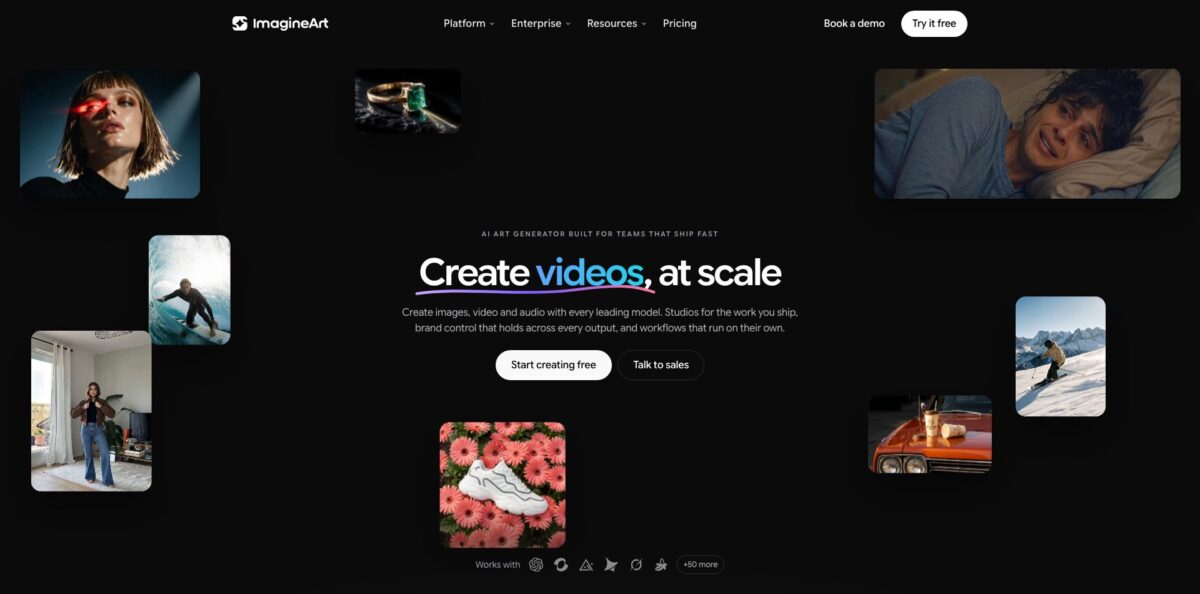
ImagineArt is a browser and mobile creative platform from Vyro that puts more than 50 image, video, audio and language models behind one credit balance. You type a prompt or upload a reference, pick a model such as Nano Banana Pro, GPT Image 2, Flux.2 Pro, Midjourney V7 or the in-house ImagineArt 2.0, and get images you can then fix with inpainting, extend with outpainting, cut out with the background remover or push to 4K with the upscaler. The point is fewer subscriptions: generation, editing and node-based workflows sit in one account instead of four. The weak spot is the credit system. Credits reset every billing cycle, premium models are off-limits on the free tier, and refund rules are strict. Pick it if you want many models and an editing suite in one place and you will spend your credits each month.
How to start using ImagineArt?
Sign up on imagine.art or install the iOS or Android app. No credit card is needed for the free tier, which gives you 100 credits that refresh daily. Those credits only work with entry models such as ImagineArt 1.0 Lite and Flux Dev, so treat the free tier as a way to learn the interface rather than to judge the premium models. If you plan to use anything you make commercially, keep in mind that free users must credit Imagine.Art.
Open the Image tool for your first real job. Enter a prompt, choose an aspect ratio, select a model and set how many variations you want. The Add references panel lets you attach a character reference, a color palette, a brand kit or specific elements before you generate, which matters if you need the same product or face across a set. The built-in prompt helper can rewrite a rough idea into a more detailed prompt when you are unsure how to describe lighting or composition.
Next, move the result into the Edit tools. The menu lists Inpaint, Outpaint, Image Upscale, Video Upscale, Camera Angles, Relight and Magic Text. Inpaint lets you draw over a region and describe what should replace it, and it accepts JPG, JPEG, PNG and WEBP files up to 30MB. Outpaint expands the canvas beyond the original frame, and the separate background remover returns a transparent PNG or swaps in a new background without manual masking.
Before you publish, check which plan you are on. Private generations are not included in Basic, and commercial rights without attribution start with paid plans. Download the final file, or keep it in the asset library so it can feed a video or a workflow later. If a generation fails, the credits come back automatically and the refund shows in your usage analytics.
Who is it for?
Social media creators
You need a steady stream of images, short clips and thumbnails, and paying for separate image, video and voice tools adds up. ImagineArt keeps all three on one credit balance and lets you switch models in a click. You spend less time moving files between apps.
E-commerce sellers
Product listings need clean cutouts, new backgrounds and lifestyle scenes for every SKU. The background remover, product references and Fashion Studio cover most of that without a photo shoot. Expect to check fabric, labels and small text before the images go live.
Marketing teams at brands
Campaigns break when every designer prompts differently. Brand kits store logos, colors, fonts and tone so each generation follows the same rules, and the shared canvas has live cursors, comments and versions. Reviews happen in the same file where the work lives.
Digital artists and illustrators
You want to sketch ideas fast across many styles and then fix details instead of re-rolling the whole image. Inpaint, Outpaint, Relight and Camera Angles let you adjust one frame on purpose. The 100+ style presets help when you need a quick change of look.
Developers and agent builders
You want image, video and music generation inside your own tools. Imagine MCP connects to clients such as Claude, Cursor, VS Code and ChatGPT over OAuth, and a separate business API covers generation, editing and background removal. Your existing plan credits pay for the calls.
Agencies producing at volume
Clients want dozens of variants per brief. Node workflows chain models, edits and connectors into repeatable pipelines that can run on a schedule. One brief can turn into a full asset pack instead of a pile of single renders.
ImagineArt pricing
ImagineArt sells credits through subscriptions. Every generation deducts credits based on the tool, model, output type and number of results, and unused credits reset at the start of each billing cycle. You can buy extra credit packs that never expire, but you still need an active subscription to use Pro models. Yearly billing is advertised as 3 months free, and on the checked date the pricing page also showed a limited-time sale of up to 50% off, so prices may move.
100 credits a day on entry models such as ImagineArt 1.0 Lite and Flux Dev. No premium models, no video generation, and commercial use requires crediting Imagine.Art.
3,000 credits per month, which the page estimates at about 600 images or 96 videos. 4 concurrent image generations and basic AI models; private generations and the Ad, Fashion and Film studios are not included.
16,000 credits per month, roughly 3.2K images or 516 videos. 12 concurrent image generations, basic and advanced models, private generations, and 10 models you can use without spending credits.
16 concurrent image generations, private generations, all three studios and 20 models with no credits used. A 100K-credit version is listed at $250/month monthly or $175/month yearly.
Custom. Shared credits across unlimited seats, priority queue, SSO, SOC 2 controls with a DPA, admin usage limits and legal indemnification for generated content. You contact sales for a quote.
ImagineArt key features
Multi-model image generator. The image tool offers 30+ image models, including Nano Banana Pro, GPT Image 2, Midjourney V7, Ideogram v4, Flux.2 Pro, Seedream 5 Pro and Recraft v4.1, next to ImagineArt’s own models. You write one prompt and compare outputs from different engines side by side. This saves you from holding separate accounts just to test which model handles text, logos or photorealism best.
Inpaint and Outpaint
Inpaint lets you brush over part of an image and describe the replacement, so you fix a hand, swap an object or change a color while the rest stays untouched. Outpaint expands the frame for a wider crop or a new aspect ratio. Together they replace the old habit of regenerating the whole picture for one small flaw.
Background remover and background swap
Upload a JPEG, PNG or WebP and the tool isolates the subject without manual selection, returning a transparent PNG. You can touch up stray edges or drop in a new background in the same place. It is the fastest route to product cutouts, stickers and overlays.
Upscaler and precision edits
The upscaler pushes images up to 4K with detail refinement, while Relight, Camera Angles and Magic Text adjust lighting, perspective and in-image text on the exact frame. This matters for print and large banners, where a soft 1K render would not hold up.
Brand kits and references
You store logos, colors, fonts, products and tone once, and every model reads that kit. Character and product references keep the same face or item across scenes and formats. A campaign ends up looking like one campaign instead of twenty unrelated renders.
Node workflows and studios
The Workflows canvas chains models, tools and connectors such as Google Drive, Dropbox and Instagram into pipelines that can run on a schedule, and a Creative Analyser scores outputs before you ship. Fashion, Ad and Film Studios package common jobs like on-model lookbooks or ad variants.
Imagine MCP, plugins and API
Imagine MCP exposes 96 tools to agents like Claude, Cursor and ChatGPT, authenticated with OAuth instead of API keys and billed from the same credits. Plugins bring ImagineArt into Photoshop, Premiere Pro, After Effects, Figma, Framer and Shopify. A business API covers generation, editing and background removal for your own product.
ImagineArt Pros & Cons
Pros
ImagineArt gives you a wide model menu without juggling separate subscriptions. Frontier image and video models sit next to the in-house ones, and you can compare them on the same prompt. The editing suite covers the usual follow-up jobs: inpainting, outpainting, background removal, relighting and 4K upscaling, all on the same canvas. Brand kits and references help keep products and characters consistent across a set, and the paid tiers include models that do not consume credits at all. Failed generations refund their credits automatically, and the MCP server lets agents use your plan without extra keys. Start by testing two or three models on one prompt, then lock in the one that fits your style.
Cons
The credit system needs attention. Credits reset each cycle and do not roll over, video generation requires a subscription, and free users only get entry models, so you cannot judge premium quality before paying. Refunds are limited to a short window and to accounts that used fewer than 300 credits, and user reviews mention friction with cancellations and support. Some long-time app users also complain about removed models and content filters that block harmless prompts. Plan tiers gate private generations and studios in ways that are easy to miss. Read the plan comparison table carefully and start monthly before committing to a yearly bill.
Use ImagineArt if you want…
- Compare dozens of image models on one prompt.
- Fix parts of an image with brush-based inpainting.
- Expand square renders into banners with outpainting.
- Remove backgrounds and export transparent PNGs fast.
- Upscale generated artwork to 4K for print.
- Keep products and characters consistent across campaigns.
- Turn one brief into images, video and audio.
- Generate assets from Claude or Cursor through MCP.
ImagineArt alternatives
 Leonardo.aiRead review →
 MidjourneyRead review →
 IdeogramRead review →
 OpenArtRead review →
 SeaArt.aiRead review →
 KreaRead review →
 Adobe FireflyRead review →
 Canva Text to ImageRead review →
ImagineArt Reviews
Trustpilot reviewers often praise how easy the interface is and the quality of the images and videos, though several say some features burn through credits faster than expected.
Long-time App Store users say the generator produced impressive results for years, but they are frustrated that favorite models and styles get removed and that filters now block prompts they consider harmless.
A subscriber on a 3-month offer wrote that the credit system did not match their workflow and that support would not refund the unused time, a complaint echoed on Product Hunt about the 300-credit refund rule.
Early premium subscribers on the App Store call the platform excellent overall and mainly ask for stronger character and content reference tools for long projects such as card games.
One Trustpilot reviewer reported that credits paid for did not appear in the account and that customer service did not answer, which shows why it is worth keeping payment receipts.
FAQ
Is ImagineArt free to use?
Yes. The free tier gives you 100 credits that refresh daily, limited to entry models such as ImagineArt 1.0 Lite and Flux Dev. Premium models and all video generation require a paid subscription.
Can I use ImagineArt images commercially?
Paid plans include commercial use, and the homepage states you keep full commercial rights to what you generate. Free users must credit Imagine.Art when they use generated images for commercial purposes.
Do unused credits roll over?
No. Subscription credits reset at the start of each billing cycle. Separately purchased credit packs stay valid indefinitely, but you still need an active subscription to use Pro models with them.
Does ImagineArt train models on my content?
ImagineArt says your assets, prompts and outputs stay private to your workspace and are never used to train models. Note that private generations are only included from the Ultimate plan upward.
Can I get a refund?
Refunds for monthly and annual plans are available within 3 to 5 days if you used fewer than 300 credits, and for technical failures, duplicate charges or unauthorized transactions. Dissatisfaction alone is not grounds for a refund.
Does ImagineArt have an API?
Yes. There is a business API for image and video generation, editing and background removal, plus Imagine MCP, which connects agents such as Claude, Cursor, VS Code and ChatGPT over OAuth and bills from your existing credits.
Is there a mobile app?
Yes. ImagineArt is available on the App Store and Google Play, and the iOS app holds a 4.4 average from roughly 5.2K ratings.
How do I cancel or downgrade?
Open the Manage Subscription section in your profile settings to cancel or change your plan.
Similar tools
 CustomuseAI 3D creation platform that chains image, video and 3D models into node workflows for game-ready assets, Roblox items and scenes.
 VisualGPTCredit-based AI image and video studio that runs Nano Banana, GPT Image, Seedream, Flux and Kling for product photos, photo edits and
 LovartAI design agent that turns a chat brief into logos, social posts, product shots, slides and videos on one editable infinite canvas.