

Innerai.com
Content CreationUpdated October 5, 2026
Inner AI is a collaborative workspace for teams to generate on-brand content, edit media, and build custom courses.
We may earn a commission when you sign up through our links. It does not affect our reviews.
What is Innerai.com?
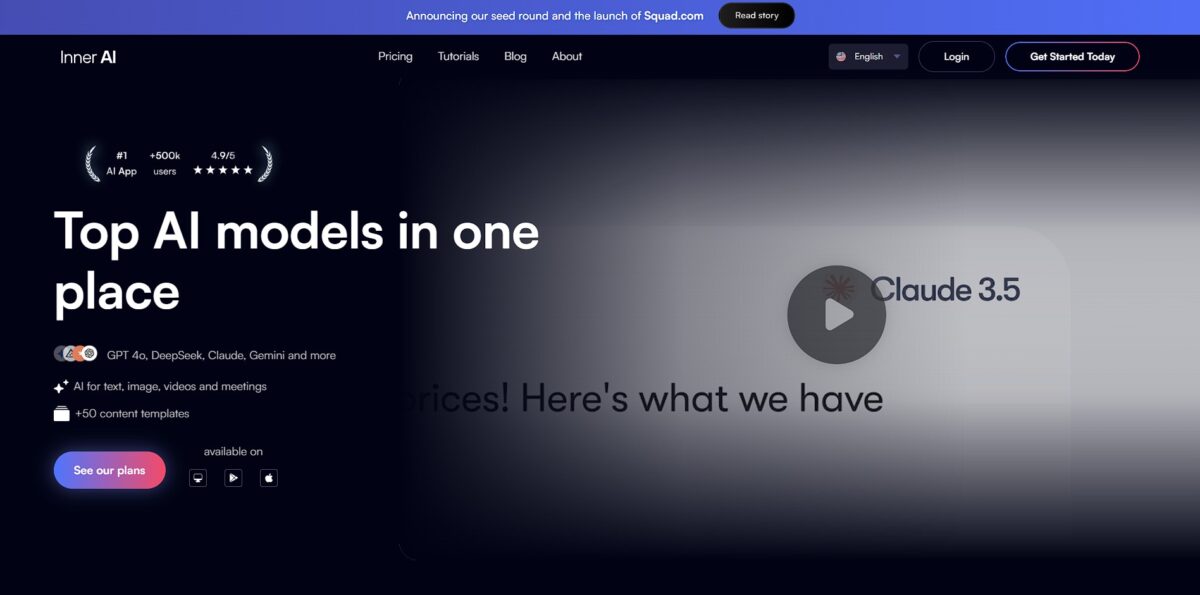
Innerai.com functions as a sandbox for teams that need to build custom learning paths and media assets without leaving their brand guidelines behind. It connects content generation directly to your existing media library, which means you won’t accidentally generate a course using the wrong logo or a tone that sounds nothing like your company. I noticed the interface emphasizes collaborative workflows, making it easier for a marketing lead to approve an AI-generated script before it heads to production. This setup helps maintain consistency across large organizations, though it might feel restrictive for solo creators who prefer total creative chaos. This matters because it shifts AI from a random text generator to a reliable asset producer that actually knows your brand rules. Use it to centralize your creative operations if you’re tired of hunting for the latest brand kit every time you want to build a new training module.
How to start using Innerai.com?
Start by heading to Innerai.com to create your account. You can skip the tedious manual profile setup by using a social login or email. Once inside, the interface drops you into a workspace that feels like a clean slate for your brand assets. I noticed the initial dashboard can feel a bit empty until you feed it some data, so don’t let the white space stall your momentum. This setup phase is where you define the boundaries for the AI.
Rule of thumb: start with one specific project folder instead of dumping everything into a general bucket.The real work begins when you upload your brand guidelines. You need to provide the AI with your specific color codes, typography, and tone of voice documents so it doesn’t default to generic outputs. It handles PDFs and text files well, but messy spreadsheets might require some cleaning first. This step ensures that every piece of text or media generated later actually sounds like your company. Why this matters: it prevents the “uncanny valley” effect where AI content looks professional but feels disconnected from your actual brand identity. Use a clear, finalized brand book as your primary source.
Next, invite your team members to the workspace. You can assign different roles to keep sensitive assets locked while letting creators run wild with the generators. The collaboration features shine when multiple people are tweaking a course outline or a video script in the same thread. It eliminates the version control nightmare of emailing Word docs back and forth. This workspace acts as a shared brain for your creative department.
Takeaway: set clear permissions early to avoid accidental deletions of your core brand templates.Now you can start generating content by choosing a template or using a blank prompt. Select the “course builder” or “content generator” and describe your objective in plain English. The AI references your uploaded brand assets automatically to keep the output consistent. It works great for structured learning paths, though you might need to manually nudge the creative media editor for more complex visual tweaks. This allows you to scale production without hiring a massive agency for every small campaign.
Rule of thumb: use specific constraints in your prompts to get the most usable first drafts.
Who is it for?
Marketing Managers
Ditch the five open tabs for design, copy, and scheduling to build full campaigns in one workspace. It pulls image and text generation into the same chat, so you don’t lose your creative thread or pay the mental tax of context-switching between Canva and ChatGPT.
HR & Training Specialists
Convert dry policy PDFs into interactive SCORM-compliant courses or quizzes in minutes. The tool handles the tedious structuring that usually takes an instructional designer days to finish. Internal training can finally ship at the same speed your company scales.
Solo Content Creators
Access premium models like Claude, GPT-4o, and Gemini without paying for five different $20 subscriptions. You get a unified dashboard for video edits, audio dubbing, and slide creation for a fraction of the total cost. Small creators get the technical edge usually reserved for big agencies.
Customer Operations Leads
Generate localized troubleshooting videos and FAQs in multiple languages using built-in voiceover and transcription tools. It works well for scaling support content but might feel limited if you need deep CRM data integration. Global customers get clear, audio-visual help, and you don’t have to hire a translation team.
Security-Conscious Teams
Deploy AI across your department while knowing your data stays siloed and is never used for training models. Inner AI provides SOC II compliance and encrypted silos, which is a significant step up from the “wild west” of consumer-grade chatbots. You can put proprietary data to work in research without risking a leak.
Research Analysts
Query large sets of documents and spreadsheets simultaneously to find cross-references or summarize trends. In testing, the interface handled massive attachments without the typical “file too large” error found in basic tools, turning a mountain of messy research into a searchable, organized database.
Innerai.com pricing
Inner AI consolidates high-tier models like GPT-5 and Claude Sonnet into a single monthly bill, avoiding the cost of five separate subscriptions. The pricing model relies on a credit system that dictates how many images or documents you can generate each cycle. Before you hit the generate button, the interface shows exactly how many credits a specific task will consume.
Lite: $16 per month, or $8 per month billed annually. You get unlimited chat with fast models like GPT-5 Mini and Claude Haiku plus 120 monthly messages with advanced models such as GPT-5. It works well for text-heavy work, though credits for image generation are not included. This matters because you can get multi-model chat for less than a single ChatGPT Plus subscription.
Pro Plan: $29 per month, or $15 per month billed annually. You get unlimited messages with all models, unlimited file uploads and custom assistants, plus 10,000 credits per month for images, audio and slide decks. This tier suits solo creators or small marketing teams who need consistent access to multiple LLMs. You stop running into “usage caps” on individual platforms like ChatGPT Plus during a busy launch week.
Enterprise Solutions: Custom pricing. This level adds team collaboration tools and centralized billing for larger organizations. Getting set up involves a longer sales process, but IT managers can then control AI spending across the entire company from one dashboard.
There is no free trial, so use the 7-day money-back guarantee to track your actual credit usage before locking into an annual Pro plan.
Innerai.com key features
Unified AI Chat for Text and Media
Generate copy and images in the same thread without jumping between tabs like ChatGPT and Midjourney. That ends the focus-killing shuffle between different tool subscriptions and keeps your creative momentum in one window.
Collaborative Brand Workspaces
Build and share assets with your team in a shared environment rather than emailing static files back and forth. It moves work out of private silos and into a searchable library. It also cuts out the “where is the latest version?” Slack ping that drains productivity.
Brand-Specific Content Tuning
Feed the AI your existing media and guidelines to ensure generated outputs match your specific aesthetic and tone. The trade-off is a slightly longer setup phase, but it prevents the generic, robotic feel of unguided AI. Your brand identity is protected from turning into “AI-slop” that customers ignore.
Course and Learning Path Creation
Transform raw documents and internal knowledge into structured learning modules or training paths. It simplifies the tedious process of formatting lesson plans for HR or customer education. Your existing knowledge base becomes a functional tool without requiring a dedicated instructional designer.
Integrated Media Editing
Tweak generated visuals or text directly within the workspace using built-in editing tools. It handles basic adjustments well, though it won’t replace a specialized suite like Photoshop for deep retouching, and it saves time on minor corrections that would otherwise require a full export and re-upload.
Innerai.com Pros & Cons
Pros
Inner AI pools top-tier models like GPT-4, Claude, and Gemini into a single interface. This stops the expensive cycle of paying for five separate AI subscriptions just to compare different outputs. The workspace allows team collaboration on specific brand assets, so your copy stays consistent across multiple departments, without the drift in tone that happens when different teams use different tools. You can generate text, images, and slides without exporting data between browser tabs.
Cons
The credit-based system adds a layer of management to your creative flow. You have to track consumption for every image or audio file generated, which can feel restrictive during heavy brainstorming sessions. While it excels at general content, the specific template for course building requires significant manual refinement to match specialized industry standards. I noticed the interface can lag slightly when processing large documents or complex video requests, which can break the momentum of a fast-paced editing session.
Use Innerai.com if you want…
- Access multiple top-tier AI models like GPT-4, Claude, and Gemini in one interface.
- Consolidate several AI subscriptions into a single monthly bill.
- Build no-code automation flows to chain complex AI tasks together.
- Generate marketing copy, images, and video assets within a single workspace.
- Create interactive training courses and quizzes with SCORM export options.
- Interact with and extract insights from documents and PDFs.
- Ensure high levels of data security with SOC II compliance and a no-training policy.
Innerai.com alternatives





Innerai.com Reviews
Definitely worth it! Use it regularly with my team and it has been very useful for us. Amazing.
Recently downloaded the Inner AI app and found the experience incredible. Easy to use the chat and you can even choose which AI model to use. The quality of the generated images is very good.
Inner AI’s value lies in the sophisticated user experience and workflow layer it builds on top of existing powerhouses like GPT and Claude. It feels less like a collection of disparate tools and more like a unified command deck for AI.
FAQ
Is Inner AI reliable?
Yes, the platform maintains a high satisfaction rate and a positive reputation for centralizing AI tools and resolving user issues efficiently.
Do I need to know how to use AI tools before starting?
No, Inner AI is designed to be user-friendly and provides a library of ready-to-use prompts created by specialists to help you get started without technical expertise.
Does Inner AI consume credits for chat interactions?
No, standard interactions and messaging with AI models do not consume credits. Credits are only used for specific actions like generating images, videos, and audio.
Do Inner AI credits accumulate?
No, credits are renewed monthly according to your plan and do not roll over to the next period.
Is my data secure on Inner AI?
Yes, Inner AI is SOC II compliant and uses encryption for all data. Furthermore, your interactions and files are never used to train AI models.
Can I try Inner AI before paying?
There is no free trial, but paid plans come with a 7-day satisfaction guarantee, allowing you to cancel and receive a 100% refund if the platform does not meet your needs.
How is Inner AI different from ChatGPT?
Unlike ChatGPT, Inner AI is a multi-AI platform that centralizes over 50 leading models (like Claude, Gemini, and GPT) into one workspace with specialized tools for video, audio, and slides.
Similar tools
 RunableGeneral AI agent that turns one prompt into websites, slide decks, social carousels, videos and apps, with plugins and scheduled tasks.
 AISEOAI writing suite with a text humanizer, article and Outrank generators, AI detector and plagiarism checker, plus AI search visibility tools.
 Octopus.doVisual sitemap builder that drafts page structure, block copy and SEO tags with AI, crawls existing sites and connects to ChatGPT, Claude