

Instapage
Marketing ToolsUpdated October 19, 2026
Landing page builder for paid ad campaigns with AI copy, Prompt-to-Page generation, ad-to-page personalization and server-side A/B testing.
We may earn a commission when you sign up through our links. It does not affect our reviews.
What is Instapage?
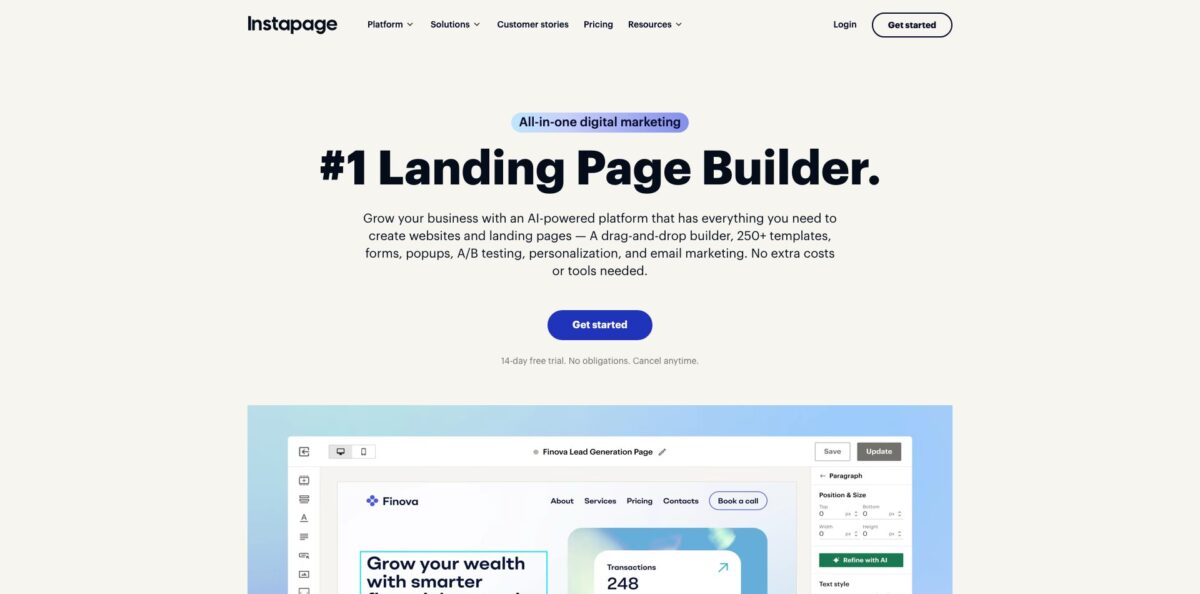
Instapage is a hosted landing page platform built for teams that send paid traffic from Google, Meta and display ads to dedicated post-click pages. You design pages in a drag-and-drop canvas, generate copy or a whole first draft with built-in AI, then publish to your own subdomain or WordPress site and measure visitors, conversions, cost per visitor and cost per lead. The problem it removes is the gap between a specific ad and a generic homepage: every campaign can get a page that repeats the ad’s promise. The weak spot is cost and lock-in. Plans start at $79 per month on annual billing, A/B testing begins on the second tier, and pages cannot be exported as HTML if you leave. Pick it if landing pages are a daily production job for your ads team, not an occasional side task.
How to start using Instapage?
Open the Plans page, choose Create or Optimize and start the 14-day free trial. A credit card is required up front, and the trial is capped at 2,500 unique visitors; crossing that cap ends the trial early and starts the paid subscription you picked. If you decide it is not for you, cancel from the Account Management tab under Subscriptions before the trial ends. The Convert plan has no self-serve trial and is sold through a demo.
For your first real page, take one ad group and build its destination. You can start from one of the 200+ conversion templates, or use Prompt-to-Page, released in July 2026, which generates a full page with layout, copy, colors and fonts from a short prompt. Since September 2026 you can also attach reference images to that prompt to steer the visual style. Once the draft exists, click any text element and use Rewrite with AI to produce alternative headlines, paragraphs or CTAs.
The builder is where most of your time goes. Canvas blocks let you place elements freely, while Fluid Grid Blocks give you container grids that stack responsively on mobile. There is a separate mobile builder, so check the mobile view after every desktop change. Add a form from the Form Library, connect it to HubSpot, Salesforce, Marketo or Zapier, and set your conversion goal and tracking scripts. GA4 custom events can be assigned to buttons directly from the builder.
Publishing needs a domain. You point a CNAME record at Instapage’s servers, or use the automatic domain connection powered by Entri, or publish through the WordPress or Drupal plugin. On Optimize you can schedule a page to go live or unpublish later, and set up a server-side A/B test with a written hypothesis before you send traffic.
Who is it for?
PPC managers
You run dozens of ad groups and each one deserves a page that matches its keyword and offer. Instapage lets you clone a winning page, swap the headline with dynamic text replacement on Optimize, and see cost per lead next to conversion rate without opening three tools.
Performance marketing agencies
Client work means many brands, approvals and domains. Workspaces, real-time visual collaboration with threaded comments and read-only stakeholder access cut the email back-and-forth. Watch the subdomain limit, because Create and the 30,000-visitor Optimize tier include only 2 subdomains.
SaaS demand generation teams
You need separate pages for competitor campaigns, webinars and trials, and each one should be tested. Server-side A/B tests on Optimize avoid flicker, and experiment history keeps past variants for reuse instead of rebuilding them.
Local and programmatic SEO marketers
Collections turn one template plus a spreadsheet-style content table into dozens of pages, for example one per city or service. CSV upload, AI placeholder suggestions and sitemap generation make it practical to maintain long-tail pages from one place.
Enterprise marketing teams
Legal and IT will ask about SOC 2, SSO and where lead data lives. Convert adds SAML-based SSO, audit logs, direct lead bypass to your CRM and a 99.9% uptime SLA, which shortens procurement reviews.
Ecommerce promo teams
Short sales windows need countdown timers, popups and pages that switch over on a date. Scheduling and the newer auto-unpublish option let you queue several campaign pages on one URL.
Instapage pricing
Pricing is set by unique monthly visitors rather than by page count. Every plan includes unlimited published pages, unlimited conversions and unlimited contacts, and annual billing saves up to 20%. There is no free plan, only a 14-day trial on the two self-serve tiers. Feature gating is the real decision: A/B testing, scheduling and dynamic text replacement start at Optimize, while heatmaps and ad-to-page personalization sit on Convert.
15,000 unique monthly visitors, 10 team members, 2 subdomains, 1 workspace, 15 pages per Collection, 15,000 monthly email sends and 5,000 API calls per day. Includes the builder, AI content, popups, sticky bars, forms and visual collaboration, but no A/B testing.
Adds server-side A/B testing, hypothesis setting, experiment history, custom traffic splits, scheduling, multi-step forms and dynamic text replacement. Limits rise to 30 pages per Collection, 30,000 monthly emails and 10,000 API calls per day, with 2 subdomains and 1 workspace.
Same features with 10 subdomains, 5 workspaces, 50 pages per Collection, 50,000 monthly emails and 15,000 API calls per day.
Custom. Adds ad-to-page personalization, AI experiments, heatmaps, global blocks, forms and popups, root domain publishing, custom fonts, enterprise SSO, audit logs, direct lead bypass, a 99.9% uptime SLA and a dedicated customer success manager. Available through a demo only.
Custom visitor limits above 50,000 are offered on annual contracts only, and Instapage does not sell custom usage below that level.
Instapage key features
Prompt-to-Page and AI content
A short prompt produces a complete first draft with layout, copy, colors and fonts, and reference images can guide the look. Inside the builder, Rewrite with AI generates headline, paragraph and CTA variations on any text element. You get a testable draft in minutes instead of waiting for a copywriter, although the output still needs a human edit for brand voice.
Server-side A/B testing
Optimize and Convert run experiments on the server, so variants load without flicker or extra delay. You can create as many variants as you want, set a custom or automatic traffic split, record a hypothesis and filter results by device. Past variants stay in experiment history, so a losing test still leaves reusable material.
AI experiments
On Convert, AI-directed A/B/n tests shift ad traffic toward the variant that is performing better while the test runs. Settings such as the warm-up period and the winning probability threshold are adjustable. This suits accounts with steady traffic where waiting weeks for a fixed 50/50 split wastes budget.
Personalization and AdMap
Dynamic text replacement swaps copy based on URL parameters such as keyword or campaign, and Convert adds full ad-to-page personalization with separate experiences per audience. AdMap visualizes your Google Ads campaigns, ad groups and ads and connects each to a page. Message match between ad and page is the core idea, and AdMap makes gaps easy to spot.
Collections
Turn any live page into a template, add placeholders such as [[Headline]], and fill a built-in content table or upload a CSV. Instapage then generates and manages tens to hundreds of pages, with page-level analytics, bulk publishing and sitemap generation.
Instablocks and global elements
Save sections as reusable blocks, and on Convert turn blocks, forms and popups into global elements that update everywhere with one click. For teams running hundreds of pages, a single legal disclaimer or offer change no longer means hours of manual edits.
Integrations, email and API
More than 120 integrations cover CRM, ad platforms, analytics, email and webinars, including HubSpot, Salesforce, Marketo, Google Analytics and Zapier. Built-in contacts, lists and email sending let you follow up with leads without another tool, and the API supports bulk Collection management within daily call limits.
Instapage Pros & Cons
Pros
The builder is the reason most customers stay. Reviewers on Capterra and Reddit repeatedly describe the drag-and-drop editor as one of the easiest they have used, with free element placement instead of fighting a rigid grid. Support gets unusual praise, with users noting they reach a real person in chat, even during a trial. The feature set is built around paid traffic: server-side testing, dynamic text replacement, AdMap and cost-per-lead reporting live in one place. The 2026 additions, Prompt-to-Page and AI-filled Collections, speed up the blank-page stage considerably. Ask support for a walkthrough during your trial to get the most from it.
Cons
Price is the most common complaint. Create starts at $79 per month on annual billing without any A/B testing, and long-time users report steep increases over the years. You cannot export pages as HTML, so moving away means rebuilding every page elsewhere. The entry tiers allow only 2 subdomains, which limits freelancers serving several clients. Some users find mobile layouts awkward because they inherit from the desktop design, and non-global forms create duplicates in the assets folder when edited. Keep your own copy of page text and form settings so a future migration is less painful.
Use Instapage if you want…
- Build a dedicated landing page for every ad group.
- Generate a first page draft from one prompt.
- Run flicker-free server-side A/B tests on paid traffic.
- Swap headlines automatically to match search keywords.
- Produce hundreds of city or service pages from one template.
- Collaborate with clients on page designs in real time.
- Send landing page leads straight into HubSpot or Salesforce.
- Meet enterprise security reviews with SOC 2 and SSO.
Instapage alternatives


Instapage Reviews
Capterra users call the drag-and-drop builder the easiest they have tried and praise live chat support that answers with real people, though solo marketers say the entry tier is pricey and its 2 subdomains cap how many clients they can serve.
Several long-time customers on Capterra describe repeated price increases without matching new features, and complain that the lack of HTML export forced them to rebuild pages after leaving.
A recent Capterra reviewer likes the visual builder and integrations but finds mobile versions hard to customize because they follow the desktop layout, and wants more native integrations such as Brevo.
On Reddit’s r/PPC, agency marketers say they like the interface and toolset, but feel Instapage has moved toward enterprise clients with pricing to match, so they often default to cheaper builders for client work.
Another Capterra review praises support and testing tools, but notes that editing a regular form creates a duplicate in the assets folder unless you pay for global forms on a higher plan.
FAQ
Does Instapage have a free plan?
No. Instapage offers a 14-day free trial on the Create and Optimize plans, which requires a credit card and is limited to 2,500 unique visitors.
How do I cancel the free trial?
Log into your account, open the Account Management tab, select Subscriptions and click Cancel before the trial ends, and your card will not be charged.
Is A/B testing included on every plan?
No. Server-side A/B testing starts on the Optimize plan, while AI experiments and heatmaps are part of the custom-priced Convert plan.
Can I publish pages on my own domain or WordPress site?
Yes. You can connect a custom subdomain through a CNAME record or the automatic Entri setup, or publish through the WordPress and Drupal integrations. Publishing on a root domain such as yoursite.com requires the Convert plan.
Is Instapage secure and GDPR compliant?
Instapage reports SOC 2 Type I and Type II audits, GDPR and CCPA/CPRA compliance and participation in the EU-U.S. Data Privacy Framework. Convert adds enterprise SSO, audit logs and direct lead bypass, so lead data goes straight to your CRM.
What integrations does Instapage support?
The platform connects with more than 120 apps, including HubSpot, Salesforce, Marketo, Google Analytics, Google Ads, ActiveCampaign, AWeber and Zapier.
Does Instapage have an API?
Yes. The API lets you pull workspace and page data and bulk create Collection pages, with daily limits from 5,000 calls on Create to 15,000 on the 50,000-visitor Optimize tier.
Is the AI content generator an extra cost?
No. AI content for headlines, paragraphs and CTAs is listed as part of the Create plan, so it is included in every paid tier.
Similar tools
 AirOpsAI search platform that tracks how ChatGPT, Gemini and Perplexity cite your brand and runs agent workflows to create and refresh content.
 AdsLibraryChrome extension and web library for saving, organizing and sharing ads from Facebook, TikTok, Instagram and YouTube, with competitor ad tracking.
 JumaShared AI workspace for marketing teams and agencies that runs 700+ ready Flows to turn briefs and live ad data into finished