

Jetpack AI
Content CreationUpdated October 26, 2026
Automattic's AI assistant for WordPress that drafts, edits and translates posts in the block editor and lets Claude or ChatGPT manage your site via MCP.
We may earn a commission when you sign up through our links. It does not affect our reviews.
What is Jetpack AI?
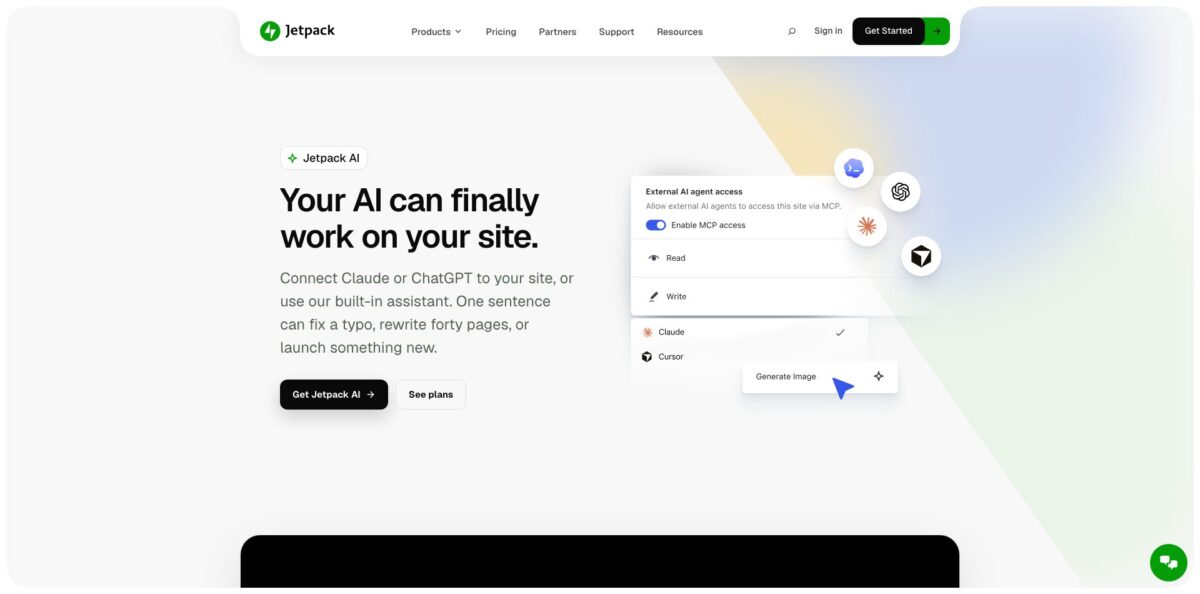
Jetpack AI is Automattic’s AI layer for self-hosted WordPress. It ships inside the Jetpack plugin and runs through your WordPress.com connection. In the block editor it adds an AI Assistant block plus sparkle-button tools on paragraphs, headings and lists for drafting, rewriting, tone changes, translation, titles, excerpts, alt text and image generation. The newer half is MCP access: switch it on per site, and Claude, ChatGPT, Claude Code or Cursor can read and edit posts, pages, menus and plugins within the permissions you set, with every action logged. The weak spot is depth. Independent reviewers found the output suits short copy better than long articles, and the 20 free requests run out fast. Pick it if you already run Jetpack and want AI help without copying text between browser tabs.
How to start using Jetpack AI?
Install the Jetpack plugin from WordPress.org and connect it to a free WordPress.com account. Jetpack AI stays unavailable while that connection is missing or broken. Your site also needs the block editor with Jetpack Blocks active, so if the Classic Editor plugin is installed you either deactivate it or set Allow users to switch editors to Yes under Settings → Writing. On a multi-author site, every person who wants the AI tools must connect their own WordPress.com account. Each site starts with 20 free requests that never renew, so use them deliberately.
Open a new or existing post and insert the AI Assistant block. Click Write with AI… in the block toolbar, pick a starter prompt or type your own, and press Send. If the draft heads the wrong way, hit Stop and choose Try Again to keep your prompt and regenerate, or Accept to keep what has been written so far. Once you accept, the prompt bar disappears and you are left with ordinary paragraphs, lists or tables that you edit like any other blocks.
For text you already have, select a Paragraph, Heading or List block and click the sparkles button on its toolbar to fix spelling and grammar, simplify, summarize, expand, translate or change the tone. Then open Jetpack → Jetpack AI in WP Admin. On Jetpack 16.2 or later the page has three tabs: Overview for request usage, AI Features for switching groups such as Writing Assistant and Image Editor on or off, and MCP and Connectors for outside agents. Your running total also appears in My Jetpack, in the AI section, as All-time requests used.
To hand work to Claude or ChatGPT, you need the paid Jetpack AI plan or Jetpack Complete. Open MCP and Connectors, toggle Enable MCP access, and set Read and Write permissions per group, such as Content Authoring, Site Editing and Plugin Management. Click Connect external AI agent, choose ChatGPT/Codex, Claude, Claude Code, Cursor, VS Code or Continue, and follow the steps shown. ChatGPT users can add Jetpack from the ChatGPT app directory instead. After the first task, open the Activity log on the same tab and confirm what the agent actually changed.
Who is it for?
Solo bloggers
You write on self-hosted WordPress and already run Jetpack for stats or backups. Jetpack AI puts title ideas, excerpts and grammar fixes in the editor you already use, so you stop pasting drafts into a separate chatbot. Expect help with short copy, not finished long-form posts.
Small business site owners
You update your own site between other jobs and dislike hunting through WP Admin screens. With MCP on, you can ask Claude or ChatGPT to update every page that mentions an old price, then check the change in the activity log. A half-hour of clicking becomes one short request.
Agencies and freelancers
You look after many client sites and want one place to review them. One MCP connection can reach every site on a WordPress.com account, so a question like which site lost traffic this month goes to a single agent. Plans are licensed per site, but Automattic for Agencies cuts that cost by up to 80% at volume.
Content editors
You publish image-heavy posts and keep skipping alt text, captions and excerpts. Jetpack AI writes them from the image and the post around it, and the feedback tool reviews a draft before you hit publish. The small gaps that pile up across hundreds of posts get closed.
Developers using Claude Code or Cursor
You would rather edit templates, menus and global styles from your coding tool than click through the Site Editor. Jetpack’s MCP server exposes site editing, plugin management and Jetpack data such as backup status and scan results to your agent. You stay in your own environment and still act on the live site within your WordPress permissions.
Jetpack Complete customers
Complete already includes Jetpack AI with high request capacity, so there is nothing extra to buy. Turning it on costs only the time it takes to set permissions.
Jetpack AI pricing
Jetpack AI uses a request model instead of seats or tokens. Every AI action costs one request, whether it is a block prompt, an excerpt, a feedback pass or a generated image, and failed image generations are not counted. Write Brief with AI currently does not count at all. Paid plans replace the hard cap with high request capacity under a fair-use policy. Prices are listed with a first-year discount and billed yearly, so budget around the renewal price, not the headline number.
You get 20 requests per site as a one-time allowance that does not renew. It covers prompt-based text, images, tables and lists, tone adjustment, grammar correction, and title and summary generation. Site logo generation and MCP connections are not included.
That is $59.40 for year one and $119.40 per year after. You get high request capacity, MCP connections for ChatGPT, Claude and other agents, site logo generation and priority support.
It bundles Jetpack AI with high request capacity alongside VaultPress Backup with 1TB storage, Scan with WAF, Akismet, Stats, VideoPress, Boost, Social, Search and CRM. Backup is the real reason to consider it if agents will write to your site, because it gives you a restore point.
Custom volume rates through Automattic for Agencies, from 10% off at 5+ licenses up to 80% off at 100+ licenses, applied on every renewal.
Yearly plans carry a 14-day money-back guarantee. The prices above are the US prices on jetpack.com; visitors from other regions may see different amounts in local currency.
Jetpack AI key features
AI Assistant block and editor extensions
The block turns a typed prompt or a Write with AI… starter into real paragraphs, lists and tables, while the sparkles button on Paragraph, Heading and List blocks rewrites text in place. Change Tone offers 10 tones, Translate covers 12 languages, and Improve shortens or extends a passage. You edit with AI where you write, instead of copying text into a chatbot and back.
Image generation and editing
Generate Image sits in the Image, Gallery and Slideshow blocks and in the Media Library, with style presets such as Line Art or Anime and an Aspect Ratio dropdown. Results arrive as 1024×1024 PNG files saved to your Media Library, and Edit with AI changes an existing picture from a text prompt. Prompts for copyrighted characters, public figures or the style of artists active after 1912 are refused.
Metadata helpers
Jetpack AI suggests post titles, writes excerpts with control over length, language and tone, and generates alt text and captions from the image and the surrounding post. A feedback tool reviews a draft before publishing and suggests what to fix. These small, repetitive jobs are where the tool pays for itself on busy sites.
MCP access for outside agents
Once enabled, Claude, ChatGPT, Claude Code, Cursor, VS Code, Continue or any MCP client can read and change posts, pages, media, templates, menus, global styles, settings and plugins. Read and write are separate toggles per group, the agent never gets more than your own WordPress permissions, and writes wait for your confirmation. Agents can also check backup status, scan threats, downtime alerts, newsletter numbers and site stats.
Activity log and rollback
Every MCP tool execution is recorded in the Jetpack AI activity log, and content changes also show up in your site’s regular Activity Log under your account. With Jetpack Backup, included in Complete, you can restore the site to a point before a bad change. That safety net is what makes write access reasonable to grant at all.
Form and list tools
In the Jetpack Form block you describe a form, or ask for a full set of dropdown options, in a single prompt. In the List block, AI converts a bullet list into a structured table.
Central on and off controls
From Jetpack 16.2, one Jetpack AI switch in My Jetpack hides every AI feature, and the AI Features tab toggles Writing Assistant, Image Editor, AI SEO and AI Answers separately. Developers can still use the jetpack_ai_enabled filter, and hosts can disable AI for all their sites with the WP_AI_SUPPORT constant. Teams that do not want AI in the editor can now remove it without touching code.
Jetpack AI Pros & Cons
Pros
Jetpack AI lives where WordPress writers already work, so titles, excerpts, alt text and quick rewrites happen in the block editor without copy and paste. Independent reviewers singled out title suggestions and translation as its strongest parts. The MCP side is carefully designed: access is off by default, read and write permissions are split by area, writes need confirmation, and an activity log records every agent action. For Jetpack Complete customers the AI is already paid for, and Backup gives you a real undo. The first-year price is low next to standalone AI writers. Start with the Writing Assistant and alt text features, then enable MCP read access only and add write groups one at a time.
Cons
Output depth is the main limit. Reviewers saw long drafts stall after a few hundred words and titles that still need keyword work by hand, so this is not a long-form SEO writer. The 20 free requests are a one-time allowance, a short trial once images and excerpts each cost a request. High request capacity comes with no published number, only a fair-use clause. You need the block editor and a WordPress.com connection, and users who did not want AI long had to rely on a code filter before the switch in Jetpack 16.2. The MCP guide still lists the Claude connector as coming soon. Check the renewal price and test agent writes on a staging site first.
Use Jetpack AI if you want…
- Draft and rewrite posts inside the WordPress block editor.
- Generate alt text and captions for every uploaded image.
- Write post excerpts and titles without leaving the editor.
- Let Claude or ChatGPT edit your WordPress site safely.
- Update every page that mentions an outdated price.
- Create featured images and site logos from text prompts.
- Translate short sections into twelve supported languages quickly.
- Manage many client sites from one AI conversation.
- Review draft posts with AI feedback before publishing.
Jetpack AI alternatives



Jetpack AI Reviews
Title suggestions and translation work well and save a trip to a separate chatbot, but long drafts stall after a few hundred words and grammar fixes do not show what was changed.
One prompt produced a usable pricing table and a readable draft post, and the feedback check flagged off-topic paragraphs; the wish is for output built from real Gutenberg layout blocks.
Writers who never asked for AI find the writing prompt that appeared on the dashboard after an update intrusive, and say a code filter is a poor substitute for an AI-free option.
Site admins were frustrated that the AI chat bubble kept showing even with the WordPress core AI kill switch set, until support pointed them to the Jetpack-specific filter.
Longer-term users say generated titles have become repetitive and the newer image generator feels weaker than the earlier editor pop-up.
FAQ
Is Jetpack AI free?
Partly. Every connected site gets 20 free requests as a one-time allowance that does not renew, after which you need the Jetpack AI plan or Jetpack Complete. Site logo generation and MCP connections are paid-only.
How many requests does the paid plan include?
Jetpack does not publish a number. The paid plan offers high request capacity meant to cover typical site creation and management, with a fair-use policy that can limit unusually heavy accounts.
Can I connect Claude or ChatGPT to my WordPress site?
Yes, through MCP on the Jetpack AI or Jetpack Complete plan. Enable MCP access under Jetpack → Jetpack AI, then add Jetpack from the ChatGPT app directory or use Connect external AI agent for Claude, Claude Code, Cursor, VS Code and other MCP clients.
What data does Jetpack AI send when I use it?
A request includes your WordPress.com-connected site ID, the post ID and the full prompt, which contains the current post content and title. No visitor data is used, and the AI Assistant block is not rendered on the front end of your site.
Does Jetpack AI work with the Classic Editor?
No. The AI features need the block editor with Jetpack Blocks active, so you must deactivate the Classic Editor plugin or allow users to switch editors under Settings → Writing.
How do I turn Jetpack AI off?
On Jetpack 16.2 or later, switch the Jetpack AI toggle off in My Jetpack to hide every AI feature, or disable single groups on the AI Features tab. You can also add the jetpack_ai_enabled filter set to return false.
Which languages can Jetpack AI translate into?
The AI Assistant block translates into 12 languages: English, Spanish, French, German, Italian, Portuguese, Russian, Chinese, Japanese, Arabic, Hindi and Korean.
Can I get a refund?
Yes. Jetpack offers full refunds within 14 days on yearly plans and within 7 days on monthly plans.
Similar tools
 RunableGeneral AI agent that turns one prompt into websites, slide decks, social carousels, videos and apps, with plugins and scheduled tasks.
 AISEOAI writing suite with a text humanizer, article and Outrank generators, AI detector and plagiarism checker, plus AI search visibility tools.
 Octopus.doVisual sitemap builder that drafts page structure, block copy and SEO tags with AI, crawls existing sites and connects to ChatGPT, Claude