

Kayako
Customer SupportUpdated October 18, 2026
AI help desk with a shared inbox, ticketing and a self-updating knowledge base, plus the Kay agent that resolves tickets in Kayako or Zendesk.
We may earn a commission when you sign up through our links. It does not affect our reviews.
What is Kayako?
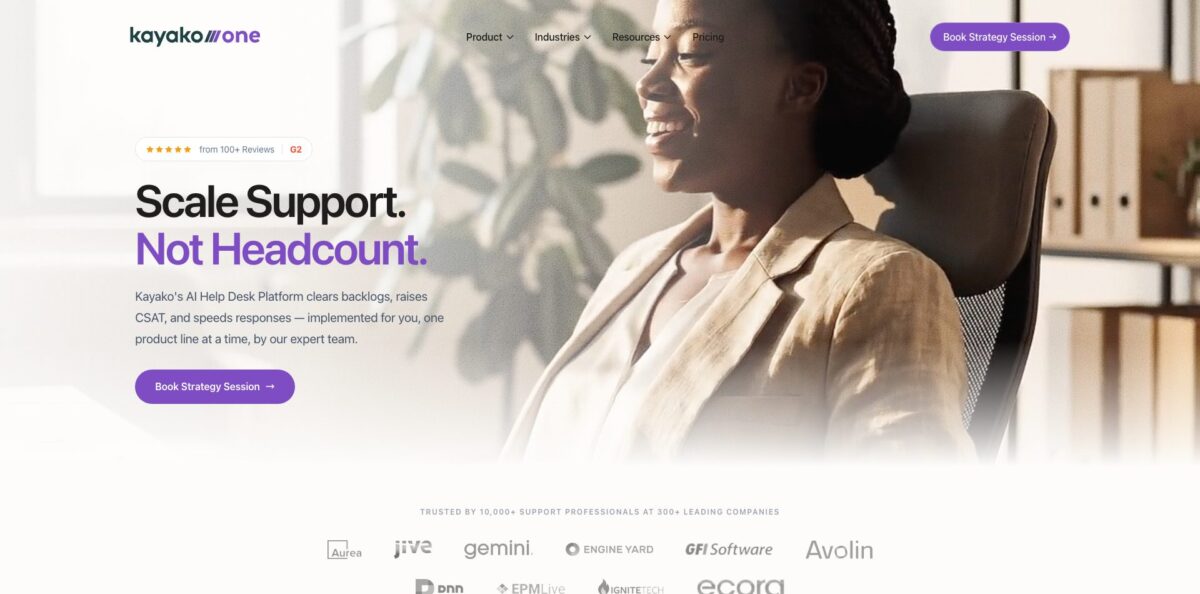
Kayako is a cloud help desk that puts email, live chat, social messages and voice into one shared queue, then adds an AI agent called Kay on top. Kay triages tickets, drafts replies, and can take real actions such as issuing refunds, resetting passwords or updating orders through your APIs. You can run the full suite, Kayako One, or plug Kay into the help desk you already use, including Zendesk, Freshdesk, Intercom and Salesforce. The problem it targets is support cost that grows with every new customer, and it charges for AI by outcome: $1 per ticket Kay fully resolves. The weak spots are older ones. Reviewers still call the interface cluttered and the reporting hard to navigate, and the full platform price is only available on a sales call. Pick it if you want AI resolutions without paying for extra seats; skip it if you need a self-serve tool you can buy with a credit card today.
How to start using Kayako?
There is no self-serve trial button on the current site. Every path starts with “Book Strategy Session” or “Talk to a Pricing Expert”, where the Kayako implementation team reviews your ticket volumes, support challenges and current metrics, then maps a phased plan. Decide before that call whether you want Kayako One as your whole help desk or only Kay layered over an existing tool, because the onboarding differs. The vendor says most teams go live within days and that white-glove onboarding is part of Kayako One.
Once your instance exists, connect your channels. Kayako gives you a default address in the form support@yourcompany.kayako.com, and you can create unlimited extra addresses on that domain, for example one for billing and one for technical questions. To keep using your own domain, forward mail into Kayako and set up SPF and DKIM, which needs an admin with the “Manage channels” permission. Add the Messenger widget to your site, and connect X and Facebook accounts if customers reach you there.
The next layer is context and rules. Connect Salesforce, Shopify, Stripe, Jira or Slack so orders, subscriptions and bugs show up in the SingleView customer timeline next to each conversation. Then build triggers and time-based monitors for routing, status changes and SLA targets, and set up Views so each team sees its own queue. Fill the Help Center with categories, sections and articles, since Kay uses that content as source material for answers.
Kay itself rolls out in three phases. First comes AI Triage, which classifies, prioritizes and routes tickets. Then AI Answers drafts replies that agents review and send. Only after that does autonomous resolution switch on, with Continuous Learning using human resolutions to cover new cases. Users on Capterra describe enabling autonomous handling one category at a time, starting with billing questions.
Who is it for?
Heads of Support at SaaS companies
Your backlog grows every quarter and hiring cannot keep up. Kay takes the repetitive password, billing and account tickets while triage routes the rest with context attached. Your team spends its hours on cases that need judgement.
E-commerce Operators
Order status, exchanges and return labels fill your inbox every day. Kay can pull order data from Shopify and act on it, such as sending a prepaid return label or changing a shipping address. Customers get answers at night without anyone on shift.
Teams Already on Zendesk or Freshdesk
You like your current help desk but your AI add-on bill keeps climbing. Kay sits on top of Zendesk, Freshdesk, Intercom or Salesforce, so there is no migration. You pay per resolved ticket instead of per agent seat.
IT and Internal Help Desks
Kayako offers internal help desk and IT support setups with SLAs, roles and IP restrictions. Long-time Kayako Classic users who ran it self-hosted can move to the cloud version through a dedicated upgrade path. You stop maintaining servers just to keep a ticket queue running.
Global Support Teams
Customers write in many languages while your agents speak one or two. Kay replies in more than 100 languages, and agents can answer in their own language while Kayako translates for the customer. You cover new regions without hiring native speakers.
Lean Teams With Thin Documentation
Nobody has time to write help articles. Kayako turns resolved tickets into draft articles and flags gaps where customers ask questions you never documented. Your knowledge base grows from the work your agents already do.
Kayako pricing
Kayako splits pricing into two parts. The AI agent is billed by outcome, so you only pay when Kay solves a customer’s issue without a human stepping in, either by taking an action or giving an answer the customer confirms. Escalations to agents, partial answers and simple deflections are not charged. The full help desk platform is priced individually after a call with sales.
No seat fees and no setup fees. Kay connects to your systems through APIs, with Slack, Stripe, Shopify, Zendesk, Salesforce, Twilio and HubSpot shown on the pricing page.
Custom. The full help desk with unified inbox, ticketing, knowledge base, live chat widget, automation rules, reporting and analytics, white-glove onboarding and setup, plus Kay at $1 per resolution.
Custom quote. Kayako offers to run Kay inside the help desk you already use; scope is agreed with the pricing team.
Included. Kayako states that all integrations, full API access and pre-built connectors come with the subscription, with no per-connector fees. Zapier usage is billed separately by Zapier.
Third-party listings such as G2 still show older per-agent prices, but the official pricing page no longer publishes seat tiers, so treat any per-agent figure you see elsewhere as outdated.
Kayako key features
Kay AI agent with actions
Kay reads tickets, drafts replies and closes cases, and it can call any system that has an API to process refunds, create accounts or update data. This goes beyond a chatbot that only quotes help articles.
AI triage and agent assist
Tickets are auto-classified, prioritized and routed, and Kay asks follow-up questions to collect missing details. Agents get AI-suggested responses, one-click AI Ticket Summary for long threads, and an AI Ticket Assistant that lets them “chat” with a ticket to find a detail. Audio Transcription summarizes attached call recordings so phone conversations become searchable.
Self-updating knowledge base
When an agent resolves a ticket, AI extracts the question, solution and steps into a draft article ready for one-click publishing. Semantic search matches intent rather than keywords, stale articles get flagged when they start causing confusion, and content gap discovery lists topics customers ask about with no documentation. Articles can be translated on demand.
Omnichannel inbox with SingleView
Email, live chat, social and voice land in one shared queue. SingleView shows each customer’s tickets, chats, orders, subscriptions and billing status in one timeline, so agents stop switching between tabs. Kayako also ships Android and iOS apps for replying on the go.
No-code automation and SLAs
Triggers and time-based monitors route, assign, escalate and change statuses without engineering help. Insights covers first contact resolution, resolution time, cost per ticket and SLA health, and you can build custom reports.
Integrations and API
Pre-built connectors cover Salesforce, Slack, Microsoft Teams, WhatsApp, Shopify, Stripe, Chargebee, Jira, GitHub and LaunchDarkly, and Zapier opens access to more than 5,000 apps. A REST API and real-time webhooks handle custom systems.
Security controls
Kayako lists SOC 2 Type II, GDPR, SSO/SAML, role-based access and audit logs. The security page adds two-factor authentication, IP range restrictions for the agent area, DKIM and SPF for outbound email, built-in spam filtering and custom password policies.
Kayako Pros & Cons
Pros
The per-resolution model is the biggest draw. You pay $1 only when Kay solves a ticket without human help, and there are no seat or setup fees for the agent, which makes AI costs easier to tie to results than a per-agent add-on. Kay can sit on Zendesk, Freshdesk or Intercom, so you can test AI resolution without a migration. Recent Capterra reviewers praise the phased rollout from drafting assistant to autonomous agent and the way Kay drafts help articles from tickets that humans handled. Integrations and API access are included rather than sold per connector. Start with one high-volume ticket category and measure the resolution rate before you expand.
Cons
Buying is slow by design. There is no public price for Kayako One and no visible self-serve trial, so you cannot evaluate the platform without a sales conversation. Reviewers across several years describe the interface as cluttered or clunky, and both older and recent reviews single out reporting as hard to configure, with one 2026 admin needing a support ticket just to build a standard report. Voice support is described as limited, and some users mention unexpected price increases and slow vendor support. Budget time for agent training on reporting and get any pricing commitments in writing.
Use Kayako if you want…
- Pay only for tickets AI actually resolves.
- Add an AI agent to Zendesk without migrating.
- Automate refunds, exchanges and password resets end to end.
- Turn resolved tickets into draft help center articles.
- Route and prioritize incoming tickets with AI triage.
- Answer customers in more than 100 languages.
- Bring email, chat and social into one inbox.
- Move off a self-hosted Kayako Classic installation.
Kayako alternatives

Kayako Reviews
A small-team admin on Capterra says Kay now handles password resets and account questions in the background and drafted around 30 help articles in six weeks from tickets humans resolved. The weak spot is analytics, where even a standard report is buried under confusing menus.
A team that switched from Zendesk over the cost of its AI add-on likes how Kay starts as a drafting assistant and earns autonomous handling category by category. Their main complaint is the lack of good voice options, which needed a workaround.
Several Capterra users value having every customer interaction in one place, which makes past conversations easy to find for follow-ups. They also say the product can feel overwhelming for new users and that setting up automations takes practice.
Long-term users appreciate public and private ticket notes for passing work between teammates, but describe the main interface as clunky, with tickets sometimes slow to load and notifications easy to miss.
Some customers who have stayed for years report unusual price increases, and a few say vendor support was unable to resolve their issues.
FAQ
Does Kayako have a free plan or free trial?
The current site does not show a free plan or a self-serve trial. You start by booking a strategy session or talking to a pricing expert.
How much does the Kay AI agent cost?
Kay costs $1 per resolved ticket with no seat or setup fees. Escalations to human agents, partial resolutions and simple deflections are not charged.
Can I use Kay without switching from Zendesk?
Yes. Kayako says Kay can run on top of Zendesk, Freshdesk, Intercom, Salesforce or the Kayako help desk, so no migration is required.
Which integrations does Kayako support?
Pre-built connectors include Salesforce, Slack, Microsoft Teams, WhatsApp, Shopify, Stripe, Chargebee, Jira, GitHub and LaunchDarkly. Zapier connects more than 5,000 apps, and a REST API with webhooks covers custom systems.
Is Kayako secure and GDPR compliant?
Kayako lists SOC 2 Type II, GDPR, SSO/SAML, role-based access and audit logs. It also supports two-factor authentication, IP restrictions and TLS encryption for data in transit.
How many languages does Kayako AI support?
Kayako states its AI responds in more than 100 languages, detects the customer’s language automatically, and can translate agent replies and help articles.
Can I use my own support email address?
Yes. You get a default support@yourcompany.kayako.com address and can forward mail from your own domain, with SPF and DKIM set up for deliverability.
Is there a mobile app?
Yes. Kayako has native apps for Android and iOS that let agents reply to conversations, update live chats, add notes and upload attachments.
Similar tools
 Level AIContact center AI platform that scores every call, chat and email, runs voice and chat virtual agents, and gives live agents real-time
 TelozAI cloud contact center and business phone system with an AI receptionist, omnichannel inbox, dialers and live analytics for US teams.
 CallbellShared team inbox for WhatsApp, Messenger, Instagram, Telegram and TikTok with a no-code bot builder, AI agents and WhatsApp broadcasts.