

Kling AI
Image GenerationUpdated October 5, 2026
Kling AI is a specialized video engine that generates realistic cinematic clips in up to native 4K with precise motion and physical accuracy.
We may earn a commission when you sign up through our links. It does not affect our reviews.
What is Kling AI?
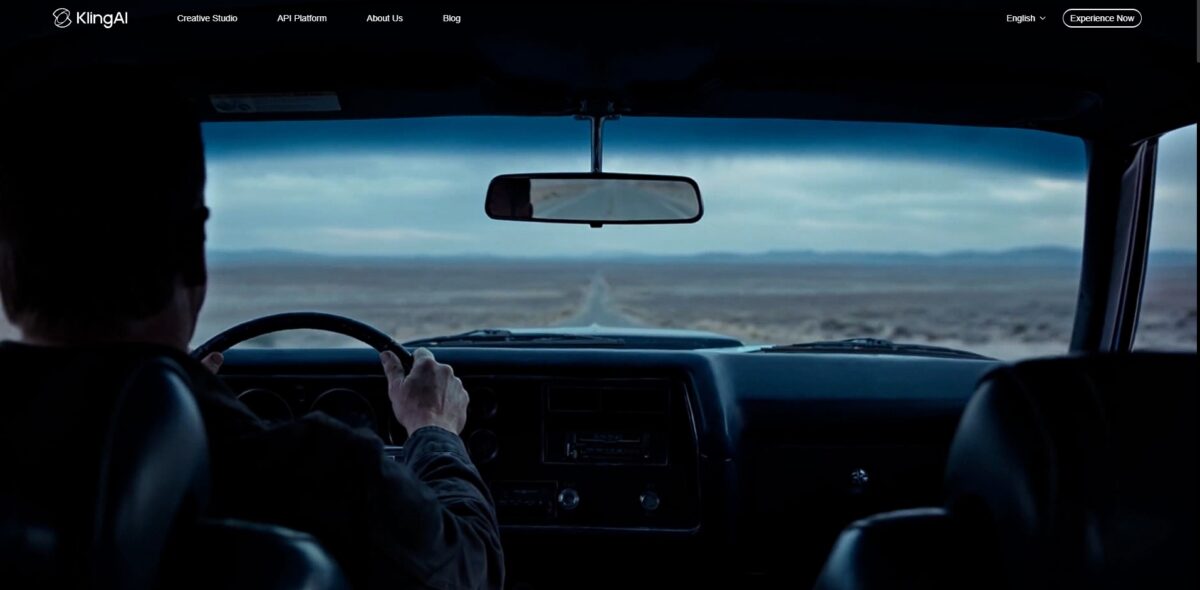
Kling AI operates as a specialized video engine that prioritizes physical accuracy and character stability over sheer generation speed. It translates text or static images into 1080p or native 4K clips, specifically excelling at rendering complex motions like human expressions or walking cycles without the usual limb glitches found in lighter models. I noticed that its Professional Mode provides actual sliders for camera pans and tilts, which prevents you from wasting credits on randomized, unusable movement. This control transforms a guessing game into a predictable directing tool for filmmakers. While it handles short, punchy scenes with cinematic depth, background textures occasionally start morphing once you push past the initial ten-second mark. Even so, its 15-second generations actually keep the same face throughout, saving hours of manual character matching. Use Professional Mode for precise shots, but keep your main actions short to avoid background warping.
How to start using Kling AI?
Start at klingai.com or its global portal. Sign up using an email or Google account to grab your daily credit allotment. Free users typically receive 66 credits that refresh every 24 hours. These credits vanish if you don’t use them, so there is no point in hoarding them for a rainy day. The upside is daily experimentation without a financial commitment.
Takeaway: Log in every day to claim and spend your credits before they expire.Pick between Text to Video for new concepts or Image to Video to animate a static file. Upload a high-resolution PNG if you want to maintain specific facial features or product details. The interface lets you select aspect ratios like 9:16 for TikTok or 16:9 for YouTube immediately, so your render fits your target platform without awkward cropping later.
Takeaway: Image to Video is the safer mode when a specific character or object has to stay consistent.Write your prompt using the F.O.R.M.S. structure: Focus, Outcome, Realism, Motion, and Setting. Describe specific camera movements like a “slow dolly zoom” or “handheld tracking” instead of just asking for a “cool video.” You can even add negative prompts to filter out common AI glitches like deformed limbs or text watermarks. Specific cinematic language gives you predictable control over the physics of the scene.
Takeaway: Professional filmmaking terms are the best way to guide the AI’s camera behavior.Fine-tune the duration and quality settings before hitting generate. You can start with a 5-second clip to test the motion, then use the “Extension” tool to add another 5 to 10 seconds if the action looks right. I noticed that 1080p renders take longer but are necessary for anything beyond a rough draft. Testing short first saves your limited credits during the “sketching” phase of your project.
Takeaway: Generate short, standard-quality previews before committing to a 15-second professional render.
Who is it for?
Indie Filmmakers and Concept Artists
Stop sketching every frame by hand. Use the multi-shot storyboarding to generate 6 consistent camera angles for a single scene in one pass. It handles the “shot-reverse-shot” logic better than most, though it occasionally glitches when mixing humans and animals in the same frame. You can visualize a complex narrative sequence without hiring a full camera crew.
Social Media Creators and Reels Specialists
Turn static product photos into 15-second narrative clips. The native audio engine syncs character dialogue and lip movements automatically, so you don’t need external voice clones for quick talking-head segments. The 1080p output remains crisp even during fast motion like skateboarding or dancing. On top of that, you can produce localized content in multiple languages without manual editing.
Marketing Teams and Ad Producers
Swap backgrounds or relight entire scenes using the OmniEdit generative fill. Instead of re-shooting a campaign because the lighting was off, you can adjust the environment while keeping the original character’s motion intact. The trade-off is the strict content moderation which may block certain edgy or political concepts. Still, OmniEdit slashes post-production time for localized product demos.
Game Developers and World Builders
Create environmental reference videos for lighting and texture departments. Use the video extension feature to stretch a 5-second clip into a 3-minute atmospheric loop of a cyberpunk city or misty forest. It captures complex physics, like rain splashing in puddles, with a level of depth that feels tangible, so your team can “see” the art direction before the first asset is modeled.
Hobbyist Storytellers and D&D Players
Bring character portraits to life using image-to-video animation. Upload a character drawing and use the “Motion Brush” to control specific details like a cape fluttering or a glowing sword. It struggles with medical-grade anatomical accuracy on fingers, but excels at wide-scale fantasy visuals. A static tabletop session turns into a shared visual experience.
Kling AI pricing
Kling AI runs on a credit-based economy that favors consistent experimenters over occasional visitors. While the free tier offers a generous 66 daily credits to test simple prompts, these expire every 24 hours. Moving to a paid plan unlocks the ability to roll over unused credits and access Professional Mode for sharper 1080p renders. Be aware that high-end settings like “Professional Mode” or “Video O1” burn through credits significantly faster than standard generations, often costing 35 to 70 credits per clip. This matters because a single “failed” AI hallucination can cost you real money on a limited monthly budget.
These vanish if you don’t use them, so it’s strictly for casual testing. You can’t save up for a larger weekend project.
This is the entry point for creators who need clean assets for social feeds. It also grants you a commercial license for your renders.
This is the “sweet spot” for most freelancers who need to iterate on a scene multiple times to get the lighting right, with enough volume to absorb the trial-and-error nature of AI video.
These tiers are for agencies or studios generating dozens of clips daily. They also guarantee priority in the server queue during peak traffic hours.
Kling AI key features
Extended video generation of up to 15 seconds per clip, extendable to about 3 minutes. Many AI video tools tap out at 5 to 10 seconds, but Kling keeps a full 15-second take coherent and lets you chain extensions into longer sequences. No more manually stitching dozens of tiny clips for a single scene.
Native audio and lip-sync integration
You can upload an audio file and the model matches character mouth movements and expressions to the speech. I noticed it handles English and Chinese dialogue with minimal “uncanny valley” warping. That saves hours of post-production lip-alignment work.
Character and element consistency
The “Elements” feature allows you to reference a specific face or object across multiple generations. It works well for maintaining a protagonist’s identity, though lighting shifts can sometimes alter the skin tone. With it, Kling stops being a random video generator and becomes a legitimate storytelling tool.
Multi-shot storyboarding from a single prompt
The system generates up to six different camera angles while keeping the environment stable. I found this particularly useful for creating coherent action sequences without fighting the AI for visual continuity. You get instant coverage for a scene, much like a professional film crew would provide.
Advanced camera and motion control
You can direct tilts, pans, and zooms or use a “Motion Brush” to animate specific parts of a static image. It lets you breathe life into a still photo of a landscape while keeping the subjects frozen. This matters because it gives you granular control over the frame rather than relying on prompt-engineering luck.
OmniEdit generative video tools
Perform tasks like relighting, object swapping, or reframing directly on the generated footage. It acts like a light version of an AI-powered visual effects suite. If a background element is distracting, you can fix it without regenerating the entire 10-second clip.
Kling AI Pros & Cons
Pros
Kling AI handles complex physics like liquid splashes and fabric ripples with surprising accuracy. It generates 5 to 15-second clips that maintain character consistency across different camera angles. The 3.0 model also renders legible text on signs much better than earlier versions, so you can create product demos or social ads that don’t require manual text overlays. The motion brush tool provides granular control, letting you draw specific paths for objects to follow.
Cons
The platform follows strict Chinese moderation rules, which can trigger vague content blocks on innocuous prompts. While it supports 4K, the free tier limits you to 720p and places you in a slow queue during peak hours. Long-form generation still struggles with “morphing” where limbs might blend into backgrounds during rapid turns. In practice, high-action scenes often require multiple reruns to get a clean, usable take. The credit system feels expensive for professional workflows since high-resolution pro modes consume daily boosts quickly.
Use Kling AI if you want…
- Generate 15-second cinematic videos with realistic physics
- Sync native audio and dialogue with precise lip-sync
- Maintain character consistency across multiple shots and scenes
- Direct complex sequences with multi-angle storyboard controls
- Animate static photos into high-quality 4K video clips
- Edit existing footage via relighting and object swapping
- Create professional marketing content with virtual brand ambassadors
- Produce long-form narrative continuity using video extension tools
Kling AI alternatives
 RunwayRead review →
 PikaRead review →
 Hailuo AIRead review →
 Google VeoRead review →
 Vidu AIRead review →
 PixVerse AIRead review →
 Grok ImagineRead review →
Kling AI Reviews
The video quality is stunningly realistic, especially for character movement, but the queue times for free users are brutal.
I love how easy it is to turn static images into cinematic clips; it is a total game changer for my social media ads.
The results are hit or miss and the credit system is frustrating, though it is still the best tool I have found for consistent AI video.
FAQ
What are Kling AI credits and how do they work?
Credits are a virtual currency used to access generation features; users typically receive 66 free daily credits that expire after 24 hours if unused.
Can I generate videos with sound on Kling AI?
Yes, the Kling 3.0 models support native audio generation with synchronized lip movements and ambient sound effects based on your text prompts.
What is the maximum duration for a video clip?
Kling 3.0 models allow users to generate continuous video scenes up to 15 seconds long with high-definition quality.
Does Kling AI support different aspect ratios?
Yes, you can choose between several aspect ratios including 16:9 for widescreen, 9:16 for vertical social media content, and 1:1 square formats.
What is the difference between Standard and Professional modes?
Professional mode offers higher fidelity, better physics, and improved detail but consumes significantly more credits than the standard generation mode.
Can I use my own images to create videos?
Yes, the Image to Video feature allows you to upload existing photos and use them as a reference to generate cinematic animations and character-consistent clips.
How does the Motion Brush feature work?
Motion Brush lets you manually select specific areas of an image and draw custom paths to control exactly how those elements move in the final video.
Are generated videos watermark-free?
While basic generation is available, specific features like watermark removal and 1080p or 4K downloads are typically reserved for paid membership tiers.
Similar tools
 BannerbearTemplate-based API for generating on-brand images, PDFs, animations and videos at scale from your data via REST, Zapier, Airtable or AI agents.
 Generated PhotosLibrary of 2.6M+ AI-generated faces plus face and full-body human generators for model-release-free people images in design, ads and research.
 VheerBrowser-based AI studio for text-to-image, photo editing and image-to-video, with a free no-signup model plus credit access to Nano Banana, Sora 2