

Label Studio
Data AnalysisUpdated November 21, 2026
Open-source data labeling and AI evaluation platform for annotating images, text, audio and video, with ML pre-labeling and paid team QA plans.
We may earn a commission when you sign up through our links. It does not affect our reviews.
What is Label Studio?
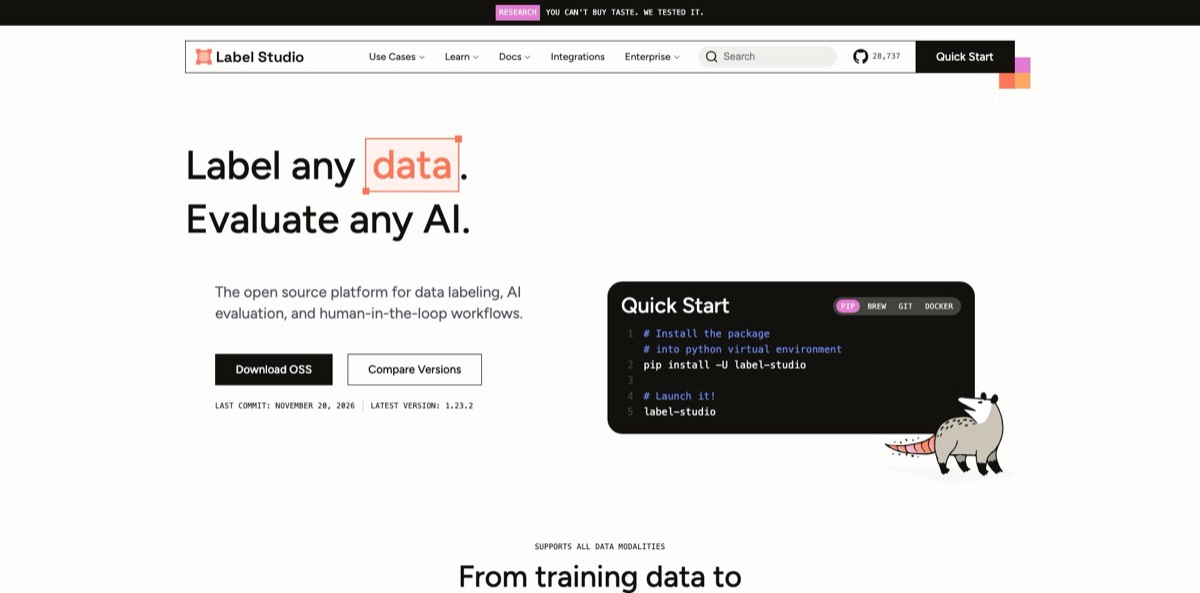
Every supervised model and every LLM eval needs people to define what a correct answer looks like, and this browser-based tool is where many ML teams record those judgments. Label Studio is an Apache-2.0 open-source labeling and evaluation platform from HumanSignal (called Heartex until 2023) that you install with pip, Homebrew or Docker. One configurable interface, built from XML-style tags, handles images, text, audio, video, time series, HTML and LLM outputs, so bounding boxes, named entities, transcripts and RLHF rankings can share one workflow. Connected models pre-label tasks, and results export to JSON, COCO, YOLO, Pascal VOC or CoNLL. The weak spot is the free edition: it has no reviewer workflow, task assignment or agreement scoring, so team QA means paying for Starter Cloud or Enterprise. Pick it if someone on your team can host it and write a labeling config.
How to start using Label Studio?
The quickest route is the free Community Edition on your own machine. Inside a Python virtual environment, run pip install -U label-studio, then label-studio start, and open http://localhost:8080 in a browser. Homebrew (brew install humansignal/tap/label-studio) and the heartexlabs/label-studio Docker image work too. Sign up with any email and password you choose, since the account lives in your own instance. Prefer not to run a server? Starter Cloud has a 14-day free trial with no credit card required, hosted by HumanSignal.
Next, click Create, give the project a name, and open Data Import to upload files. If your data sits in a bucket, skip the upload and connect source storage later: AWS S3, Google Cloud Storage, Microsoft Azure, Databricks, Redis and local folders are all supported. Under Labeling Setup, choose a template such as object detection, image classification, named entity recognition or audio transcription, rename the labels to your own classes, and click Save. Every task then appears as a row in the Data Manager, where you can filter, sort and open items one by one.
The labeling config is where most of the real work happens. Templates are combinations of tags like Image, RectangleLabels, Text, Labels, Choices and TextArea, and the code view lets you add fields, nested choices or hotkeys that match your guidelines. To speed annotators up, open the project settings, go to Model and click Connect Model to attach an ML backend. HumanSignal’s example repository includes a Segment Anything backend that runs on port 9090, and its predictions load into the editor for people to accept or correct. If your predictions are static, importing them as pre-annotations is simpler than running a backend.
Before you export, open a sample of finished tasks and check them against your guidelines. In the Community Edition this review is manual, because reviewer roles and agreement metrics belong to the paid editions. Export from the project in JSON, JSON_MIN, CSV, TSV, COCO, Pascal VOC, YOLO, CoNLL2003 or ASR_MANIFEST, or script it with the label-studio export command. Keep in mind that raw JSON stores bounding boxes as percentages of image size, not pixels. On large projects, an export from the Community UI can run past the reverse-proxy timeout (often around 90 seconds), so use the CLI or the snapshot API instead.
Who is it for?
ML Engineers on Small Teams
You need a labeled dataset next week, not a procurement process. The open-source edition installs in minutes, reads from S3 or Google Cloud Storage, and exports straight to YOLO or COCO. The dataset drops into your training script with very little glue code.
NLP and Document AI Teams
Entity spans, relations, sentiment, OCR boxes over scanned pages and question answering all fit the same tag system. You stop juggling separate tools for text and images, and a CoNLL2003 export converts to spaCy format with one command.
LLM and Agent Evaluation Teams
Templates for RLHF preference collection, response ranking, side-by-side comparison and RAG answer grading turn ad hoc spreadsheet reviews into structured data. Agentic traces can be pulled in for human review, and Enterprise adds LLM-as-a-judge with human supervision on top.
Annotation Leads and Data Ops Managers
Once more than a couple of people label, you need assignments, review queues and overlap rules. Starter Cloud adds role-based access, automatic task distribution and reviewer assignment without an annual contract, while Enterprise adds annotator dashboards and automatic reassignment of low-agreement tasks.
Regulated Enterprises
Healthcare and finance teams that cannot send data to a third party can run Enterprise on-prem with SAML or LDAP single sign-on and SOC 2 and HIPAA reporting. Enterprise also reads DICOM natively and handles LiDAR point clouds, which saves conversion work in medical and physical AI projects.
Academic Researchers
The Community Edition costs nothing, and the Academic Program lets educators and students apply for discounted or free access to the cloud service. A thesis project gets a real annotation workflow without a budget line.
Label Studio pricing
HumanSignal runs an open-core model. The self-hosted Community Edition is free under Apache-2.0, the hosted Starter Cloud is billed by users, and Enterprise is sold by quote. Prices are listed in US dollars on the official pricing page, and no annual discount is published.
Open source and self-hosted on your own hardware, with all core data types, templates, ML backends, cloud storage sync, the API, the Python SDK and webhooks. Support comes from the community Slack (20,000+ members) and GitHub issues. There is no role-based access control, no task assignment and no reviewer workflow.
It is fully hosted, starts with a 14-day free trial without a credit card, and needs no annual contract. You get role-based access, automatic task distribution, reviewer assignment, comments, an annotator-only portal and a support portal, with limited agreement metrics and limited LLM pre-labeling. The comparison table on the same page phrases the price as starting at $99 per user per month, so confirm the seat math during the trial.
Custom pricing. Cloud or on-prem deployment, SAML or LDAP single sign-on and SCIM, activity logs, SOC 2 and HIPAA reporting, a 99.9% uptime SLA, a customer success manager, project and annotator dashboards, active learning loops, bulk labeling, plugins and LLM-as-a-judge. You can also buy it through AWS Marketplace and apply committed AWS spend.
Quote after a scoping call. HumanSignal’s own team creates, annotates and evaluates data with domain experts and physical data labs, an offer launched alongside its acquisition of Erud AI in November 2025.
Label Studio key features
Configurable labeling interface
Every project is defined by a config built from a tag library: object tags such as Image, Text, Audio or TimeSeries, plus control tags such as RectangleLabels, PolygonLabels, Choices or TextArea. You start from a template and edit it, so one tool can serve classification, segmentation, transcription and ranking.
Broad data coverage
Text, images, audio, video, HTML, time series, multi-modal tasks and agentic traces are supported in every edition, and the paid editions add 3D images and LiDAR. A team that moves from computer vision to LLM evaluation does not have to switch platforms or retrain annotators on a new tool.
ML backend and pre-annotations
The ML backend SDK wraps your model as a small web service that Label Studio calls when an annotator opens a task, and the prediction loads into the editor for review. You can also import predictions as JSON and sort tasks by prediction score. Enterprise adds automated active learning loops, while Community users can mimic them by sorting and pulling predictions manually.
LLM evaluation and Prompts
Generative AI templates cover supervised fine-tuning data, RLHF preference pairs, chatbot assessment and LLM ranking, and the Chat feature in paid editions lets annotators generate and label conversations with a live model. Enterprise Prompts pre-label tasks with LLMs, run benchmarks against ground truth or rubrics, and score outputs with LLM-as-a-judge. Starter Cloud gets a limited version of these tools.
Storage sync and export formats
Source and target storage connect to S3, Google Cloud Storage, Azure, Databricks, Redis or local folders, so raw data stays in your buckets and labeled results sync back. Exports cover JSON, CSV, TSV, COCO, Pascal VOC, YOLO, CoNLL2003, ASR manifests for NVIDIA NeMo, and brush masks as NumPy arrays or PNG.
API, Python SDK and webhooks
Projects, imports, predictions and exports can all be scripted, and webhooks fire on events so a finished batch can trigger training or evaluation. Large exports go through the snapshot API rather than one long synchronous request. Labeling becomes one stage of your ML pipeline instead of a manual handoff.
Quality workflows in paid editions
Starter Cloud and Enterprise let you assign reviewers, set how many annotators label each task, mark ground truth and track agreement. Enterprise adds custom agreement metrics, annotator performance dashboards, label distribution charts and automatic reassignment of low-agreement tasks.
Label Studio Pros & Cons
Pros
The free edition is a working product, not a crippled demo: it runs locally under Apache-2.0, handles nearly every data type an ML team meets, and exports to the formats training code expects. The project is active, with stable release 1.23.2 shipped in September 2026 and more than 28,000 GitHub stars, so answers to common problems are easy to find. A model can sit in the loop through the ML backend, which cuts labeling time once a first version exists. Because data stays in your own storage, privacy reviews tend to be short. Start from a template close to your task and adapt it rather than writing a config from scratch.
Cons
Flexibility comes with a learning curve. Anything beyond a stock template means editing tag-based configs, and developer comments describe the product as complex precisely because it tries to cover so many use cases. The free edition lacks the controls teams need at scale, including roles, task assignment, reviewer queues and agreement metrics, which pushes collaborative projects to paid plans. Community exports run synchronously and can time out on big projects, and GitHub issues show users tripping over API token documentation and storage sync quirks. Enterprise pricing is not public. Run a short pilot with your real data and guidelines before committing a whole team.
Use Label Studio if you want…
- Label images, text, audio and video in one tool.
- Self-host data annotation on your own infrastructure for free.
- Export training data straight to COCO, YOLO or CoNLL.
- Pre-label tasks with your own model through an ML backend.
- Collect RLHF preferences and rank LLM responses.
- Grade RAG answers and agent traces with human reviewers.
- Sync labeling tasks with S3, GCS or Azure buckets.
- Script projects and exports with the Python SDK.
- Add reviewer workflows and SSO as your team grows.
Label Studio alternatives



Label Studio Reviews
A great open-source tool, but because it tries to cover so many use cases it gets complex; for one narrow task, a small custom labeling app can be quicker to build.
Solid for standard text or image labeling, though it lacks niceties for multi-step agent workflows and unusual multimodal tasks, so time-box a trial before committing.
The UI is pleasant and it compares well with other free options for image work, but for video sequences CVAT still has the edge thanks to box interpolation between frames.
One of the best open-source annotation tools around; for a large, quality-critical project with many collaborators and model-assisted labeling, though, paid tools are worth evaluating.
Scripting uploads through the API was confusing at first: the docs mix API keys and personal access tokens and show both Token and Bearer headers.
FAQ
Is Label Studio free?
Yes. The Community Edition is open source under Apache-2.0 and free to self-host. Starter Cloud costs $99/month plus $49/month per additional user after a 14-day free trial, and Enterprise is quote-based.
Who makes Label Studio?
HumanSignal, the company that was called Heartex until it renamed itself in June 2023. In November 2025 it acquired Erud AI and launched HumanSignal Services, while Label Studio stays open source at the core of its platform.
What types of data can I label?
Text, images, audio, video, HTML, time series, multi-modal tasks and agentic traces work in every edition. Chat data, 3D images and LiDAR require a paid edition.
Which export formats does Label Studio support?
JSON, JSON_MIN, CSV, TSV, COCO, Pascal VOC, YOLO, CoNLL2003, ASR_MANIFEST, and brush masks as NumPy or PNG. For spaCy, export CoNLL2003 and convert it with spacy convert.
Can I use my own model to pre-label data?
Yes. Wrap the model with the ML backend SDK and connect it under the project’s Model settings, or import static predictions as JSON. Enterprise adds LLM-based pre-labeling and automated active learning.
Is my data secure with Label Studio?
With the Community Edition, data stays on your own servers and storage. Enterprise runs in HumanSignal’s cloud or on-prem and adds single sign-on, activity logs, and SOC 2 and HIPAA reporting.
Does Label Studio have an API?
Yes. A REST API, a Python SDK and webhooks are available in all editions, with additional support for Enterprise-only features.
Does Starter Cloud require an annual contract?
No. HumanSignal sells Starter Cloud without an annual contract, and the 14-day trial does not ask for a credit card.
Similar tools
 InnovatianaFrench managed data labeling service with in-house annotators for computer vision, NLP, RLHF and evaluation datasets, plus a self-serve Dataset Finder.
 Y2DocWeb tool that turns public YouTube videos into structured notes, timestamped transcripts and PDF, Markdown or Docx files, plus MP3 downloads.
 InfinityCall tracking and AI call analytics platform that ties phone calls to campaigns and keywords and sends call outcomes into Google, Meta