

LiteLLM
Developer ToolsUpdated October 21, 2026
Open-source LLM gateway and Python SDK that puts 100+ model providers behind one OpenAI-compatible API with spend tracking, budgets and routing.
We may earn a commission when you sign up through our links. It does not affect our reviews.
What is LiteLLM?
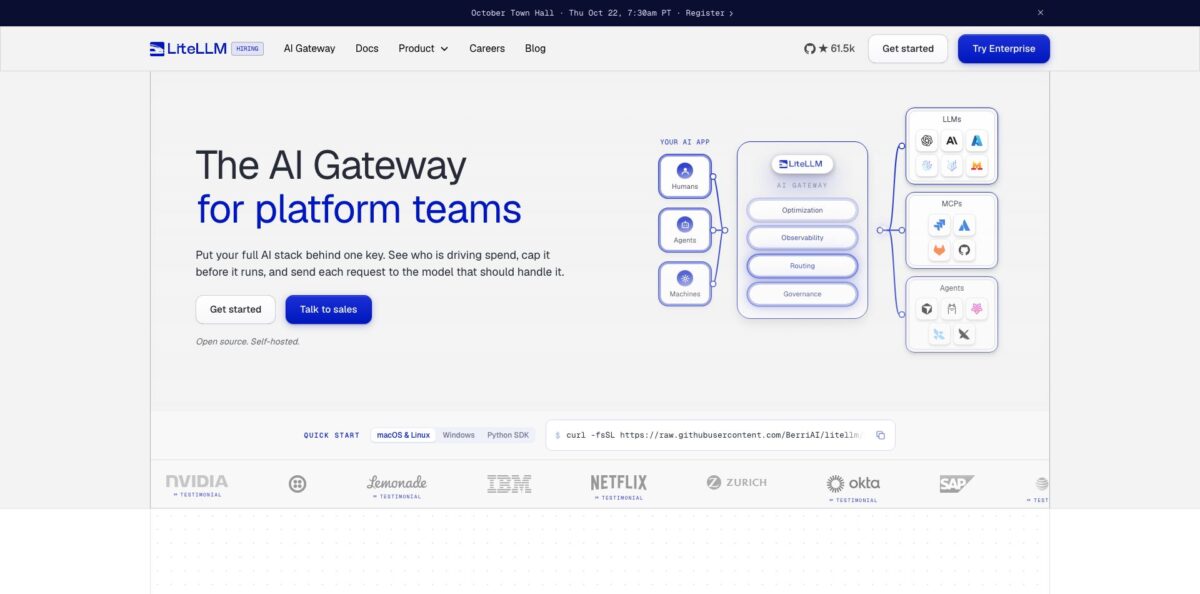
LiteLLM is an open-source AI gateway and Python SDK from BerriAI (legal name Berrie AI Incorporated) that lets your code call OpenAI, Anthropic, Vertex AI, Bedrock, Azure, Ollama and more than 140 other providers through one OpenAI-compatible API. The SDK translates every request and response into the Chat Completions format, while the self-hosted proxy adds virtual keys, budgets, rate limits, spend tracking, fallbacks and an Admin UI on top. Platform teams use it so that hundreds of developers share one controlled entry point instead of scattering raw provider keys across repositories. The trade-off is operational: you run the gateway, its Postgres database and its upgrades yourself, and the project has had memory and stability complaints plus a serious package compromise in March 2026. Pick it if you have engineers who can own infrastructure and you want multi-provider access without paying per token to a middleman.
How to start using LiteLLM?
Decide first whether you need the SDK or the gateway. If you only want one function that talks to many models inside a Python app, run
uv add litellm(or install the leanerlitellm-corepackage) and callcompletion()with a model string such asanthropic/…orollama/llama3, with your provider key in an environment variable. If you want shared keys, budgets and a dashboard for a team, start the gateway instead: the quickstart script or the official Docker Compose file brings up the proxy on port 4000 together with a Postgres database for models, keys and spend logs.Before the first launch, generate the two secrets the compose file expects.
LITELLM_MASTER_KEYis the root credential and doubles as the Admin UI password, andLITELLM_SALT_KEYencrypts the provider keys you store. The docs warn that changing the salt key later makes stored credentials unreadable, so keep the .env file safe. If you prefer not to run Docker locally, there are one-click deploys on Railway and Render, and Terraform-based setups for AWS and GCP.Next, open
http://localhost:4000/ui, sign in as admin with your master key and go to Models + Endpoints. In the Add Model tab you pick a provider, select models from the bundled catalog, paste the provider key, click Test Connect and then Add Model. Pricing for each model is already mapped, which is what makes spend tracking work from the first request. Then use the Playground to send a test message and see latency and token counts, and press Get Code to copy the matching API call for your language.Finally, go to Virtual Keys and click + Create New Key for each app or teammate. Each key can carry its own budget, rate limits and model allowlist, and it is shown only once, so copy it straight into your secret store. Point any OpenAI-compatible client at your gateway URL with that key, run a few real requests and check that spend appears against the right key and team before you invite anyone else.
Pin an exact release version from day one and upgrade deliberately, because a gateway sits in front of every AI call your company makes.
Who is it for?
Platform and infrastructure teams
Every product team wants access to the newest models, and you are the one handing out keys and chasing invoices. LiteLLM gives you one login, scoped virtual keys and hard budgets per team, so access requests become a config change instead of a procurement cycle. You also get one place to see who spent what.
Python developers building LLM apps
You want to swap between GPT, Claude, Gemini and local models without rewriting request code for each SDK. The library returns the same response format for every provider and includes retries and fallbacks through its Router. Many agent frameworks already depend on it, so you may be using it without knowing.
Companies with strict data rules
Security will not approve a hosted proxy that sees prompts and keys. LiteLLM self-hosts in your cloud or fully air-gapped, sends no telemetry, and the company says it holds SOC 2 Type 2 and ISO 27001. Prompts go only to the providers you configure.
FinOps and engineering managers
AI spend arrives as one large bill with no breakdown by project. LiteLLM attributes every request to a key, user, team, tag or model and can export spend to Prometheus, Datadog or CloudZero for chargeback. Budget caps stop requests before a runaway job burns the monthly allowance.
Indie hackers and homelab users
You run several local and cloud models and want a single endpoint that tracks usage. A small VPS or home server is enough for the open-source gateway, and it costs nothing beyond hosting. Expect to tune memory and Postgres yourself.
SaaS teams billing customers for AI usage
You need to know token spend per customer across several services. Issuing a virtual key per customer or tagging requests gives you that breakdown without building a metering layer from scratch.
LiteLLM pricing
LiteLLM has a simple two-layer model. The gateway and SDK are open source and free to self-host with no license fee, so your real costs are the model providers you call plus the servers, Postgres and Redis you run. Enterprise is an annual license key on the same gateway image, and the official pricing page states it is never priced per token. As of October 2026 the page lists two options.
Includes 100+ providers behind one OpenAI-style API, virtual keys, users and teams, spend tracking, budgets and rate limits, LLM fallbacks, request and response logging, Prometheus metrics and community support. The docs add that SSO for the Admin UI is free for up to 5 users.
Custom, billed annually. Pricing is quote-based and sized to your annual gateway request capacity, deployment architecture and support needs, with volume discounts. It adds SSO and SCIM, OIDC/JWT auth, audit logs, secret managers with key rotation, org and team admins, a multi-region control plane, air-gapped deployment and support SLAs up to 24/7 (a 1-hour response target when all production traffic fails). The FAQ mentions Enterprise Standard and SCALE editions without public prices. A free 30-day trial key is emailed instantly, and you can buy direct, through AWS Marketplace or Azure Marketplace, or via resellers.
LiteLLM key features
Unified OpenAI-compatible API covers 140+ providers and, by the company’s count, 1,892 models
You call every model with the same request shape and get the same response format back, including from self-hosted and fine-tuned models. Switching from one vendor to another becomes a change to a model name in config rather than a code rewrite.
Virtual keys and hard budgets let you issue keys per app, user, team, project or tag, each with its own spend cap, TPM and RPM limits and allowed models. Budgets reset daily or monthly, and at the cap requests stop. A leaked key or a looping agent cannot quietly run up a five-figure bill.
Routing and fallbacks spread traffic across providers, regions and keys
You can route to the cheapest deployment that can serve a request, set fallback chains when a provider fails, and try Auto Routing, which sends simple prompts to cheaper models and hard ones to stronger models. Response and semantic caching on Redis, S3 or GCS avoids paying twice for the same answer.
Guardrails and logging plug into tools you may already use
The gateway supports Presidio PII masking, Lakera prompt-injection checks, Bedrock Guardrails and others, and sends traces to Langfuse, Arize Phoenix, LangSmith or OpenTelemetry. That gives security and ML teams one choke point for policy and observability.
MCP and agent gateway support puts MCP servers and A2A agents behind the same keys and permissions as models
Teams can share tools such as GitHub or Jira MCP servers with per-team access instead of everyone wiring their own. The Enterprise AI Hub can publish a branded page of available models, MCP servers and agents.
Self-hosted deployment comes with official Docker images, a Helm chart, a Terraform module and non-root, Cosign-signed images. The newer Rust AI Gateway, still labelled beta in the docs, adds 0.66 ms at p99 on the company’s own published benchmark.
LiteLLM Pros & Cons
Pros
The core gateway is free, MIT-licensed and genuinely usable in production, which is rare in a market where most routers charge a markup on tokens. Coverage is broad, new models often appear within a day of release according to customer quotes on the official site, and names like NVIDIA, Netflix, Okta and AT&T are listed as users. Spend tracking per key, team and tag is the feature people keep coming back for, because it answers the finance question without custom code. Self-hosting with no telemetry makes security reviews easier than with any hosted proxy. Start with the open-source build and only open a sales conversation once SSO or audit logs become a hard requirement.
Cons
You own the operations: Postgres, Redis, scaling, upgrades and on-call. GitHub issues document heavy RAM growth over time, OOM-killed containers and performance regressions between releases, and the June 2026 stability sprint listed virtual key spend limits not being enforced as a P0 bug. In March 2026 attackers published malicious PyPI versions 1.82.7 and 1.82.8 that stole credentials; the team rebuilt its release pipeline and shipped clean versions afterwards. Critics also call the package bloated. Pin versions, verify image signatures, keep the gateway off the public internet and test each upgrade in staging first.
Use LiteLLM if you want…
- Call 100+ LLM providers through one API.
- Swap models without touching application code.
- Give each team its own key and budget.
- Track AI spend by user, team and tag.
- Stop runaway agents with hard spending caps.
- Route requests to cheaper models with automatic fallbacks.
- Keep prompts and provider keys inside your infrastructure.
- Share MCP servers and agents through one gateway.
LiteLLM alternatives


LiteLLM Reviews
A developer on Hacker News says per-customer token spend tracking across several services is the exact reason they deployed LiteLLM, and it handles that well; the features others call bloat are what they need.
One engineer whose team runs LiteLLM at work reports that its added latency has not been noticeable for users and that it behaved as expected after adoption, though they admit a lighter gateway might have been faster.
A self-hoster running it on a Hetzner server saw memory use swing between 1 and 4 GB for no clear reason and moved to Bifrost, which felt much lighter, but said they would try LiteLLM again once the Rust core lands.
Several Hacker News commenters criticise the codebase as heavy, with complaints about dependency size and rushed development practices, even while conceding that cost tracking, caching and streaming are what make it useful.
A homelab user keeps LiteLLM on a cheap VPS as a bridge to all their AI providers, mainly to monitor usage in one place alongside other self-hosted services.
FAQ
Is LiteLLM free?
Yes. The open-source gateway and Python SDK are free to self-host with no license fee, including virtual keys, budgets, spend tracking and fallbacks. You pay only for your model provider usage and your own hosting, and Enterprise is an optional annual license.
Is the open-source version allowed in production?
Yes. The official pricing FAQ says you can run LiteLLM OSS in production with no license fee forever. Enterprise adds governance, security features and support on top of the same gateway.
Does LiteLLM see my prompts or data?
Not when you self-host. The data security page states that no data or telemetry is sent to LiteLLM servers from self-hosted instances, and prompts go only to the providers you configure.
How is LiteLLM Enterprise priced?
Enterprise is quote-based and billed annually, sized to your gateway request capacity, deployment architecture and support needs, and never priced per token. You can request a free 30-day trial key from the Enterprise page before talking to sales.
Which providers and models does LiteLLM support?
The official site lists 140+ providers and 1,892 models, including OpenAI, Anthropic, Vertex AI, Bedrock, Azure OpenAI and local Ollama models. You can also put your own fine-tuned or self-hosted models behind the same key.
Was LiteLLM affected by a security incident?
Yes. On March 24, 2026, malicious versions 1.82.7 and 1.82.8 were published to PyPI and stole credentials from machines that installed them. If you installed either version, rotate every secret on that machine, and pin a verified current release.
Does LiteLLM support SSO?
SSO for the Admin UI is free for up to 5 users in the open-source version. Beyond that, SSO, SCIM and JWT authentication require an Enterprise license.
Can I use LiteLLM without Docker?
Yes. The Python SDK installs with uv or pip and needs no server at all, and the gateway can also run from the CLI. The documented quickstart for the full gateway with the Admin UI uses Docker Compose with Postgres.
Similar tools
 Novita AIDeveloper cloud with one API for 200+ open-weight AI models, plus GPU instances, dedicated endpoints and isolated sandboxes for AI agents.
 You.comDeveloper platform of web search, content extraction, cited research and model inference APIs that feed AI agents and RAG apps real-time web
 QodoAI code review platform that runs specialized agents on every pull request, enforces team rules and checks changes against tickets and linked