

Live3D
Art GenerationUpdated November 10, 2026
Windows VTuber software suite with webcam avatar tracking and a VRM editor, plus browser AI tools for anime art, manga pages and character design.
We may earn a commission when you sign up through our links. It does not affect our reviews.
What is Live3D?
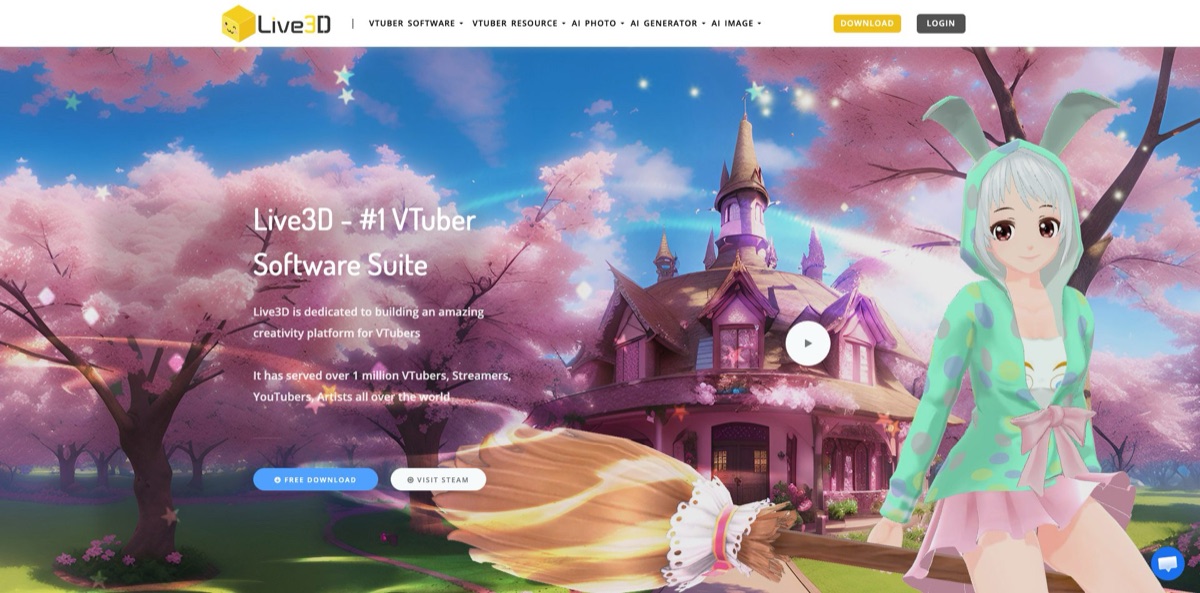
Live3D is a Windows toolkit for 3D VTubers, built around VTuber Maker (webcam face, head and hand tracking that drives a VRM avatar) and VTuber Editor (props, paint, outfits, background rooms and Blockly-based animation flows), with a growing shelf of browser AI tools for anime characters, manga pages and image edits. It removes the cold-start problem of streaming as a character: you can go live with a free preset avatar, a virtual camera and green-screen output without rigging anything yourself. The weak spots: it only accepts 3D VRM models, the free tier is thin, suite payments run through Steam, and refunds are rare. The same company runs AnimeGenius, a separate anime art generator on its own subdomain. Pick Live3D for an all-in-one 3D VTuber setup; look elsewhere if your avatar is a Live2D rig.
How to start using Live3D?
Download VTuber Maker with the Free Download button on live3d.io, or install it from Steam, where it is listed as free with in-app purchases. It is Windows-only: Steam lists an Intel Core i5-4570, 8 GB of RAM, a GeForce GTX 560-class graphics card, a broadband connection and a webcam as the minimum. The app also requires a Live3D account, and recent Steam reviewers say confirmation emails can take hours, so register a day before your first stream.
Your first real session is simple. Pick one of the free public avatars (the Free plan includes six), let the webcam handle facial and head tracking, and choose a background room or switch to a green screen or solid color with one click. Then bring the avatar into OBS through green-screen capture, transparent capture or the OBS virtual camera. If you want the avatar in a meeting instead, the virtual webcam shows up in Zoom, Discord, Microsoft Teams and Google Meet, according to the Steam listing.
The screen that matters most once you outgrow presets is VTuber Editor. Upload your own .vrm file (VRoid Studio exports work), paint the model, attach props and save several outfits. Background rooms combine images, overlays and front layers such as a desk or microphone. Animations and reactions are built as Blockly flows, so you snap together triggers like idle switching, hotkeys and mouse clicks instead of writing code. Expressions use blendshapes based on the iPhone standard. Live2D models are not supported anywhere in the suite.
Before you go live, run a private test recording in the lighting you will actually stream in, and check the watermark and commercial-use limits on your plan. Then add the Virtual Effects Twitch extension so viewers can trigger stickers, emotes and dance animations with Bits. For the AI side, open the AI Manga Generator or AI Waifu Generator in a browser. Both pages describe the tools as free, and credit packs are priced around premium models such as Nano Banana and Seedream 5.
Who is it for?
First-time VTubers on a budget
You want to try streaming as a character without commissioning a model or learning rigging. The free suite gives you six preset avatars, basic face and head tracking and a virtual camera. You will know within an evening whether VTubing suits you, and you have spent nothing.
Remote presenters and teachers
Showing up as an avatar in Zoom or Teams is half the appeal; the other half is the whiteboard. You can share a window or import PowerPoint, Keynote, PDF or video files and present next to your character. Lessons and demos feel less like a webcam stare-down.
Twitch streamers who want more chat interaction
The Virtual Effects extension lets viewers spend Bits to change your expression, drop stickers or play a dance animation. That gives lurkers a reason to engage and adds a small revenue stream. It works on the free plan, so you can test whether your community actually uses it.
VRoid hobbyists with a finished model
You already built a character in VRoid Studio and need somewhere to perform with it. VTuber Editor takes the .vrm, lets you dress it with props and paint, and hands it to VTuber Maker. Live2D artists should skip this, since only 3D VRM files load.
Anime artists and webcomic hobbyists
The VTuber Gallery doubles as a 3D pose reference, and the AI Waifu Generator lets you drag a model’s joints into a pose before generating art. The AI Manga Generator lays out panels from a written plot. It is a quick way to get thumbnails, references and concept art without drawing every frame.
Small studios that need motion capture
The Pro Suite adds Xsens and Noitom motion tracking plus one-to-one technical support. Teams that need custom features can request VIP work such as full-body capture or multiplayer scenes. Your performers keep streaming from the same app while the capture hardware gets more serious.
Live3D pricing
There are two separate price lists. The VTuber suites are USD subscriptions, and the pricing page states that suite payments are accepted only through Steam. The browser AI tools run on pay-as-you-go credit packs sold on a separate page, and a custom VIP tier sits on top for studios.
Six public avatars, six animation assets, three interaction effects, six backgrounds and overlays, basic facial and head tracking, virtual camera, green-screen and transparent streaming, the Twitch extension, a desktop mascot and one upload seat in VTuber Editor. Output carries a watermark and commercial use is limited.
Fifteen public avatar seats, 20 animation assets, nine effects, 20 backgrounds and overlays, 20 props, advanced face tracking, lip sync, upper-body tracking, Leap Motion support, the whiteboard, high graphics quality and unlimited upload seats. The watermark is removable, and commercial use is allowed up to $2,000 in monthly revenue.
Forty public avatars, unlimited props, effects, animations and backgrounds, hand tracking, body rotation tracking, a tongue-out expression and Flow Interaction. The commercial-use ceiling rises to $5,000 in monthly revenue.
Unlimited assets, one-to-one technical support, Xsens and Noitom motion tracking, early beta features and unlimited commercial use.
Custom features such as full-body motion capture, multiplayer, iPhone capture and 3D scenes, custom avatar and asset design, and one-to-one service.
The $10 pack covers up to 90 Grok Imagine or Nano Banana images, or up to 60 GPT Image 2 or Seedream 5 images, so the bigger packs mainly buy a better rate per credit.
Refund rules are strict. Suites bought through Steam are not refundable, the general policy only covers system bugs reported within 24 hours of a first payment, and the terms rule out refunds for unused credits.
Live3D key features
Webcam tracking in VTuber Maker maps your face, head and hands onto a 3D avatar using only a camera
Hand tracking works with a Leap Motion controller or without one, and audio-based lip sync covers you if the webcam is off.
VTuber Editor turns any VRM model into a customizable character
You paint it, attach props from a library of 50+ accessories, save several outfits and build background rooms with your own uploaded images. The edited avatar then loads straight into VTuber Maker. This is where a generic VRoid export starts to look like your own character.
Blockly animation flows replace keyframe editing with snap-together logic blocks
You can trigger animations from hotkeys or mouse clicks, switch between idle poses such as standing or sitting, and chain sticker effects in 3D space. Six shortcut actions come built in. It is far easier to learn than a full 3D animation package.
Presentation and streaming output covers the usual routes: OBS virtual camera, green screen, transparent capture and window capture of games or browsers. A whiteboard imports PowerPoint, Keynote, PDF or video files, and NPCs let several avatars share one stage, controlled together through tracking. You can run a talk, a lesson or a co-hosted stream from one app.
The Virtual Effects Twitch extension lets viewers trigger effects, stickers, emotes and dance animations on your avatar by spending Bits. Effects built in VTuber Editor show up in the extension, so your custom flows become audience interactions. Streamers earn Bits along the way.
Browser AI art tools cover anime-style character and comic work
The AI Waifu Generator offers over a hundred styles (including 3D, chibi and sketch), accepts reference images and lets you pose a 3D figure joint by joint before generating. The AI Manga Generator builds panel layouts in Japanese manga, American comic or Korean webtoon styles from a plot description. The AI Image Generator offers model and LoRA selection, a CFG slider and a negative prompt, and separate pages cover models such as Nano Banana, Seedream, Flux 2.0 Pro and GPT Image 2.
PngTuber Maker is the low-effort option for 2D
You upload two PNG images, one with the mouth closed and one open, and voice detection switches between them in real time. Accessories, backgrounds and a desktop mascot are included, and the page says the tool is free.
Live3D Pros & Cons
Pros
Live3D gets a beginner on stream as a 3D character with nothing but a webcam and a Windows PC. Preset avatars, background rooms, a virtual camera and green-screen output are all in the free suite, and a built-in Twitch extension adds viewer interaction from day one. The paid tiers are cheap at the low end, and the Editor’s Blockly flows give non-animators real control over reactions and idle poses. Steam reviewers who stay with it mostly praise the tracking and how quickly they got started. The browser AI tools add pose references, manga panels and character art under the same account. Start with the free suite and the Twitch extension before you pay for anything.
Cons
The app only works with 3D VRM models, so Live2D rigs are out, and despite the name you cannot build a model from scratch inside it. The free tier is thin, hand tracking needs the Plus Suite, and long-time users on Steam complain that features they once used for free moved behind the subscription. Suites can only be paid for through Steam, refunds are close to impossible, and recent reviews mention slow confirmation emails and virtual camera driver problems. It is Windows-only. The AI image pages also surface mature-leaning presets, so they are not a fit for brand-safe or classroom settings. Confirm that your webcam, model and PC all work on the free plan before subscribing.
Use Live3D if you want…
- Start VTubing with only a webcam and Windows PC.
- Stream as a free preset 3D anime avatar.
- Dress and animate your own VRoid model without coding.
- Appear as an avatar in Zoom or Teams calls.
- Let Twitch viewers trigger avatar effects with Bits.
- Present slides beside your avatar on a whiteboard.
- Pose 3D figures as references for anime drawings.
- Draft manga panels from a written plot description.
- Add Xsens or Noitom motion capture to streams.
Live3D alternatives



Live3D Reviews
Steam users who are new to VTubing describe it as beginner-friendly, with tracking that performs well and an interface they figured out quickly, though many add that too much of the app sits behind the subscription.
A recurring complaint on Steam is the name: you can pick a preset avatar and decorate it with props and stickers, but you cannot design a character from scratch, so reviewers point people to VRoid Studio for that step.
A longtime user who streamed with it regularly liked how easy and accessible it was for casual VTubing, but stopped recommending it after an update put features they relied on behind a paywall with little warning.
Recent reviewers report account friction, including confirmation emails that arrived hours late and a subscriber who says access ended early after turning off auto-renewal and support did not reply.
Some reviewers enjoy it as a fun way to join Zoom meetings as an avatar, while others who only need basic tracking suggest free tools such as Warudo or VNyan instead.
FAQ
Is Live3D free to use?
Yes. The Free suite costs $0 and includes six public avatars, basic face and head tracking, a virtual camera, green-screen streaming and the Twitch extension, with a watermark on output. The AI Manga Generator page says it needs no account, and the AI Waifu Generator page describes that tool as free.
Can I use my own avatar or a Live2D model?
You can upload your own 3D model in .vrm format through VTuber Editor and then use it in VTuber Maker. Live2D models are not supported, because the suite is built for 3D avatars only.
What hardware and languages does VTuber Maker support?
It runs on Windows only, and Steam lists an Intel Core i5-4570, 8 GB of RAM, a GTX 560-class GPU and a webcam as the minimum. The interface is available in English, Spanish, Japanese and Simplified Chinese.
How do I pay, and can I get a refund?
The pricing page says suite subscriptions are paid only through Steam, and Steam purchases are not refundable under Live3D’s policy. Outside Steam, refunds are limited to system bugs reported within 24 hours of a first payment, and the terms exclude refunds for unused AI credits.
How do I cancel a subscription?
The refund policy says you can cancel via Profile, then My Plan, then cancel the subscription, or by contacting customer service before renewal. You keep access until the end of the period you paid for, with no refund for the remainder.
Can I use Live3D content commercially?
It depends on the plan. Free allows limited commercial use with a watermark, Lite covers up to $2,000 in monthly revenue, Plus up to $5,000, and Pro allows unlimited commercial use. The AI Image Generator FAQ allows commercial use of images made from your own prompts, as long as they do not infringe third-party rights.
Does Live3D train its AI on my uploads?
According to the terms of service, uploaded images, prompts and related materials are processed only to deliver the service and are not used as training data for Live3D’s AI models. The terms also require users to be at least 13.
How is Live3D related to AnimeGenius?
AnimeGenius is a separate anime AI art generator from the same company, hosted at animegenius.live3d.io. The VTuber Maker page promotes it for creating VTuber avatars, faces, backgrounds and assets from prompts, but it has its own site and product page.
Similar tools
 CustomuseAI 3D creation platform that chains image, video and 3D models into node workflows for game-ready assets, Roblox items and scenes.
 VisualGPTCredit-based AI image and video studio that runs Nano Banana, GPT Image, Seedream, Flux and Kling for product photos, photo edits and
 LovartAI design agent that turns a chat brief into logos, social posts, product shots, slides and videos on one editable infinite canvas.