

LiveChatAI
AI ChatUpdated November 11, 2026
AI customer support agent trained on your website, docs and Q&As, with human live chat handoff, AI Actions, and WhatsApp, Slack and Shopify channels.
We may earn a commission when you sign up through our links. It does not affect our reviews.
What is LiveChatAI?
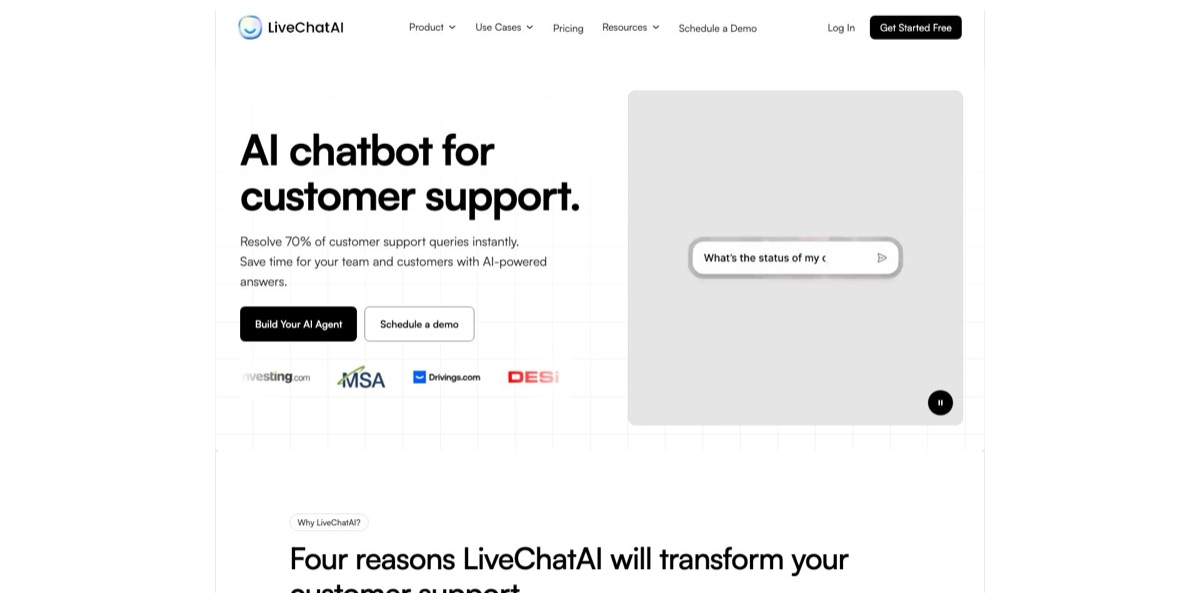
LiveChatAI is a hosted AI support agent with a built-in human live chat inbox, owned by Popupsmart Inc. You feed it your website, sitemap, PDFs, Notion pages, YouTube videos or hand-written Q&A pairs; it stores that content in a vector database and answers visitors through a chat widget using the model you pick, from GPT-4o to Claude, Llama and DeepSeek variants. When the bot cannot help, the conversation moves to a person in the same inbox or to Zendesk. AI Actions let the agent book meetings, search a Shopify catalog, alert Slack or call your own API. The problem it removes is the queue of repeat questions your help center already answers. The weak spots are model-dependent credit costs, paid add-ons for things like automatic re-crawling, and a small pool of independent reviews. It fits small SaaS and e-commerce teams that want AI answers and human chat in one tool.
How to start using LiveChatAI?
Register at app.livechatai.com; the Free plan needs no credit card. The first screen asks for a data source. Enter your full domain if you want the bot to cover the whole site, the URL of your help center for a support-only bot, or a subdomain for a narrower scope, then click Save and get all my links. If your site publishes a sitemap, you can submit it instead so the crawler finds every URL in one pass.
LiveChatAI then lists the pages it found, with Total Pages and Total Characters counters at the bottom. Remove anything that would confuse customers, such as legal boilerplate, outdated blog posts or tag archives, with the trash icon next to each link. Every character counts against your plan’s data limit: 500K on Free, 5M on Basic and 10M on the higher tiers. Click Import the content & create my chatbot and wait until each page shows Success. Custom text, files, Q&A pairs, YouTube videos and Notion pages can be added later from Data Sources.
Next, open Settings, then AI Configuration. Under LLM Model, pick the model your bot will use. This choice sets your real capacity: according to the help center, GPT-4o costs 1 credit per exchange, Grok-3 costs 4 and o1 costs 20. Write a base prompt that sets tone and escalation rules, and decide on the Restricted to Data Source toggle under Knowledge & Safety. With it on, the bot answers only from your content and shows a fallback message when nothing matches. Also decide whether Human-Support Live Chat stays on, so visitors can ask for a person.
Before going live, use the Preview to ask real customer questions, including a few your content does not cover, and check how the fallback behaves. When the answers look right, go to Embed & Integrate and choose Messenger (a floating bubble), Full Page Chat (a shareable link) or Inline Chat (an iframe on a specific page). Paste the code into your site or follow one of the CMS guides for WordPress, Shopify, Wix, Webflow, Squarespace and others, then adjust colors, the welcome message and suggested questions.
Keep Restricted to Data Source on and the page list trimmed for the first week, then loosen the rules once you know where your content has gaps.
Who is it for?
Small SaaS support teams
Your help center already explains billing, setup and common errors, yet the same questions keep arriving in chat. LiveChatAI answers them from your docs and passes the rest to an agent in the same inbox with the conversation history attached. One or two people can cover chat without a separate helpdesk subscription.
Shopify store owners
The Shopify app and Shopify AI Action let the agent search your catalog, show product details and add items to the cart inside the conversation. Shipping, returns and order questions get answered outside business hours. Expect to re-test the action after Shopify platform changes, as one merchant review showed.
Teams already running Zendesk
You can import solved Zendesk tickets and turn them into editable Q&A pairs, so the bot learns from answers your agents already wrote. The Zendesk handoff action passes live conversations to Zendesk Agent Workspace while the visitor stays in the LiveChatAI widget. You add an AI front line without retraining your team on a new tool.
Lead-focused marketing and sales teams
Calendly, Cal.com, HubSpot and Custom Button actions turn support chats into booked demos and CRM records. Contact attributes and segments let the bot answer a free-plan visitor differently from an enterprise customer. Fewer warm visitors leave before talking to someone.
Multilingual businesses
The help center lists support for 95 languages, and one published customer case uses the bot for technical product support in Turkish. You can train on content in one language and still serve visitors who write in another. Check answer quality in each key market before relying on it.
Agencies managing client sites
LiveChatAI runs an agency partnership program, and the Expert plan covers 10 chatbots, 6 seats and removal of LiveChatAI branding. One account can host bots for several small clients. Pricing for that path depends on which plan or partnership terms you land on.
LiveChatAI pricing
LiveChatAI charges a flat monthly fee per plan, with limits on message credits, chatbots, seats and the total characters of training data. One message credit equals one user message plus one AI reply on a 1x model; heavier models multiply that cost, so the same plan can cover very different traffic depending on your model choice. Annual billing gives two months free. The pricing page advertises a money-back guarantee, and the refund policy grants a full refund within 15 days of a monthly purchase or 30 days of an annual one. Prices below are the USD list prices from the official pricing page.
250 message credits, 500K characters of training data, 1 chatbot and 1 seat. No time limit, so it works as a pilot on a small site.
4,000 message credits, 5M characters, 1 chatbot and 1 seat. A step up for a single site with modest traffic.
10,000 message credits, 10M characters, 2 chatbots and still 1 seat.
15,000 message credits, 10M characters, 5 chatbots and 3 seats. Adds API access, premium models such as Claude Opus 4, Gemini 2.5 Pro and o1, AI Boost with automatic Q&A generation, and the option to connect your own OpenAI API key for unlimited messages.
20,000 message credits, 10M characters, 10 chatbots and 6 seats. Adds Advanced Analytics with topic and sentiment reports, plus removal of LiveChatAI branding from the widget.
Custom. Higher limits, advanced audience targeting, uptime SLAs, a priority support line and a dedicated customer success manager.
Add-ons sit on top of the plans. Weekly Site Sync, which re-crawls your site every Monday, costs $29/month extra. Extra messages, data sources and seats can also be bought, with prices shown in the dashboard rather than on the public page. Plans renew automatically; to cancel you email support or downgrade from the dashboard.
LiveChatAI key features
Multi-source training with AI Boost: The bot learns from a website crawl or sitemap, custom text, uploaded files, Q&A pairs, YouTube videos, Notion pages and imported Zendesk tickets. AI Boost processes crawled content by fixing pronouns and adding context, so a retrieved chunk reads as a complete instruction rather than a fragment like “click the button”. AI Suggestions point out questions your content fails to answer.
AI and human chat in one inbox: The Chat Inbox shows AI conversations and live chats side by side, and agents get email notifications when a visitor asks for a person. A Zendesk handoff action routes chats to Zendesk Agent Workspace without moving the visitor out of the widget. A free iPhone app lets agents reply from their phone.
AI Actions beyond Q&A: Preset actions cover Shopify, Calendly, Cal.com, Slack alerts, custom buttons, CSAT surveys and HubSpot ticket creation with contact sync. Advanced mode accepts custom webhooks, an imported OpenAPI schema, Make.com, Zapier and your own MCP server. A debug option shows exactly what data the agent sent to a third-party service.
Wide model choice with credit math: The pricing page lists GPT-5.2, GPT-5, GPT-4o, o3 Mini, several Claude Sonnet versions, Llama 4, DeepSeek and Grok models, with Claude Opus 4, Gemini 2.5 Pro and o1 reserved for Advanced and Expert. Each model has its own credit multiplier, from 1 credit per exchange for GPT-4o to 20 for o1. On the top two plans you can connect your own OpenAI key and pay OpenAI directly.
Contacts, attributes and segments: The Contacts API identifies logged-in visitors and passes attributes such as plan type, team size or total spent. Segments let the agent tailor replies, for example showing upgrade information to free users or GDPR details to EU visitors. Every chat becomes a contact record you can review later.
Channels and languages: Deploy as a floating messenger, a full-page chat link, an inline embed or inside your mobile app, and connect WhatsApp and Slack. The help center has setup guides for more than a dozen CMS platforms, from WordPress and Shopify to Drupal and Joomla. The bot answers in 95 languages.
Analytics and satisfaction tracking: Basic analytics come with every plan, while the Expert plan adds topic grouping with trends and sentiment tracking across conversations. Built-in CSAT surveys rate both AI and human agents. Use these reports to decide which pages or Q&As to rewrite next.
LiveChatAI Pros & Cons
Pros
Setup is short: you paste a URL or sitemap, prune the page list and have a working bot with a preview in one session. AI answers and human live chat live in the same product, which saves small teams from paying for a separate chat tool. The model list is unusually broad, and the Restricted to Data Source toggle gives you a clear switch between strict, content-only answers and a friendlier assistant. AI Actions reach well past Q&A, with webhooks, OpenAPI import and MCP for teams that have developers. The Free plan has no expiry date, and refunds are possible within 15 or 30 days. Start on Free with a trimmed crawl to judge answer quality before paying.
Cons
Credits behave differently per model, and a premium model like o1 drains a plan twenty times faster than GPT-4o. Key features are gated: API access, your own OpenAI key and AI Boost need Advanced at $189 a month, and removing branding requires Expert at $389. Weekly Site Sync costs another $29 a month; without it, keeping the bot current after site changes is a manual job. Cancelling means emailing support or downgrading. The security page lists AES-256 encryption and AWS Frankfurt hosting but mentions no SOC 2 report, and the WordPress plugin has not been updated in a year. Independent reviews are few. Ask for security documentation and use the embed script instead of the plugin.
Use LiveChatAI if you want…
- Deflect repeat support questions with answers from your content.
- Combine AI answers and human live chat in one inbox.
- Book demos through Calendly or Cal.com inside the chat.
- Let Shopify shoppers search products and add to cart.
- Hand complex chats to Zendesk agents without switching widgets.
- Answer visitors in their own language across 95 languages.
- Personalize replies by plan, region or customer segment.
- Trigger webhooks, Zapier or Make flows from conversations.
- Run the same support bot on WhatsApp and Slack.
LiveChatAI alternatives




LiveChatAI Reviews
Quick to set up and good at answering repetitive questions from your own documentation; the downside is that complex or nuanced questions still end up with a human, and training the bot properly takes longer than expected.
Training from a website URL is fast and the interface is quick, but adding custom text one entry at a time is tedious, and message credits ran out much faster than the buyer had planned.
Installation was a breeze and the bot is worth keeping on the site, though it needs ongoing training on the questions it answers poorly before it can be trusted unsupervised.
Support did not help when it was needed, and the product felt like a weaker version of Chatbase, which the same buyer also owned.
Helpful and easy to manage on a Shopify store, although catalog search stopped working for one merchant until the vendor fixed a Shopify-side change and asked users to reconnect the action.
FAQ
Does LiveChatAI have a free plan?
Yes. The Free plan has no time limit and includes 250 message credits, 500K characters of training data, 1 chatbot and 1 seat, with no credit card required at signup.
What counts as a message credit?
One credit covers one user message and one AI reply on a 1x model such as GPT-4o. Premium models cost more per exchange, for example 4 credits for Grok-3 and 20 for o1.
Can I use my own OpenAI API key?
Yes, on the Advanced and Expert plans. Connecting your key removes the message quota for OpenAI models, and usage is billed by OpenAI instead of LiveChatAI credits.
Which languages does LiveChatAI support?
LiveChatAI lists support for 95 languages for both the content you add and the questions visitors ask, and the widget interface can be localized.
Where is my data stored?
According to the security policy, servers run on AWS in Frankfurt, embedded content is stored on Pinecone running on Google Cloud in Oregon, and data is encrypted at rest with AES-256 and in transit. The company states it is GDPR compliant.
Does LiveChatAI integrate with Zendesk, HubSpot and Shopify?
Yes. There are AI Actions for Zendesk handoff, HubSpot tickets with contact sync and Shopify catalog search, plus Zendesk ticket import, Slack, WhatsApp, Make.com and Zapier.
Is there an API?
API access is included on the Advanced and Expert plans. A separate Contacts API lets you pass visitor identity and attributes from your own app into conversations.
How do I cancel or get a refund?
Email support or downgrade from the dashboard, since plans renew automatically. A full refund is available within 15 days of a monthly purchase or 30 days of an annual one.
Similar tools
 Chat 4O AIAll-in-one AI workspace with GPT, Claude, Gemini and Grok chat plus image and video models like Veo, Kling and Nano Banana, paid
 Kore.aiEnterprise agentic AI platform for building, governing and improving voice and chat AI agents for customer service, HR, IT and business processes.
 NinjaChatAll-in-one AI chat subscription that puts GPT, Claude, Gemini and 50+ other models, plus image and video generators, behind one account.