
Lyzr
AI AgentsUpdated October 18, 2026
Enterprise AI agent platform with a free no-code Agent Studio for building agents and paid plans to run, orchestrate and govern them in production.
We may earn a commission when you sign up through our links. It does not affect our reviews.
What is Lyzr?
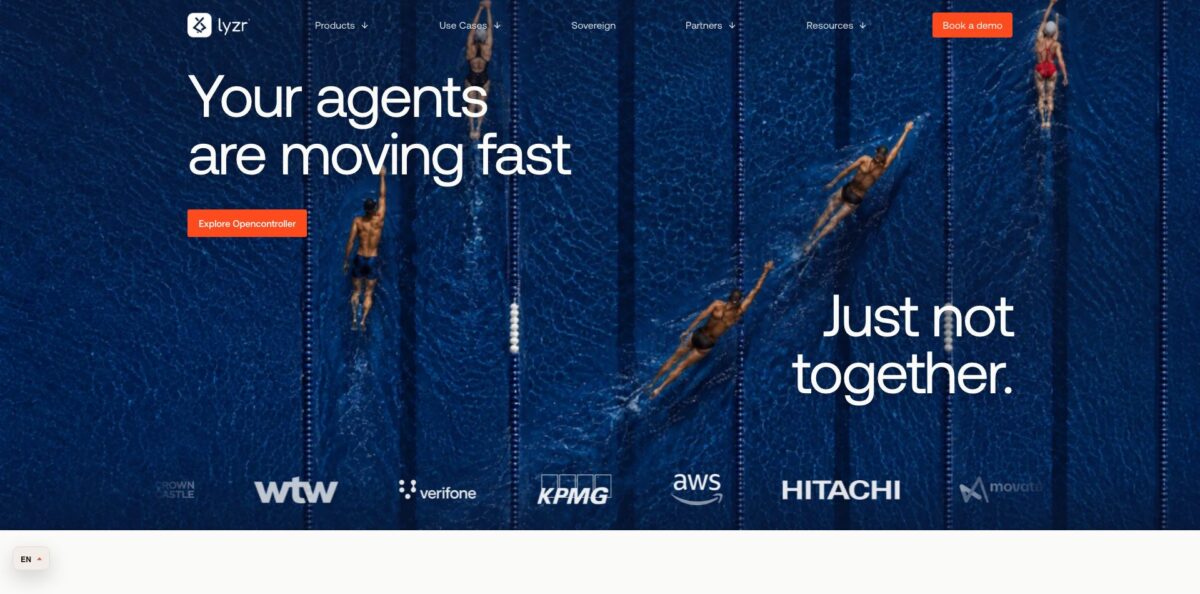
Lyzr is an enterprise agent platform built around Agent Studio, a no-code and low-code workspace where you assemble AI agents from a model, instructions, a knowledge base, tools and guardrail policies, then expose each one as a REST endpoint. Around that builder sit Architect, which turns a plain-language description into a working agent, SuperFlow for multi-step workflows, and OpenController for governing agents built elsewhere. The problem it targets is the gap between a promising pilot and an agent that IT, security and compliance will actually let into production. Building and testing cost nothing, but production starts at a six-figure yearly contract that bundles forward-deployed engineers, so the paid side is firmly aimed at large companies. Pick Lyzr if you run agent programs at enterprise scale; solo builders get a capable free sandbox and little beyond it.
How to start using Lyzr?
Go to studio.lyzr.ai and create an account with Google, GitHub or email. You land on a home screen that invites you to describe the agent you want in plain English. A conversational builder then asks follow-up questions and configures the agent for you. If you prefer to set every field yourself, open Agents in the sidebar and choose New Agent to get the manual builder.
Before your first real build, open Connections and wire up the pieces the agent will need. Under Models you add your own key for providers such as OpenAI, Anthropic, Google, Amazon Bedrock, Azure OpenAI, Groq or xAI, and every agent in the workspace can then use it. Under Tools you authenticate apps like Gmail, Slack, Notion, Google Drive or GitHub with OAuth or an API key. A realistic first scenario is a policy assistant that answers staff questions from an uploaded handbook PDF and drafts follow-up emails through Gmail.
The agent builder is where most of your time goes. You give the agent a name, choose the model, and write its role, goal and instructions. Feature cards add capabilities on top: switch on Knowledge Base to attach PDFs or URLs, add memory so the agent keeps context, and add the Responsible AI card to apply a guardrail policy you created under Safety and Evaluations. The docs suggest starting with a small, cheap model and only moving up when the answers demand it.
When the setup looks right, press Test to open a chat window and run sample questions. Check that answers come from your documents and that the guardrails block what they should. Then press Deploy and pick Private, Public or Organization visibility. The live endpoint appears under the agent’s API tab, and your key sits under Account, API Keys, so developers can call the same agent from code or the Python ADK.
Who is it for?
Heads of AI in large enterprises
You have dozens of pilots scattered across teams and nothing reaching production. Lyzr gives you one place to build, test, version and monitor agents, plus engineers who stay with you through rollout. That turns a collection of demos into a managed program with an owner.
CIOs and platform teams
Business units are already building agents in Copilot, Bedrock and LangGraph without asking you. The governance plan puts those agents under one view with policies, audit trails and per-agent spend limits. You stop chasing shadow AI and start approving it.
Compliance and risk teams in regulated industries
Banks, insurers and healthcare groups need proof that agents redact PII, refuse banned topics and keep records. Lyzr ships configurable guardrail policies and can run in your own cloud, which shortens security reviews considerably.
Developers prototyping agents
You want a visual canvas for quick experiments and an SDK when the logic gets serious. Studio gives you both, and every agent is callable over REST from day one. The free tier has no time limit, so you can prototype at your own pace.
Consulting and systems integration teams
You build agents for clients who demand data residency and clear ownership of the result. Lyzr partners with large consultancies and runs hosted or inside a client’s cloud. Your delivery team reuses the same stack across engagements.
Lyzr pricing
Lyzr splits its pricing in two: building and testing are free with no time limit, and you only pay once agents run in production. Paid plans are billed yearly in US dollars and measured in agent-months, where an Assistant agent draws half an agent-month per month, a Specialist draws one and an Expert, which gets its own virtual machine, draws two. Quiet agents handling fewer than 100 tasks a month draw less, a standard draw covers up to 2,000 tasks, and every further 2,000 tasks starts another agent-month. Lyzr says it never bills for model tokens, because you pay your model provider directly, and hosting with Lyzr or in your own cloud costs the same.
Describe an agent in plain language or build it visually, test it against a sandbox of your systems, use the model provider you already pay for, and move agents to production without rebuilding them.
Run a whole function’s workflows on agents, orchestrate them into multi-step flows, give every employee a governed AI coworker, and draw everything from one yearly budget. Reimagineers and forward-deployed engineers work alongside your team, hosted by Lyzr or in your own cloud.
Custom pricing, sized to how many agents you govern. You get one view of every agent wherever it runs, policies, audit trails and spend limits per agent, control over the machines where agents are built, and deployment in your cloud or on-premises.
Custom. Openfinetuner fine-tunes open-weight models on your data, and Lyzr Optimus, an air-gapped hardware appliance, is listed as shipping Q4 2026.
If you exceed the budget, agents keep running and you add agent-months in blocks of 150. One caution: Agent Studio’s documentation still describes a credit meter where one credit equals $1, so check the billing screen in your own workspace to see which model applies to your account.
Lyzr key features
Agent Studio is the visual builder where an agent becomes a model, a role, a goal, instructions and a stack of feature cards. Every agent you create is immediately reachable through a REST API, and the same agents can be managed from the Python ADK. Your no-code prototype and your production integration are therefore the same object, not a rewrite.
Architect generates a working agent from a plain-language description, and the conversational builder on the Studio home screen asks follow-up questions to fill in the gaps. This cuts the blank-page problem for business users who know the process but not prompt design.
Responsible AI policies bundle checks you can attach to any agent: toxicity scoring with a default 0.4 threshold, prompt injection scoring at 0.3, secrets detection, allowed and banned topics, NSFW filtering, keyword blocking and PII handling for card numbers, emails, phone numbers and more. Each PII type can be disabled, blocked or redacted, and a compliance module checks interactions against frameworks such as GDPR, HIPAA and the EU AI Act. You get guardrails that security teams can inspect instead of trusting a prompt.
Connections let you bring your own model keys from providers including OpenAI, Anthropic, Google, Vertex AI, Amazon Bedrock, Azure OpenAI, DeepSeek, Groq, Hugging Face, Nvidia and xAI. Tools come from 25+ pre-built connectors, custom OpenAPI specs or any MCP server. Because tokens go straight to your provider, you can switch models without renegotiating with Lyzr.
Knowledge bases come in three forms: classic RAG over documents, a Neo4j knowledge graph and a semantic model for text-to-SQL over your databases. Pick the type that matches the question, so policy lookups use RAG while revenue questions hit the warehouse directly.
Multi-agent orchestration runs through a Manager Agent or SuperFlow workflows, with scheduler and webhook triggers, tracing, transcripts, versioning and voice agents connected to Twilio, Telnyx or Plivo. Processes like invoice matching or ticket triage can span several agents and still leave an inspectable trail.
OpenController and Basecode cover governance beyond Lyzr’s own agents, bringing agents from Copilot, Bedrock, LangGraph and other stacks under shared policies, audit trails and spend limits. For a CIO this is the part that replaces a spreadsheet of unknown bots with an actual inventory.
Lyzr Pros & Cons
Pros
The free tier is genuinely useful: you can build, test and tune agents without a time limit, connect your own model keys and expose every agent over REST. Reviewers on G2 and SoftwareFinder repeatedly credit the low-code canvas for getting from idea to a working agent quickly while still offering an SDK when logic gets complex. Model choice is wide, guardrails are configurable down to individual PII types, and deployment in your own cloud carries the same price as Lyzr hosting. The vendor lists SOC 2 Type II, ISO 27001:2022 and ISO 42001:2023, which shortens procurement. Use Lyzr when security review, not prompt quality, is what keeps your agents out of production.
Cons
The jump from free to paid is brutal, with production starting at $100K a year, so there is no middle tier for a small team that outgrows the sandbox. Users on G2 and SoftwareFinder consistently call the documentation incomplete or outdated for complex setups, and several describe a steeper learning curve than a low-code label suggests. Debugging multi-agent flows often takes trial and error, and older reviews complain about credits burned while testing. The docs and the pricing page also describe different billing models, which makes cost planning harder. Budget for onboarding time and ask sales for a written cost estimate before you commit.
Use Lyzr if you want…
- Build AI agents visually without writing orchestration code.
- Turn a plain-language process description into a working agent.
- Expose every agent as a REST endpoint automatically.
- Apply PII, toxicity and prompt-injection guardrails per agent.
- Bring your own model keys and avoid token markups.
- Run production agents inside your own cloud account.
- Govern agents built in Copilot, Bedrock and LangGraph centrally.
- Orchestrate several agents into one multi-step business workflow.
Lyzr alternatives


Lyzr Reviews
Enterprise users like how quickly the low-code builder turns an idea into a deployable agent without custom orchestration, but say advanced multi-agent setups still need trial and error and better debugging tools.
Several reviewers praise the freedom to pick any LLM and connect agents across cloud platforms, while warning that the sheer volume of options and information feels overwhelming at first.
Documentation is the most common complaint: users describe guides for complex setups as unclear or outdated, which stretched their onboarding even though the interface itself felt intuitive.
Early adopters on Product Hunt value that data stays inside the company environment and that ready-made use cases show what is possible, though one questioned whether per-user pricing suits teams with only a couple of analysts.
An independent four-week evaluation called it powerful for custom agents but more of a system you build first than a plug-and-play tool, with most effort going into setup rather than output.
FAQ
Is there a free plan?
Yes. The Build plan is $0 and free forever, covering building, testing and tuning agents with no time limit. You pay only when agents run in production.
How much does Lyzr cost for production use?
The production plan starts at $100K a year, billed yearly, and includes forward-deployed engineers. Enterprise governance and add-ons such as Openfinetuner are priced on a custom basis.
Does Lyzr charge for model tokens?
No. The pricing page says you pay your model provider directly with your own keys, so Lyzr does not add a token markup.
Which AI models can I use?
Agent Studio connects to OpenAI, Anthropic, Google, Vertex AI, Amazon Bedrock, Azure OpenAI, DeepSeek, Groq, Hugging Face, Nvidia and xAI, plus Deepgram and ElevenLabs for voice.
Is my data secure with Lyzr?
Lyzr holds a SOC 2 Type II report and ISO 27001:2022 and ISO 42001:2023 certifications, and says its security program follows GDPR and HIPAA. You can also run production agents in your own cloud or on-premises.
Does Lyzr have an API?
Yes. Every agent built in Studio gets a REST endpoint, API keys live under Account, and developers can use the Python ADK installed with pip.
What integrations does Lyzr support?
The docs list 25+ pre-built connectors, including Gmail, Slack, Notion, Google Drive, Outlook and GitHub, and you can add any REST API through an OpenAPI spec or connect MCP servers.
What happens if we go over our agent-month budget?
Nothing stops. Agents keep running and you add agent-months in blocks of 150 at any time.
Similar tools
 Level AIContact center AI platform that scores every call, chat and email, runs voice and chat virtual agents, and gives live agents real-time
 AiAgent.appNo-code workspace for building AI agents, Autopilots and workflows that act across your business apps, with human approval before external writes.
 MeshPersonal CRM, formerly Clay, that builds contact cards from email, calendar and social apps, with the Nexus AI agent to search and