

Manus AI
AI AutomationUpdated October 5, 2026
Manus AI is an autonomous multimodal agent that executes complex digital tasks and web research to boost productivity.
We may earn a commission when you sign up through our links. It does not affect our reviews.
What is Manus AI?
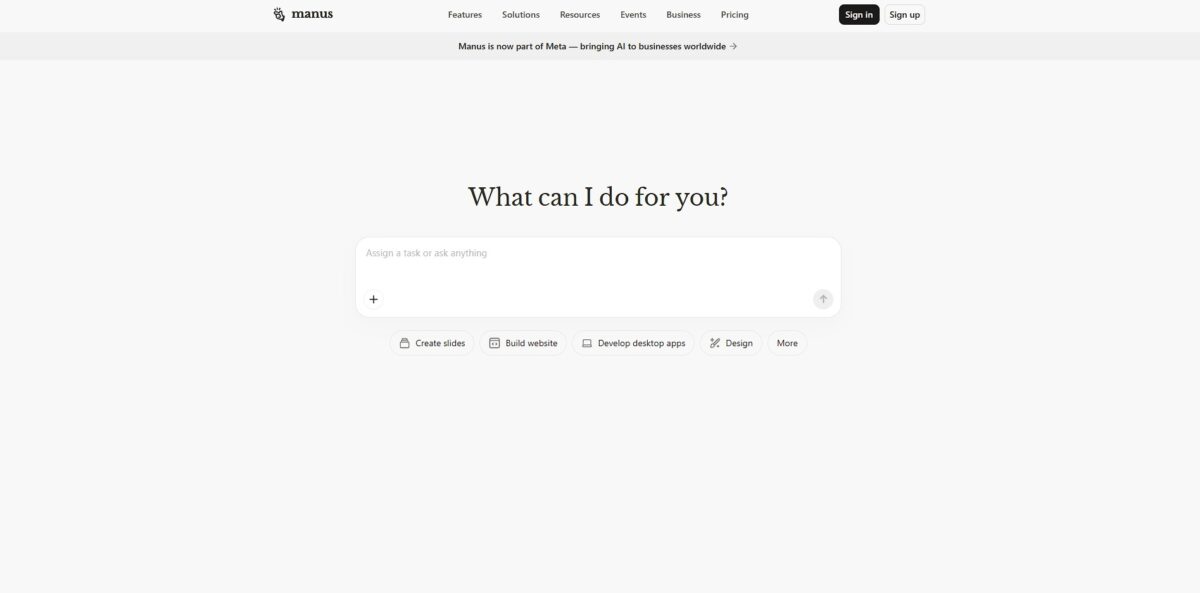
Manus AI is a general-purpose autonomous agent that navigates the web and uses local tools to finish multi-step projects without you babysitting every prompt. While standard chatbots just suggest a travel itinerary, Manus actually enters a sandboxed browser to compare flight prices, cross-reference hotel availability, and organize the data into a usable file. I noticed it works best for research-heavy data extraction and simple coding, though it can still stumble on long-term stability during complex, hour-long workflows. This matters because it shifts AI from a conversational partner to a digital intern that executes the actual “click-work” of a job. Use it as a secondary set of hands for deep research, but keep your expectations realistic regarding its current beta-phase reliability.
How to start using Manus AI?
Claim your account at manus.im to enter the dashboard. You can start with the free tier, which refreshes 300 credits daily, enough to test a few autonomous research loops. The interface feels more like a terminal than a standard chat app, which nudges you from asking questions to assigning deliverables.
Once inside, toggle between chat mode and agent mode. Chat mode works well for quick syntax checks, while agent mode handles the heavy lifting like scraping current market data or building a basic research report. The agent identifies its own sub-tasks, so you don’t need to write a ten-paragraph prompt to get a usable CSV. This saves you from the usual prompt engineering fatigue.
It gets more useful once you connect your workspace tools. You can link the API or use the browser operator to let the agent interact with live web pages. In testing, it handled multi-step navigation better than standard LLMs, though it can still stumble on complex JavaScript-heavy sites. This integration allows you to delegate repetitive data entry directly to the agent.
Start your first project by defining a specific outcome, like “Find the top five compliance trends for 2026.” Watch the agent deconstruct the goal into search queries and document synthesis steps. You can see the reasoning trace in real-time, which helps catch hallucinations before they make it into your final file. This transparency turns a black-box AI into a predictable collaborator.
Who is it for?
Solo Founders
Build a full-stack web app from a text prompt while you focus on the business model. It handles the research and initial scaffolding, which saves you from getting stuck in “tutorial hell” for three days. You go from an idea to a live URL without hiring an engineer.
Product Researchers
Offload the grunt work of digging through competitor sites and technical docs. It navigates the live web to extract specific pricing models or feature sets, putting them into a readable summary. Hours of browsing get done in minutes.
Non-Technical Marketing Managers
Generate custom landing pages or presentation slides without waiting for the design team. You describe the campaign, and it assembles the assets and layouts autonomously. No more waiting in internal request queues.
Productivity Geeks
Automate repetitive digital tasks like syncing data between apps or managing complex email workflows. It acts as a browser operator that follows multi-step instructions that would normally require a custom Zapier integration. So you don’t have to build a fragile automation pipeline for one-off tasks.
Data Analysts
Turn messy datasets into structured visualizations and insights without writing Python from scratch. It identifies outliers and trends, then suggests the best chart type to communicate the story. You get to spend your time explaining the “why” instead of fighting with matplotlib.
Aspiring Software Engineers
Use it as an autonomous pair programmer that explains the logic behind the code it generates. It builds entire modules rather than just suggesting the next line of code, providing a macro view of project architecture. Seeing a full system work teaches you more than disconnected snippets.
Manus AI pricing
Manus AI operates on a credit-based system rather than a standard unlimited seat model. You pay for the compute and API calls the agent consumes to finish your tasks. While it offers a daily refresh to keep you exploring, serious automation requires a monthly commitment to build up a functional credit pool.
Free: $0/month. You get 300 daily refresh credits and a one-time 1,000 credit starter bonus. This tier limits you to one concurrent task and only works with the Lite model. In my runs, 300 credits disappeared after a single deep research run, making it best for quick sanity checks. Still, you aren’t stuck behind a paywall just to see if the agent can handle your specific prompt.
Standard: $20/month. This grants 4,000 monthly credits plus the 300 daily refresh. It allows 20 concurrent tasks and access to more complex tools like the web app builder. The trade-off is that heavy research tasks often consume 500-900 credits, so 4,000 credits might only cover five or six major projects. Budget your credits carefully if you plan on building full websites or multi-source reports.
Customizable: $40/month. You get 8,000 monthly credits and the same daily refresh. This plan is aimed at power users who run autonomous workflows every day for professional work. It provides enough headroom to iterate on code or complex data analysis without hitting a hard stop mid-week. Credit depletion becomes much less of a worry during a deadline.
Extended: $200/month. This massive 40,000 credit pool targets agencies and startups using Manus as a primary production engine. It handles high-volume batch processing and sustained heavy use without constant monitoring. While expensive, it offers the highest ceiling for large-scale automation projects. For teams, it also consolidates high-end AI agent costs into a single managed tier.
Manus AI key features
Direct Computer Control
Manus installs a desktop app that interacts with your terminal and local file system to execute command-line instructions. This allows the agent to edit code, manage local files, and launch applications without you acting as a manual bridge between the AI and your hard drive. The agent stops being a chat window and becomes a functional co-pilot with actual disk access.
Multimodal Task Execution
The agent processes both text and visual data to navigate interfaces and understand complex layouts. It handles web-based research and data collection across multiple sites even when those sites lack a public API. That opens up automation on legacy systems or visual-only platforms.
Autonomous Goal Planning
You provide a high-level objective, and Manus decomposes it into sub-tasks and sequential actions. It manages state across sessions and adapts its next move based on the results of previous steps. You stop micromanaging every single prompt and start overseeing entire outcomes.
Native Tool Integration
The system connects directly with external databases, CRMs, and ERPs to pull or push data autonomously. It can trigger emails, query spreadsheets, and update records by interacting with programmatic endpoints. It connects siloed business apps without requiring a custom Zapier setup for every tiny step.
Dynamic Feedback Loops
The agent observes the results of its own actions and self-corrects if a command fails or a page doesn’t load. It uses a validator mechanism to check if a specific click or script achieved the intended progress toward the final goal. The upshot is fewer cases of “hallucinated” progress, where an AI thinks it finished a task that actually errored out.
Cross-Platform CLI Operations
The agent runs natively across macOS, Windows, and Linux environments to maintain consistent automation regardless of your OS. It handles the specific syntax of your terminal whether you are in PowerShell or Zsh. Your scripts and automation routines become portable and don’t require rewriting when you switch machines.
Manus AI Pros & Cons
Pros
Manus AI moves past simple text generation to handle actual execution within a secure, isolated sandbox. It constructs entire investor reports or live dashboards while you focus on high-level strategy. I noticed it excels at chaining multiple tools together, like browsing for market data and immediately piping it into a Python script for visualization. That kills the manual copy-paste cycle between separate apps.
Cons
The autonomous nature means the agent occasionally enters infinite loops or misinterprets instructions without a human circuit breaker. While it beats competitors in complex reasoning benchmarks, it still fails a significant portion of its most difficult multi-step tasks. You might find it struggling with UI elements that pop up unexpectedly or contradictory system directives that stall the workflow. This matters because you still need to audit the final output for logical gaps before usage.
Use Manus AI if you want…
- Transform raw brain dumps into actionable project milestones.
- Delegate complex, multimodal digital tasks to autonomous agents.
- Automate repetitive workflows across various web-based platforms.
- Consolidate disparate tools into one intelligent execution hub.
- Scale your personal productivity with 24/7 AI assistance.
- Bridge the gap between conceptual ideas and finished results.
- Analyze multimodal data to solve intricate professional problems.
- Execute high-level plans with minimal manual intervention.
Manus AI alternatives


Manus AI Reviews
The background research is top-tier, but the credit drain during complex tasks is unpredictable and expensive.
Great for building quick prototypes and landing pages, though you still need to manually polish the final code.
I love that I can assign a task and walk away, but the frequent server busy messages are a real momentum killer.
FAQ
What are daily refresh credits?
Every active Manus account receives 300 free credits daily at 00:00 UTC to experiment with tasks, which do not roll over or accumulate if unused.
Can I build websites with Manus AI?
Yes, Manus includes a Web App Builder that allows you to generate and deploy functional websites, interactive dashboards, and landing pages through natural language prompts.
What is Wide Research?
Wide Research is an advanced feature available on paid plans designed for deep, sustained research tasks that require extensive browsing and data synthesis across multiple sources.
Does Manus AI support integrations?
Manus connects with your digital stack via MCP connectors, API keys, or Zapier, allowing it to interact with tools like Gmail, Notion, Slack, HubSpot, and Google Calendar.
What types of files can Manus deliver?
Manus can create and deliver various professional assets, including PowerPoint presentations, Excel spreadsheets, PDF documents, and images, all formatted and ready for use.
What are Manus Skills?
Manus Skills allow you to package successful workflows into reusable operational templates that execute structured processes with consistent logic and predictable outputs.
How many tasks can I run at once?
Free users are limited to one concurrent task, while all paid subscription tiers support up to 20 concurrent and scheduled tasks simultaneously.
Is Manus AI available without a waitlist?
Yes, Manus has moved beyond its initial invite-only phase and is now accessible to all users across free and paid tiers.
Does Manus require technical skills to use?
No, Manus is designed for non-technical users and is operated entirely through natural language prompts, though it also supports code execution for advanced automation.
How do I claim my daily credits?
Daily refresh credits are automatically granted to your account when you log in, provided you haven’t reached the monthly cap for free usage.
Similar tools
 GPT WorkspaceAI agent for Google Docs, Sheets, Slides, Gmail and Drive that edits your files, runs GPT formulas in bulk and automates routine
 FPT.AIVietnamese enterprise AI platform from FPT Smart Cloud for chatbots, call-center voicebots, document reading and eKYC that automate customer operations.
 Frigate NVROpen-source NVR that runs real-time AI object detection on your own hardware and sends camera events to Home Assistant and other MQTT