

MaxAI
AI AssistantsUpdated October 21, 2026
Browser extension that adds an AI sidebar and context menu to Chrome and Edge for chatting with GPT, Claude and Gemini, summarizing pages and rewriting text.
We may earn a commission when you sign up through our links. It does not affect our reviews.
What is MaxAI?
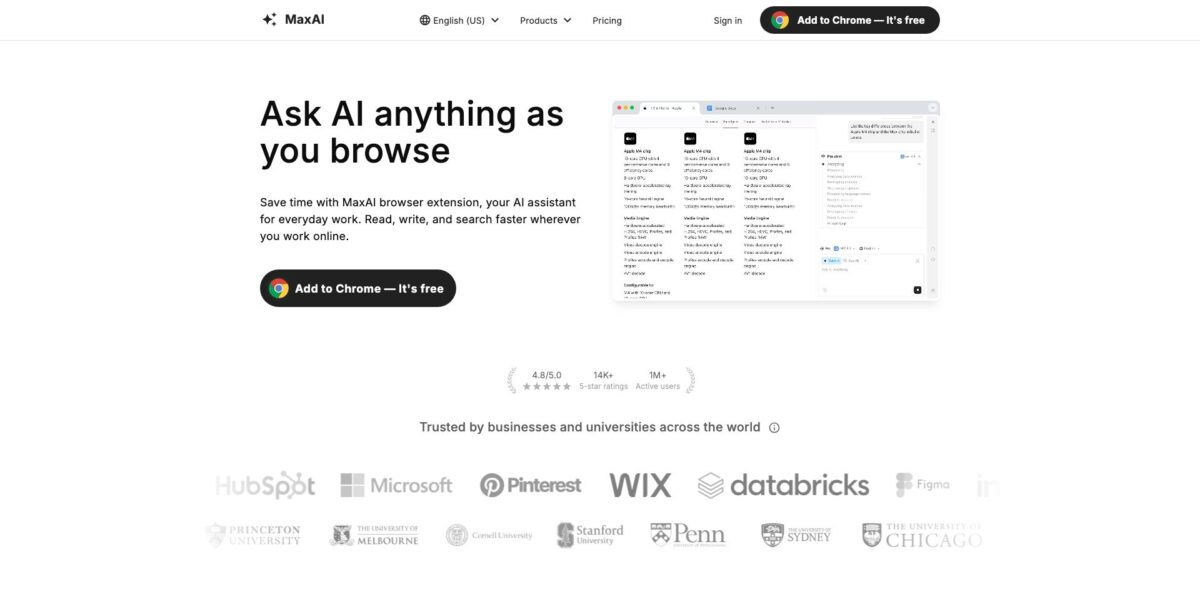
MaxAI is a browser extension for Chrome and Edge that adds an AI sidebar and a right-click context menu to every page you open. From one panel you can chat with models from OpenAI, Anthropic, Google, xAI, Meta and DeepSeek, summarize the article, PDF or YouTube video in front of you, run a cited web search, translate a page side by side and rewrite or reply to text inside Gmail, LinkedIn or Slack. The pitch is simple: stop copying text into a separate chatbot tab. The weak spot is the business side rather than the software. The free tier allows only 3 Pro chats a day, the best Pro price requires a year paid up front, all payments are final, and billing complaints dominate its Trustpilot page. It suits people who read and write in the browser all day and want several models behind one shortcut.
How to start using MaxAI?
Install the extension from the Chrome Web Store or Microsoft Edge Add-ons, then sign in with Google or an email address. MaxAI runs on Chromium-based browsers, so Chrome and Edge are the supported options. After installing, reload any tab that was already open, because the extension only attaches to pages loaded after setup. It also stays disabled on Chrome Web Store pages for security reasons, so test it somewhere else.
Your first real task should be a page you actually need to get through. Open a long article and press Cmd+J on Mac or Alt+J on Windows, or click the MaxAI logo, to slide out the sidebar. Switch to the Summary tab, which sits just below Chat, and you get a condensed version of the page. Ask follow-up questions in the same box and the answers stay tied to that page. The same flow works for a PDF opened in the browser, where a Summarize button appears at the top right, and for YouTube, where it shows up at the bottom right of the player.
Next, try the context menu, which is where MaxAI earns its place in daily writing. Highlight text anywhere and click Ask AI in the mini menu, or press the same shortcut. Pick an action such as improve writing, fix spelling and grammar, change tone, make shorter, translate or explain. When the result appears you can replace the selected text in one click, copy it, or insert it below the original so you can compare before committing.
Before you rely on answers for anything factual, use the AI search tab instead of plain chat. It pulls live web results and shows the sources, so you can open the pages and check claims yourself. In Gmail and Outlook, the Instant reply button next to Reply and Forward drafts a response from the thread plus a keyword or a few notes you type. Read every draft before sending, since the model only knows what is in the thread.
Who is it for?
Heavy readers and researchers
You open dozens of articles, reports and PDFs a day and only some of them deserve a full read. MaxAI summarizes the page you are on and lets you question it in the same panel. You decide faster what is worth your attention.
Students
Long YouTube lectures, academic PDFs and dense textbook pages get a one-click summary and plain-language explanations of selected passages. The cited web search helps you find sources to check. You still need to verify every claim before it goes into an assignment.
Email-heavy professionals
Instant reply sits inside Gmail and Outlook and drafts answers from short notes, and the summary button condenses long threads. Replies are no longer a blank-page problem. You stay in your inbox instead of pasting threads into a chatbot.
Social media and community managers
AI reply works in LinkedIn, Facebook, X, Instagram, YouTube, WhatsApp, Slack, Discord, Messenger and Telegram. You turn a rough thought into a polished comment or message in the box where you are typing. Tone controls help when you answer dozens of people a day.
Non-native English writers and multilingual readers
The rewriter fixes grammar, paraphrases and adjusts formality, while side-by-side page translation shows the original next to the translation. You learn the terms instead of guessing. It works for reading foreign sources and polishing your own messages.
MaxAI pricing
MaxAI uses a simple two-tier model priced per member. Chat is split into Free chat, which uses fast models and is unlimited on both plans, and Pro chat, which gives access to smarter and reasoning models, deeper web search and multi-model answers. Paid plans also let you add team members at any time after upgrading.
Unlimited Free chat with fast models such as GPT-5-mini, Claude-Haiku-4.5, Gemini-2.0-Flash, Grok-4-Fast, Llama-3.3-70B and DeepSeek-V3, 3 Pro chats per day and limited file uploads. Summaries, AI search, the rewriter, AI reply and translation are all included.
Unlimited Free and Pro chat, a choice of smarter models (GPT-5.1, Claude-Sonnet-4.5, Gemini-2.5-Pro, GPT-4.1, Llama-3.1-405B) and reasoning models (GPT-5.1-thinking, Gemini-3-Pro, Grok-4, DeepSeek-R1), 5x more web search sources, in-depth source analysis, customizable responses, voice input, asking multiple models at once, higher file upload limits, image generation and team member management.
The pricing page is explicit that all payments are final and non-refundable, that subscriptions renew automatically through Stripe, and that accounts may not be shared or accessed programmatically. You cancel from Your Plan by clicking Manage my subscription.
MaxAI key features
AI sidebar with many models
Cmd+J or Alt+J opens a chat panel on any page, with Chat, Summary, AI search and AI art tabs. Pro users can pick from GPT, Claude, Gemini, Grok, Llama and DeepSeek models or send one question to several at once. You stop juggling separate chatbot tabs and can compare answers before acting on them.
Ask any source
MaxAI answers questions about the current webpage, a YouTube video, a PDF, an email, an uploaded file, an image or audio. Dedicated Summarize buttons appear on PDFs, YouTube videos and Gmail or Outlook messages. An hour of reading or watching shrinks to a short digest you can question further.
Cited AI web search
The AI search tab runs a live web search and returns an answer with links to the pages it used. Pro raises the number of sources fivefold and adds in-depth source analysis. Answers become checkable rather than something you take on trust.
Context menu rewriter
Select text in Google Docs, an email or any text field and choose improve writing, fix spelling and grammar, make shorter or longer, change tone, simplify, paraphrase or explain. The result can replace the selection, be copied, or be inserted below. Editing happens where the text lives, with no copy-and-paste loop.
AI reply across inbox and social apps
Instant reply drafts responses in Gmail and Outlook, and similar buttons work in LinkedIn, Facebook, X, Instagram, YouTube, WhatsApp, Slack, Discord, Messenger and Telegram. You pick a preset keyword or type brief notes, and the AI writes from the thread context.
Bilingual translation
Translate a selected sentence or a whole page and see the original and translated text side by side. Keeping both versions visible helps you catch mistranslations and pick up vocabulary. It suits reading foreign-language sources more than producing publish-ready translations.
Reusable prompts and image generation
A prompt library and your own saved prompts run with one click from the sidebar or context menu. Pro adds image generation with GPT-Image-1, DALL·E 3, SD3-Medium and FLUX-1 models. Repeated tasks become a single click, and quick visuals no longer need a separate tool.
MaxAI Pros & Cons
Pros
MaxAI covers the most common browser tasks in one place: page, PDF and YouTube summaries, cited web search, rewriting, translation and replies in more than a dozen inbox and messaging apps. The free tier is usable for real work because Free chat is unlimited and the writing, summary and translation tools are included. The model list on Pro is broad, with fast, smart and reasoning models from six providers plus several image models. The Chrome Web Store listing shows 4.6 stars from 14.5K ratings and around 700,000 users, and the extension is updated regularly. Start by mapping your three most repeated browser tasks to the sidebar and context menu, since that is where the time savings show up.
Cons
The money side needs care. The $12 Pro price only applies to annual billing, payments are final, and Trustpilot shows a 1.6 rating from 29 reviews, nearly all about renewals after cancellation, hard-to-find cancel options and refused refunds. Some reviewers also report connection failures and slow, templated support. MaxAI runs only in Chromium browsers, with no Firefox, Safari or mobile app listed on the official site, and some feature pages still advertise older models than the pricing table. The extension reads the pages you open, so check its privacy policy and data disclosures first. Pay monthly first and cancel well before any renewal date.
Use MaxAI if you want…
- Summarize webpages, PDFs and YouTube videos in one click.
- Chat with GPT, Claude and Gemini without switching tabs.
- Get web answers with sources you can check.
- Rewrite and proofread text inside any text field.
- Draft Gmail and Outlook replies from short notes.
- Reply to LinkedIn, Slack and WhatsApp messages faster.
- Read foreign pages with side-by-side translation.
- Compare answers from several AI models at once.
MaxAI alternatives




MaxAI Reviews
Chrome Web Store users who rely on it for research say the page summaries turn long websites into simple points, so they open fewer tabs and spend less time reading.
Daily users on the Chrome Web Store describe it as a tool they open many times a day and value the number of features packed into one sidebar.
One recent Chrome Web Store reviewer reports that the extension keeps failing to connect across different computers and networks, and that support tickets were ignored or answered with canned replies.
Most Trustpilot reviewers complain about billing: annual plans renewing without a reminder, charges after cancellation and refund requests refused under the no-refund policy.
A few Trustpilot reviewers say specific features let them down, such as URL analysis using up daily credits without results, PDF uploads failing on a higher tier, and no Android app.
FAQ
Is MaxAI free?
Yes. The Free plan includes unlimited Free chat with fast models, 3 Pro chats per day, limited file uploads and the core summary, search, writing, reply and translation tools. Advanced models and image generation require Pro.
How much does MaxAI Pro cost?
Pro costs $12 per member per month when billed yearly, listed as a limited-time offer, or $30 per month when billed monthly. Prices are from the official pricing page as of October 2026.
Which browsers does MaxAI support?
MaxAI works on Chromium-based browsers such as Chrome and Edge, with listings on the Chrome Web Store and Microsoft Edge Add-ons. A web app is also available on maxai.co.
Which AI models can I use?
Free chat uses fast models such as GPT-5-mini, Claude-Haiku-4.5, Gemini-2.0-Flash and DeepSeek-V3. Pro adds GPT-5.1, Claude-Sonnet-4.5, Gemini-2.5-Pro, Gemini-3-Pro, Grok-4 and DeepSeek-R1, plus image models like GPT-Image-1, DALL·E 3 and FLUX-1-Pro.
Can I get a refund?
No. The pricing page states that all payments are final and non-refundable, so pay monthly first if you are unsure.
How do I cancel my subscription?
Go to Your Plan in your MaxAI account and click Manage my subscription, which opens the Stripe customer portal. Cancel before the renewal date, since plans renew automatically.
Does MaxAI offer team plans?
Yes. All paid plans support adding team members at any time after upgrading, and Pro includes team member management. Accounts themselves may not be shared between people.
Does MaxAI collect my browsing data?
The privacy policy says MaxAI collects your name, email and technical extension reports, does not collect the sites you visit and does not sell data. The Chrome Web Store disclosure lists personally identifiable information and user activity among the data it handles, so avoid sending confidential material.
Similar tools
 FreedomGPTMulti-model AI app that puts hundreds of chat, image and video models, including its own censor-free Liberty models, behind one credit balance.
 ElephasPrivate desktop AI for Mac and Windows that answers questions from your own documents with page-level citations and hides personal details first.
 MagaiPaid AI workspace that puts ChatGPT, Claude, Gemini, Grok and dozens of image and video models in one chat, with memory and