
Mesh
AI AgentsUpdated October 26, 2026
Personal CRM, formerly Clay, that builds contact cards from email, calendar and social apps, with the Nexus AI agent to search and act on your network.
We may earn a commission when you sign up through our links. It does not affect our reviews.
What is Mesh?
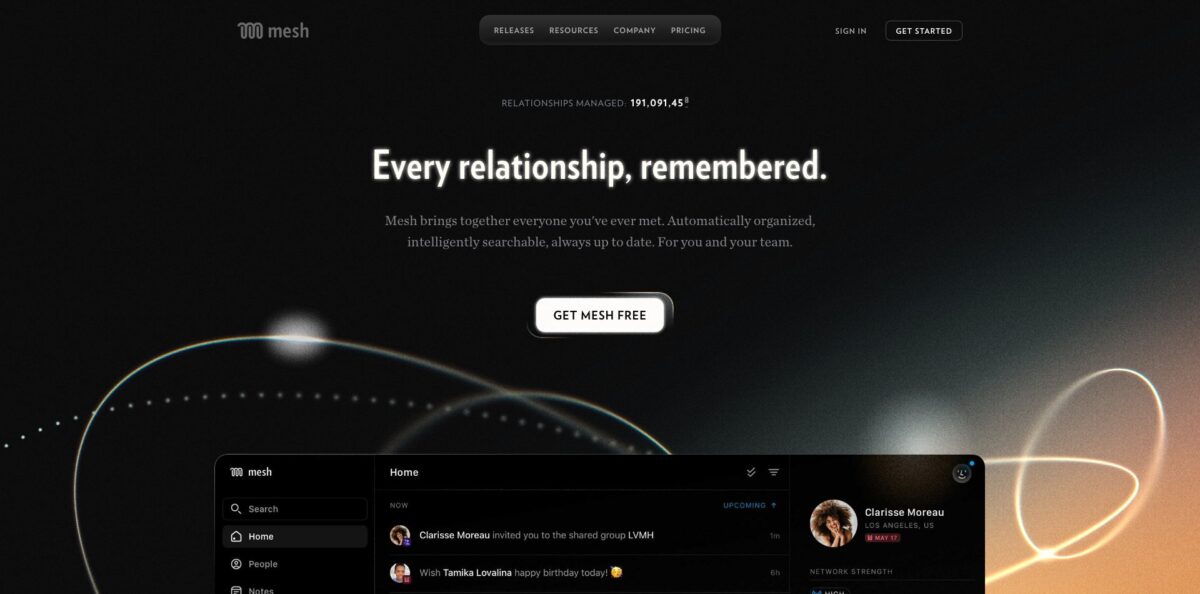
Mesh is a personal CRM that builds a card for everyone you have emailed, met, texted or connected with online, then keeps those cards current with job changes, moves and news mentions. Until March 2026 the same app was called Clay and lived at clay.earth; Automattic, the company behind WordPress.com, bought it in June 2025. Its AI layer is Nexus, an agent inside the app that answers questions about your network (“Do I know anyone at Apple?”), drafts outreach, briefs you before meetings and, since version 4.0, creates contacts, notes, groups and reminders on request. It fixes the problem of relationships scattered across Gmail, LinkedIn, WhatsApp and your memory. The weak spots are onboarding friction (a credit card even for the free plan), uneven sync and deduplication, and an AI that users rate as hit-or-miss. Pick it if you juggle hundreds of relationships and refuse to do data entry.
How to start using Mesh?
Install Mesh on iPhone (iOS 17 or later), Android (7 or later), Mac or Windows 10 and later, or open the web app at app.me.sh. Sign-up asks for a credit card even if you plan to stay on the free Personal tier, because every new account starts a 14-day Pro trial. If 1,000 contacts is enough for you, set a reminder and downgrade to Personal in Settings before the trial ends. You also have to connect at least one account before the app becomes useful.
Next, connect your sources. Gmail or Outlook create contacts from people you have emailed, Google Calendar adds meeting attendees, and LinkedIn, X, Facebook, Instagram and WhatsApp bring in first-degree connections. On a Mac, the iMessage integration needs Full Disk Access, which Mesh says it uses read-only to see who you texted, not what you wrote. Email access is limited to headers, meaning recipients and subject lines. Give the sync time, then open the Activity view, which lists new imports, possible duplicates and integration errors. Expect to merge some duplicates by hand.
Then open Nexus. On desktop it sits behind the purple flower icon at the bottom left; on iOS you tap the plus (+) button on the tab bar and pick the same flower. Start with a question you can check, such as “Summarize Peter’s background before I meet with them” or “Who do I know in Miami?”. Nexus lists the contacts it pulled as references under its answer, and the help center warns that a name missing from those references is probably a hallucination. Once that works, try an action: “my meeting with Bob went well, remind me to follow up in 3 weeks” makes Nexus find the right Bob, add a note and set the reminder.
Finally, turn the data into habits. Put the people you care about on a Reconnect cadence, switch on birthday notifications and build groups such as investors or book club. The Home feed filters by birthdays, events, news, social changes, reconnects and reminders, and scrolling up shows the next 30 days. If you work in Claude or ChatGPT, open App Menu > Settings > Integrations > MCP to connect Mesh there, and review every change the assistant proposes before approving it.
Who is it for?
Founders and investors
Your network is spread across years of email threads, conferences and LinkedIn. Mesh pulls it into one searchable place and flags job changes, so asking Nexus “Who can I ask about raising my next fund?” returns real names from your own contacts. Warm intros become a search instead of a memory test.
Executive assistants and chiefs of staff
You prep your principal for every meeting and track who needs a follow-up. Nexus summarizes a contact’s background before a call, and once the executive is on the Team plan they can add you under Settings > Members to work in the same account.
Sales, business development and real estate professionals
Deals slip when you miss that a client changed jobs or cities. Mesh surfaces those changes in the Home feed and reminds you to reconnect on a schedule. On the Team plan you also see which colleague knows a prospect best.
Recruiters
You need people by background, not by name. Nexus 4.0 runs several searches in parallel, so a request like “find me PhDs from top research labs” returns a shortlist from your network that you then verify card by card.
People who want to be better friends
Birthdays, a friend’s new job, the name of someone’s partner. Mesh keeps that context on each card and nudges you when it is time to reach out, and the free plan covers up to 1,000 contacts.
AI power users
You already live in Claude or ChatGPT and want your assistant to know who people are. The Mesh MCP connector lets those assistants search contacts, read notes and log follow-ups without opening the Mesh app.
Mesh pricing
Mesh charges per account and per seat, with no AI credits or usage meters on the pricing page. The page defaults to annual billing, so check the monthly toggle before you compare numbers. Every new account starts with a 14-day Pro trial that requires a credit card, even if you only want the free plan.
Free, credit card required. Up to 1,000 contacts, imports from email, calendar, X, LinkedIn, Facebook, iMessage and more, search and groups, Reconnect, reminders and birthday notifications, plus unlimited life updates such as job changes, location changes and news mentions.
Everything in Personal plus unlimited contacts, custom data import from spreadsheets and CSV files, priority support, invoice-based billing and prioritized real-time network data refreshes.
Everything in Pro plus up to 4 team members on the account, advanced data enrichment, custom integration and setup for your organization, and admin tools.
Custom. Unlimited team members, VIP data import from 100+ software tools, SOC 2 Type II certification, a dedicated success manager and SAML SSO. You request a quote by email.
Students, educators and 501(c)(3) nonprofits can ask for three months of Pro free. Web and desktop payments run through Stripe, iOS users can subscribe through the App Store, and Team or Enterprise accounts can pay an annual invoice by PO, ACH, wire or check. The pricing page does not say whether Nexus has different limits on the free tier, so test it during the trial.
Mesh key features
Automatic contact building pulls people from Gmail, Outlook, Google Calendar, iMessage, WhatsApp, phone calls, LinkedIn, X, Facebook and Instagram, then fills each card with photo, bio, work history, education and location. Mesh keeps the cards current and surfaces job changes, moves and news mentions in your feed.
Nexus is the AI agent built on top of your Mesh data. You ask in plain English who you know at a company or in a city, or request a meeting brief, a gift idea or an outreach email, and it answers with references to the contacts it used. Version 4.0 added deeper reasoning, web search with cited sources, awareness of your upcoming meetings, and actions such as creating contacts, adding notes, managing groups and finding duplicates.
Reconnect, reminders and the Home feed turn data into follow-ups
You set a cadence for people you want to stay close to, attach reminders to notes, and filter the feed by birthdays, events, news and social changes. The Upcoming view shows birthdays, events and reminders for the next 30 days.
Search, notes and groups let you find people the way you remember them
Search matches your notes and profile fields, and groups organize people by context. A March 2026 update matches faces in your camera roll to contacts, with scanning done on your device, and the Android app reads business cards through the camera.
MCP, API and automation integrations connect Mesh to the rest of your stack
Mesh for Claude sits in Claude’s connector directory, ChatGPT connects through the Mesh MCP server, Zapier and Make are built in, there is a one-click Notion CRM, and a command-line tool is on GitHub. The API was rebuilt in October 2026 under a single base URL, with keys you create in Settings and scope as read-only or read/write.
Mesh for Teams works as a shared rolodex
Everyone’s interactions with a contact land in one timeline, you can see who on the team knows a person best, and visibility controls hide email subject lines or calendar event titles from colleagues. Mesh says it is SOC 2 Type II certified and can sign a HIPAA BAA.
Cross-platform apps cover iPhone, iPad, Android, Mac, Windows, web and Apple Vision Pro, plus browser extensions for Chrome, Safari, Firefox and Edge. The Android app, launched in August 2026, adds launcher shortcuts, a share sheet and a home screen widget.
Mesh Pros & Cons
Pros
Mesh does the tedious part of relationship management for you. Connect email, calendar and a few social accounts, and it assembles cards with photos, job titles and interaction history, then keeps them current as people change jobs or cities. Nexus works on top of that data, so “who do I know at Apple?” or “brief me on Peter” gets an answer from your own network, with the contacts it used listed as references. The apps cover every major platform, including Android since August 2026, and the MCP connector brings the same data into Claude and ChatGPT. The privacy rules are spelled out: email headers only, no message text, no training on your data, SOC 2 Type II. Start free and add sources one at a time.
Cons
Onboarding draws the most complaints. Even the free plan needs a credit card and starts a Pro trial, App Store reviewers call this a dark pattern, and a few report charges after cancelling. Sync and deduplication are uneven, so imports from LinkedIn, iMessage and your phone book can leave duplicates to merge by hand, and one reviewer notes contacts can only be archived, not deleted. Nexus gets mixed marks, some users find manual search faster, and Nexus requests go to OpenAI’s servers. EU users agree to storage outside the EU. The API only opened to Team and Enterprise customers first and has just gone through breaking changes. Downgrade or cancel in Settings before day 14 and keep the confirmation.
Use Mesh if you want…
- Build a contact database without manual data entry.
- Ask an AI agent who you know anywhere.
- Get alerts when contacts change jobs or cities.
- Draft outreach emails using notes from past conversations.
- Remember birthdays and reconnect with people on schedule.
- Prepare a quick background brief before every meeting.
- Share one relationship map across a small team.
- Connect your network to Claude or ChatGPT via MCP.
Mesh alternatives
Mesh Reviews
A long-time free user on AlternativeTo praises the LinkedIn and other integrations, the per-contact notes and the reminders to reconnect, and says the 1,000-person free limit has been enough for years.
A recent App Store reviewer who switched from Dex calls the interface fast and pleasant across devices, with keyboard shortcuts and a mobile app that make quick edits easy.
Several App Store reviewers and an AlternativeTo commenter object that the free plan still demands a credit card and a Pro trial before you can see the app, and a few say they were charged after cancelling.
Nexus gets mixed marks on the App Store: one paying user found it worse than manual search and stays only for the Notion integration, while another says it did nothing on individual contact pages even though network-wide questions worked.
On Hacker News, one user calls it a good “batteries included” option that pulls from Google, Outlook, LinkedIn and messaging apps and catches most duplicates, while another found search too weak for finding contacts by criteria.
FAQ
Is Mesh the same app as Clay?
Yes. Clay, the personal CRM at clay.earth, renamed itself Mesh on 25 March 2026 and moved to me.sh; accounts, contacts and logins carried over, and old clay.earth links redirect. The team says the name had become crowded by Clay.com, an unrelated sales data-enrichment company, and the product had already been acquired by Automattic in June 2025.
Is Mesh free?
Mesh Personal is free for up to 1,000 contacts, with search, groups, reminders and life updates. You still enter a credit card at sign-up, and the account starts a 14-day Pro trial that you can downgrade to Personal in Settings before it ends.
Which AI powers Nexus, and is my data used for training?
The help center says Nexus is powered by OpenAI and that the data in each request is sent to OpenAI’s servers. Mesh states that neither it nor its partners train models on your data, and Nexus only runs when you actively use it.
Does Mesh read my emails and messages?
No. Email access is limited to headers, meaning recipients and subject lines, and messaging integrations only count how often you talk to someone without reading message text. Calendar access is read-only.
Can I use Mesh with Claude or ChatGPT?
Yes. Mesh for Claude is listed in Claude’s connector directory, and ChatGPT connects through the Mesh MCP server. Both can search contacts and notes and, with your approval, create or update contacts, notes and groups.
Does Mesh have an API?
Yes. It was rebuilt in October 2026 under one base URL, with keys created in Settings and scoped as read-only or read/write. Mesh said in February 2026 that API access was initially for Team and Enterprise customers; Zapier and Make cover no-code automation.
Is there an Android app?
Yes. Mesh for Android launched on Google Play on 12 August 2026 and requires Android 7 or later. It adds a business card scanner, launcher shortcuts, a share sheet and a home screen widget.
How do I cancel my subscription?
Open App Menu > Settings > Profile and select Cancel Plan; if you subscribed through the App Store, cancel in your Apple subscriptions instead. The plan stays active until the next billing date, and deleted account data can remain in encrypted backups for up to 90 days.
Similar tools
 Level AIContact center AI platform that scores every call, chat and email, runs voice and chat virtual agents, and gives live agents real-time
 AiAgent.appNo-code workspace for building AI agents, Autopilots and workflows that act across your business apps, with human approval before external writes.
 Emergence AIEnterprise agent platform whose CRAFT agents profile, govern and query company data under verified controls, deployed on your own Kubernetes.