
Meshy
Art GenerationUpdated October 21, 2026
AI 3D model generator that turns text prompts, photos and sketches into textured, riggable models for games, AR and 3D printing.
We may earn a commission when you sign up through our links. It does not affect our reviews.
What is Meshy?
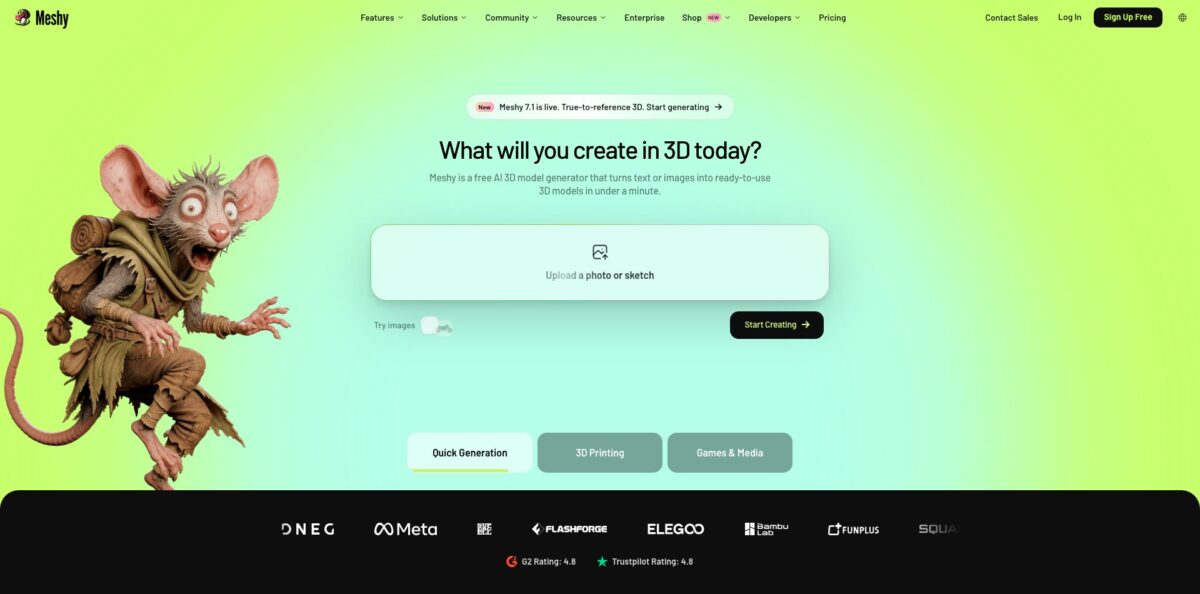
Meshy is a browser-based generative 3D studio that converts a text prompt, a single photo, or up to four reference views into a textured mesh in roughly a minute. Behind the workspace sit its own foundation models (Meshy 7.1 is the current release, with Meshy 6 and 6 Lite still selectable), plus post-generation tools for PBR texturing, remeshing, auto-rigging, animation and print repair. The problem it removes is the blank viewport: props, figurines and concept characters that used to take a modeler days now start as a draft you can inspect, fix and export to FBX, GLB, USDZ, STL or 3MF. The weak spot is control. Single-image results can drift from the reference, and hero assets still need cleanup in Blender. Pick it if you need lots of good-enough 3D fast, not pixel-perfect CAD.
How to start using Meshy?
Sign up for free on meshy.ai; no credit card is required, and the Free plan drops 100 credits into your account every month, resetting on the first day of the month at 00:00 UTC. Everything runs in the browser, so there is nothing to install. The workspace opens with two main entry points, Image to 3D and Text to 3D, plus the newer 3D Agent, a chat interface that pitches 2D concepts before committing credits to geometry.
For a first real job, upload a clean PNG, JPG or WebP (up to 20 MB) of a single object on a plain background. Pick the AI model, switch on Image Enhancement if your photo is noisy, and set a Pose (A-Pose or T-Pose) when the subject is a character you plan to rig. If you have photos of the same object from several angles, enable Multi-view and feed up to four of them; the back and sides will match reality instead of being guessed. Text to 3D works the same way with a prompt of up to 800 characters in any language, and each generation costs 20 credits.
The 3D Viewer is the screen to learn. Toggle Wireframe and Statistics to check face counts and topology, run Remesh to get a lighter, quad-based mesh at a polycount you choose, and use AI Texture to repaint a material with a new prompt. Characters can go through auto-rigging and then pick motions from the animation library, which holds 20 clips on Free and over 500 on paid plans.
Before you export, decide where the model is going. Use FBX for Unity, Unreal, Maya or 3ds Max, GLB for Blender and the web, USDZ for Apple AR, and STL or 3MF for printing after the built-in Printability check. Paid plans add bridges that push a model straight into Blender, Unity, Unreal, Godot, Roblox, Maya, 3ds Max, or slicers such as Bambu Studio and OrcaSlicer.
Who is it for?
Indie Game Developers
You need dozens of props, enemies and set dressing to make a level playable, but you cannot afford an art team before the prototype proves itself. Meshy’s Smart Topology and Low Poly output give you real-time meshes you can drop into Unity, Unreal or Godot today. Swap them for hand-made assets later, once the game is fun.
3D Printing Hobbyists and Print Shops
Sculpting a custom figurine from scratch is a skill barrier most makers never cross. Meshy outputs watertight, manifold meshes, runs a printability check, splits complex models into printable parts and maps textures to filaments for multi-color prints. Expect to go from a sketch or photo to a sliced file in one sitting.
Product Designers and E-commerce Teams
Pitch decks and configurators need 3D previews long before engineering produces CAD. Meshy turns product photos into GLB, OBJ or USDZ models for stakeholder review and AR viewing. It is a visualization tool, though, so do not treat its geometry as manufacturing-grade dimensions.
Developers Building 3D Features
If your app lets users generate 3D content, Meshy’s REST API, prepaid credits and MCP server let you call text-to-3D, image-to-3D, rigging and print endpoints from your own code or from agents in Claude Code, Cursor or Codex. You skip training and hosting your own models.
Roblox and UGC Creators
Avatar accessories and in-game items need a steady stream of stylized assets. Meshy has a Roblox bridge on paid plans and a community gallery of models to remix, so you spend time on design ideas rather than vertex pushing.
Students and Educators
Teaching 3D concepts usually stalls on software complexity. Meshy runs in a browser, and there is a dedicated Education program with a discount for current students and teachers.
Meshy pricing
Meshy sells monthly credit allowances rather than seats for individuals. Every action burns credits: a Text to 3D or mesh-only Image to 3D generation costs 20 credits on the current model, adding 2K or 4K textures raises that to 30, and extras such as Remesh (5), auto-rigging (5) or print repair (10) are billed separately, according to the API price table. Plan credits reset monthly and do not roll over, while purchased credit packs never expire. The pricing FAQ says new users get 50% off the first month on monthly plans and 20% off on annual plans.
100 credits (enough for about five Image to 3D runs, per Meshy), one concurrent task, low queue priority, 10 Meshy 6 Lite downloads per month, and assets licensed under CC BY 4.0, so commercial use requires attribution. No Multi-view, Remesh, text-to-image or API.
1,000 credits (up to 100 assets), 10 concurrent tasks, unlimited downloads, 4 free retries per task in the web app, private ownership of all assets, API access, plugins, DCC bridges and the MCP server.
3,000 credits (up to 300 assets), 30 concurrent tasks, 12 free retries per task, early access to new features and Creative Lab perks.
8,000 credits (up to 800 assets), 100 concurrent tasks, highest queue priority and 40 free retries per task, aimed at agents and high-volume pipelines.
A shared pool of 5,500 credits for a team, 60 concurrent tasks, 24 retries per task, team management, centralized billing and 14-day API asset retention. Seats cost $10/month each, and larger 3X and 5X credit packages are offered.
Custom. Volume pricing, customizable credits, SAML SSO, multiple workspaces, permanent API asset retention and dedicated account support.
Refunds are the catch: the FAQ states that Meshy generally does not issue them because GPU costs are high, with exceptions only in specific cases reviewed by support.
Meshy key features
Image to 3D with Multi-view and Batch
Upload one image, up to four views of the same object, or up to ten different images in a single batch run. Multi-view reads geometry and texture from every angle, so logos and backsides match the reference instead of being invented. Output meshes can reach nearly 600K faces, and paid plans add Ultra 2K and 4K geometry resolutions for fine detail.
Text to 3D with pose and topology control
Prompts up to 800 characters in any language become textured models, with a choice between High Detail and Smart Topology model types. Setting an A-Pose or T-Pose up front gives you characters that are ready to rig. Generate several variations at once and keep the best one.
PBR texturing and AI texture editing
Every generated model ships with albedo, normal, metallic and roughness maps at 2K, 4K or 8K. You can also upload your own FBX, OBJ, STL, glTF or GLB model (up to 100 MB) and texture it from a prompt.
Auto-rigging and animation
Humanoid and quadruped characters are rigged automatically, then you apply walk cycles, idles, jumps or attacks from a motion library, or create motion from text through the API. Indie developers get moving placeholders without touching a rig editor.
Print-ready output
Models come out watertight and manifold, a printability check auto-repairs edge cases, Auto Split cuts big models into parts arranged on the plate, and multi-color mode maps textures to filaments. Export STL, OBJ or 3MF straight to OrcaSlicer, Bambu Studio, Creality Print, Cura and others, or publish to MakerWorld, Printables and Thingiverse.
3D Agent
A chat assistant that brainstorms directions, generates 2D concepts in batches, turns the chosen one into a model and cleans up geometry before export. Chatting is free; you spend credits only on the generations it runs.
API, plugins and MCP
A REST API with prepaid credits, 20 requests per second on self-serve plans, plugins for Blender and Unity, bridges for major DCC tools and game engines, and an MCP server you can add to AI coding agents with one command.
Meshy Pros & Cons
Pros
Meshy is fast and broad. A usable textured mesh appears in about a minute, and the same workspace handles the steps that usually require four separate apps: texturing, remeshing, rigging and animation, and print preparation. Export coverage is wide, from FBX and GLB for engines to USDZ for Apple AR and 3MF for multi-color printers, so models rarely need conversion. Paid plans give you private ownership of every asset and API access starting at the $20 tier, which is unusually generous for developers. Frequent model releases have steadily improved mesh quality according to long-time users. Use Multi-view whenever you can photograph the object from more than one side, because it closes most of the accuracy gap.
Cons
Output is a starting point, not a finished production asset. Single-image results can differ from the source, character poses can come out uneven, and topology on detailed models often needs a Remesh pass or manual retopology before animation. Credits also go quickly once you add textures, higher resolutions and retries, and the Free plan’s CC BY license plus ten-download cap make it a trial, not a workflow. Billing is the most common complaint in public reviews: users report renewals after cancellation and a firm no-refund stance. Set a calendar reminder before renewal and cancel from Settings, Subscription, rather than relying on the chatbot.
Use Meshy if you want…
- Turn concept art into textured 3D models quickly.
- Generate game props and characters from text prompts.
- Rig and animate characters without a rigging tool.
- Prepare watertight, multi-color files for your 3D printer.
- Convert product photos into AR-ready USDZ previews.
- Add text-to-3D generation to your own app via API.
- Retexture existing models with prompt-driven PBR materials.
- Prototype a playable level before hiring 3D artists.
Meshy alternatives

Meshy Reviews
Product Hunt reviewers keep praising generation speed, texturing quality and one-click rigging for bipeds and quadrupeds, while asking for better topology, more editing options and stronger prompt coherence.
Indie developers describe it as a practical addition to their pipeline that has improved a lot with each model version, though image-to-3D sometimes produces a model that looks noticeably different from the input picture.
3D printing hobbyists on Trustpilot say it is easy to learn and delivers consistent results for figurines, miniatures and dioramas, saving them from sculpting skills they never had.
The negative Trustpilot reviews focus on billing rather than output: charges after cancellation, discount offers that did not apply, and support that would not refund.
Some makers on Reddit’s 3D printing community have dismissed AI-generated meshes as blobby and unsuitable for precise parts, a reminder that Meshy suits organic shapes and figures better than functional CAD.
FAQ
Is Meshy free to use?
Yes. The Free plan gives you 100 credits per month with no credit card, enough for about five Image to 3D generations, but downloads are capped and models are licensed under CC BY 4.0.
Can I use Meshy models commercially?
Yes. Paid plans give you private ownership of everything you create, so you can sell or ship it freely, while Free-plan models can be used commercially only with attribution to Meshy.
Which file formats can I export?
Generated models export as FBX, OBJ, GLB, USDZ, STL, BLEND, 3MF and DXF, covering game engines, Blender, Apple AR and 3D printing slicers.
Does Meshy have an API?
Yes. The REST API uses prepaid credits and is included from the Pro plan, with endpoints for text-to-3D, image-to-3D, texturing, rigging, animation, remeshing and print repair.
Does Meshy work with Blender, Unity and Unreal?
Yes. Meshy offers plugins and bridges for Blender, Unity, Unreal Engine, Godot, Roblox, Maya and 3ds Max, and standard FBX or GLB files import directly into all of them.
Is my data used to train Meshy’s models?
According to the pricing FAQ, web app data is stored with Amazon Web Services in the United States and is not shared or used for training without your consent.
Can I get a refund?
Meshy generally does not refund subscriptions because of GPU costs, though support reviews exceptions on request at support@meshy.ai.
How do I cancel my subscription?
Log in, open Settings, then Subscription, and click Cancel Plan under Current Plan, as the pricing FAQ describes.
Similar tools
 CustomuseAI 3D creation platform that chains image, video and 3D models into node workflows for game-ready assets, Roblox items and scenes.
 VisualGPTCredit-based AI image and video studio that runs Nano Banana, GPT Image, Seedream, Flux and Kling for product photos, photo edits and
 LovartAI design agent that turns a chat brief into logos, social posts, product shots, slides and videos on one editable infinite canvas.