

Midjourney
Image GenerationUpdated October 18, 2026
Midjourney is a leading AI generative tool that transforms text prompts into high-quality, artistic, and cinematic visual masterpieces.
We may earn a commission when you sign up through our links. It does not affect our reviews.
What is Midjourney?
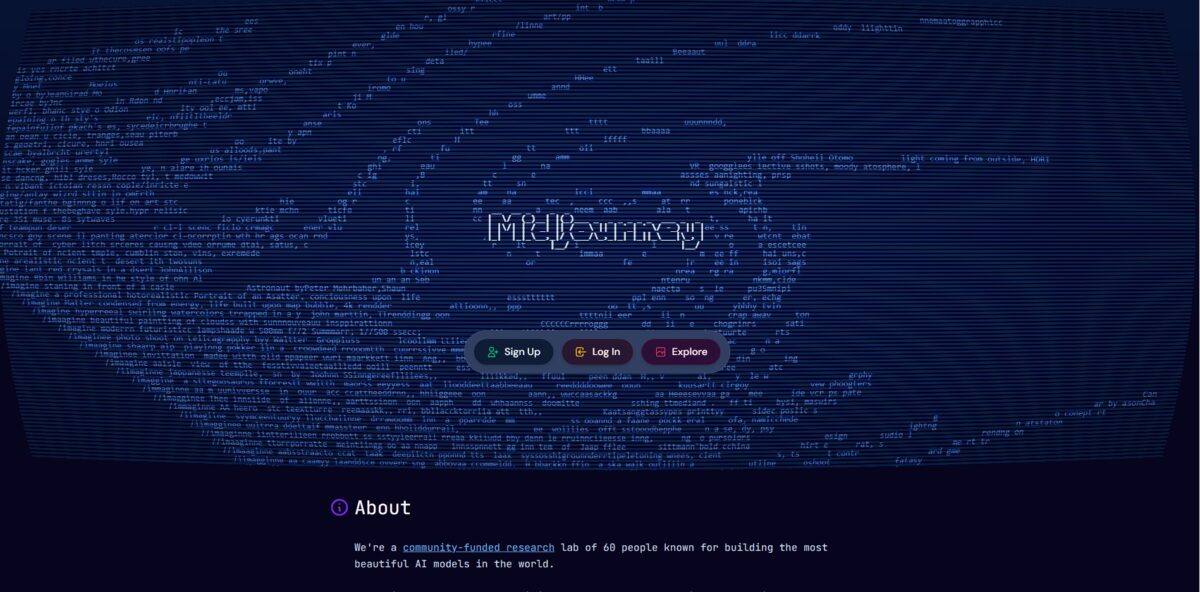
Midjourney is an independent research lab’s engine for generative art. It lives primarily inside Discord, though a newer web interface now offers a cleaner workspace. This tool avoids flat, clinical imagery, prioritizing a moody, textured aesthetic that mimics human brushwork or cinematic lighting. You type a prompt and receive a four-panel grid of concepts to refine. I noticed that while the current V8 models render short text on labels far more reliably, they still occasionally ignore negative prompts unless you use the --no parameter. This matters because it lets non-illustrators produce visual assets that don’t look like generic stock photos. It replaces hours of searching with seconds of iteration. The trade-off is a steep learning curve for bot commands and the total lack of a free tier. Pick Midjourney when you need artistic depth rather than a basic diagram.
How to start using Midjourney?
Start by heading to Midjourney.com and signing in. If you want to work in Discord, you also need a Discord account, since the bot lives inside that chat app. Once you accept the invite, you will see a sidebar overflowing with “newbies” channels. The sheer volume of messages can be overwhelming, but these channels are where you enter your first commands. This setup bypasses the need for a custom dashboard but forces you into a very public workspace, so your early experiments are visible to thousands of other users immediately.
Takeaway: Spend time in a “newbies” channel to get your bearings before trying to invite the bot to a private server.Type /imagine followed by a description of what you want to see. The bot will return a grid of four low-resolution images. You then use the buttons labeled U (upscale) and V (variation) to refine the output. I noticed that clicking V2 creates four new versions based on the top-right image, which helps you iterate without retyping the whole prompt. This workflow lets you pivot from a rough concept to a finished piece of art without traditional drawing skills, cutting the time spent on manual sketching while the AI handles the complex lighting and texture work.
Takeaway: Start with simple prompts and use the variation buttons to steer the AI toward your specific vision.Manage your gallery through the Midjourney website once you have generated a few dozen images. While the work happens in Discord, the website acts as your personal archive where you can download high-res files or view your prompt history. Searching through old Discord messages for a specific render is a nightmare, so using the web app is a necessary sanity check. This bridge between a chat interface and a web gallery keeps your workflow organized, and your best renders don’t get lost in a scrolling wall of text.
Takeaway: Bookmark the Midjourney web app to download your finished images in bulk rather than saving them one by one in Discord.Move the Midjourney bot to a private Discord server if the public channels feel too chaotic. You can click the bot’s name and select “Add to Server” to create a quiet space for your projects. This doesn’t make your images private on the website unless you pay for Stealth Mode, but it stops other users’ prompts from drowning out your work. A solo server makes it much easier to track different versions of a character or style and gives you a focused, professional environment even on a standard plan.
Takeaway: Create a personal server and invite the bot to keep your workspace clean and manageable.
Who is it for?
Concept Artists and Mood-boarders
Skip the manual search for lighting and texture references. Use it to generate weird, conceptually rich landscapes or character silhouettes that break a creative block. Its lighting mimics professional cinematic sets, which helps you establish a mood before painting a single pixel, and the tedious early phase of collecting reference images is largely automated.
Indie Game Developers
Build consistent world-building assets without a full art department. You can use image references in the Editor to maintain a protagonist’s look across different levels or cutscenes. While it struggles with precise anatomical details like a specific number of fingers, it excels at environmental atmosphere and UI icons. Solo devs can pitch a visual direction to investors early in a sprint.
UI and Web Designers
Generate unique placeholders for layout mockups instead of using generic grey boxes. You can describe the exact color palette or shadow depth of your brand to see how a landing page feels. It handles complex spatial logic well, making it easy to visualize how light interacts with a building facade or app interface, so stakeholders see the concept before you write a single line of CSS.
Marketing Teams and Content Creators
Reduce the time-to-visual for social posts by 40%. It generates specific scenes, like a product sitting in a surreal forest, giving you assets that don’t look like tired stock photography. The catch is the Discord-based workflow, which can feel cluttered for those used to clean browser dashboards. Still, unique, attention-grabbing visuals drive better engagement than generic library images.
D&D Players and Storytellers
Transform a wall of text into a shared visual experience for your group. Describe specific armor or ancient, overgrown ruins to bring your campaign world to life. It is particularly adept at fantasy and sci-fi styles, though it sometimes ignores subtle text-based nuances in very long prompts. World-building becomes tangible and immersive for every player at the table.
Midjourney pricing
Midjourney operates on a credit-based subscription model where you buy “GPU time” instead of paying per image. This approach reflects the heavy compute cost of their diffusion models. While there is no longer a standard free trial, the four tiers cater to everyone from casual experimenters to high-volume studios. You trade dollars for priority processing speed and privacy controls.
You get 3.3 hours of Fast GPU time. This covers roughly 200 image generations. Hobbyists can experiment without a heavy financial commitment.
This includes 15 Fast hours and adds unlimited Relax Mode. Relax Mode puts your jobs in a queue that finishes when servers are quiet. No more “generation anxiety” about running out of credits mid-project.
You get 30 Fast hours and Stealth Mode. This is the only way to keep your creations off the public community gallery, which protects commercial intellectual property from being scraped or copied by others.
It provides 60 Fast hours for power users. That is a high cost for a tool still largely tethered to Discord, but professional artists won’t hit a processing bottleneck during tight deadlines.
Midjourney key features
Discord and Web-based prompting
You generate images by typing /imagine in a chat or using the new web bar. While the Discord interface feels cluttered to some, it creates a collaborative space where you can see others’ work. You can pick up complex prompting styles just by watching the community feed.
Consistent Character and Style References
You can upload images as references in the Editor or use the --sref flag to maintain a person’s face or an illustration’s vibe across multiple renders. This solves the common pain point of characters looking like different people in every scene, which makes actual storytelling and branding possible rather than one-off random art.
Granular Region Editing
The Vary (Region) tool lets you select a specific part of an image—like a person’s hat—and change only that area via a new text prompt. It saves you from restarting a 90% perfect render just because of one weird detail. You get surgical control over the final composition.
Aspect Ratio and Stylize Parameters
You define the canvas shape with --ar and the level of artistic flair with --stylize. Higher stylize values produce more cinematic results but might ignore parts of your prompt. This matters because you can pivot from a specific technical diagram to a loose, surreal oil painting with one command.
Zoom and Pan Expansion
The Outpainting features let you extend the borders of a finished image in any direction. It’s perfect when you have a great character portrait but need to see the rest of the room for a website hero section. It also fixes the “tight cropping” issue found in many base generations.
Midjourney Pros & Cons
Pros
Midjourney injects a specific artistic flair into renders that competitors often struggle to match. It excels at color harmony and atmospheric lighting, making it a favorite for concept artists testing compositions. It handles “painterly” styles with a logic that feels human, rather than just shifting pixels, so you can generate ready-to-use mood boards or textures without heavy manual retouching. The “Vary Region” tool allows for precise local edits, like swapping a character’s hat without ruining the rest of the image. This level of control saves hours of re-rolling prompts for minor adjustments.
Cons
The reliance on Discord creates a clunky workflow for anyone used to standard web dashboards. Finding your own work in a fast-moving public channel is a common pain point unless you move the bot to a private server. In testing, it created beautiful scenes but still fumbled anatomical details like hands and teeth or complex text rendering on signs, which pushes you into a cycle of “prompt hacking” or external editing to fix basic physical errors. The lack of an official API makes it difficult to automate tasks or integrate the tool into a professional marketing stack. Strict content filters also block many harmless words, which can derail a creative session without warning.
Use Midjourney if you want…
- Produce breathtaking visual art from simple text descriptions
- Craft hyper-realistic textures for professional photography concepts
- Generate consistent characters across diverse narrative scenes
- Visualize complex architecture and surreal dreamlike landscapes
- Iterate rapidly on unique branding and icon designs
- Create high-fidelity assets for game development workflows
- Explore limitless artistic styles without manual drawing skills
- Design eye-catching graphics for marketing and social media
Midjourney alternatives
 Leonardo.AiRead review →
 Adobe FireflyRead review →
 IdeogramRead review →
 Canva Magic MediaRead review →
 RecraftRead review →
Midjourney Reviews
The artistic flair and cinematic lighting are unmatched, though I still find the Discord interface a bit clunky for a professional workflow.
It consistently produces the most evocative and high-quality visuals, but the aggressive word filtering can be a real headache.
Version 8 handles textures and lighting beautifully; it is easily the best tool for conceptual art if you do not mind the lack of a standalone app.
FAQ
Can I use Midjourney on the web instead of Discord?
Yes, Midjourney has transitioned much of its functionality to a dedicated web interface at midjourney.com, allowing users to generate, organize, and edit images directly in their browser without needing to use Discord.
What are parameters and how do I use them?
Parameters are special commands added to the end of a prompt, such as --ar for aspect ratio or --chaos for variety, that allow you to fine-tune technical settings like image dimensions, stylization levels, and model versions.
Can I use my own images as a reference for new generations?
Yes, you can use Image Prompts by providing a URL to an existing image or using Character References and Style References to influence the composition, aesthetic, or character consistency of your new creations.
What is the difference between Fast and Relax mode?
Fast mode provides immediate GPU access for quick generations, while Relax mode is available on higher-tier plans to allow for unlimited generation at a lower priority once your monthly Fast hours are exhausted.
Does Midjourney support specific aspect ratios like cinematic or portrait?
Yes, you can specify any aspect ratio using the --ar or --aspect parameter, such as --ar 16:9 for cinematic widescreen or --ar 2:3 for vertical portrait orientations.
Can I edit a specific part of an image I already generated?
Yes, the Midjourney Editor and Vary Region tools allow you to select specific areas of an image to modify or replace based on a new text prompt while keeping the rest of the image intact.
Are my generated images private?
By default, images generated are visible to the community on the Midjourney website; however, users on the Pro and Mega plans can enable Stealth Mode to make their generations private.
Can I generate videos with Midjourney?
Yes, Midjourney includes a video feature that can transform your static image generations into short, high-quality video clips or animations using the built-in video tools or parameters.
Similar tools
 BannerbearTemplate-based API for generating on-brand images, PDFs, animations and videos at scale from your data via REST, Zapier, Airtable or AI agents.
 Generated PhotosLibrary of 2.6M+ AI-generated faces plus face and full-body human generators for model-release-free people images in design, ads and research.
 VheerBrowser-based AI studio for text-to-image, photo editing and image-to-video, with a free no-signup model plus credit access to Nano Banana, Sora 2