

Modal
Developer ToolsUpdated October 19, 2026
Serverless cloud platform that runs Python code on GPUs for AI inference, model training, batch jobs and sandboxes, billed by the second.
We may earn a commission when you sign up through our links. It does not affect our reviews.
What is Modal?
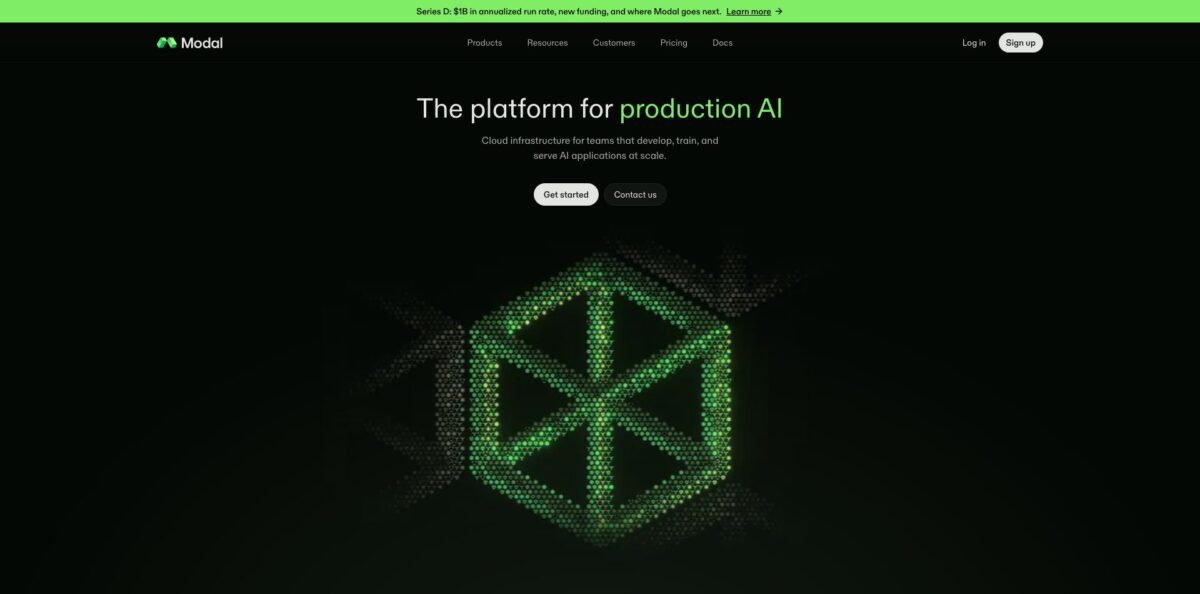
Modal is a serverless compute platform where you describe containers, GPU types and scaling rules in plain Python, then run that code on a pooled fleet spanning more than 20 clouds. You add a decorator such as @app.function(gpu=”H100”), run one command, and Modal builds the image, finds a GPU and bills you per second until the container scales back to zero. It removes the Kubernetes, Dockerfile and quota-request work that usually sits between a model and a production endpoint, and it covers inference, fine-tuning, batch jobs, scheduled tasks and sandboxes for agent code. The weak spot is that Python is the main language for defining apps, and per-hour GPU rates look higher than reserved instances, so steady 24/7 traffic can cost more. Pick it if your workload is spiky, Python-based and run by a small team without dedicated infrastructure engineers.
How to start using Modal?
Create an account at modal.com, then install the client with
pip install modaland runmodal setupto authenticate your terminal. If that command fails, the docs suggestpython -m modal setupinstead. The Starter plan includes $30 of compute every month, but you need a valid payment method on file before any function can request a GPU. If you would rather try things before installing anything, the browser Playground runs example code without a local setup.Your first real scenario is usually a single Python file. Define
app = modal.App(“example-inference”), build an image withmodal.Image.debian_slim()plus the packages you need, and decorate a function with the GPU you want. Runningmodal run file.pyships the code to a container in the cloud, streams logs back to your terminal and shuts everything down when the call finishes. The official introduction uses a small Qwen model on an H100 for exactly this flow.The settings that shape cost and latency live in code rather than a console. The
gpuargument accepts types from T4 and L4 up to H100, H200, B200 and B300, and a suffix likeH100:8attaches several GPUs to one container. Volumes hold model weights so containers do not re-download them on every boot, and Secrets keep API keys out of your source. Containers stay alive for 60 seconds after the last input by default, which you can tune to trade idle cost against cold starts.When the function works,
modal servegives you a temporary public URL that live-reloads as you edit, andmodal deployturns the app into a persistent deployment. Add@modal.fastapi_endpoint()to expose a function as an HTTPS endpoint, or aschedule=modal.Cron(…)argument to run it on a timer. The dashboard then shows real-time metrics and logs for each container, and the Team plan adds rollbacks to earlier versions.
Who is it for?
ML engineers shipping inference
You have a fine-tuned model and need an autoscaling endpoint by Friday, not a Kubernetes cluster by next quarter. Modal lets you serve vLLM, SGLang or your own server on the GPU you choose, with traffic-based scaling handled for you.
AI startup teams
Your traffic is unpredictable and you cannot justify paying for reserved GPUs that sit idle overnight. Per-second billing and scale-to-zero keep the bill tied to actual requests, and the startup credit program can cover early experiments.
Teams building coding agents
Your agent writes code that you do not want running on your own servers. Modal Sandboxes give each task an isolated container, created from Python, JavaScript or Go, and Modal says it can launch huge numbers of them concurrently for RL rollouts.
Data and research engineers
You run a nightly batch job, a transcription backlog or a parameter sweep that needs hundreds of machines for an hour. Fanning a function out with .map() across thousands of containers replaces a hand-built job queue.
Academic researchers and grad students
You need H100 time for experiments but your lab has no cluster. Modal offers academic credit grants of up to $10,000, and the Python-only setup keeps you working in the language you already use.
Backend developers with occasional heavy jobs
Most of your stack is ordinary web code, but one feature needs OCR, embeddings or image generation. You can deploy that single function on Modal and call it over HTTPS without moving the rest of your app.
Modal pricing
Modal combines a monthly platform plan with usage-based compute billed by the second. Each plan includes a fixed amount of free compute, and anything beyond that is pay-as-you-go with no pre-purchased credits. GPU rates on the official pricing page include Nvidia T4 at $0.000164/sec (about $0.59/hour), L4 at $0.000222/sec, A10 at $0.000306/sec, L40S at $0.000542/sec, A100 80 GB at $0.000694/sec, RTX PRO 6000 at $0.000842/sec, H100 at $0.001097/sec (about $3.95/hour), H200 at $0.001261/sec, B200 at $0.001736/sec and B300 at $0.001972/sec. CPU costs $0.0000131 per physical core per second and memory $0.00000222 per GiB per second. Volumes cost $0.09 per GiB per month with 1 TiB free, and network egress is $0.04 per GiB beyond your plan allowance. Region selection adds 1.15x to 1.75x to base prices, and non-preemptible execution costs 3x.
Includes $30 of free compute per month, up to 3 workspace seats, 100 containers and 10 concurrent GPUs, 200 deployed apps, 5 deployed cron jobs, 1-day log retention and 1 TiB of free egress.
Includes $100 of free compute per month, unlimited seats, 5,000 containers and 50 concurrent GPUs, 1,000 deployed apps, unlimited cron jobs, 30-day logs, custom domains, static IP proxy, RBAC, deployment rollbacks (3 versions), environment-level budgets and 10 TiB of free egress.
Custom. Adds volume-based discounts, higher GPU concurrency, embedded ML engineering services, private Slack support, audit logs, Okta SSO, HIPAA compatibility, 100 TiB of free egress and the option to pay through committed spend on the AWS and GCP marketplaces.
Shared Endpoints, the OpenAI-compatible API for hosted open models, are billed per token from the first request and are not covered by the included monthly compute. Sandboxes and Notebooks use their own CPU and memory rates ($0.00003942 per core per second and $0.00000667 per GiB per second), with standard GPU pricing. Startups can apply for free compute credits, and academics can get up to $10,000.
Modal key features
Infrastructure as Python code
Container images, GPU type, memory, secrets, volumes and schedules are all arguments in your script, with no YAML or Terraform files. That keeps your environment versioned next to your model code and makes a change to the GPU a one-line diff.
Serverless GPUs billed per second
You request anything from a T4 to an 8-GPU B300 container without quota tickets or reservations, and you pay only while containers run. Modal says containers boot in about a second, and GPU memory snapshots help large models come online faster when traffic spikes.
Web Functions and inference endpoints
A single decorator wraps a function in FastAPI, and you can also serve full Django or Flask apps or any server that listens on a port. For LLMs, you can deploy SGLang or vLLM yourself, launch a dedicated endpoint for a leading open model, or call Shared Endpoints through an OpenAI-compatible API.
Massively parallel batch jobs
Calling .map() or .spawn() fans work out across thousands of containers with no orchestration layer to manage. That turns a week-long transcription backlog or embedding job into an afternoon of parallel compute.
Sandboxes for untrusted code
modal.Sandbox.create spins up an isolated container at runtime where you can execute LLM-generated code, run a test suite against a git repo or start a full Docker stack. Each container is isolated from the host with gVisor or microVMs, and snapshots speed up repeated starts.
Storage, scheduling and state primitives
Volumes act as a distributed filesystem for weights and datasets, cron and period schedules replace a separate job scheduler, and distributed queues and dicts handle shared state between functions. Together they cover most of the plumbing a small ML team would otherwise build itself.
Observability and enterprise controls
Every function and sandbox has container-level logs and metrics, and you can export to Datadog or any OpenTelemetry provider. Modal is SOC 2 Type II compliant, and higher tiers add RBAC, audit logs, SSO and HIPAA readiness.
Modal Pros & Cons
Pros
Modal removes most of the infrastructure work between a Python function and a GPU in production. You do not write Dockerfiles, manage Kubernetes or wait for cloud quota approvals, and the same file runs locally with modal run and in production with modal deploy. Per-second billing with scale-to-zero suits spiky traffic, and the free monthly compute on every plan is enough for real experiments. One platform covers inference, training, batch processing, cron jobs and agent sandboxes, so a small team can keep everything in one codebase. Developers regularly describe it as the most ergonomic serverless GPU option. Start with one non-critical batch job to learn the decorators before moving latency-sensitive endpoints.
Cons
The convenience comes at a price. Per-hour GPU rates are above many reserved or marketplace offers, and you pay for model loading and the default 60-second idle window, so a busy always-on endpoint can cost more than a rented server. Cold starts on large models can still take tens of seconds unless you keep warm containers running, which adds a fixed monthly cost. Apps are defined in Python, so teams on other stacks can only call functions through the JavaScript or Go SDKs, and moving off Modal means rewriting deployment code. Starter caps you at 10 concurrent GPUs and 3 seats. Model your expected steady-state load against a dedicated GPU price before committing.
Use Modal if you want…
- Deploy a custom model as an autoscaling HTTPS endpoint.
- Run Python code on H100 or B200 GPUs instantly.
- Pay only for the seconds your containers actually run.
- Fan out batch jobs across thousands of parallel containers.
- Execute AI-generated code inside isolated, disposable sandboxes.
- Fine-tune open models without managing a GPU cluster.
- Replace cron servers with scheduled serverless Python functions.
- Keep infrastructure definitions in the same file as code.
Modal alternatives



Modal Reviews
Developers on Hacker News call Modal very ergonomic for development and like requesting GPUs on demand for real-time models on A100s, which saves them from managing their own instances.
A team paying roughly $2 per GPU-hour on Modal values that it only pays for actual usage, but warns that costs climb very quickly once workloads grow.
One user who compared several providers for booting a GPU snapshot found Modal the fastest, yet still saw startup take around a minute for their setup.
Early users liked the developer experience and found deploying web apps on Modal the easiest of the options they tried, while noting that standard workloads lean toward the expensive side at scale.
FAQ
Does Modal have a free plan?
Yes. The Starter plan has no monthly fee and includes $30 of free compute per month for up to 3 seats, though you need a payment method on file to use GPUs.
Which GPUs can I use on Modal?
Modal offers Nvidia T4, L4, A10, L40S, A100 (40 GB and 80 GB), RTX PRO 6000, H100, H200, B200 and B300, with up to 8 GPUs per container on most types.
Do I have to use Python?
Python is the primary language for building Modal apps and functions. JavaScript/TypeScript and Go SDKs let you call functions, run sandboxes and manage resources from other stacks.
How does Modal bill idle time?
You pay while your app loads and while containers process inputs, plus a default 60-second keep-alive window after the last input. Once the app scales to zero, charges stop.
Can I use my AWS or GCP credits on Modal?
Regular cloud credits do not apply, but Enterprise customers can pay through committed spend on the AWS and GCP marketplaces, and eligible AWS Activate startups can get extra Modal credits.
Is Modal secure enough for sensitive data?
Modal is SOC 2 Type II compliant, encrypts data in transit and at rest, and isolates each container with gVisor or microVMs. HIPAA compatibility, audit logs and SSO come with the Enterprise plan.
Does Modal offer an OpenAI-compatible API?
Yes. Shared Endpoints serve hosted open models through an OpenAI-compatible chat completions API, billed per token from the first request.
Can I limit how much I spend?
Yes. You can set a workspace budget to cap monthly spend, and the Team plan adds environment-level budgets for separate projects.
Similar tools
 Novita AIDeveloper cloud with one API for 200+ open-weight AI models, plus GPU instances, dedicated endpoints and isolated sandboxes for AI agents.
 You.comDeveloper platform of web search, content extraction, cited research and model inference APIs that feed AI agents and RAG apps real-time web
 QodoAI code review platform that runs specialized agents on every pull request, enforces team rules and checks changes against tickets and linked