

Movavi Photo Editor
Image EditingUpdated October 26, 2026
Desktop photo editor for Windows and Mac with AI retouching, object removal, background swap, old photo restoration and color presets.
We may earn a commission when you sign up through our links. It does not affect our reviews.
What is Movavi Photo Editor?
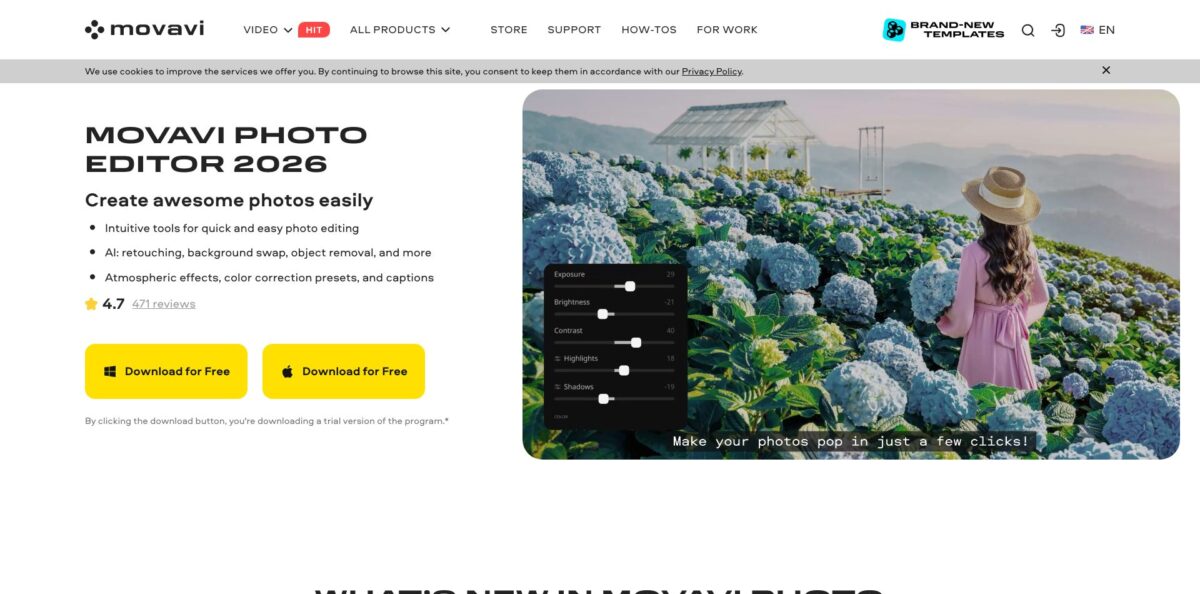
Movavi Photo Editor is a desktop image editor for Windows and macOS from Movavi Software, the company behind the Movavi video tools. It first shipped in November 2020, was sold for a while as Movavi Picverse (the picverse.com site and the Steam listing still carry that name), and is now marketed again under its original name. The program wraps a handful of AI tools around a simple editing canvas: one-click enhancement, background replacement, object removal, portrait retouching, old photo restoration and colorization, plus 34 color correction presets and 100+ effects. The problem it solves is getting clean, good-looking photos without learning Photoshop layers and masks. The weak spots are a shallow toolset for advanced work, destructive edits, no real RAW processing and a public changelog that has not logged a feature release since late 2024. Pick it if you edit family, product or social photos on a PC or Mac and want results in a few clicks.
How to start using Movavi Photo Editor?
Download the installer from the official product page by clicking Download for Free, and run it on a 64-bit Windows 10 or 11 machine or on a Mac. Movavi lists an Intel Core i5 or better, 6 GB of RAM, a 1280 × 768 display, 500 MB for installation and 5 GB of free space for ongoing work. The program starts in trial mode, which lets you save up to 10 images, each with a Movavi watermark, and disables screenshots. That is enough to judge whether the AI tools handle your kind of photos.
For a first real job, open a photo and click the Change Background icon on the left side of the window. Choose Automatically on the Removing background tab and the program detects the objects that stand out from the backdrop. You can then drop in a plain color, an image from the built-in collection or your own picture via the Image tab. If the cutout is rough, click Edit: the Areas tab handles large regions, the Details tab is meant for hair and fur, and the Restore and Erase tabs give you a lasso and a brush to fix the selection.
The screens you will use most after that are Erasing objects and Retouching. Erasing objects lets you mark people, cars or clutter and lets the AI rebuild the background behind them, either one object at a time or several at once. Retouching offers an automatic pass or a manual set of tools such as skin smoothing, blemish and wrinkle removal, teeth whitening, red eye removal, eye color, lip color and face slimming. The Caption tool adds text with font, color, frame and warp controls, and a Decorations library for speech bubbles, ribbons and similar shapes.
When the image looks right, export it in one of the supported output formats: JPEG, PNG, TIFF, BMP and a few older ones. If you decide to buy, Movavi emails an activation key about 15 minutes after purchase. In the program, open Activation, then Activate software, paste the key and click Activate. Computers without internet access can be activated by email instead.
Run your hardest photo, such as a portrait with loose hair or a cluttered product shot, through the trial first, because the automatic selection quality decides whether the license is worth it.
Who is it for?
Home users with family archives
You have boxes of faded, creased or black-and-white prints and no time to learn restoration in a pro editor. Movavi’s restoration tools hide crease lines, scratches and stains, reduce noise in scans and add color to old photos. You get shareable versions of old memories in an evening instead of a weekend.
Small online sellers
Marketplace and store listings need clean product shots on plain or styled backgrounds. Automatic background change and object removal let you cut out an item and place it on white or a scene without a studio.
Social media and thumbnail creators
You want punchy images for posts, memes and video covers, not a full design suite. Presets, 100+ effects, captions and decorations cover that in one window. Steam users describe using it for thumbnails and memes, which fits its strengths.
Portrait hobbyists
Smoothing skin, whitening teeth and removing blemishes by hand is slow and easy to overdo. The automatic retouching pass handles the basics, and the manual tools let you dial back anything that looks fake. Your portraits look polished without the plastic look of heavy filters.
Existing Movavi video users
If you already edit video with Movavi Video Suite, the bundle adds the photo editor for a single yearly price. You stay in one familiar interface style and one account for both stills and video projects.
Small teams that need a licensed editor
Offices that need a simple, legally licensed photo tool for staff can buy business licenses with volume discounts. That is easier to justify than a Creative Cloud seat for people who only crop, fix colors and remove backgrounds.
Movavi Photo Editor pricing
Movavi sells the photo editor as a paid desktop license with a free trial. You choose between a 1-year subscription and a lifetime license, and there are separate business licenses for commercial use with per-seat discounts. Prices below are taken from the official Buy Now page on October 18, 2026, shown in USD with VAT included. Movavi notes that subscriptions renew automatically by default, and you can cancel through your account on its website.
Full program, but you can save only 10 images and every saved image carries a watermark; screenshots are disabled.
No watermark, unlimited photo export, all AI features (enhancement, background replacement, object removal, colorization, portrait retouching) and the color correction presets.
The same feature set as the yearly plan without a recurring charge.
All photo editor features plus Movavi Video Suite for video creation, conversion and screen capture.
Volume pricing drops to $37.95 per seat for 5+, $35.96 for 10+, $33.96 for 25+ and $31.96 for 100+ licenses, with free updates during the year.
Larger orders go through Contact sales.
Movavi’s refund policy allows a refund request within 14 calendar days after purchase, but only in specific cases, such as a technical problem support cannot fix within 14 days or an accidental duplicate purchase.
Movavi Photo Editor key features
AI background change: Automatic selection detects the subject and separates it from the backdrop
You can replace the background with a plain color, a built-in image or your own photo, then refine edges with the Areas, Details, Restore and Erase tools. This turns ordinary snapshots into clean product shots or styled portraits in minutes.
AI object removal: You select unwanted people, cars or clutter, automatically or by hand, and the AI generates a fill so the area matches its surroundings. Several objects can be erased in one pass.
AI portrait retouching: An automatic mode smooths skin, removes blemishes, whitens teeth and adds light makeup with one click. The manual toolset goes further, with wrinkle and shine removal, eye enlargement, eye and hair color, face slimming, reshaping and a clone stamp. You get magazine-style touch-ups without learning frequency separation.
Old photo restoration and colorization: The restoration tool hides crease lines, scratches and stains and reduces noise in scanned prints. AI colorization adds realistic color to black-and-white images. It is the fastest route from a damaged scan to a printable family photo in this product.
One-click enhancement and color presets: AI enhancement balances light and color automatically, and 34 color correction presets let you preview a look with one click. Manual color settings arrived in version 24.0 for finer control. Expect usable results straight away, with sliders available when the auto pass is too strong.
Effects, captions and layout tools: You get 100+ effects and filters, sharpness adjustment, cropping, rotating, resizing, overlay and image combining. Captions support custom fonts, colors, frames and warping, plus a Decorations library. That covers most social posts and thumbnails without a separate design app.
Broad format support: The editor opens JPEG, PNG, TIFF, WebP, JPEG 2000, BMP, TARGA and non-animated GIF, plus RAW files from most camera makers such as CR2, NEF, ARW, DNG, RAF and ORF. Export covers JPEG, PNG, TIFF, BMP and a few legacy formats.
Movavi Photo Editor Pros & Cons
Pros
The learning curve is short. Reviewers on Steam, Techjockey and SLR Lounge keep returning to the same point: the interface is clean, the tools sit in a single left-side panel, and beginners get decent results quickly. The AI tools cover the jobs most casual editors actually need, from background swaps and object removal to automatic retouching and restoration of old prints, and SLR Lounge’s 2024 review found the enhancement results nearly right out of the box. Pricing is modest, especially the personal lifetime license, and the trial is a full version, so you can judge quality on your own photos before paying. Use the trial on a mix of portraits, product shots and an old scan to see all the AI tools at work.
Cons
This is not a professional editor. There are no layers in the Photoshop sense, edits are destructive, and RAW files can be opened but not developed as raw data. Movavi also says correct processing of images larger than 6000 × 8000 pixels is not guaranteed, and SLR Lounge flagged possible issues above roughly 48 megapixels. The public changelog’s latest entry is version 24.3 from October 2024, so do not expect fast feature growth. Steam buyers report that the Steam build lags behind the website version, and Movavi’s subscriptions renew automatically by default. Buy directly from Movavi, choose the lifetime license if you dislike renewals, and keep a backup of every original file.
Use Movavi Photo Editor if you want…
- Swap photo backgrounds without manual masking.
- Erase tourists, wires and clutter from travel shots.
- Retouch portraits with one automatic click.
- Restore and colorize old family photographs.
- Make clean product photos for online listings.
- Add captions and decorations to social images.
- Fix color and light with ready-made presets.
- Own a photo editor with a one-time payment.
Movavi Photo Editor alternatives




Movavi Photo Editor Reviews
A Steam user who edits product photos for an online store and video thumbnails calls it friendly and intuitive, and notes that early complaints, such as not being able to add more images to the canvas, were fixed in later updates.
Another Steam buyer says erasing and filling objects came out much as intended and the interface is simple, but advises buying it on discount and not expecting too much from it.
One reviewer found the automatic background removal weak and finished the cutouts by hand, saying free mobile apps do that part better, though the overall feature set felt fair for the price paid.
Several Steam buyers complain that the Steam edition is not the latest version, and Movavi’s own reply tells them to contact support to get the current build.
On Techjockey, a business user calls it one of the easiest photo editors around with enough power for impressive results, while wishing Movavi offered better deals for buying several products together.
FAQ
Is Movavi Photo Editor the same as Movavi Picverse?
Yes. Picverse was the name Movavi used for the same desktop photo editor for a period, and the picverse.com site and Steam store page still show it. The official product pages now call it Movavi Photo Editor.
Is there a free version of Movavi Photo Editor?
There is a free trial with the full feature set, but you can save only 10 images and each one gets a Movavi watermark. Removing these limits requires a 1-year or lifetime license.
Does Movavi Photo Editor work on Mac?
Yes. Movavi sells Windows and Mac versions, and the Buy Now page offers separate purchase buttons for each system. The Windows version needs 64-bit Windows 10 or 11.
Can Movavi Photo Editor edit RAW files?
It can open RAW files from most camera brands, including CR2, NEF, ARW, DNG and RAF. Movavi states that it does not edit the raw data itself, so use a dedicated RAW converter if you need full RAW development.
Can I use it for commercial work?
Movavi sells separate business licenses for commercial use, priced per seat with volume discounts. A Techjockey reviewer notes that personal licenses are not meant for commercial purposes, so check the license terms before using it for client work.
Does the subscription renew automatically?
Yes, Movavi enables auto-renewal by default for subscriptions and says you can cancel it through your account on its website. If you want to avoid renewals entirely, choose the lifetime license.
Can I get a refund?
Movavi’s refund policy lets you apply within 14 calendar days of purchase in specific cases, such as an unresolved technical issue or an accidental duplicate order. It is not an unconditional money-back promise, so rely on the free trial to decide.
Is there a size limit for images?
Movavi says correct processing of images larger than 6000 × 8000 pixels cannot be guaranteed. Very high-resolution camera files may therefore be slow or unstable.
Similar tools
 HamaFree browser-based AI eraser that removes people, objects, text and blemishes from photos with a brush, plus an inpainting API for developers.
 BgEraserBrowser-based AI background remover that turns up to 20 photos per batch into transparent PNGs without an account, plus offline apps for
 ImgkitsBrowser-based set of AI photo tools for background removal, object cleanup, upscaling, old photo restoration, image generation and image-to-video.