

n8n
AI AutomationUpdated October 5, 2026
n8n is a powerful node-based automation platform for building visual, self-hosted workflows with deep custom code and AI.
We may earn a commission when you sign up through our links. It does not affect our reviews.
What is n8n?
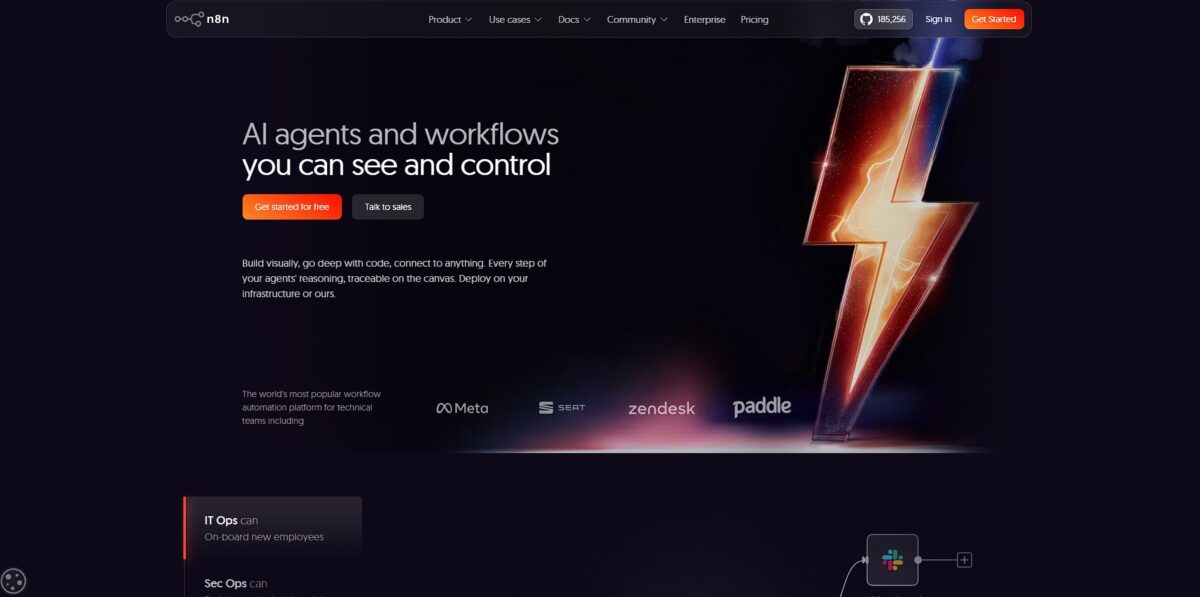
n8n is a node-based automation engine that replaces brittle scripts with visual, hostable workflows. It connects your tech stack by passing JSON objects through a flowchart where you can inject custom JavaScript or Python logic at any point. Most platforms hide the underlying data, but n8n shows you exactly what each API returned in a side-by-side view. With that transparency, hours of silent failures become a quick glance at the execution log. The learning curve gets steep once you start mapping complex nested arrays, but the payoff is total control over your logic. This trade-off lets you build multi-stage AI agents or enterprise middleware without hitting the per-task price ceilings of proprietary tools. It works best for technical teams who need to bridge internal databases with external SaaS tools while keeping data on their own infrastructure. Start with the cloud version to prototype quickly, then switch to a self-hosted Docker container once your execution volume makes per-run pricing painful.
How to start using n8n?
The quickest way to poke around is running npx n8n in your terminal. This spins up a local instance immediately, provided you have Node.js version 18 or higher. It is a great sandbox for testing if your niche API plays nice with their node editor before committing to a server setup. Running it locally keeps your credentials on your machine rather than a third-party cloud. You keep absolute control over sensitive API keys during the prototyping phase.
Takeaway: The npm command is fine for a five-minute trial run, but don’t use it for production workflows.If you are ready for a permanent home, Docker is the path. You will need to create a persistent volume so your workflows do not vanish when the container restarts. A simple docker run command with a volume flag pointing to ~/.n8n usually does the trick. I noticed that a fresh instance asks the first visitor to create the owner account, so if you expose the port before finishing setup, anyone with your IP can claim your dashboard. Creating that owner account right after the first launch ensures only you can trigger or edit your automations. This matters because an open automation server is a massive security hole for your data.
Takeaway: Always define a local volume in your Docker Compose file and set up the owner account before exposing the instance to the internet.Hosting on a VPS like Hostinger or Hetzner is the logical next step for 24/7 reliability. You can pick a pre-configured template to skip manual reverse proxy and SSL certificate wiring. While cloud plans charge more as you scale, a $10 VPS gives you a flat cost regardless of how many thousands of tasks you run. The catch: you now own the maintenance schedule, including OS security patches. In exchange, your automation budget shifts from recurring usage fees to a predictable, fixed infrastructure cost.
Takeaway: Go with a KVM-based VPS if you plan to run memory-heavy AI or data processing workflows.Once inside the dashboard, your first move should be adding a Manual Trigger node. Click the plus icon and search for it to establish a starting point for your logic. Connect an HTTP Request node to fetch data from an external service or a Slack node to send your first notification. Testing individual nodes as you build prevents the frustration of debugging a massive, broken chain later. Building incrementally lets you verify data mapping between services without guessing.
Takeaway: Start every new workflow with a Manual Trigger to verify each step before switching to a Webhook or Schedule.
Who is it for?
Privacy-conscious geeks who host on their own hardware
Running n8n in a Docker container keeps sensitive API keys and customer data off third-party servers. You keep absolute ownership of your data privacy.
Node.js developers who find standard if-this-then-that builders too rigid
You can write custom JavaScript inside any node to transform messy JSON without fighting with limited UI menus. Less time searching for workarounds, more time shipping logic.
Founders scaling operations on a tight budget
The self-hosted version doesn’t charge per task, so you can run high-volume syncs without your bill exploding. Complex automations stay cost-effective as your user base grows.
Technical marketers managing multi-stage lead routing
The visual canvas allows you to branch paths based on CRM scores or database checks while keeping the overview readable. Logic errors in your funnel show up at a glance.
Internal tools engineers connecting to niche or legacy APIs
The HTTP Request node handles custom headers and payloads for systems that don’t have official integrations yet. Your isolated internal services become a connected ecosystem.
n8n pricing
n8n offers a choice between convenience and control, which dictates your monthly bill. You either pay for their managed infrastructure or take on the server maintenance yourself.
The Community Edition costs zero dollars if you self-host via Docker or npm. You get unlimited workflows and executions without hitting a paywall. This works for privacy-conscious developers who can manage their own backups and security patches.
Cloud plans start at 20 Euro per month when billed annually. This Starter tier grants 2,500 executions. Every time a workflow runs, it counts as one execution, regardless of how many steps it contains. That matters because complex 50-step automations cost the same as a simple two-step data sync.
The Pro plan jumps to 50 Euro per month for 10,000 executions. It unlocks variables and basic admin roles for small teams. If you need SSO or Git integration, you must move to the Business tier at 667 Euro per month. High-volume users often notice that cloud costs spike quickly once they scale beyond basic tasks.
Self-hosting is the only way to get unlimited executions for a flat server fee.
n8n key features
Self-hosting allows you to keep sensitive data on your own servers
This satisfies strict privacy requirements like GDPR without relying on third-party cloud security. You control the encryption keys and the infrastructure.
The node-based visual editor maps out complex logic using a flowchart style
You can see data paths clearly instead of digging through lines of code to find a logic error. Debugging multi-step automations gets faster for the whole team.
Native support for 400+ integrations covers standard SaaS apps while the HTTP node handles custom APIs
You can bridge legacy internal tools with modern platforms without writing a custom wrapper. That removes the “closed ecosystem” limitation found in simpler tools.
JavaScript snippets within nodes allow for custom data transformation
If a built-in filter isn’t enough, you can write a few lines of code to reshape JSON payloads exactly how you need them. You aren’t stuck with “black box” pre-set functions.
Queue Mode distributes execution across different processes to handle high-volume traffic
A single heavy workflow can’t crash the entire instance when processing thousands of webhooks, so the tool scales as your business grows.
Built-in error handling and retry logic keep workflows running despite intermittent API failures
You can define specific paths to follow if a step fails, ensuring data isn’t lost during a network glitch. That’s how you build reliability into mission-critical automations.
n8n Pros & Cons
Pros
Self-hosting n8n on your own infrastructure means your data never leaves your servers, which is a massive win for privacy-conscious developers. The fair-code model allows for deep customization using the Code Node, where you can write custom JavaScript to manipulate complex arrays without fighting the limitations of a standard drag-and-drop builder. It handles branch logic and merging data streams much more naturally than Zapier, especially when building non-linear workflows that require loops or complex error handling. You get granular control over every data transformation without paying per-task fees. Use the cloud version if you want to bypass the setup and start connecting its 400+ integrations immediately.
Cons
The learning curve hits hard when you move past basic triggers, as you will often need to understand JSON structures to map data correctly between nodes. While the visual builder is clean, the technical overhead of managing your own instance—handling updates and server uptime—can become a secondary job if you aren’t comfortable with Docker or basic DevOps. I noticed that searching for specific community nodes can be hit-or-miss compared to larger platforms, and the UI occasionally feels sluggish when managing huge workflows with hundreds of nodes. The time you save in automation might end up spent troubleshooting your own hosting environment. Stick to the cloud version if you prefer the platform to handle the maintenance and scaling for you.
Use n8n if you want…
- Build complex logic without high monthly costs.
- Self-host your automations for total data sovereignty.
- Connect custom APIs using flexible JavaScript nodes.
- Design visual workflows that scale with your code.
- Bypass restrictive paywalls on standard automation platforms.
- Deeply integrate technical stacks with simple drag-and-drop.
- Automate multi-step business processes with granular control.
n8n alternatives


n8n Reviews
Self-hosting is a game changer for data privacy. The visual nodes combined with JS/Python blocks make it far more powerful than Zapier for complex logic.
Powerful but intimidating. The learning curve is steep if you do not know JSON, but the execution-based pricing on cloud saves me a fortune compared to competitors.
The AI Agent node is top-tier for building custom LLM workflows. It takes effort to wire up memory and tools, but the level of control is unmatched.
Exceptional flexibility for a one-man team. Using community templates saved me weeks of work, though setting up Google OAuth for self-hosting was a major headache.
FAQ
What is the difference between n8n Cloud and self-hosting?
n8n Cloud is a managed service where the n8n team handles infrastructure and updates, while self-hosting allows you to run the platform on your own servers for full data sovereignty and customization.
Can I write custom code within n8n workflows?
Yes, n8n is a fair-code tool that supports both JavaScript and Python, allowing developers to write custom scripts to transform data or perform complex logic within their automations.
Does n8n support AI and LLM integrations?
Yes, n8n features dedicated AI nodes that allow you to build agentic workflows, connect to various LLMs, and use vector databases for retrieval-augmented generation.
How does n8n handle security and data privacy?
By self-hosting n8n, you maintain complete control over your data and credentials, ensuring they never leave your infrastructure, which is ideal for compliance with regulations like GDPR or HIPAA.
Is it possible to scale n8n for high-volume tasks?
Yes, n8n can be configured in Queue Mode, which uses a distributed architecture with workers and a Redis backend to handle heavy loads and large numbers of concurrent executions.
Similar tools
 GPT WorkspaceAI agent for Google Docs, Sheets, Slides, Gmail and Drive that edits your files, runs GPT formulas in bulk and automates routine
 FPT.AIVietnamese enterprise AI platform from FPT Smart Cloud for chatbots, call-center voicebots, document reading and eKYC that automate customer operations.
 Frigate NVROpen-source NVR that runs real-time AI object detection on your own hardware and sends camera events to Home Assistant and other MQTT