
Nano Banana
Image GenerationUpdated October 5, 2026
Nano Banana uses Google Gemini to turn text and doodles into high-quality, editable AI images with precision.
We may earn a commission when you sign up through our links. It does not affect our reviews.
What is Nano Banana?
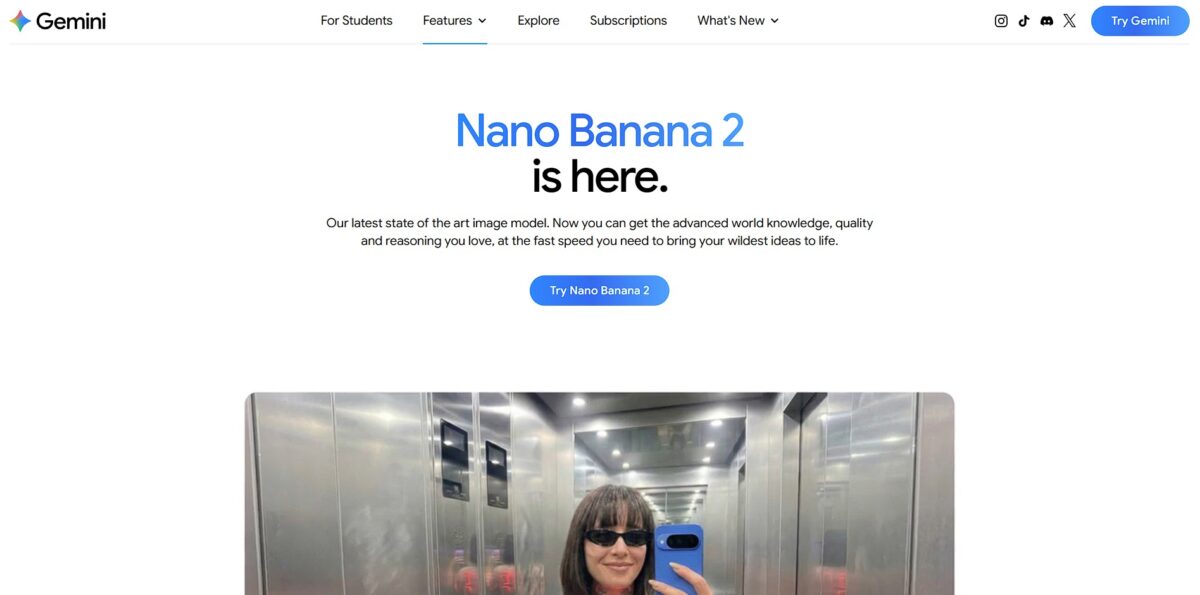
Nano Banana is Google’s Gemini-powered creative laboratory that swaps static prompting for a fluid, conversational editing workflow. Unlike standard generators that force you to restart every time a finger looks weird or a background feels off, this model understands spatial logic enough to let you swap a specific shirt color or remove a distracting person via text or doodle. I noticed it anchors character identity across different scenes with surprising reliability, which is a massive relief for anyone building storyboards or social campaigns. While it handles complex text rendering and 4K upscaling better than its predecessors, the trade-off is a slight drop in fidelity if you cycle through too many iterative changes on a single file. This matters because it shifts AI from a one-off “art button” into a production-ready assistant that actually respects your existing brand assets. Use the Pro version when you need to ground your visuals in real-world facts via Google Search rather than letting the model hallucinate details.
How to start using Nano Banana?
Go to gemini.google.com and sign in with your personal Google account. If you use a workspace or school login, your administrator might have the creative tools toggled off. The interface is cleaner than most AI dashboards, placing the prompt box front and center, which cuts the time between having a concept and seeing a render.
Takeaway: A personal @gmail.com account is the safest way to ensure full access to the image generation features.Type your request directly into the chat bar. You can be specific about styles, mentioning “oil painting” or “cyberpunk aesthetic” to steer the output. The model handles natural language well, so you don’t need to learn the slash-commands required by tools like Midjourney. You can describe a scene as if you are talking to a designer, which lowers the technical barrier for non-artists.
Takeaway: Start with a clear subject and add one style modifier to keep the results predictable.Once the images appear, use the edit tools to refine the details. You can highlight a specific area of the image to change a color or add an object without regenerating the entire frame. I noticed the “doodle edit” feature is particularly helpful for correcting small spatial errors that standard prompts often miss. It keeps you out of the “infinite re-roll” loop common in other generators.
Takeaway: Fix small issues with the selection tool rather than starting over with a new prompt.Click the download icon to save your favorites or share them directly to Google Drive. The integration with Workspace means you can pull these visuals into a Google Slide or Doc without downloading them to your desktop first. Students or office workers building presentations on a deadline get a faster path, and your creative assets stay organized in one ecosystem.
Takeaway: Save images to Drive immediately to prevent losing them when you start a new chat session.
Who is it for?
Product Iterators
Use it to swap shirt colors or change background elements on existing character renders without re-rolling the whole prompt. It excels at keeping pose and proportions intact while you test different aesthetics. No more chasing the “perfect prompt” when you just need a small adjustment.
Social Media Generalists
Stop scouring stock sites for niche concepts like “a neon-lit workstation in a forest.” You can generate specific, usable assets that align with your brand colors in seconds. Text rendering on objects is better than in earlier iterations, though it still misses the mark on complex sentences. Your posts end up looking original rather than like a recycled template.
UX Designers and Prototypers
Generate unique icons and placeholder illustrations that match your UI’s lighting and style. It helps stakeholders visualize a finished product during early sprints without you spending hours in Figma. While it produces varied styles, the output resolution might require upscaling for high-fidelity presentations. You can set a visual direction before a single line of CSS is written.
Hobbyist Illustrators
Turn rough tablet doodles into polished digital art to explore lighting and texture. It acts as a digital assistant that interprets your messy lines into cohesive scenes. In testing, it sometimes struggled with anatomical accuracy in complex poses, requiring a few retries. Still, it bridges the gap between a raw idea and a presentable portfolio piece.
Content Creators on a Budget
Access Gemini-powered generation for $0 through a standard Google account. It provides a low-friction entry point for generating blog headers or YouTube thumbnails without a monthly commitment. The trade-off is a lower daily generation limit compared to paid tiers. For small-scale projects, that puts high-end creative tools within reach.
Nano Banana pricing
Google distributes Nano Banana across three distinct access points, meaning you pay for speed and volume rather than the core technology. The free tier works well for casual experiments but forces a SynthID watermark on every output and caps your daily generations. Moving to a subscription or API key depends entirely on whether you are prompt-testing or running a production line.
You get zero-cost access through the standard Gemini interface. This is fine for rough concepts, but you’ll hit daily request limits and slower processing during peak hours. In practice, you can’t scale professionally without a financial commitment.
It fits creators who need character consistency across multiple frames without managing API credits. For small design studios, it also simplifies budgeting.
Batching your calls can drop costs to roughly $0.02 per image. You only pay for the exact volume your application processes.
Nano Banana key features
Personalized rendering using Google Photos
Gemini identifies tagged people and pets in your library to insert them into new scenes. It works best with clear headshots, though it sometimes struggles with specific clothing from the source. You skip the manual work of uploading reference images every time you want a custom portrait.
Conversational multi-turn editing
You can adjust images by chatting, like asking to “remove the frisbee” or “change the lighting to sunrise.” It handles semantic masking well, keeping the subject identical while shifting the background. Image creation becomes a dialogue rather than a one-shot lucky guess.
Native support for diverse aspect ratios
The model generates visuals in formats ranging from 1:1 and 16:9 to specialized 8:1 banners. I noticed it avoids the awkward cropping common in third-party tools when switching sizes. Your assets arrive ready for specific platforms like YouTube headers or TikTok stories.
Integrated Google Search grounding
Nano Banana 2 pulls real-time data to inform visuals, such as checking current weather or dates. It can translate text directly within an image using in-image localization for different markets. The payoff is factual infographics or localized ads that reflect the real world.
Configurable reasoning levels
Developers can choose between “Fast” for rapid iterations and “Thinking” for complex instructions. The Pro model uses deeper reasoning to follow intricate, multi-layered prompts without losing the plot. You can prioritize speed for brainstorming and switch to high-fidelity for final production.
Nano Banana Pros & Cons
Pros
Nano Banana anchors character identity across different scenes with surprising reliability. It handles spatial logic well enough to let you swap a specific shirt color or remove a distracting person via text or doodle. This conversational editing workflow stops you from restarting a prompt from scratch every time a minor detail looks off, saving hours of trial and error when building storyboards or consistent social media assets.
Cons
The standard Nano Banana model sometimes struggles with intricate text rendering, which can lead to spelling errors in complex graphics. While it excels at conversational edits, it lacks the deep structural reasoning found in the Pro version for building data-heavy infographics or precise 4K layouts. The trade-off for high speed is a reliance on existing pixels rather than building a scene from logical rules. This matters because you might find it difficult to generate production-ready architectural plans or complex typography without multiple iterations.
Use Nano Banana if you want…
- Insert your real likeness into AI-generated fantasy worlds
- Create consistent characters for multi-panel digital storytelling
- Design personalized dream homes based on your lifestyle
- Edit product shots precisely using conversational JSON commands
- Generate accurate 4K infographics with factual Google Search data
- Transform casual selfies into professional studio-quality portraits
- Blend multiple personal photos into a single creative composite
- Produce production-ready marketing assets with superior text rendering
Nano Banana alternatives
 MidjourneyRead review →
 Adobe FireflyRead review →
 IdeogramRead review →
 Canva Magic MediaRead review →
 Krea AIRead review →
Nano Banana Reviews
The text rendering on Nano Banana 2 is a total game changer for my marketing mockups; it finally handles billboards and signs without the usual AI gibberish.
I love how I can just doodle a rough shape on my photo and it turns into a realistic object—it is so much more intuitive than wrestling with complex text prompts.
The subject consistency is impressive for storyboarding, though I have run into some frustrating censorship refusals when trying to generate simple group scenes.
FAQ
Can I edit the images I create with Nano Banana?
Yes, you can use conversational natural language commands to modify existing images by adding or removing objects, changing background scenes, or adjusting specific colors while maintaining the original subject’s identity.
What is SynthID and how does it protect my images?
SynthID is Google’s digital watermarking technology that embeds an imperceptible signature into the pixels of generated images to identify them as AI-created without degrading visual quality.
Does Nano Banana support different aspect ratios?
Yes, you can specify various aspect ratios such as 1:1 square, 4:3 landscape, or 9:16 vertical within your prompts to suit different platforms like social media or presentations.
Can I generate images with specific text inside them?
Nano Banana Pro is specifically designed to render clear and legible text, allowing you to include correctly spelled words on signs, product labels, and movie posters directly in the generated output.
How does the model handle character consistency?
By using reference images and naming specific characters in your prompts, the model can maintain consistent facial features and identities across multiple different scenes or sequential edits.
What is the maximum resolution for generated images?
The tool supports high-resolution outputs, including a native 2K resolution and advanced 4K super-resolution upscaling that preserves intricate textures and details for professional production.
Can Nano Banana access my Google Photos library?
Yes, through Personal Intelligence features, the model can access your Google Photos to recognize people or pets and create personalized images based on your actual library when enabled.
Is it possible to generate multiple variations at once?
You can instruct the model to provide several distinct variations or different color palettes for a single concept to help you compare ideas side-by-side quickly.
Similar tools
 BannerbearTemplate-based API for generating on-brand images, PDFs, animations and videos at scale from your data via REST, Zapier, Airtable or AI agents.
 Generated PhotosLibrary of 2.6M+ AI-generated faces plus face and full-body human generators for model-release-free people images in design, ads and research.
 VheerBrowser-based AI studio for text-to-image, photo editing and image-to-video, with a free no-signup model plus credit access to Nano Banana, Sora 2