
neural.love
Art GenerationUpdated November 12, 2026
Browser-based AI studio that generates art, upscales and restores photos, enhances video to 4K and animates stills from one shared credit balance.
We may earn a commission when you sign up through our links. It does not affect our reviews.
What is neural.love?
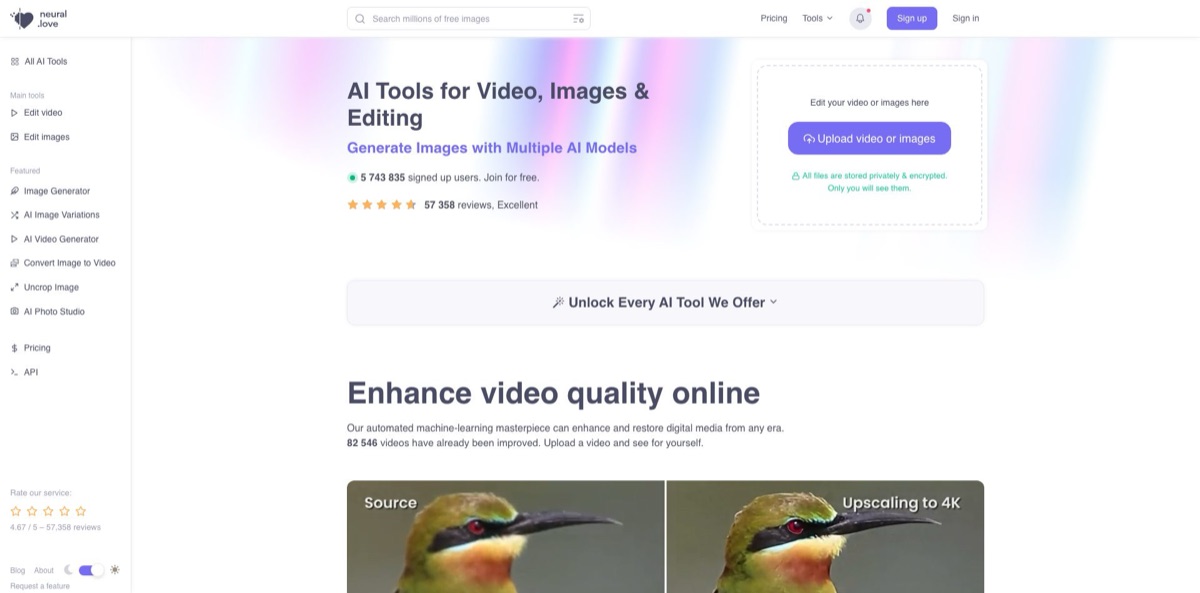
Behind the lowercase domain name sits a browser toolkit that bundles an AI image generator with restoration and enhancement tools for photos, video and audio, all paid from one credit balance. You type a prompt or upload a file, and cloud models do the work: Auto-Aesthetics v3 art and premium models such as DALL·E 3 and SD3.5 on one side, 4K video upscaling, frame-rate conversion, colorization and face recovery on the other. The team says it launched the first web platform for 4K video upscaling back in 2020, and enhancement is still the strongest reason to sign up. The weak spot is cost predictability. Video jobs eat credits quickly, the free tier watermarks output and keeps results public, and Trustpilot complaints cluster around paywalls and failed jobs. Pick it if you want generation and restoration in one account instead of two separate subscriptions.
How to start using neural.love?
Create an account first, because sign-up is required for the image generator, the video generator and every enhancer. The Sign Up for Free button on the pricing page asks for no credit card. New accounts get 5 free generations with the Auto-Aesthetics v3 model during the first 7 days under default settings, which is enough to judge the house style before you buy anything. Video enhancement has no free trial at all, so plan to buy credits if footage restoration is your main reason for being here.
A sensible first job is a text-to-image prompt in the AI art generator. Type your idea, pick a style such as Any Style, Fantasy, Anime or Photo, and press Generate for free. Built-in prompt enhancement expands short inputs, so two or three words are enough to get started, and prompts can be written in your native language. If you have a reference picture, Add image turns the job into image-to-image restyling, and the Story by AI Agents option splits one prompt into a short series of related images.
The settings row decides what you pay. Quality, the number of images, the model, the Private toggle and Remove watermark all affect the credit cost, and free generations apply only under default settings, so enabling a premium option moves the job onto your balance. For enhancement work, switch to the upscaler or the video enhancer and upload your files. Paid plans accept up to 100 images in one batch, and the video tool takes MP4, MOV, MKV, AVI and many other formats, with 4K upscaling, an FPS boost, colorization and face restoration as options.
Check results before you commit large files. The video enhancer shows a preview of the transformation before processing the whole clip, then exports MP4 H264 or MOV ProRes 422. Download finished work promptly, since uploaded source files are deleted automatically after seven days. If you plan to automate the workflow, the developer docs explain how to generate an API token under Settings, send it as a bearer token and read your remaining balance from the X-Credits-Remaining response header.
Run one short clip or a single photo through each enhancer before buying a large credit pack, because the cost per job varies widely between tools.
Who is it for?
Family historians and archivists
Old scans and home movie transfers usually arrive soft, scratched and black-and-white. Photo restoration, colorization and upscaling of up to 4x, capped at 8000x8000 pixels, sit next to the video enhancer, so an entire family archive can go through one account. Trustpilot reviewers who restored decades-old photos are among the most satisfied users.
Video editors and filmmakers
Archival or low-resolution footage rarely matches a modern 4K timeline. The video enhancer upscales, raises frame rates, restores faces and colorizes in the cloud, then exports ProRes 422 ready for grading. You avoid buying a GPU workstation for occasional restoration jobs, although long clips get expensive.
Social media creators
Feeds need a steady flow of visuals, and hopping between an art generator, an upscaler and an image-to-video tool slows you down. Here text-to-image, describe-the-change editing and photo animation share one workspace and one balance. Generated images carry a CC0 license, so you can post them on commercial accounts.
Designers and marketers on a budget
Concept art, mood boards and quick product visuals do not always justify a separate subscription for each model. Paid tiers open premium models listed as Midjourney V6.1, DALL·E 3 and SD3.5 inside the same credit system you use for upscaling. You can compare models on one prompt without juggling accounts.
Developers adding media processing to an app
Building your own upscaling or generation pipeline means hosting models and renting GPUs. The REST API, with an OpenAPI specification and a default limit of 300 requests per 5 minutes, exposes the paid services and returns a credit estimate before each job. You can prototype restoration features without running any infrastructure.
Casual users with an occasional fix
One blurry photo or a profile picture does not need a subscription. The free tier gives watermarked upscales with an hourly limit plus a handful of trial generations, and Pay As You Go credits last a year. You pay only when a job actually matters.
neural.love pricing
Every tool draws from one shared pool of credits, whether you generate an image, upscale a photo or enhance a video, so the real question is how many credits your typical job consumes. The pricing page offers a free plan, a Pro subscription with a sliding credit amount, and one-time Pay As You Go packs. Subscription credits roll over from month to month, and purchased credits stay valid for one year, even after you cancel. VAT is included where applicable, and payment runs through Stripe with cards, PayPal and Apple Pay accepted.
No credit card required. You get limited tool access, watermarked output, basic image editing and basic text generators, but no video editing, video generation or audio editing. New accounts receive 5 free Auto-Aesthetics v3 generations in the first 7 days, and the image upscaler allows a limited number of watermarked images per hour.
Larger allowances cost $24 for 300 credits, $38 for 500, $74 for 1,000 and $420 for 6,000 credits a month on annual billing, with discounts of 20% to 30%. Billed month to month, 100 credits cost $10/month. Pro opens every tool, premium models, batch processing of up to 100 files, watermark-free art generation, private results and discounted extra credits.
Volume packs drop the unit price, with 500 credits at $85.50, 1,000 at $160 and 6,000 at $794. There is no monthly commitment, tool access matches Pro, and the credits remain valid for a year.
integrations beyond the standard API are arranged with the business team on request, and no public price is listed.
neural.love key features
Multi-model AI art generator
Auto-Aesthetics v3 is the default model and adapts to the images you like, while paid plans add premium models listed as Midjourney V6.1, DALL·E 3 and SD3.5. Built-in prompt enhancement and a wide range of style presets let short prompts produce usable results. Every generated image comes with a CC0 license, so commercial use is allowed as long as you respect trademarks.
Video enhancer for old and low-resolution footage
You can upload MOV, MP4, MKV, MXF, AVI, WEBM, WMV and more than a dozen other formats, then combine 4K upscaling, frame-rate conversion, colorization and face restoration in a single cloud job. A preview step shows the result before the full render, and exports arrive as MP4 H264 or MOV ProRes 422.
Image upscaling and photo restoration
Photos can be enlarged up to 4x with a maximum output of 8000x8000 pixels, using either the Default model or the premium Subtle Upscale model for closer resemblance to the source. Separate tools handle restoration, sharpening, face enhancement, colorization, background removal and replacement, and Uncrop for extending a frame. Paid users can batch up to 100 images at a time.
Text-based image editing
Instead of masking by hand, you describe the change you want: move the camera, replace an object, turn night into day, swap an outfit or strip out JPEG artifacts. Image-to-image restyling and image variations sit right beside it. Quick revisions no longer require opening a layered editor.
Image-to-video and text-to-video generation
Single JPEG, PNG or WEBP images become short MP4 clips, which you can then push through the 4K 60 FPS enhancement. The converter works on one image at a time and adds no audio, so sequences and soundtracks need a separate editor. Video generation is not part of the free plan.
Developer API with cost estimates
A token generated in Settings authenticates requests, an estimation call returns the credit price before you run a job, and every response reports your remaining balance. The default rate limit is 300 requests per 5 minutes, and an OpenAPI specification is available for code generation.
Privacy defaults for uploads
Files are stored encrypted and visible only to you, source files are removed automatically after seven days, and the company states that user materials are never used to train its models. Free generations are public by default, so switch on Private, a paid option, for client or personal work.
neural.love Pros & Cons
Pros
Few platforms put this much restoration and generation under one login. You can upscale a scanned photo, colorize it, animate it and then generate fresh artwork with a premium model, all from the same credit balance and without installing software. The video enhancer is the standout, offering 4K upscaling, frame interpolation, face recovery and ProRes 422 export that usually require desktop software and a strong GPU. Credits roll over on Pro and stay valid for a year, so a quiet month does not waste money. The CC0 license on generated images and the documented API make it practical for commercial and developer use. Start with photo restoration or a short video test, which is where users report the most satisfying results.
Cons
Costs are hard to predict. Each tool, quality level and premium option consumes credits at a different rate, and Trustpilot reviewers repeatedly call video enhancement too expensive for regular or long footage. The free tier is narrow: output is watermarked, video and audio tools are locked, and free generations stay public unless you pay for privacy. Some users report jobs that stalled for days, failed image-to-video renders and prompts the generator ignored, although one reviewer notes that credits for failed jobs were refunded. On phones you get a responsive website rather than a native app. Always run a short preview or a single file before submitting a long video, and read the credit cost shown on screen first.
Use neural.love if you want…
- Upscale old family photos to print-ready resolution.
- Convert archival footage to 4K at higher frame rates.
- Colorize black-and-white photos and videos in your browser.
- Generate AI art with several premium models.
- Edit images by describing the change in words.
- Animate a still photo into a short MP4 clip.
- Pay for every AI tool from one credit balance.
- Add image and video enhancement to your app via API.
neural.love alternatives
 Leonardo.aiRead review →
 KreaRead review →
 OpenArtRead review →
 VanceAIRead review →
 Deep-Image.aiRead review →
 RunwayRead review →
neural.love Reviews
Trustpilot reviewers who restore old family photos or upscale tiny, low-resolution scans are among the most enthusiastic, and one long-time user also credits it for improving 8mm film transfers and says the tools keep getting better.
Art generator users praise how closely it follows detailed descriptions and how many styles it offers for things like apparel designs, while others say it sometimes drops requested elements or misreads the subject entirely.
Cost is the most common complaint on Trustpilot: several reviewers find video enhancement too expensive for regular use, and others object that features turned out to be paid only after they had signed up.
Reports on the video tools are mixed, with one user impressed by Uncrop but finding image-to-video results inconsistent and colorization slow, though credits for failed jobs were refunded; another had repeated image-to-video failures and cancelled the subscription.
Free-plan users describe a timer and hourly caps on free generations that feel inconsistent between accounts, and the company replies that switching off paid options keeps you within the free allowance.
FAQ
Is neural.love free?
Partly. The free plan needs no credit card and covers watermarked results, basic image editing, basic text tools and 5 free Auto-Aesthetics v3 generations in your first 7 days. Video, audio and premium models require credits.
How much does neural.love cost?
Pro starts at $8/month billed annually for 100 credits, or $10 month to month for the same amount. Pay As You Go packs start at $19 for 100 credits as a one-time purchase.
Do unused credits expire?
Subscription credits roll over to the next month, and all purchased credits stay valid for one year. If you cancel, unused credits remain usable for up to 12 months from purchase.
Can I use generated images commercially?
Yes. Images from the art generator are released under a CC0 license, so you can sell, print or resell them, provided you do not infringe trademarks or copyrights. You also keep the rights to videos you enhance.
What happens to the files I upload?
Uploads are encrypted and visible only to you, and source files are deleted automatically after seven days. The company says your materials are never used to train its models.
Does neural.love have an API?
Yes. You generate one API token per account in Settings, send it as a bearer token, and can request a credit estimate before each job. The default rate limit is 300 requests per 5 minutes.
Which video formats does the enhancer support?
Input formats include MOV, MP4, MKV, MXF, AVI, WEBM, GIF, MPEG, WMV, FLV and 3GP, among others. Enhanced videos are exported as MP4 H264 or MOV ProRes 422.
Is there a mobile app?
There is no dedicated iPhone app. The website is mobile-friendly, so you can sign in, upload and download results from a phone browser.
Similar tools
 CustomuseAI 3D creation platform that chains image, video and 3D models into node workflows for game-ready assets, Roblox items and scenes.
 VisualGPTCredit-based AI image and video studio that runs Nano Banana, GPT Image, Seedream, Flux and Kling for product photos, photo edits and
 LovartAI design agent that turns a chat brief into logos, social posts, product shots, slides and videos on one editable infinite canvas.