
neuroflash
Content CreationUpdated October 5, 2026
Neuroflash is an AI-powered marketing workspace specializing in brand-consistent text, images, and localized content for European teams.
We may earn a commission when you sign up through our links. It does not affect our reviews.
What is neuroflash?
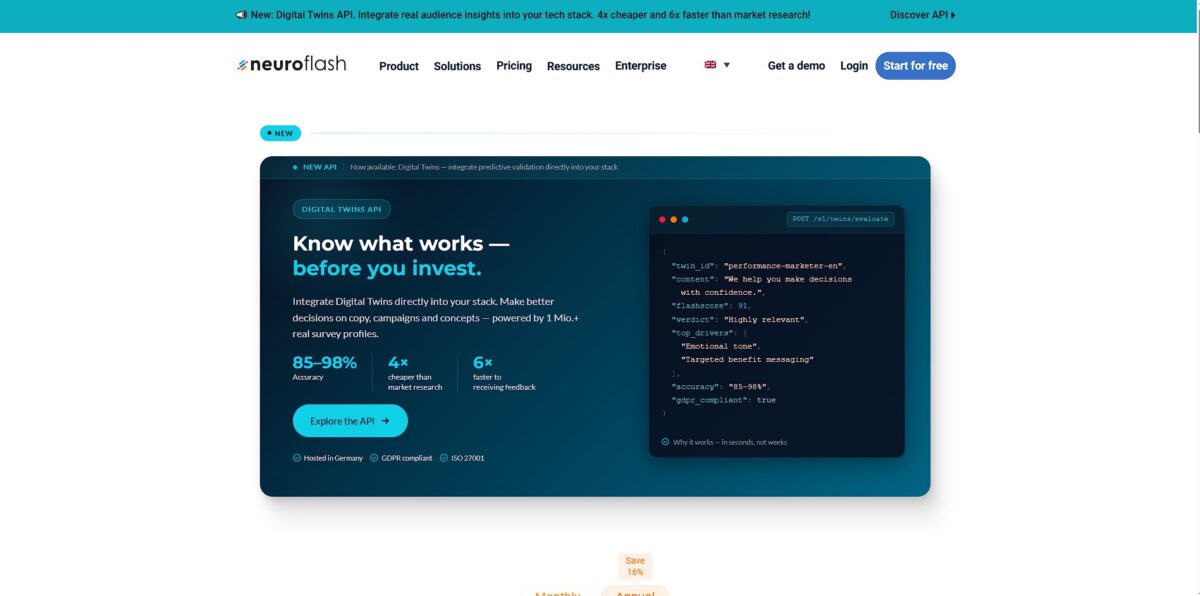
neuroflash acts as a specialized workspace for marketing teams who need to move beyond generic AI outputs and maintain strict brand consistency. It bundles a text generator, an AI image creator, and a multi-model chatbot into one platform, allowing you to swap between models like GPT-4 and Claude without juggling multiple subscriptions. I noticed it focuses heavily on the DACH region, hosting data on German servers to meet strict GDPR requirements that often block US-based tools in corporate environments. This localized focus extends to its performance analysis, which predicts how European audiences will react to specific emotional triggers in your copy. That takes the guesswork out of localization, so a campaign meant for a German audience doesn’t lose its impact in translation. While the interface feels a bit crowded with its numerous modules and templates, it excels at keeping a marketing department’s voice unified across hundreds of blog posts and social captions. Choose neuroflash if you prioritize data privacy and brand voice control over the sheer creative chaos of unconstrained AI models.
How to start using neuroflash?
Start by heading to the Brand Hub after your initial login. This is where you anchor the AI to your specific company identity rather than letting it generate generic marketing fluff. You’ll need to upload existing documents or manually enter your tone of voice guidelines and target audience profiles. This step prevents the common headache of having to delete “AI-sounding” phrases like “in today’s digital landscape” from every single draft. Set these guardrails early and the bot writes like your team, not a random algorithm.
Rule of thumb: upload your three best-performing blog posts or newsletters to give the AI a concrete baseline for your style.Next, explore the “Brand Voice” section to refine how the AI handles your personality. You can create multiple voices if you manage different products or sub-brands, which is useful for agencies but might feel like overkill for a single-product startup. I noticed that if you don’t define specific “do’s and don’ts,” the output can still lean into over-enthusiastic sales speak. Labeling these constraints cuts down the time spent on manual stylistic edits, and your role shifts from full-time editor to strategic reviewer.
Takeaway: the “Private” setting is handy if you’re testing voices that aren’t ready for the rest of your team workspace.Once your brand assets are stored, jump into ChatFlash or ContentFlash to start drafting. Select your defined Brand Voice from the dropdown menu before you type your first prompt. The system pulls from your uploaded knowledge base to cite specific product details correctly, solving the issue of the AI hallucinating features you don’t actually offer. It works well for maintaining technical accuracy, though you should still verify any specific numbers or dates. Because your internal data is connected directly to the prompt window, you no longer copy-paste context every time you work. Useful tip: start with a small task like a social media caption to see how well the AI captured your tone before moving to long-form articles.
For team coordination, invite colleagues to your shared workspace. You can share your custom prompt templates and brand voices so everyone generates content that sounds unified. This is helpful for keeping freelancers on-brand, but you need a higher-tier plan to avoid hitting limits on the number of brand voices you can save. If you exceed your limit, you can still edit existing voices, but you won’t be able to add new ones until you clear space. In effect, you have to prioritize which personas are actually essential for your workflow.
Rule of thumb: review your Brand Hub monthly to prune outdated knowledge pieces and keep the AI’s “memory” sharp.
Who is it for?
Brand Managers
Centralize your brand voice and style guidelines in one hub to ensure every blog post or social caption sounds like it came from the same person. You can upload specific knowledge documents to ground the AI in your actual business data, which stops it from hallucinating generic industry fluff when you need technical accuracy.
SEO Specialists
Create, analyze, and optimize full-length articles using integrated tools that identify key terms for search engine relevance. The workflow bypasses the need for a separate SEO auditor by checking your rankings and visibility potential while you draft. Research and writing end up in a single workspace.
Marketing Teams
Share custom prompt collections, brand voices, and internal documents across a unified workspace to keep everyone on the same page. It works well for large-scale coordination, though smaller teams might find the permission settings overkill. This matters because it prevents “brand drift” when multiple people publish to the same channels.
Social Media Managers
Automate the generation of engaging posts and responses while maintaining a consistent style across diverse platforms. You can define specific target group profiles to ensure your messaging resonates with different personas without manual rewriting. Switching contexts between LinkedIn and Instagram becomes less draining.
Content Agencies
Scale article production in multiple languages without hiring a massive roster of native freelancers for every niche. The AI-driven text templates and workflows handle the heavy lifting of research and drafting, though you’ll still want a human editor for the final polish. You can take on higher volume without a proportional increase in overhead.
neuroflash pricing
Neuroflash structures its costs around content volume and team size. It shifts from a restricted free entry point to expensive enterprise seats. This helps solo writers start for free, but scaling to a full marketing department requires a significant budget jump.
Free: €0/month. You get 2,000 words and 5 images each month. This plan works for testing the interface but runs out quickly if you’re drafting more than one long-form article. Still, you can verify the tone of voice before spending money.
Essential: €42/month. This gets you 30,000 words and the Brand Hub for one user. It includes SEO analysis tools to help your posts rank higher in search results, so your content reaches an actual audience instead of just sitting in a folder.
Pro: €67/month per user. You get unlimited text generation and 50 images per month. It allows you to swap between different AI models like GPT-4 and Claude to find the best fit for your specific writing style. You aren’t locked into a single model’s predictable phrasing.
Business: €200/month per user. This tier targets larger teams needing 500 AI images and a centralized brand memory. It forces the AI to strictly follow your company’s specific style guide across every department. Your social media team and sales team stop sounding like different companies.
Use the Free plan to find your brand voice, then jump straight to Pro if you write more than three articles a week to avoid the word count wall.
neuroflash key features
Brand-Centric Performance
Upload your existing marketing copy to teach the AI your specific tone rather than relying on generic presets. This stops the software from sounding like every other bot on the internet. Your brand identity is protected from the “AI-generated” vibe.
Localized Content Tuning
Toggle between German, French, and Spanish variants that respect regional idioms instead of just translating word-for-word. While it handles European markets exceptionally well, it might feel less nuanced for niche dialects. You save hours on local manual editing.
Visual Asset Generation
Create custom blog header images and social posts alongside your text in the same interface. The prompt logic stays consistent across text and images, which reduces the friction of swapping browser tabs and keeps your visual and written messaging aligned.
Workflow Templates
Access pre-built structures for newsletters, LinkedIn posts, and product descriptions to skip the “blank page” phase. The trade-off is that heavy reliance on templates can lead to predictable structures if you don’t vary your inputs. On the plus side, you can move from idea to first draft in under two minutes.
SEO Prediction Tools
Check how your content might rank or resonate before you hit publish. It identifies keyword gaps that typically require a separate subscription to a dedicated search engine tool.
Collaborative Editor
Edit drafts in a shared workspace that allows team members to comment or adjust tone in real-time. This functions well for small agencies but might feel crowded for massive enterprise teams. No more emailing Word docs back and forth.
neuroflash Pros & Cons
Pros
Neuroflash handles German and European nuances better than US-centric models. It excels at localizing marketing copy instead of just translating words. The built-in SEO analyzer checks your text against live search metrics as you write. I noticed the performance prediction tool flags sentences that might feel too technical for a general audience, so engagement gaps show up before you publish. The interface feels snappy, and having access to GPT, Claude, and Gemini in one tab simplifies your subscription stack.
Cons
The platform requires human oversight to fix repetitive sentence structures. AI detectors often flag the raw output, which forces you to spend more time editing for a natural flow. The tab-based interface feels cluttered when you jump between the chat and the image generator, and that breaks your creative momentum during multi-asset campaigns. The subscription price sits higher than single-model alternatives. You also face strict word limits on lower tiers that can disappear quickly during long-form research.
Use neuroflash if you want…
- Maintain a consistent brand voice across all marketing channels.
- Generate SEO-optimized blog posts using 100+ specialized templates.
- Centralize brand style guidelines and knowledge in a shared hub.
- Access multiple AI models like GPT-4, Claude, and Gemini in one tab.
- Predict and optimize the performance of short-form marketing copy.
- Create copyright-free AI images that match your content style.
- Automate repetitive drafting tasks while ensuring GDPR compliance.
neuroflash alternatives

neuroflash Reviews
Neuroflash is the go-to for any writing professional who wishes to be efficient; it is the first AI tool that delivers very good results in German.
I use it for my marketing campaigns; when I lack creativity, I use Neuroflash to get inspired and it always surprises me.
It is a literal time saver on busy days, helping to write brief and concise summaries for LinkedIn and website posts while matching the writing style.
FAQ
Is neuroflash free to use?
Yes, neuroflash offers a Free plan that includes 2,000 words per month, allowing users to test core text and image generation features without a credit card.
Does neuroflash offer a plagiarism scanner?
Yes, a plagiarism scanner is available, though it is typically included in the Pro and Business plans to help ensure content originality.
Where are neuroflash’s servers located?
neuroflash is a German company that hosts its servers in Germany, ensuring high standards for GDPR compliance and data privacy.
Can I use my own brand voice with neuroflash?
Yes, the Brand Hub allows you to define and save specific Brand Voices, ensuring that the AI-generated content remains consistent with your company’s unique style and tone.
What languages does neuroflash support?
The platform supports multiple languages, including English, German, French, Italian, Spanish, Dutch, Polish, and several others.
Does neuroflash have a browser extension?
Yes, neuroflash provides a browser extension that allows you to access its AI chatbot and writing tools directly within your browser for a more integrated workflow.
Can I create images with neuroflash?
Yes, neuroflash includes an AI image generator called ImageFlash that allows you to create unique, copyright-free images in various styles based on text prompts.
Similar tools
 RunableGeneral AI agent that turns one prompt into websites, slide decks, social carousels, videos and apps, with plugins and scheduled tasks.
 AISEOAI writing suite with a text humanizer, article and Outrank generators, AI detector and plagiarism checker, plus AI search visibility tools.
 Octopus.doVisual sitemap builder that drafts page structure, block copy and SEO tags with AI, crawls existing sites and connects to ChatGPT, Claude