
nOps
AI AutomationUpdated October 27, 2026
FinOps platform that automates AWS, Azure and GCP commitment purchases and tracks cloud, Kubernetes and AI spend with an AI cost analyst.
We may earn a commission when you sign up through our links. It does not affect our reviews.
What is nOps?
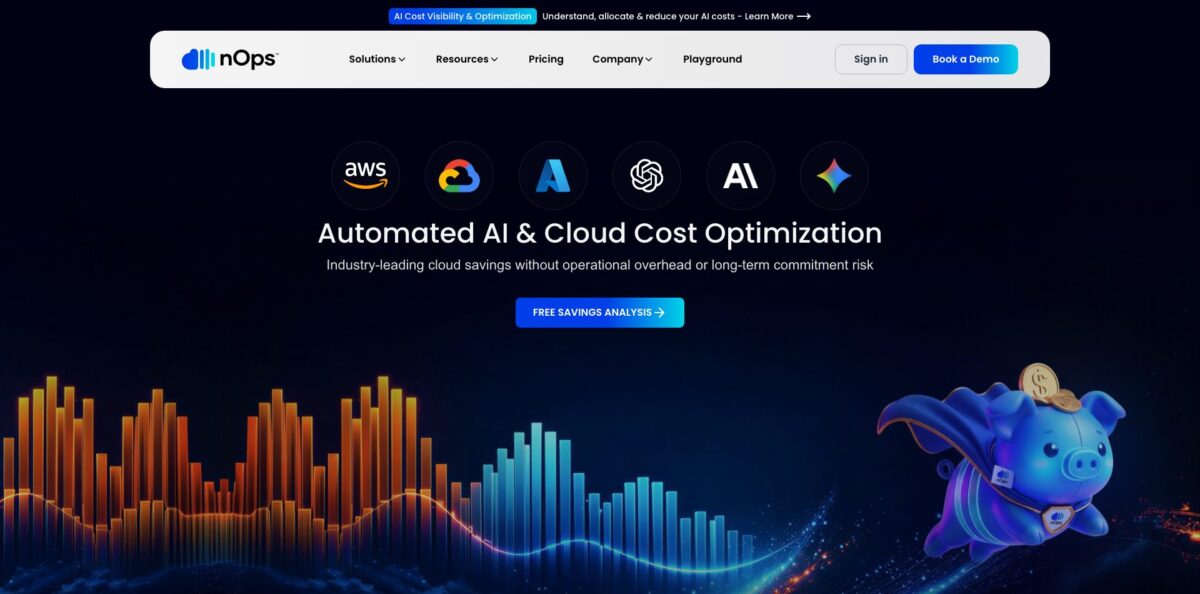
nOps is a FinOps platform that plugs into your AWS, Azure and Google Cloud billing data and handles two jobs at once: it buys and rebalances discount commitments on your behalf, and it shows where every dollar of cloud, Kubernetes, SaaS and AI spend goes. The commitment engine adjusts Reserved Instances, Savings Plans and committed use discounts every hour, so you get deep discounts without betting on one large multi-year purchase. On the visibility side, hourly cost data, allocation rules and an AI analyst called Clara replace the spreadsheet work most teams do at month end. The weak spots are breadth outside AWS, where reviewers say Azure and GCP features still trail, and the lack of published prices. It fits companies with meaningful AWS spend and a FinOps or platform team that wants automation rather than another dashboard.
How to start using nOps?
Most teams begin with the Free Savings Analysis, a 30-minute session that benchmarks your savings rate against peers and estimates how much more you could save. The other route is the 14-day free trial; the vendor says setup takes under 5 minutes and needs no credit card. Either way, an Admin user connects your AWS payer (management) account, because nOps reads billing data at the organization level. Turn on Cost Explorer in that payer account first, since AWS blocks the API calls nOps needs until the account is opted in.
The connection lives in Settings > Cloud Provider Integrations under Connect Amazon Web Services. The wizard asks for your payer account ID and an integration name, then offers CloudFormation (Recommended) or Manual IAM. The CloudFormation stack creates a new S3 bucket, a Legacy CUR export, a CUR 2.0 export and a cross-account IAM role, and you paste the RoleArn output back into nOps. Deploy it in us-east-1, because AWS only supports the Legacy CUR resource type in that region. You also pick a permission level: Minimum Platform for read-focused savings analysis, or Full Platform for Inform and Operate features, which adds the AWS ReadOnlyAccess policy plus customer-managed deny lists.
Once data flows in (about 24 hours by the vendor’s estimate), open Explorer and the prebuilt dashboards to see spend by account, service, team and purchase type. Set up cost allocation next: virtual tag rules assign untagged costs to teams or products, and an unallocated bucket shows exactly what still needs a rule. Then open Ask Clara and try a quick action such as Find anomalies or Explain spend. Azure and Google Cloud connect through their own setup pages, using a service principal with FOCUS export access and a service account with BigQuery billing export access.
Commitment automation is a separate, optional step. From the AWS integration card, an Admin chooses Enable CM and deploys three roles through CloudFormation: a central role, child read roles pushed out with StackSets, and a ShareSave role in a dedicated child account that is allowed to purchase commitments. A Verify Access step checks the assume-role chain before anything is bought. Existing Reserved Instances and Savings Plans stay in place. The vendor says savings typically appear within 2 to 4 weeks, tracked as Effective Savings Rate, coverage and realized savings.
Who is it for?
FinOps leads
You already manage a commitment portfolio by hand and rebalance it monthly at best. nOps re-evaluates coverage hourly and reports Effective Savings Rate, coverage and unused commitment risk on prebuilt dashboards. Your job shifts from buying Reserved Instances to reviewing results and owning allocation.
Platform and DevOps engineers
Your EKS clusters run on a mix of Spot, On-Demand and committed capacity, and nobody has time to tune them. nOps works alongside Karpenter or Cluster Autoscaler, rightsizes containers, and schedules idle EC2 and RDS resources through EventBridge. You keep your autoscaler and drop the manual tuning.
Finance and CFO teams
Month-end reports take days because tags are incomplete and shared costs like NAT gateways and support fees sit in one blob. Chargeback rules, budgets and burndown views for EDP, PPA and Marketplace SaaS contracts give you numbers you can defend. A fee tied to realized savings also makes the ROI case easier to approve.
Engineering managers paying for AI tools
Cursor, Claude Enterprise and ChatGPT or Codex seats now add up to a real line item. nOps tracks per-seat spend, sets limits through AI Wallets and routes limit-increase requests to approvers. You see which teams burn the most tokens before the invoice arrives.
SaaS companies building on Amazon Bedrock
You need to know which customer or feature drives model costs. nOps splits Bedrock spend by model, account and token type, including cache reads and writes, and maps it to products for a per-customer cost of goods view. That data feeds pricing and margin decisions.
Teams in an AWS migration
MAP Manager tracks Migration Acceleration Program milestones, flags untagged or mistagged resources and can auto-tag them through AWS Systems Manager. That keeps you on schedule for the program’s credits.
nOps pricing
No dollar prices appear on the nOps website, and exact numbers come from a sales conversation. Commitment automation is paid as a share of the savings it produces, while the visibility and allocation tools are billed as a fixed fee tied to your cloud spend. You can also buy through AWS Marketplace, which supports consolidated billing and counts toward AWS commitments such as EDP or PPA.
A 30-minute review that benchmarks your savings rate against peers and estimates what more you could save. It only needs the read-focused Minimum Platform permissions.
Full access to core features such as cost visibility, allocation and reporting, so you can evaluate the platform on your own billing data before committing.
share of savings. You pay a percentage of the savings realized on AWS, Azure and GCP commitments, and the percentage is not published. nOps says you pay only for savings beyond what your existing commitments already deliver, and it guarantees 100% utilization of nOps-managed commitments or credits the difference, subject to terms and conditions.
fixed fee based on your cloud spend. Covers hourly multicloud, Kubernetes, SaaS and AI cost views, anomaly detection, savings recommendations and the Public API. Pricing is quote-based.
Clara AI agent: billed per request, aligned with product tiers. Entry-level access is free, and detailed pricing comes from an account manager.
Custom. The pricing page routes these buyers to the sales team, and commitment deals are transacted through AWS Marketplace, where AWS reviews each commercial agreement.
nOps key features
Autonomous commitment management
The engine weighs 20+ decision variables, 3 to 6 months of usage history and pricing across more than 4 million AWS SKUs, then buys and adjusts Savings Plans and Reserved Instances hourly. It layers small commitment slices instead of one big purchase, which keeps discounts high while limiting lock-in if usage drops. Coverage spans compute (EC2, Fargate, Lambda) and services such as RDS, ElastiCache, Redshift, OpenSearch and DynamoDB, with a 100% utilization guarantee on commitments nOps manages.
Azure and Google Cloud rate optimization
For Azure, nOps manages Savings Plan for Compute and reservations for services like Virtual Machines, App Service, Kubernetes Service, SQL Database and Database for PostgreSQL. On Google Cloud it balances spend-based Compute Flexible CUDs with resource-based CUDs across Compute Engine, GKE, BigQuery, Cloud SQL, Vertex AI and more. Coverage is recalculated hourly and purchased in small increments.
Cost visibility and allocation (Inform)
You get hourly cost data across AWS, Azure, GCP, Kubernetes, SaaS and AI with 40+ prebuilt filters and views for finance and engineering. Container costs break down to the pod level and are matched to the CUR, while shared costs such as NAT gateways, data transfer and support can be split with custom rules. Allocation works even with incomplete tagging, using account, environment or Kubernetes labels.
Financial controls (Operate)
Anomaly detection flags spend spikes hour by hour with a timeline of what changed, and machine-learning forecasts predict spend by project, team or client. Budgets and cost targets can be set per team, feature, product or customer, with alerts for projected overruns. The Chargeback Center, Business Unit Economics and a contract tracker for AWS EDP, PPA and SaaS deals like Databricks or Snowflake complete the finance view.
AI cost attribution and AI Wallets
Bedrock spend is mapped hourly to model, account and department, then split into input, output, cache-read and cache-write tokens. Spike detection flags any hour running 3x over its same-hour baseline from the prior week, and structural anomalies such as a new model version appearing are flagged too. AI Wallets set spend limits for Claude Enterprise, Cursor and ChatGPT or Codex seats, with an approval queue for limit increases and recommendations on model substitution and cache tuning.
Clara, MCP and the Public API
Clara answers cost questions in plain language, adds charts or tables, and runs scheduled questions that can post results to Slack or Teams. The Clara MCP brings the same assistant into Cursor, Claude or any MCP client without bypassing your organization’s permissions. Developers get a REST API at api.nops.io/v1 for costs, allocations, budgets, reports and recommendations, included with Inform and Operate.
Compute and storage automation (Optimize)
nOps rightsizes EKS containers and rebalances nodes across Spot, On-Demand and committed capacity while you keep Karpenter or Cluster Autoscaler. Auto Scaling groups get Spot market awareness and 60-minute advance Spot termination protection. Storage tools clean up orphaned EBS volumes and migrate gp2 to gp3 with an optional backup snapshot, and a resource scheduler stops idle EC2 and RDS instances through EventBridge.
nOps Pros & Cons
Pros
The core promise is easy to evaluate: nOps buys and rebalances commitments for you, adjusts them every hour, and takes its fee from the savings it produces rather than a flat license. Reviewers on AWS Marketplace and PeerSpot describe compute bills falling by 20 percent or more, mostly from Spot automation and better commitment coverage. Billing data comes in without an agent, and the CloudFormation stack handles most of the IAM work. The visibility layer is unusually granular, with hourly data, allocation that works without perfect tags, and AI spend split down to cache-write tokens. Clara, the MCP server and the REST API let engineers pull numbers without opening a dashboard. Start with read-only permissions and let the savings analysis prove the numbers before you enable purchasing.
Cons
Pricing is opaque. Neither the savings percentage nor the fixed fee appears on the website, so you cannot compare costs without a sales call, and several reviewers call the packages expensive. The product is strongest on AWS; Azure and GCP rate optimization exists, but users say automation and feature parity on other clouds still lag. Recent reviews also mention a learning curve on advanced features, a crowded first screen and too few step-by-step tutorials. Some users want clearer insight into how the engine chooses between Spot and On-Demand. Commitment Management needs purchase rights inside your AWS Organization, which some security teams will push back on. Get the fee percentage, baseline method and exit terms in writing before you sign.
Use nOps if you want…
- Automate AWS Reserved Instance and Savings Plan purchases hourly.
- Cut compute costs without long three-year commitment lock-in.
- Allocate untagged cloud costs to teams without retagging resources.
- Track Bedrock, Cursor and Claude spend by team.
- Catch hourly cost spikes before the monthly invoice lands.
- Rightsize EKS workloads while keeping Karpenter or Cluster Autoscaler.
- Ask cost questions in plain English from Slack or Cursor.
- Pay for commitment management only from realized savings.
nOps alternatives
nOps Reviews
Spot automation cut the cloud bill sharply and kept critical workloads running reliably, but the packages feel expensive for what they include.
Cost tracking is much easier to read than AWS Cost Explorer and points straight at savings, though resource-level detail is thin and EC2 CPU, memory and cost are not shown side by side.
It surfaced waste such as under-used commitments and made Bedrock model costs visible, yet the automation is clearly built around AWS and Google Cloud support feels weaker.
Connecting accounts was quick and support responds fast; the downside is a steep learning curve on advanced features, a busy first screen and a shortage of detailed tutorials.
Integration with the AWS account was easy and idle instances are stopped automatically, but compliance reports that used to be available were removed and fees based on spend percentages can feel out of line with the value.
FAQ
Does nOps have a free plan or free trial?
nOps offers a free 30-minute Savings Analysis and a 14-day free trial with full access to core features like cost visibility, allocation and reporting. Entry-level access to the Clara AI agent is also free, while ongoing visibility and optimization are paid.
How does the share-of-savings pricing work?
For rate optimization, you pay a percentage of the savings nOps realizes, and only on savings beyond what your existing Reserved Instances and Savings Plans already deliver. The percentage is not published, so you get it from the sales team.
Does nOps need an agent or changes to my infrastructure?
Billing data is read from your Cost and Usage Report through a cross-account IAM role, which a CloudFormation stack can create for you, so no infrastructure changes are required. An optional lightweight agent is available if you need it, and Commitment Management uses separate, scoped roles for purchasing.
Which clouds and services does nOps support?
AWS is the deepest integration, covering EC2, Fargate, Lambda, RDS, ElastiCache, Redshift, OpenSearch, DynamoDB, SageMaker and more. Azure and Google Cloud commitments are managed too, along with Kubernetes, SaaS tools such as Snowflake and Datadog, and AI providers.
Is my data safe with nOps?
nOps holds SOC 2 Type 2 certification, and AI cost allocation is built from billing and metering data, not prompt or response content. Clara runs on Amazon Bedrock, and the vendor states that neither AWS nor nOps uses your data to train its models.
Does nOps have an API or MCP server?
Yes. The Public REST API at api.nops.io/v1 uses API keys created under Settings, Security, API Keys and is included with Inform and Operate. The Clara MCP lets you query costs from Cursor, Claude or any MCP client with the same permissions you have in the web app.
Can I buy nOps through AWS Marketplace?
Yes. nOps is listed on AWS Marketplace with consolidated billing, and the purchase counts toward AWS commitments such as EDP or PPA.
Can nOps track spend on AI coding tools?
Yes. Integrations cover Claude Enterprise, Cursor and ChatGPT or Codex seats, and Bedrock usage arrives through your AWS Cost and Usage Report, including Cursor calls routed through your own Bedrock key.
Similar tools
 GPT WorkspaceAI agent for Google Docs, Sheets, Slides, Gmail and Drive that edits your files, runs GPT formulas in bulk and automates routine
 FPT.AIVietnamese enterprise AI platform from FPT Smart Cloud for chatbots, call-center voicebots, document reading and eKYC that automate customer operations.
 Frigate NVROpen-source NVR that runs real-time AI object detection on your own hardware and sends camera events to Home Assistant and other MQTT