
Nova
AI AssistantsUpdated October 5, 2026
Nova is a mobile-first AI assistant powered by GPT-4 and Claude for instant writing, homework help, and proofreading.
We may earn a commission when you sign up through our links. It does not affect our reviews.
What is Nova?
Nova serves as a mobile-first wrapper for multi-model AI, pulling from OpenAI, Google, and Anthropic to handle quick text tasks on your iPhone or Apple Watch. It replaces the need to open a heavy browser tab just to fix a Slack typo or brainstorm dinner ideas from your couch. I noticed it prioritizes Apple ecosystem syncing, which prevents you from losing your chat history when moving from a MacBook to an iPad. Putting different LLMs behind one consistent interface also cuts the friction of switching between them. It handles low-stakes admin like drafting emails or simple math well, but it lacks the deep document analysis tools found in more developer-centric desktop clients. Use Nova as a lightweight second brain for non-critical daily chores, but stick to official apps for complex technical debugging.
How to start using Nova?
Download Nova directly from the iOS App Store or the Google Play Store to get started. You can skip the account creation if you only need a quick proofread, but syncing your history across an iPhone and an Apple Watch requires an Apple or Google login. This matters because it ensures your homework drafts or creative writing snippets are available on whichever screen you grab first.
Once the app is open, you’ll see a chat interface that looks like a standard messaging app. Tap the input field and describe your task specifically. Instead of asking for “help with homework,” try “Explain the quadratic formula using a sports analogy.” I noticed the response speed is snappy on 5G, though complex creative prompts can sometimes take a few extra seconds to process.
The settings menu allows you to toggle between different AI models depending on your needs. Use the lighter model for quick Q&A to save on processing limits, or switch to the more advanced engine for deep-dive research. That way you don’t burn through usage caps on simple tasks like checking a spelling error.
If you are using the Apple Watch version, press the Digital Crown to find the Nova icon on your home screen. Voice input works surprisingly well here for capturing ideas when your hands are full. The catch: limited screen real estate makes reading long essays a chore compared to the iPad version.
Who is it for?
Late-night Students
Use it to draft a history essay or solve a math problem when your brain is fried. It clears the “blank page” hurdle by generating a structured starting point from a simple prompt. You reach a final draft hours sooner than you would staring at a cursor.
Mobile-first Writers
Fix typos and refine the tone of your Slack or email replies directly from your iPhone. It catches awkward phrasing that standard autocorrect misses while you’re commuting. Your replies stay clear and professional, and the laptop stays closed.
Non-native Speakers
Polish your English drafts to sound more natural while keeping your original meaning intact. In testing, it was especially good at swapping literal translations for common idioms, which builds trust with your readers by removing “mechanical” linguistic flags.
Fiction Hobbyists
Break through a narrative slump by generating dialogue ideas or character descriptions. It acts as a digital brainstorm partner when your plot hits a dead end.
Occasional Researchers
Get quick, plain-English summaries of complex topics like tax laws or scientific theories. It distills dense information into readable paragraphs on your Apple Watch or phone, so you can grasp core concepts in seconds without digging through search results.
Nova pricing
Nova’s cost of entry is lower than a standard ChatGPT Plus subscription, but you’re paying for the convenience of a mobile-first interface rather than raw compute. It positions itself as a middle ground for users who want GPT-4 intelligence without the full $20 monthly commitment. The trade-off is that you are buying into a wrapper ecosystem where the underlying model version can feel a bit opaque compared to going direct to the source.
Free: $0/month. You get basic access to chatbot features, though the interface is heavy on ads that interrupt the flow. In practice, even a quick proofread often means sitting through a video clip first. It works for a one-off question, but the friction makes it useless for serious productivity.
Why this matters: It lets you test the mobile app’s responsiveness without opening your wallet.
Takeaway: The free version is fine for occasional, non-urgent questions where you don’t mind a few interruptions.
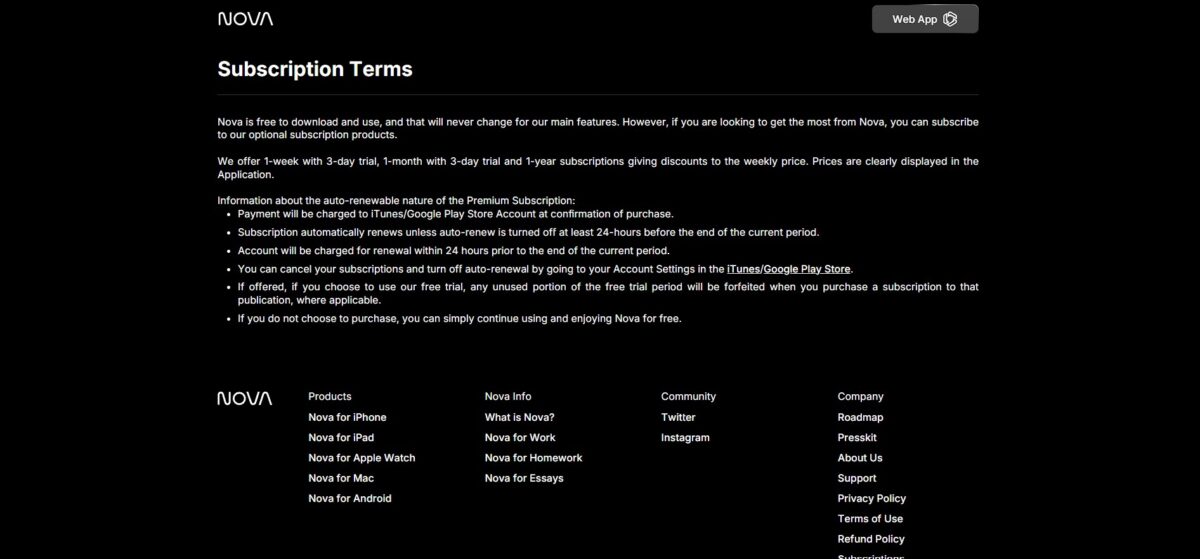
Weekly: $4.99/week. This tier includes a 3-day trial, allowing you to test the full feature set for a few days. It is an expensive way to use the service long-term, effectively doubling the monthly cost if you don’t cancel. This works well if you have a single project, like a heavy study session or a weekend trip to plan, and then want to bail.
Why this matters: You get a burst of unrestricted access for a specific task without a recurring monthly bill.
Takeaway: Activate this for high-intensity, short-term projects and set a reminder to cancel before the fourth day.
Monthly: $9.99/month. This is the core offering for most users, providing GPT-4 capabilities for half the price of a native OpenAI subscription. It removes the ads and opens up the creative writing and proofreading tools for daily use. While it is more affordable, the model performance can occasionally lag behind the official ChatGPT app during peak hours.
Why this matters: It provides a budget-friendly path to advanced AI models on your phone.
Takeaway: This is the best balance for students or writers who need an assistant daily but can’t justify a $200 annual expense.
Yearly: $49.99/year. This is the “set it and forget it” option that brings the monthly cost down to about $4.16. For the price of two cups of coffee a month, you maintain a persistent AI assistant on all your devices. The risk is that if a significantly better app launches in six months, you are locked into this ecosystem until the renewal date.
Why this matters: It offers the lowest per-month price for consistent, ad-free access.
Takeaway: Commit to this only after you have used the 3-day trial and confirmed the mobile app fits your specific workflow.
Nova key features
Multi-Model Logic Selection
Switch between GPT-4o, Claude 3.5, and Gemini 1.5 Pro within a single mobile interface. It stops you from paying for three separate subscriptions just to compare how different models handle a complex Python bug or a creative writing prompt. You get the best available reasoning for your specific task without the $60 monthly overhead.
Apple Ecosystem Continuity
Synchronize your active chat threads across iPhone, iPad, Mac, and Apple Watch via iCloud. It spares you the frustration of starting a research project on your laptop and having to copy-paste the context to your phone when you leave your desk, so your workflow stays uninterrupted as you switch hardware throughout the day.
Optical Character Recognition (OCR)
Snap a photo of a whiteboard or a printed document to convert it into editable text or a summary. It excels at extracting data from messy meeting notes or textbook pages, saving you from manual typing during late-night study sessions. Paper notes become digital context you can act on in seconds.
Real-Time Web Browsing
Feed the AI a prompt about today’s stock prices or breaking news to bypass the standard model knowledge cutoff. It pulls live data from the internet to ensure your answers are grounded in current events rather than stale training data. This matters because it provides accuracy for time-sensitive queries that a standalone LLM would get wrong.
Wrist-Based Interactions
Access a simplified chat interface directly on your Apple Watch for quick voice-to-text replies and summaries. It works well for checking a quick fact or sending an AI-refined message while your hands are full, though it is less ideal for long-form document editing. It earns its place when pulling out a phone is inconvenient or socially awkward.
Tone and Style Refinement
Paste a blunt email draft to adjust the professional warmth or technical depth before hitting send. It catches accidental passive-aggressive phrasing and suggests synonyms that better fit your intended audience. Filtering emotional bias out of your messages helps protect your professional reputation.
Nova Pros & Cons
Pros
Nova puts GPT-4o and Claude 3.5 Sonnet in your pocket without the steep monthly cost of multiple official apps. History syncs across iPhone and Apple Watch without any fuss, so you can start a draft on your wrist and finish it on your phone with no friction during a quick creative burst. It handles homework help and proofreading with specific logic modes that feel less clinical than a standard chat window.
Cons
The interface pushes a weekly subscription model that can quickly outprice a standard annual plan if you aren’t careful. While it aggregates several models, you are stuck within a wrapper that might lag behind when OpenAI or Anthropic release brand-new features. In practice, you may wait for an app update before the absolute latest API capabilities reach you.
Use Nova if you want…
- …to crush writer’s block on your iPhone or Watch.
- …instant proofreading for your late-night Slack messages.
- …structured essay outlines generated in seconds from your wrist.
- …to solve complex math problems while on the move.
- …creative story prompts to fuel your next viral thread.
- …multiple AI models in one slick, mobile-first interface.
- …to refine your professional tone without opening a laptop.
Nova alternatives
 ChatGPTRead review →
 ClaudeRead review →
 Google GeminiRead review →
 Microsoft CopilotRead review →
 GrokRead review →
 Jasper AIRead review →
Nova Reviews
The Apple Watch integration is a game-changer for quick homework help, though the weekly subscription feels a bit steep.
Great for polishing late-night emails on my phone, but I always double-check the logic on more complex math problems.
Love having GPT-4o in my pocket for instant proofreading, even if the interface gets a little crowded on smaller screens.
Perfect for generating essay outlines on the go, but the free version’s daily limits are reached quite quickly.
A reliable mobile assistant for creative writing prompts, though it occasionally struggles with very niche technical jargon.
FAQ
Which AI models power Nova?
Nova is built using a combination of advanced technologies including GPT-4o, GPT-4, Google Gemini, Claude, and DeepSeek to provide accurate and human-like responses.
Can Nova search the internet for real-time information?
Yes, Nova can browse the internet to provide current facts, latest sports scores, or help with software updates, overcoming the knowledge cutoff limits found in standard AI models.
Does Nova support multiple languages?
Nova features multi-language support for over 140 languages, allowing users to have full conversations and translate text across various language barriers.
On which devices can I use Nova?
Nova is cross-compatible and available on a variety of platforms including iPhone, iPad, Apple Watch, Android, macOS, and through a web browser.
Can I use Nova for free?
Nova offers a free version that allows users to try the service, while Pro memberships are available for those who want unlimited access to advanced AI features.
Does Nova remember my previous conversations?
Yes, Nova has the ability to maintain dialogs by remembering your full chat history, which allows it to understand context and answer follow-up questions accurately.
How do I cancel my Pro subscription?
Web subscribers can cancel through their account settings under My Pro Subscription, while iOS users can manage and cancel subscriptions through their Apple ID settings at least 24 hours before renewal.
Are my subscription payments refundable?
Subscription services are generally non-refundable, so users are encouraged to utilize the free trial to ensure the service meets their needs before committing to a paid plan.
Similar tools
 KreoCloud AI takeoff and estimating platform that measures, counts and prices construction drawings, with an AI agent that runs multi-step jobs.
 Cabina.AIToken-based AI workspace that puts 55+ text, image, video and audio models, a RAG knowledge base and scheduled AI agents in one
 PlerdyWebsite analytics and CRO suite with heatmaps, session replay, free A/B testing, SEO audits and an MCP connector for asking Claude or