

Numerous.ai
Data AnalysisUpdated October 27, 2026
Google Sheets and Excel add-on that runs ChatGPT as cell formulas to classify, extract, clean, translate and write text across thousands of rows.
We may earn a commission when you sign up through our links. It does not affect our reviews.
What is Numerous.ai?
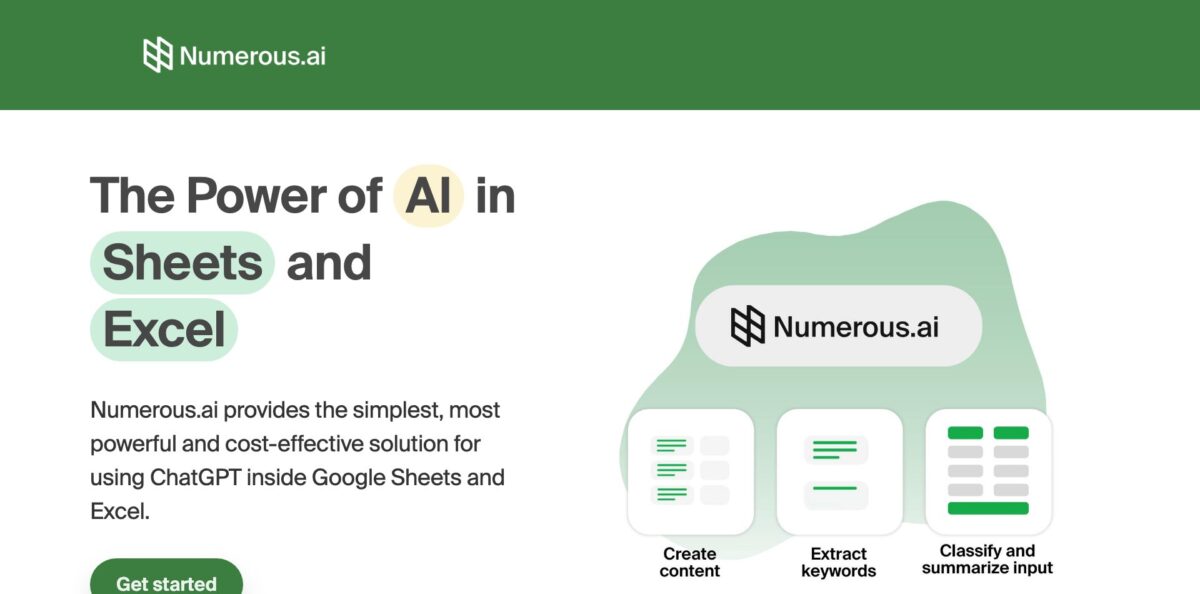
Numerous.ai turns ChatGPT into a set of spreadsheet formulas for Google Sheets and Excel. Instead of pasting rows into a chat window, you type =AI, =WRITE or =INFER in a cell, point it at your data, and drag the formula down a column to summarize feedback, extract fields, rewrite product copy or translate text in bulk. Requests go to OpenAI through Numerous’s own API account, so you never handle an API key, and answers are cached so routine sheet refreshes do not bill the same prompt twice. A sidebar adds plain-English formula generation and an Explain formula tool for inherited files. The weak spots are per-cell processing that slows down on large ranges and a trial that turns into a paid plan, which a number of reviewers say caught them off guard. Pick it if your text-heavy work already lives in a spreadsheet.
How to start using Numerous.ai?
Install the add-on from the Google Workspace Marketplace, where it is listed as Numerous.ai: ChatGPT for Sheets, or add the Excel version from Microsoft’s add-in store. The Excel add-in runs in Excel 2016 or later on Windows and Mac and in Excel on the web, and once installed it sits under Insert, then Add-ins. During the Google install you grant permission to view and manage the spreadsheets the add-on is installed in, show a sidebar and connect to an external service. The onboarding flow on numerous.ai asks a few questions about your work and lets you create the account with a Google or Microsoft sign-in. Each plan opens with a 7-day trial, and the Start Free Trial button leads to a Stripe checkout page, so write down the end date as soon as you begin.
Begin with a column of messy text, such as customer support messages in column A. In column B, type =AI(“Here’s a message from a customer:”, A2, “summarize it in 1-2 bulletpoints”), press Enter, and drag the formula down. The function joins your fixed instructions with the contents of each cell, so one prompt becomes a hundred row-specific requests. For writing jobs, =WRITE follows the same pattern, for example =WRITE(“a message to”, A2, “thanking them for”, B2) to draft thank-you notes from a list of customer names and purchases.
The screen that changes how you work is the Numerous sidebar, opened from the Extensions menu in Sheets. It holds templates with fill-in-the-blank fields: extract a merchant name from an invoice column, reformat phone numbers into one pattern, analyze the sentiment of reviews, classify companies by industry, guess a person’s name from an email address, or translate a column into German. Numerous also writes formulas from a sentence and explains formulas you did not write yourself. When a task is too fuzzy to describe in words, switch to =INFER: fill four or five rows by hand as examples, and the function completes the remaining cells by following your pattern.
Before trusting a full column, check 10 to 20 results against their source rows. One AppSumo buyer reported that the sidebar shows your remaining tokens and that INFER consumed tokens noticeably faster than translation on the same batch, so run a small sample first and compare the counter before and after. Once the output looks right, copy the column and paste it back as values. That freezes the text, stops any further recalculation, and gives colleagues a clean sheet that does not depend on the add-on.
Who is it for?
E-commerce Sellers
A catalog with hundreds of thin product descriptions and a pile of unread reviews is the classic use case Numerous markets to. =WRITE drafts descriptions from the title and attribute columns you already have, and the sentiment template sorts reviews into positive and negative. Expect to spend your time editing drafts rather than writing from a blank page.
Content and SEO Marketers
Keyword lists, meta descriptions, ad headline variants and social posts all fit naturally into rows. You keep the prompt, the input and the output side by side, which makes it easy to compare versions and hand the sheet to a client. Bulk translation covers the same content for other markets without a separate tool.
Researchers and Students
Open-ended survey answers are tedious to code by hand. Numerous can summarize each response, assign it to a category and extract specific details, and one researcher on the Google Marketplace says it picks up the intended task from just a few examples. Spot-check the categories against a manual sample before reporting any numbers.
Operations and Data Analysts
Messy input such as inconsistent phone formats, company names typed five ways or merchant names buried in invoice text slows down every report. The Reformat, Extract and Classify templates normalize those columns before they reach a pivot table or a BI dashboard. Clean inputs mean fewer manual fixes downstream.
Spreadsheet Users Who Avoid Formulas
If VLOOKUP, QUERY or regular expressions send you to a search engine every time, the formula generator writes them from a plain-English sentence. Explain formula does the reverse for spreadsheets you inherit from a colleague. You stop guessing what a nested formula does before you change it.
Small Teams Prototyping AI Workflows
Product managers and engineers can test prompt structures across rows and share the results without building anything. The Pro plan shares with up to three people, and Enterprise adds per-seat billing for larger groups. A spreadsheet becomes a cheap sandbox for deciding whether a prompt is good enough to automate.
Numerous.ai pricing
Numerous.ai sells allowances of characters rather than message counts: every plan includes a fixed number of characters of ChatGPT inputs and outputs, so both your prompt plus cell content and the generated answer count against it. The official prices sit on the homepage with a monthly and yearly toggle that defaults to yearly billing, which the page says saves 57%. All self-serve tiers start with a 7-day free trial, and the current plan table shows no permanent free tier. The site states you can cancel anytime and keep your remaining tokens.
Includes 1 million characters of ChatGPT inputs and outputs, works in both Google Sheets and Excel, and is limited to a single user.
Includes 5 million characters, works in Sheets and Excel, can be shared with up to 3 people on your team, and adds email support.
A slider sets anywhere from 3 to 100 seats, and five seats come to $40/month on yearly billing. Each person gets 1 million characters, plus priority email support and video call onboarding on request.
Contact Numerous for larger allowances; the pricing section invites teams that need more to ask for a custom plan.
Read the trial rules closely. The terms of service say billing details may be required before the trial starts, payment may be due once it ends, and Numerous may decline a refund if you cancel after a payment is due. All five Trustpilot reviews available when this page was checked describe a trial that rolled into a paid, often yearly, subscription without the customer noticing. You can cancel through the Manage account billing portal linked in the site footer or by emailing support.
Numerous.ai key features
The =AI formula
You combine quoted instructions with cell references, for example asking which state a phone number in A2 comes from, and drag the formula down to run it on every row. It works like a regular spreadsheet function, so it fits into existing sheets without new tooling.
Learning by example with =INFER
Fill four or five cells with the result you want, then let the function complete the rest of the column by following that pattern. It suits formatting, categorizing and sentiment jobs that are hard to describe but easy to demonstrate. One AppSumo buyer noted it used tokens faster than plain prompts, so give it a tight example set.
Text generation with =WRITE
Describe what you need, such as a brand tagline mentioning the features in column B, and the formula writes it from your row data. It covers marketing copy, SEO descriptions and replies to customers at scale. Expect to edit the output for tone before it goes public.
Formula generator and Explain formula
Type what you want in plain English and Numerous returns the spreadsheet formula, from SUM and COUNTIF to VLOOKUP, QUERY and REGEX. The Explain formula option translates an existing formula back into a plain-language description. You spend less time reverse-engineering colleagues’ spreadsheets.
Template sidebar
Ready-made forms for Extract, Reformat, Analyze Sentiment, Classify, Guess and Translate let you fill in the column, the target and the format, then press Enter. Instructions and examples for each formula appear right in the sidebar, which one AppSumo reviewer singled out as the standout design choice, though others asked for clearer onboarding.
No API key and response caching
Requests travel to OpenAI through Numerous’s own API account, and only data passed into =AI, =WRITE or =INFER is stored, in a database on Google Cloud in the United States. Cached responses mean recalculations do not burn your allowance again, and OpenAI states that API data is not used for training and is kept for 30 days for abuse monitoring.
Google Sheets and Excel in one plan
Every tier covers both spreadsheet apps, with Excel support from version 2016 on Windows and Mac plus Excel on the web. The Google Sheets listing shows more than 563,000 installs and a 4.1-star average from 115 ratings.
Numerous.ai Pros & Cons
Pros
Numerous.ai keeps AI work inside the cell grid you already use, which removes the copy, paste and reformat loop of a chat window. Drag-down formulas turn one well-written prompt into hundreds of consistent results, and =INFER handles tasks you can show more easily than explain. There is no OpenAI account to set up, no API billing to monitor, and caching prevents sheet refreshes from eating your allowance. One subscription covers both Google Sheets and Excel, and the privacy policy is specific about what is stored and where. The formula generator and Explain formula help even when you never touch the text functions. Use it for repeatable text jobs on structured rows, and save your best prompts in a template tab.
Cons
The trial and billing setup draws the harshest criticism: Trustpilot reviewers describe automatic yearly charges after the trial and refused refunds. Processing happens cell by cell, which a Marketplace reviewer found slow for big ranges, and AppSumo buyers mention lag and errors on large datasets. Some users could not install the add-on while signed in to several Google accounts in one browser. The allowance is counted in characters, so long prompts and long outputs drain it faster than you might expect. Numerous does not name the OpenAI model versions on its pricing or privacy pages, so you cannot tell which model handles your rows. Test with a single Google account in a clean browser profile, and set a calendar reminder before the trial ends.
Use Numerous.ai if you want…
- Run ChatGPT prompts across thousands of spreadsheet rows.
- Classify customer reviews by sentiment without leaving Sheets.
- Write product descriptions in bulk from catalog columns.
- Teach AI a pattern with five worked examples.
- Generate VLOOKUP or QUERY formulas from plain English.
- Understand inherited formulas through plain-language explanations.
- Standardize messy names, phone numbers and company fields.
- Translate whole columns of text into another language.
- Skip managing your own OpenAI API key and billing.
Numerous.ai alternatives
 SheetAIRead review →
 RowsRead review →
 JuliusRead review →
 Microsoft CopilotRead review →
 Google GeminiRead review →
Numerous.ai Reviews
Long-time users on the Google Workspace Marketplace say it saves real time on business spreadsheets, especially when the formula generator produces formulas they could not have written alone, and they praise Explain formula for decoding complex sheets.
A researcher on the Marketplace calls it intuitive and says it picks up the intended task from a few examples, while critics there report install failures with multiple Google accounts, repeated errors and slow cell-by-cell processing on large ranges.
AppSumo buyers liked the clear sidebar instructions, the visible token counter and not needing an OpenAI key, but flagged lag on big datasets and noted that INFER burned through tokens much faster than translation.
Trustpilot reviewers, all giving one star, say a free trial turned into a paid yearly subscription without a reminder and that refund requests were refused or went unanswered.
A Reddit user in r/googlesheets expected a small free allowance but found every operation redirected to a payment link, and Marketplace reviewers echo that pricing could be more transparent up front.
FAQ
Is there a free plan for Numerous.ai?
No permanent free tier appears on the current pricing table. Every plan starts with a 7-day free trial, and the terms note that billing details may be collected before the trial begins and charged when it ends.
Do I need an OpenAI API key?
No. Numerous routes your requests to OpenAI through its own API account, so you install the add-on, sign in and start typing formulas.
Does Numerous.ai work in Excel as well as Google Sheets?
Yes. Each plan covers both apps, and the Excel add-in runs in Excel 2016 or later on Windows and Mac and in Excel on the web.
What happens to my spreadsheet data?
Only text you pass into =AI, =WRITE or =INFER is sent to OpenAI and cached in a Google Cloud database in the United States. OpenAI states it does not train on API data and keeps it for 30 days for abuse monitoring.
How are the usage limits counted?
Plans include characters of ChatGPT inputs and outputs: 1 million on Personal, 5 million on Pro, and 1 million per person on Enterprise. Long prompts and long answers both reduce the balance.
Can my team share one subscription?
Pro can be shared with up to 3 people. For bigger groups, Enterprise bills per seat, from 3 to 100 users, with 1 million characters for each person.
How do I cancel my Numerous.ai subscription?
Cancel through the Manage account billing portal linked in the site footer or by emailing support. Do it before the trial or renewal date, because the terms allow Numerous to refuse refunds once a payment is due.
What can I do with the =INFER function?
You fill a few cells with example results, and =INFER completes the rest of the column by following that pattern. It works well for categorizing, formatting and sentiment tasks that are easier to demonstrate than describe.
Similar tools
 HexCollaborative analytics workspace that mixes SQL, Python and AI agents in notebooks, then publishes results as data apps and plain-language answers.
 WindwardMaritime AI platform that fuses AIS, satellite and ownership data into vessel risk scores, sanctions screening, alerts and container ETAs.
 Delve AIAI market research platform that builds personas from analytics, CRM and social data, then lets you chat with them or run synthetic