

Ocrolus
Data AnalysisUpdated November 19, 2026
AI document and cash flow analytics platform for lenders that turns bank statements, pay stubs and tax forms into verified underwriting data with fraud checks.
We may earn a commission when you sign up through our links. It does not affect our reviews.
What is Ocrolus?
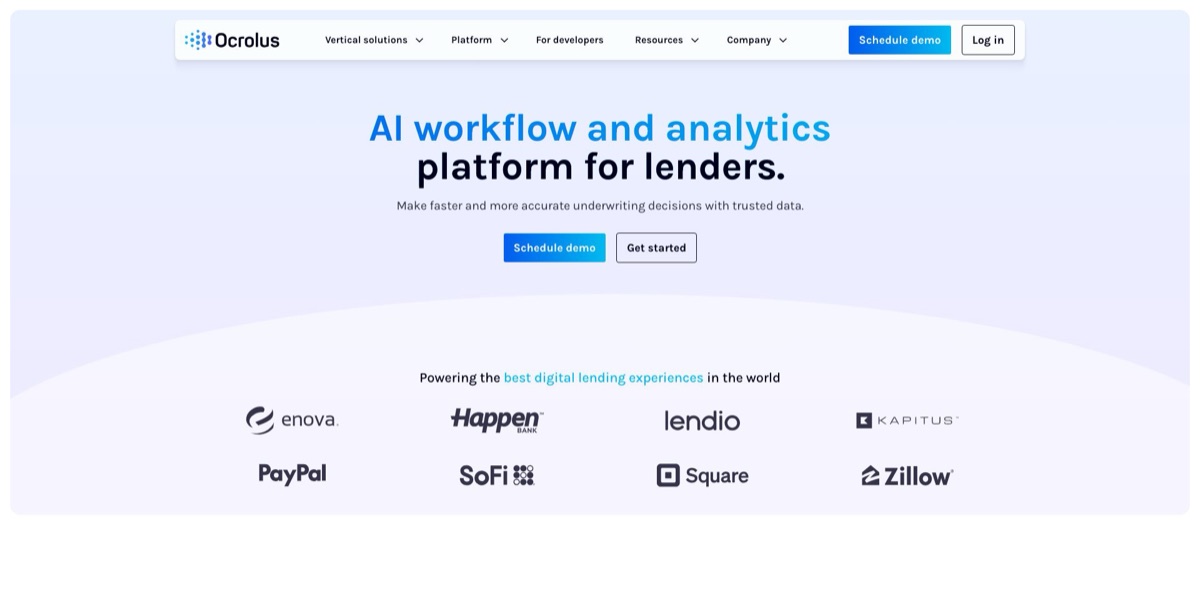
Ocrolus is a document AI and cash flow analytics platform built only for lenders. You upload bank statements, pay stubs, tax forms and other borrower files, and it classifies each document, captures the fields as structured data, checks for tampering and calculates income or cash flow metrics, through a web dashboard or a REST API. Under the hood it orchestrates fine-tuned open-source models alongside models from OpenAI, Gemini and Anthropic, then sends uncertain items to human reviewers, which is how the company backs its 99+% accuracy claim. That human layer is also the weak spot: fully verified Complete processing is slower than automated Instant processing, and users have complained about waits on busy days. Ocrolus fits SMB funders, mortgage lenders and fintechs that process loan files at volume, not someone who needs one statement converted to Excel.
How to start using Ocrolus?
Start from the Get started button on the Ocrolus site, which opens account sign-up, or click Schedule demo if you need API access, Encompass integration or volume pricing from day one. According to the Ocrolus FAQ, the free trial lets you analyze up to 100 pages of bank statements, W-2s, 1040s and pay stubs, enough for a few real loan files. Web app users can start processing immediately, while API customers go through an implementation that Ocrolus says puts most clients in full production within a month.
Your first real job is a Book, the container Ocrolus uses for one applicant or deal. On the Books page of the Dashboard, click NEW BOOK, enter a name, pick a Processing Type and upload the statements in the File Uploader. Through the API the same flow takes two calls: create a Book, then post the PDF together with its book_uuid. Choose Instant when you want fully automated speed on supported document types, and Complete when you need the human-verified path for scans, phone photos or unusual bank layouts.
When processing finishes, expand the Book Summary panel and move between the Accounts and Transactions pages. That is where the cash flow analytics live: tagged and enriched transactions, revenue and debt figures, NSF and overdraft flags and, for non-QM mortgage files, the bank statement income calculator with editable inputs and one-click PDF export. If you plan to integrate, create OAuth 2.0 credentials under Account & Settings, API Credentials, and register a webhook for the verification_complete event instead of polling. Instant on the Dashboard, Detect and some analytics modules have to be switched on by your account manager, so ask for them early.
Before you trust a number, check the Processing Type column to see whether each Book ran through Instant or Complete, and upgrade single documents to Complete when Instant could not read them. Sort Books by Authenticity Score so the lowest-scoring documents get reviewed first, then open the flagged signals and confirm the edits yourself. Finally, export the analytics or push them into your loan origination system through the API or the Encompass and MeridianLink integrations.
Who is it for?
SMB funders and MCA underwriters
Every deal arrives as months of bank statements, and reading them line by line caps how many files an analyst can clear in a day. Ocrolus tags transactions, calculates revenue and debt capacity, and flags payments to other lenders using a library of more than 700 lender name variations. The Ocrolus Intelligence modules add the merchant’s prior loan inquiry activity and percentile benchmarks against industry peers.
Mortgage lenders on Encompass
Income for self-employed, rental and gig borrowers takes hours to calculate and invites errors. Ocrolus indexes more than 2,000 document types, calculates income, and its Inspect module compares documents with 1003 application data to generate conditions you import into Encompass. Income outputs are eligible for Fannie Mae and Freddie Mac representation and warranty relief.
Brokers and ISOs
You send the same merchant file to several funders and lose track of who received what. Encore lets you share a standardized cash flow profile, with fraud checks, industry classification and the original documents, to partners on a double opt-in allowlist. Declined leads can go to referral partners instead of sitting in your CRM.
Fintech and consumer lending developers
You want statement and pay stub data inside your own onboarding flow, not a separate portal. The REST API, the embeddable widget with bank connection and the email connector cover intake, while webhooks tell your system when a Book is done. Ocrolus’s own customer pages list auto finance, tenant screening and tax preparation companies running this setup.
Forensic accountants and litigation teams
Subpoenaed statements have to become transaction schedules that hold up in court. Ocrolus captures every transaction and keeps human verification on hard documents, and a Capterra reviewer describes using it for line-by-line divorce financial analysis. You review a spreadsheet instead of retyping statements for a week.
Ocrolus pricing
There is no public price list. The /pricing/ address redirects to the homepage, and the FAQ states that cost depends on document type, extraction needs, volume and contract terms. You pay for documents processed, not for seats, so once the API is set up you can add as many users as you need at no extra charge. Blank pages are built into the price rather than billed separately, because Ocrolus still checks them for signs that information was removed. The homepage describes the model as outcome-based unit economics, and Ocrolus says it passes efficiencies from newer foundation models on to customers.
Up to 100 pages of bank statements, W-2s, 1040s and pay stubs, according to the FAQ. Use it to compare Ocrolus output with your own manual review on real files.
Custom, quote-based. Priced per document processed, varying with document type, extraction depth and volume, with unlimited users. You get a quote after a demo or through the chat on the website.
Custom, quote-based. Since October 2026, Detect document fraud detection is included at no added cost for every Ocrolus mortgage customer, so you no longer negotiate it as a separate add-on.
Ocrolus key features
Classify and Capture handle the intake
Mixed PDFs and image groups are split into individual forms, matched against more than 2,100 supported form types and turned into structured fields with confidence scores and validation summaries. The approach is not template-based, so a bank layout Ocrolus has never seen can still be read. Your team stops renaming files and keying balances by hand.
Instant and Complete processing let you trade speed for certainty
Instant Books are processed entirely by machine, while Complete adds Human-in-the-Loop review by Ocrolus data professionals working in SOC-compliant clean-room facilities. You can upgrade a single document or a whole Book, or configure an automatic switch to Complete when Instant cannot parse a statement.
Detect checks documents for fraud in three layers: math checks on balances, totals and dates, forensic analysis of file metadata and pixels powered by Resistant AI, and detection of screenshots and AI-generated content. Each document gets an Authenticity Score from 0 to 100, where 0 to 55 is LOW, 56 to 80 is MEDIUM and 81 to 100 is HIGH, plus reason codes that explain each flag. You can set thresholds that route risky files to a fraud analyst and let clean ones move on.
Cash flow analytics and Ocrolus Intelligence turn transactions into underwriting inputs
You get enriched and tagged transactions, a customizable revenue formula, NSF and overdraft flags, loan inquiry history and peer benchmarks by industry. Docs-to-Digital matching compares Plaid transaction data with the uploaded PDFs and ranks mismatches as High, Medium or Low.
Mortgage income and Inspect cover the loan file end to end
Income calculations support W-2, 1099, gig, self-employed and rental income, with calculation accuracy insured by Lloyd’s America and integrations for the Fannie Mae income calculator and Freddie Mac AIM Check. Inspect compares borrower documents with 1003 data, surfaces undisclosed debts and large deposits, tracks document expiration and imports conditions into Encompass with one click.
Encore is a sharing network for small business funding
Brokers and lenders send a merchant cash flow profile, with analytics, fraud checks and original documents, to approved partners, who can preview the data and accept or reject it. Every share and acceptance is logged for audits. It turns declined applications into referral or syndication revenue rather than lost leads.
The API, widget and email connector bring documents in from wherever borrowers send them
The REST API uses OAuth 2.0 credentials, webhooks and a rate limit of 20 requests per second per organization, with uploads up to 200 MB, up to 2,000 documents and 40,000 pages per Book. The embeddable widget collects uploads or bank connections on your site, and authorized senders can simply email attachments to create or update a Book.
Ocrolus Pros & Cons
Pros
Ocrolus is built around lending decisions rather than generic OCR, and it shows. Beyond extraction you get revenue and income calculations, lender payment detection, fraud signals with an explainable Authenticity Score and, for mortgage teams, conditions that land directly in Encompass. The human review layer means hard documents such as phone photos and faxes still come back verified instead of failing silently. Security paperwork is unusually complete for a vendor this size, with SOC 2, SOC 3, ISO/IEC 27001 and PCI DSS reports in its trust portal. Pricing per document with unlimited users suits growing underwriting teams. Pull the SOC 2 report from the portal on day one so your vendor review runs in parallel with the trial.
Cons
You cannot budget without a sales call, because there is no public pricing beyond the free trial. Complete processing depends on human reviewers, and users on Capterra and G2 report waits from 30 minutes to a full business day when volume spikes. Several useful pieces, including Instant on the Dashboard, Detect, Ocrolus Intelligence and Docs-to-Digital, must be enabled by an account manager. The product is centered on US documents and English-language files, so international lenders should check coverage first. Most public reviews date from 2021 and 2022 and were collected after vendor invitations. Ask for turnaround commitments for Complete processing in writing before you sign.
Use Ocrolus if you want…
- Automate bank statement analysis for small business funding.
- Calculate mortgage income from pay stubs and tax returns.
- Catch edited PDFs before they reach your underwriters.
- Turn borrower documents into structured data through an API.
- Generate mortgage conditions from Encompass 1003 data automatically.
- Compare Plaid transactions against uploaded bank statements.
- Share vetted merchant cash flow profiles with funding partners.
- Scale loan volume without adding manual review staff.
Ocrolus alternatives


Ocrolus Reviews
Capterra reviewers, mostly underwriters and lending staff writing in 2021 and 2022 after a vendor invitation, praise the API and the accuracy of bank statement capture, though even satisfied users mention longer waits on complicated statements.
Several loan processors on Capterra say speed dropped during busy periods, with extraction taking 30 minutes to an hour and some lender payments missed, so they ended up double-checking the output by hand.
On G2, where Ocrolus averages 4.6 from 16 reviews, one user values the data but dislikes that results do not come back in seconds and a review can take a full business day.
A data scientist on Capterra calls the bank statement analytics reliable and support responsive, but says new analytics and updated guides were released without anyone telling customers.
An underwriting director on Capterra finds it easy to use and consistent, while asking for better reporting and a more transparent process for reviewing suspicious activity flags; another reviewer calls it a great product but a bit pricey.
FAQ
Is there a free trial of Ocrolus?
Yes. The Ocrolus FAQ says the free trial lets you analyze up to 100 pages of bank statements, W-2s, 1040s and pay stubs, and you start it from the Get started button on the website.
How much does Ocrolus cost?
Pricing is quote-based and charged per document processed, depending on document type, extraction needs, volume and contract terms. There is no per-user fee, and blank pages are included rather than billed separately.
What documents and file formats can Ocrolus process?
Ocrolus supports more than 2,100 form types, including bank and brokerage statements, pay stubs, tax forms, IDs, utility bills and voided checks. Besides PDFs it reads JPEG, PNG, BMP, GIF and TIFF images, including lower-quality phone photos.
Does Ocrolus work with documents in other languages?
The focus is English-language, mostly US documents, and ID processing covers US passports, driver’s licenses and state IDs. One FAQ answer also lists Spanish and French bank statements as supported, so test your own samples if you lend outside the US.
Is borrower data secure with Ocrolus?
Ocrolus runs on Amazon Web Services and lists SOC 2, SOC 3, ISO/IEC 27001, PCI DSS and CSA STAR Level 1 in its security portal, along with GDPR, CCPA and GLBA compliance. Human reviewers work in SOC-compliant clean-room facilities.
Which systems does Ocrolus integrate with?
It integrates with ICE Encompass, MeridianLink, Plaid and Finicity, and the REST API is platform-agnostic, so it can connect to a custom loan origination system. Webhooks, an embeddable widget and an email connector cover the other intake routes.
What are the Ocrolus API limits?
The rate limit is 20 requests per second per organization across all endpoints. Upload requests are capped at 200 MB, a Book can hold up to 2,000 documents and 40,000 pages, and a single document up to 3,000 pages.
How long does processing take?
Instant processing is fully automated and fast, while Complete processing adds human review and takes longer. In a customer story on the Ocrolus site, Fora Financial reports extraction turnaround under 15 minutes, but a G2 user reports waits of up to a full business day.
Similar tools
 RossumIntelligent document processing platform that uses a proprietary transactional LLM to capture, validate and export data from invoices and orders.
 VeryfiDocument AI platform whose OCR APIs turn receipts, invoices, checks and bank statements into JSON, with built-in fraud checks and a mobile
 SprigEnterprise survey platform where AI agents design studies, run adaptive surveys across email, panels and apps, and turn responses into reports.