

Ollama
Developer ToolsUpdated October 5, 2026
Ollama is an open-source framework for running large language models locally on macOS, Windows, and Linux with full privacy.
We may earn a commission when you sign up through our links. It does not affect our reviews.
What is Ollama?
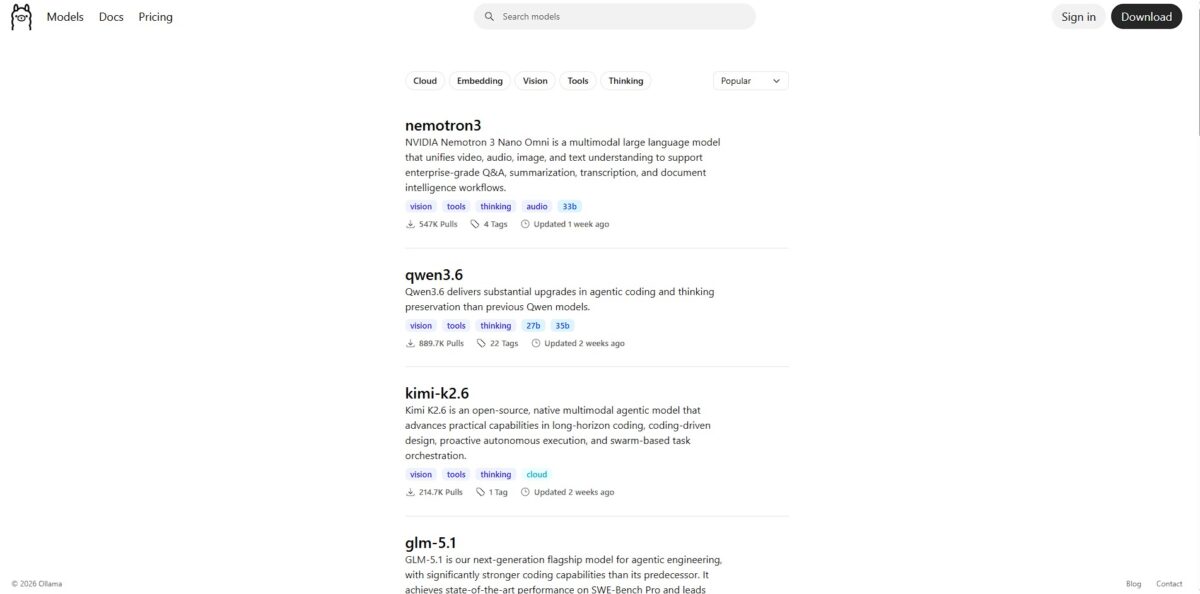
Ollama functions as a lightweight bridge that pulls large language models out of the cloud and onto your local silicon. It bundles model weights and configurations into a single, portable format, allowing you to run a private instance of Llama 3 or Mistral directly from your terminal. I noticed it handles memory offloading intelligently; if your GPU VRAM fills up, it shuffles the rest to your system RAM to keep the generation from crashing. That removes the latency of network calls and the recurring cost of API tokens while keeping your data strictly on-device. It works beautifully for building offline coding assistants or processing sensitive logs, though performance dips significantly on machines without a dedicated NVIDIA or Apple Silicon chip. Pick Ollama if you have at least 16GB of RAM and value data sovereignty over using the absolute largest models available.
How to start using Ollama?
Grab the installer for macOS or Windows from the official site. Linux users get a one-liner curl script that handles the heavy lifting. The Windows install sets up a background service automatically, which is handy but might surprise you if you’re picky about startup apps. This gets the engine running without you touching a single line of config code, and without the friction of setting up Python environments just to talk to an AI.
Open your terminal and type ollama run llama3.2. If it’s your first time, the tool fetches the model weights from the registry. You’ll see a progress bar that actually moves fast on a decent connection. Once it’s done, you get a chevron prompt ready for your questions. It’s a quick way to test a model’s logic before committing to building an app around it.
For a custom experience, create a Modelfile in your project folder. You can bake in a system prompt like “You are a senior Rust dev” so you don’t repeat yourself every session. Use the command ollama create my-assistant -f Modelfile to build your specialized variant. This turns a generic model into a focused tool tailored to your specific codebase or style. Specialized prompts also cut down on long, repetitive instructions in every chat.
Integration usually involves pointing your IDE or local web UI to localhost:11434. Most tools like Cursor or AnythingLLM have a toggle specifically for Ollama now. I noticed that if you have an NVIDIA GPU, the speed difference is night and day compared to CPU-only inference. It works well for private drafting, but expect your fans to spin up during long generation tasks.
Who is it for?
The Privacy Advocate
If you handle proprietary logic or client logs, sending data to a cloud API is a liability. Ollama keeps every token on your local disk, so your code never leaves your firewall. That matters because it eliminates the risk of sensitive data leaking into a public model’s training set.
The Python-Averse Developer
Many local LLM tools require managing complex virtual environments or specific CUDA versions. Ollama is a single binary that handles the setup for you. You get to focus on building your app instead of debugging dependency hell.
Offline Explorers
If you work from a remote research station, a plane, or a rural area with spotty service, cloud AI is useless. Once you pull the model weights, you have a fully functional assistant without an internet connection. It even runs while my laptop is in airplane mode without any lag, so your productivity isn’t tied to a Wi-Fi signal.
Hardware Power Users
If you invested in a high-end Mac or an NVIDIA GPU, you have untapped compute sitting idle. Ollama puts your silicon to work, generating text at speeds that rival paid APIs, and your hardware investment turns into a recurring cost saving. On the downside, it will drain your battery and spin your fans during heavy use.
Rapid Prototypers
Swapping between Llama 3, Mistral, and specialized coding models takes a single terminal command. You can test how different architectures handle your specific prompts in seconds rather than minutes. That speeds up the feedback loop when choosing the right model for a niche task.
Budget-Conscious Builders
Recurring monthly subscriptions and per-token fees add up when you are debugging or experimenting. Local inference is free once you own the hardware, allowing for infinite iterations without an invoice. There’s no financial friction to “failing fast” while learning.
Ollama pricing
Ollama operates on a model that favors the local builder over the cloud subscriber. You download the framework for free and run open-source models on your own silicon without recurring monthly bills or per-token charges. This setup shifts the financial burden from software subscriptions to your electricity bill and GPU upgrades. While the software itself costs nothing, the hidden tax is the hardware required to prevent a 70B parameter model from crawling at three tokens per second.
You get the CLI and desktop app for macOS, Linux, and Windows at no cost. This removes the barrier for developers prototyping private tools who want to avoid surprise API invoices at month-end. You can experiment as much as you like without a credit card on file.
These paid options exist for users who need to offload massive models to remote GPUs when local VRAM hits a hard ceiling. It provides a way to run heavy reasoning models without owning a thirty-thousand-dollar server rack. For small 7B models, though, the $0 local route is almost always the smarter choice. You only pay when your local hardware physically cannot handle the model size you need.
Ollama key features
Run open-source models like Llama 3 or Mistral directly on your hardware
You stop sending private code snippets to external APIs, keeping sensitive logic inside your firewall. No more data privacy leaks during development.
Bundle model weights and configurations into a single “Modelfile.” You define specific system prompts or parameters once and share them across your team for consistent results. This matters because it prevents the “it worked on my machine” prompt engineering headache.
Access your local models through a built-in REST API
You can hook up your custom Python scripts or web apps without complex orchestration or expensive token costs. You can prototype AI features for free before committing to a cloud provider.
Switch between different models with a single terminal command
The transition between a 7B parameter model for chat and a specialized coding model happens in seconds. The trade-off is that larger models will crawl if you lack a dedicated GPU. Still, it lets you pick the right tool for the specific task at hand.
Automatically manage GPU acceleration on macOS, Linux, and Windows
Ollama detects your hardware and offloads as much as possible to the video card without manual driver tinkering. You get faster inference speeds without becoming a systems administrator.
Ollama Pros & Cons
Pros
Ollama simplifies local model deployment to a single command. You skip the nightmare of configuring CUDA drivers or hunting for compatible binaries on GitHub. It runs models entirely on your machine, so proprietary code never leaves your network. Data privacy risks and recurring API subscription costs go away with it. Switching between Llama 3 and Mistral takes seconds, making it easy to test which architecture handles your specific prompts better. Use it to build and iterate on AI apps without an internet connection.
Cons
Hardware remains the ultimate bottleneck. Running a 70B parameter model on a standard laptop results in a painful crawl of one token per minute. You need significant VRAM to get the double-digit speeds required for a fluid chat experience. While it handles standard models well, custom fine-tunes require more manual effort to import compared to cloud platforms. You also give up the high-end reasoning of massive models like GPT-4o, and complex multi-step logic might fail on the smaller models your hardware can actually support.
Use Ollama if you want…
- Run open-weights models entirely on your own hardware.
- Keep sensitive data and prompts strictly private.
- Avoid recurring monthly API subscriptions and usage fees.
- Experiment with LLMs without an active internet connection.
- Integrate local AI into custom dev workflows via API.
- Test different model quantizations for speed and accuracy.
- Eliminate cloud latency for immediate on-device token generation.
- Maintain full control over model versions and deployments.
Ollama alternatives
Ollama Reviews
Ollama gives you access to major open source models on the cloud at a fraction of the cost, making it easy to test models like DeepSeek and Qwen.
It is the layer that lets a documentary editor run Gemma on their own laptop without managing Python environments or config files. Massive infrastructure for local-first AI.
We use it to run LLMs locally for faster iteration and zero latency. It is like having our own AI lab minus the massive GPU bills.
Having this on a long flight helped me prototype product changes without relying on spotty plane wifi. The data privacy is a huge plus.
Very easy and powerful to run and customize local LLMs. Integration with LangChain and LlamaIndex is straightforward and reliable.
FAQ
Does Ollama require an internet connection?
You need an internet connection to download the Ollama installer and the initial model files. Once the models are stored on your machine, you can run and interact with them completely offline.
How does Ollama handle my data privacy?
Ollama runs models locally on your hardware, meaning your prompts and the models’ responses never leave your machine or get sent to a cloud server for processing.
What are the hardware requirements for running large models?
Model performance depends heavily on RAM and VRAM. Small models usually need at least 8GB of RAM, while larger models like the 70B variants typically require 32GB or more and a compatible GPU for acceptable speeds.
Can I run multiple models at the same time?
Yes, Ollama supports loading multiple models concurrently if your system has enough available memory. You can adjust the maximum number of loaded models using the OLLAMA_MAX_LOADED_MODELS environment variable.
How do I update the models I have downloaded?
You can update a model to the latest version by running the ollama pull command followed by the model name. This will download any new weights or configurations available in the Ollama library.
What is quantization and why does it matter?
Quantization compresses large models to fit on consumer hardware by reducing the precision of their weights. It allows you to run powerful models on less memory, though it may slightly impact the accuracy of the responses.
Similar tools
 Novita AIDeveloper cloud with one API for 200+ open-weight AI models, plus GPU instances, dedicated endpoints and isolated sandboxes for AI agents.
 You.comDeveloper platform of web search, content extraction, cited research and model inference APIs that feed AI agents and RAG apps real-time web
 QodoAI code review platform that runs specialized agents on every pull request, enforces team rules and checks changes against tickets and linked