
Overchat AI
AI ChatUpdated October 18, 2026
Multi-model AI chat app that puts GPT, Claude, Gemini, Grok and DeepSeek plus image and video generators behind one credit-based subscription.
We may earn a commission when you sign up through our links. It does not affect our reviews.
What is Overchat AI?
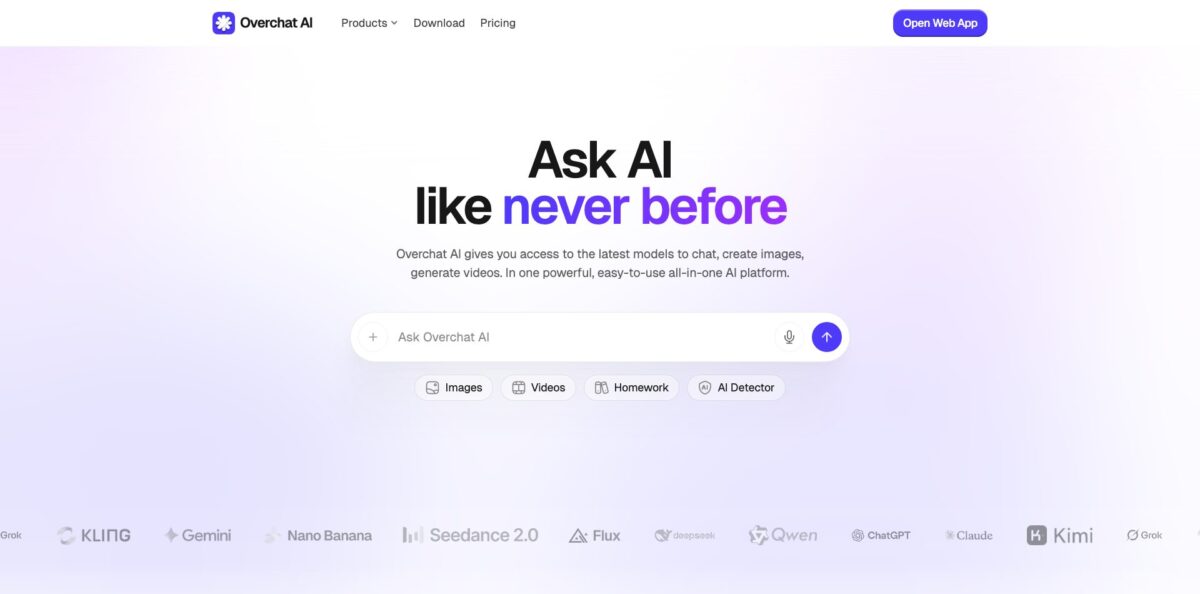
Overchat AI is a model aggregator: one chat window and one subscription that route your prompts to GPT, Claude, Gemini, Grok, DeepSeek, Mistral, Llama and dozens of other models, with image and video generators sitting in the same app. You can switch models mid-conversation or rerun a prompt through a different model to compare answers. Around the chat it bundles 100+ single-purpose mini apps: a homework and photo math solver, ChatPDF, an AI writer, humanizer, paraphraser, AI detector, face swap and short video effects. The problem it removes is paying $20 a month to three or four providers just to try each flagship model. The weak spot is the credit system: advanced models and video burn credits quickly, refunds are almost never granted once you use the service, and Overchat’s own pages describe the free tier differently. Take it if you are a casual or price-sensitive user who wants variety more than depth.
How to start using Overchat AI?
Open overchat.ai in a browser or install the iOS or Android app; the download page also lists an iPadOS build, while the Windows app and browser extension are still marked as coming soon. Sign in with Google or Apple. Some basic models and tools work without an account, but you need to sign in to keep chat history, which then syncs across web and mobile with the same account.
Start with a real task in the main chat box on the homepage or in the web app. Type a question, attach a file, an image or a PDF, and pick a model from the selector. On the free plan you are limited to basic models such as GPT-6 Luna and Gemini 3.8 Flash, which is enough to judge speed and tone. If your task is narrow, such as solving a math problem from a photo or summarizing a document, open the matching mini app from the tools catalog instead of the general chat, because it comes with a prepared prompt and layout.
The setting that matters most is the model picker. After upgrading to Pro you can choose advanced models such as GPT-6 Astra, Claude Opus 5.5, Claude Fable 5.1, Gemini 3 Pro and Grok 4.7, and image models such as Nano Banana 2, GPT Image 2.5, FLUX 2 Max and Seedream 5 Pro. Advanced models cost more credits per message than everyday ones, and Superchat agent runs spend credits for every step, so reserve the expensive models for prompts where quality really counts.
Before you rely on an answer, run the same prompt through two models and compare. This is the main reason to use an aggregator, and it also exposes weak or generic replies. For image and video work, check results in My Media and keep in mind that the content disclaimer puts fact-checking and usage rights on you. Watch your remaining credits after the first few video generations, since that is where balances drain fastest.
Who is it for?
Students
You need help with homework, essays and PDF readings, and you cannot justify several AI subscriptions. The photo math solver, chemistry solver and ChatPDF sit next to general chat in one app. Double-check answers, since the same tools can be wrong with full confidence.
Curious model hoppers
You want to see how Claude, GPT, Gemini and Grok handle the same prompt without opening four accounts. Overchat lets you switch models inside a conversation, so comparisons take minutes. This is the cheapest way to find out which provider suits your writing or coding style.
Content creators on a budget
You make social posts, thumbnails and short clips and want text, image and video models under one bill. Image models like Nano Banana 2 and video models like Kling and Seedance are part of the catalog. Plan around credits, because video eats the monthly allowance quickly.
Freelance writers and marketers
Drafting, paraphrasing, translation and AI detection live in the same workspace. You can draft in one model, rewrite in another and run a check without switching tools. Treat the humanizer and detector results as rough signals rather than proof.
Casual mobile users
You mostly ask quick questions, plan meals or summarize a link from your phone. The iOS and Android apps cover chat, image tools and voice input, and history follows you to the web. You may never need more than the free tier.
Small business owners
You write emails, product descriptions and simple marketing visuals and want one low-cost subscription. Overchat covers these everyday tasks without team setup. Overchat does not advertise shared workspaces or admin controls, so it suits one person rather than a team.
Overchat AI pricing
Overchat uses a freemium model with credits. The free tier gives a daily allowance on basic models, and the Pro subscription adds a monthly pool of credits that you spend on chat and generation. Everyday models cost about 1 credit per message, while advanced models, image and video generation and Superchat agent steps cost more. Overchat’s own pages are not fully consistent about the free tier: the pricing page lists 20 basic-model requests per day, while the FAQ and download pages mention 100 credits per day. Trustpilot reviewers also describe one-off charges such as $2.99 for single video or photo generations, so read the checkout screen carefully.
Daily access to basic models including GPT-6 Luna and Gemini 3.8 Flash, limited trial image generation, and basic writing, translation and summary tools. Some tools work without logging in.
8,000 credits per month, basic and advanced models (GPT-6 Astra, Claude Opus 5.5, Claude Fable 5.1, Gemini 3 Pro, Grok 4.7, Llama 4, Mistral, DeepSeek V4 Pro), image generation with GPT Image 2.5, Nano Banana 2, Nano Banana Pro, FLUX 2 Max and Seedream 5 Pro, plus custom chatbots for writing, translation, summaries, search and ChatPDF.
Same features and the same 8,000 monthly credits.
On mobile, subscriptions go through the App Store or Google Play, and the web accepts cards and PayPal. The refund policy says all purchases are final once you send any message, generate anything or use credits, with refunds only for unused purchases within 14 days or verified technical errors. Credits have no cash value, and unused ones are forfeited if your account is cancelled.
Overchat AI key features
Multi-model chat: One interface routes prompts to 50+ models from OpenAI, Anthropic, Google, xAI, DeepSeek, Mistral, Meta, Alibaba, Moonshot and others. You can switch models mid-conversation or run the same prompt through several of them. That gives you a quick way to compare answers and pick the right model per task.
Image generation and editing: The image studio uses models such as Nano Banana 2, Nano Banana Pro, GPT Image 2.5, FLUX 2 Max, Seedream 5 Pro, Recraft and Stable Diffusion. It covers text-to-image, image-to-image, combining two photos, unblurring and aspect ratio changes. Results are saved in My Media, where you can reuse them or send them to image-to-video.
Video generation: Text-to-video and image-to-video run on models such as Seedance 2.5, Kling 3, Veo 3.1, Sora 2, Hailuo and Wan, alongside effect tools like face swap video and video extender. It is the most credit-hungry part of the app.
100+ mini apps: Purpose-built tools sit in a single catalog: AI writer, essay writer, paraphraser, humanizer, AI text and video detectors, photo math solver, chemistry solver, bank statement and paystub analyzers, username generators and many viral image effects. Each one wraps a ready prompt and a simple form. You get faster results for narrow jobs without writing prompts yourself.
Documents and ChatPDF: You can attach PDFs, images, files and links to any conversation and ask questions about them
Pro adds custom chatbots for summaries, translation, search and ChatPDF. This suits reading long reports, lease agreements or presentations quickly.
Superchat agent mode: Described in the app as Super-mode, you describe a multi-step task and Overchat works through it step by step. Each step spends credits, so a long agent run costs much more than a single reply. It is useful for small research or writing chains rather than heavy automation.
Cross-platform sync and languages: The web app, iOS and Android apps share one account, chat history, generated media and subscription. The interface supports 25+ languages, and the app’s translator covers 100+ languages. Privacy pages claim GDPR and CCPA compliance and AES-256 encryption for chats.
Overchat AI Pros & Cons
Pros
The price is the main draw. At $49.99 a year, Pro costs less than three months of a single flagship chatbot subscription, yet it lists models from OpenAI, Anthropic, Google, xAI and DeepSeek plus image and video generators. Switching models inside one chat makes side-by-side comparisons quick, which helps you learn which model writes, codes or reasons best for your needs. The mini app catalog gives students and casual users ready tools for homework, PDFs and rewriting without prompt skills, and the web and mobile apps sync history and media. Users who previously paid separately for chat and image tools say the bundle saves them money. Start with the yearly plan only after you have confirmed that the models you care about respond well inside Overchat.
Cons
The credit system hides the real limits: 8,000 monthly credits sound generous until advanced models, agent runs and video start drawing them down. Free tier rules differ between Overchat’s own pages, and several users say a request required signup or payment sooner than they expected. Refunds are refused once you have used the service, and complaints about paid video or photo generations that failed or came out wrong are common, though support often offers replacement tokens. Some users question whether the named model is really the one answering. Overchat does not advertise team workspaces, admin controls or a public API. Keep your own record of what you paid for, and contact support before any chargeback.
Use Overchat AI if you want…
- Compare GPT, Claude and Gemini answers in one chat.
- Replace several AI subscriptions with one low-cost plan.
- Generate images with Nano Banana and FLUX models.
- Turn photos and prompts into short AI videos.
- Solve math homework from a phone photo.
- Summarize and question PDFs without extra tools.
- Paraphrase, humanize and check text for AI writing.
- Keep chats synced between phone and browser.
Overchat AI alternatives
 1min.AIRead review →
 ChatGPTRead review →
 Claude AIRead review →
 Google GeminiRead review →
 MonicaRead review →
 ChatboxRead review →
Overchat AI Reviews
Having many AI models in one app is the big win for most happy users: they no longer pay separately for chat and image generation and say the bundle genuinely saves money.
App Store reviewers like making videos with Sora and images with Nano Banana in a fast, simple interface, though one paying user said a video extension feature failed after payment and asked for a refund.
Several Trustpilot reviewers complain about paid video and photo generations that got stuck rendering or changed the wrong person, and say refunds were hard to get, although support usually offered replacement tokens.
Critics say the free tier asks for signup and a subscription quickly and that 8,000 monthly credits that expire are the real limit of Pro, while the company says new limits came after free tier abuse.
Early G2 reviewers praised the wide model choice for founders tired of stacking subscriptions, but noted bugs typical of a young platform.
FAQ
Is Overchat AI free?
Yes. The Free plan costs $0 and gives daily access to basic models such as GPT-6 Luna and Gemini 3.8 Flash, plus limited trial image generation. The exact daily allowance is described differently across Overchat’s pages, so check the limits shown in your account.
How much does Overchat AI Pro cost?
Pro costs $14.99 per month or $49.99 per year. Both include 8,000 credits a month, access to advanced chat models and image generation.
Which AI models can I use in Overchat AI?
Overchat lists 50+ models, including GPT, Claude, Gemini, Grok, DeepSeek, Mistral, Llama, Qwen and Kimi for text, plus image and video models such as Nano Banana, Seedream, FLUX, Kling, Seedance and Veo. Advanced models require Pro and cost more credits per message.
Is Overchat AI affiliated with OpenAI?
No. Overchat states it is an independent product that accesses OpenAI models through the OpenAI API alongside other providers, and it is not endorsed by OpenAI.
Can I get a refund from Overchat AI?
Only in narrow cases. The refund policy allows a refund within 14 days if you have not used the service at all, or after a verified technical error such as a duplicate charge; used credits and past subscription periods are not refunded.
Is my data safe in Overchat AI?
Overchat says it complies with GDPR and CCPA, encrypts chats with AES-256 and does not track usage. Avoid uploading sensitive personal or company documents, as with any third-party AI service.
Which platforms does Overchat AI support?
It runs on the web at overchat.ai and as iOS, iPadOS and Android apps, with history synced across devices. Windows, a Chrome and Edge extension and a Telegram mini app are listed as coming soon.
How do I cancel my Overchat AI subscription?
You can cancel at any time, and cancellation stops future charges. Mobile subscriptions must be cancelled through the App Store or Google Play, where they were purchased.
Similar tools
 Chat 4O AIAll-in-one AI workspace with GPT, Claude, Gemini and Grok chat plus image and video models like Veo, Kling and Nano Banana, paid
 LiveChatAIAI customer support agent trained on your website, docs and Q&As, with human live chat handoff, AI Actions, and WhatsApp, Slack and
 Kore.aiEnterprise agentic AI platform for building, governing and improving voice and chat AI agents for customer service, HR, IT and business processes.