
PFPMaker
Image GenerationUpdated October 27, 2026
AI profile picture studio that turns one selfie into business headshots, lifestyle photos and face edits, plus a free background and frame editor.
We may earn a commission when you sign up through our links. It does not affect our reviews.
What is PFPMaker?
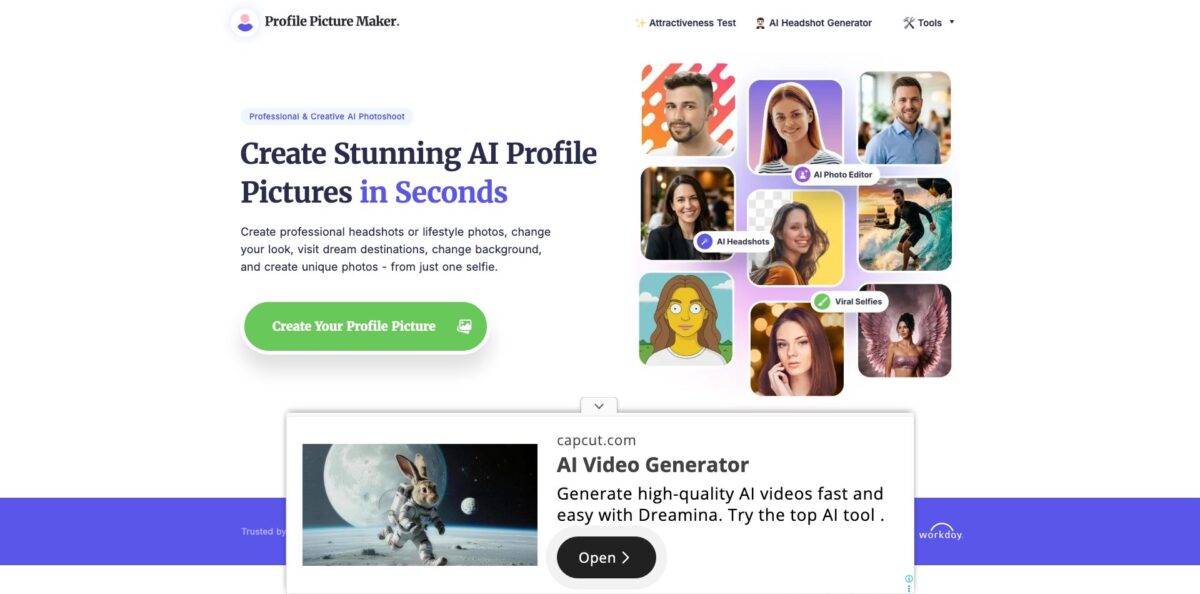
PFPMaker is a browser-based AI photo studio from the Estonian company Logopony OÜ that builds profile pictures from your own selfie instead of inventing a stranger from a text prompt. It began as a free background remover with frames and colored backdrops, and that classic editor is still free. The paid side now covers AI headshots in hundreds of business outfits and backdrops, lifestyle “photoshoots” for dating and Instagram, a chat-style editor and dozens of face tools for hair, makeup, outfits and accessory try-ons, running on its own model alongside GPT Image and Nano Banana engines. It solves the “I need a decent LinkedIn or CV photo today” problem for a few dollars. The weak spot is likeness: independent reviews split between people who got a dozen usable shots and people who saw someone else. Pick it if you want many looks from one subscription and will curate the results.
How to start using PFPMaker?
Click Create Your Profile Picture on pfpmaker.com and you land in the app at ai.pfpmaker.com. The dashboard is organized into Edit with Chat, AI Headshots, AI Photoshoot, Photo Editor and PFP Maker sections, and you can browse every style before paying. The PFP Maker Classic tools (background removal, new backgrounds, borders and text) need no credits at all. AI tools require an account, and generation runs on credits from a Starter, Pro or Premium subscription chosen on the Pricing page. If you only need a cleaned-up selfie, the separate Free Headshot Generator page works without signup, accepts JPG or PNG up to 5 MB and returns 30 background styles in about 15 seconds.
For your first real job, open AI Headshots and upload a clear, front-facing head-and-shoulders selfie taken in good light. The headshot page accepts PNG or JPG files up to 10 MB each, and the FAQ asks you to skip sunglasses, hats, heavy filters and group shots so the model can read your features. Next, pick an outfit, backdrop, pose and expression from the library, for example Navy Blazer, Light Grey Suit or Caramel Knit Sweater, and generate. PFPMaker quotes roughly 15 to 20 seconds per result and about three credits per polished headshot export.
The setting that changes results most is how much likeness you ask for. Instant mode works from a single selfie and finishes in seconds, which is enough to test a look. When a whole pack has to keep the same face, you can train a personal model on more photos; this takes a few minutes and, according to PFPMaker’s own documentation, holds face shape, eyes and hair more tightly. After that, the Photo Editor and the Edit with Chat box handle fixes: type “remove glasses”, “add a natural smile” or “make background blurry”, or open a dedicated tool such as Photo Relight, Accessory Remover or Outfit Changer.
Before you post anything, compare each result with a recent real photo of yourself and drop any image where your features drift. Download in the shape the platform expects: the headshot page lists square 1080 × 1080 for LinkedIn, Slack and GitHub, 4:5 portrait for Instagram, 9:16 for stories and a 1920 × 1080 landscape size for banners and slides. Paid downloads carry no watermark, and Pro and Premium include a commercial use license if the photo goes on a company site or into a press kit. If a generation fails for technical reasons, the credits return to your balance automatically.
Who is it for?
Job seekers
You need a professional photo for LinkedIn, a CV or an application portal this week, and a studio session is not in the budget. PFPMaker turns a selfie into suit, blazer or business-casual headshots for the price of a monthly subscription. Generate several, keep the two that actually look like you, and update your profiles the same day.
Remote team leads and HR
Your team page shows a mix of vacation crops and webcam stills taken years apart. Each person can generate a headshot from home using the same outfit and backdrop style, which gives the about page and email signatures a uniform look. Bulk or invoiced purchases are arranged through the contact page.
Dating app and Instagram users
You want fresh, natural-looking photos without hiring a photographer or asking friends to shoot you. The AI Photoshoot section places you in cafes, home offices, bright studios and travel settings, and the profile picture catalog adds aesthetic, fashion and seasonal looks. Be honest with yourself about likeness, because a match will notice.
Speakers, podcasters and consultants
Event pages, media kits and article bylines all ask for a high-resolution headshot, often in different moods. You can produce a formal version for a keynote bio and a relaxed one for a podcast thumbnail in the same session. Pro adds Enhanced HD output for print and large banners.
Casual users who just want a clean avatar
You like your current selfie and only want the messy room gone. The free classic editor removes the background, adds a color, gradient or photo backdrop, and frames it with a border or text. No credits, no card.
Product teams building social or creator apps
You want to offer AI profile pictures inside your own service. PFPMaker’s Business page invites developers to request API access for generating profile pictures from user photos on the fly.
PFPMaker pricing
PFPMaker runs on monthly subscriptions that refill a credit balance, and every AI generation or edit draws from that balance. Unused subscription credits roll over up to three times the plan’s monthly allowance, extra credit packs can be bought only while you have an active subscription and never expire, and the free classic tools cost nothing. Prices below come from the official pricing page in USD on October 25, 2026, when Pro and Premium were shown at a discount next to crossed-out list prices and a countdown banner.
PFP Maker Classic tools (background remover, color, gradient and photo backgrounds, borders, frames and text) plus the Free Headshot Generator with 30 styles. No AI generation.
180 credits monthly, AI headshots in standard quality, viral selfies, all 60+ AI tools, 1,172+ styles and presets, custom prompts, unlimited downloads and no watermarks. Hyper Realism, Enhanced HD headshots and the Asset Manager are excluded.
360 credits monthly, Enhanced HD headshots, the Hyper Realism model, Edit with AI Chat, Asset Manager, outfit and pose presets and a commercial use license. Labeled Most Popular.
Everything in Pro with 1,050 credits monthly and priority support; batch processing is listed as coming soon.
Custom. Bulk or invoiced team purchases go through the contact page, and API access is by request.
Refunds are tight. The terms offer a 14-day money-back guarantee on your first subscription only if you have not used any AI tool or downloaded anything, and later billing periods are non-refundable, though you can cancel anytime and keep access until the period ends. One inconsistency to know about: the AI Headshot landing page still advertises one-time credits “from $9”, while the pricing FAQ states that credits cannot be bought without a subscription.
PFPMaker key features
AI headshots from a selfie
The headshot library lists more than 500 outfits, backgrounds and poses, from navy suits and white button-ups to knit sweaters and office or library backdrops. You choose the look, pose and expression instead of writing prompts, and each result takes about 15 to 20 seconds. Pro and Premium add Enhanced HD, which applies extra upscaling and detail refinement for print and large displays.
AI Photoshoot and 1,100+ profile picture styles
Lifestyle scenes for dating, work and Instagram sit next to aesthetic, fashion, creative, seasonal and “Go Viral” looks such as Backrooms or magazine covers. You can run a style instantly from one selfie or from a personal model trained on more photos.
Edit with Chat
Type plain instructions such as “change outfit to navy suit” or “remove glasses” and the editor applies them to your current photo. PFPMaker says repeated edits no longer blur or pick up artifacts even after 100+ rounds. This replaces hunting through menus when you already know the change you want.
Face-focused photo editor
Dozens of tools are grouped into Retouch & Enhance (relight, unblur, color correction, camera angle, mirror selfie cleanup), Beauty Studio (hairstyle and hair color, makeup, teeth whitening, expression, clear skin), Style & Try-On (outfit changer, outfit transfer, glasses, hats and jewelry) and aesthetic filters. Each tool is built for portraits rather than general images. You fix a decent real photo instead of generating a new one.
Free PFP Maker Classic and side tools
The original editor removes the background, adds creative, gradient, color or photo backdrops, and finishes with borders, frames and text, all without credits. Separate free pages cover a passport photo maker, face blurring, a face shape detector, emoji and laser-eyes PFPs. It is a useful way to test the service before paying.
Several image models in one plan
The pricing page lists PFPMaker v1, GPT Image 2.5, GPT Image 2 and Nano Banana 2 on every paid tier, with a Hyper Realism model reserved for Pro and Premium. Switching models lets you retry a look that drifted on one engine.
PFPMaker Pros & Cons
Pros
You can start from a single selfie and get a usable headshot in seconds, at a monthly price far below one studio session. The range goes well beyond business photos: lifestyle scenes, seasonal looks, a chat editor and dozens of retouch and try-on tools share the same credit balance. The classic background and frame editor stays free, paid downloads have no watermark, failed generations refund credits automatically, and unused credits roll over for up to three months. The privacy policy says your photos are not used to train PFPMaker’s own models and are deleted within 30 days of closing your account. Use the free editor first, then subscribe for a single month to test likeness.
Cons
Likeness is the recurring complaint: independent reviewers describe results that looked older, altered features or showed a different person, alongside others who were delighted. Trustpilot reviews from 2023 and 2024 also mention slow support and refused refunds, and the terms void the 14-day refund once you use any AI tool. AI generation is subscription-only despite older pages promising one-time credits, the Starter plan lacks HD output and a commercial license, and the countdown discount banner creates pressure to buy quickly. Images are processed through third-party AI providers. Read the refund terms before your first generation and cancel right away if the first batch does not look like you.
Use PFPMaker if you want…
- Turn one selfie into a LinkedIn-ready headshot.
- Replace a messy background for free in seconds.
- Create matching headshots for a distributed remote team.
- Try new hairstyles, makeup or outfits on yourself.
- Generate lifestyle photos for dating apps and Instagram.
- Fix blurry, badly lit or awkwardly angled portraits.
- Produce formal and casual bio photos in one session.
- Export square, portrait and story crops for every platform.
PFPMaker alternatives


PFPMaker Reviews
Several Trustpilot reviewers who followed the photo guide say most of their AI headshots looked like them and cost far less than a studio, while still noting that roughly one in ten images came out with altered features.
A buyer of the older 120-image packages found the first batch weak and the second far better after retaking selfies on a rear camera with good light, which shows how much the input photos matter.
A cluster of one-star Trustpilot reviews from 2023 reports that most generated images showed a different person or made the reviewer look older, and that support messages went unanswered for weeks.
On Reddit, a user who paid $15 and uploaded 15 photos called the results unrecognizable and said the live chat and email did not respond within a day.
A 2026 roundup of free headshot tools rates the free PFPMaker editor as honest and handy for clean social avatars, but says it is a smart editor rather than a true generator and will not fix bad lighting or change clothing.
FAQ
Is PFPMaker free?
Partly. The classic editor (background removal, backdrops, borders, text) and the Free Headshot Generator cost nothing, while AI headshots, photoshoots and AI edits require a paid subscription starting at $9 per month.
How many photos do I need to upload?
One clear selfie is enough for instant mode. For a consistent pack, PFPMaker suggests training a personal model on more photos, which takes a few minutes and keeps your face closer across styles.
Does PFPMaker use my photos to train AI?
The privacy policy says uploaded and generated images are not used to train PFPMaker’s own models, though they are processed by third-party AI providers. Images stay in your account until you close it and are deleted within 30 days after that.
Can I get a refund?
Only within 14 days of your first subscription purchase, and only if you have not used any AI tool or downloaded an image. Credits for technically failed generations are refunded automatically.
Can I use PFPMaker photos commercially?
Pro and Premium plans list a commercial use license. You must own the original photo or have permission from the person in it.
Is there a PFPMaker app for iPhone or Android?
PFPMaker runs as a web app in any phone, tablet or desktop browser, and its profile picture page notes there is no app store install.
Do PFPMaker credits expire?
Subscription credits roll over up to three times your monthly allowance, so Pro can bank up to 1,080 credits. Purchased credit packs never expire but are available only to active subscribers.
Does PFPMaker offer an API or team plans?
Yes. Developers can request API access on the Business page, and teams can arrange bulk or invoiced purchases through the contact page.
Similar tools
 BannerbearTemplate-based API for generating on-brand images, PDFs, animations and videos at scale from your data via REST, Zapier, Airtable or AI agents.
 Generated PhotosLibrary of 2.6M+ AI-generated faces plus face and full-body human generators for model-release-free people images in design, ads and research.
 VheerBrowser-based AI studio for text-to-image, photo editing and image-to-video, with a free no-signup model plus credit access to Nano Banana, Sora 2