

Photomath
Education AIUpdated October 18, 2026
Google-owned mobile app that scans printed or handwritten math problems and explains the solution step by step, from arithmetic to calculus.
We may earn a commission when you sign up through our links. It does not affect our reviews.
What is Photomath?
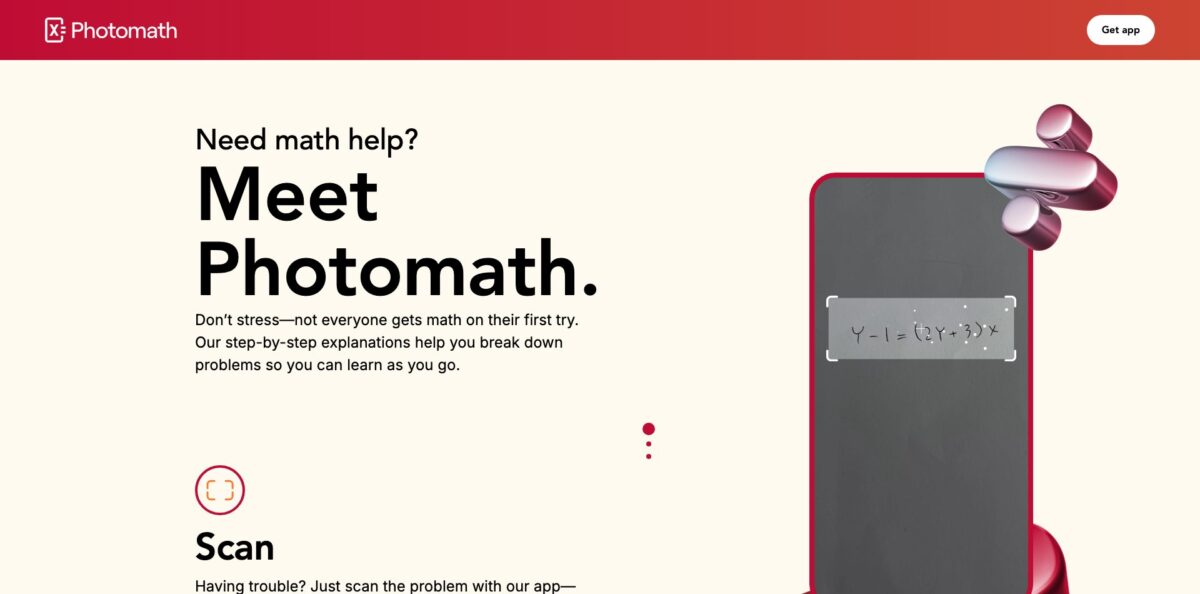
Photomath is a free mobile app for iOS and Android that reads a math problem through your phone camera, sends the image to Google’s cloud, where a neural network turns it into a formula, and then runs a rule-based solver that returns the answer with a chain of explained steps. It started in Croatia in 2014, joined Google in 2023 after the acquisition cleared EU review, and still runs as its own app with 100M+ downloads on Google Play. It covers arithmetic, algebra, functions, trigonometry and a good part of calculus, and the core symbolic solving stays free. The weak spots are word problems, geometry worksheets and statistics, plus a paywall on the richer explanations that long-time users increasingly complain about. Pick it if you or your kid need to check homework and see how an equation is actually solved.
How to start using Photomath?
Download Photomath from the App Store or Google Play. It needs an iPhone or iPad on iOS 14.0 or later, or an Android device on version 6.0 or higher with Google Play Services. You do not need to buy anything to start, but you do need a stable internet connection, because every scan is solved on cloud servers rather than on the phone. If the app sits on a mobile data connection on iOS, check that it has permission to use cellular data in Settings.
Your first real scenario is a homework sheet. Point the camera at one problem, hold the phone steady and wait two to three seconds. If the frame catches too much, drag the bottom right corner of the viewfinder to resize it around a single expression. When the result appears, compare the recognized problem with the one on paper. Most wrong answers come from a misread scan, so tap the pen icon next to the solution and fix the expression on the math keyboard before you read any steps.
The math keyboard on the Calculator screen is the second way in and the key screen to learn. Type the problem, tap Show Solution, pick one of the available methods and then tap Show Solving Steps. Advanced functions live under the chips at the top of the keyboard, and the new line button lets you enter a system of equations one equation per row. Mind the syntax details from the help center: cos(30) is read in radians unless you add the degree symbol, (-3)^2 and -3^2 give different results, and percentages need a form like 100 - (10%*100).
Before you trust a result, check it against the method your teacher uses. Photomath shows the methods most common in school curricula, so a different textbook approach may simply be missing. Previously scanned problems stay in your history and can be bookmarked for test revision. If a step is wrong or missing, answer No under “Was this solution helpful?” and attach a screenshot, or email the support team with the problem and the solution.
Who is it for?
Middle and high school students
You get stuck on a factoring problem at 10 pm and the textbook only gives the final answer. Photomath shows the chain of steps for that exact expression, so you can find where your own work went off track instead of copying a result.
Parents helping with homework
You have not touched algebra in twenty years and your child needs help tonight. Scanning the worksheet gives you a worked solution you can explain at the table, and reviewers on Google Play describe it as the tool that made them useful again at homework time.
Students checking their answers
The help center says 75% of students report using the app to check answers. Solve the set on paper first, then scan to confirm, and use the steps only for the problems you got wrong.
Visual learners
Plain text steps do not always click. Photomath Plus adds more than 400 animated tutorials with voice-over that work like a teacher at a whiteboard, which suits long division, fractions and exponent rules especially well.
Math teachers
Photomath can take over the mechanical calculation part while you spend class time on the reasoning behind a method. You can also suggest it for self-checking homework before a test, as long as students show their own work.
Adult learners returning to math
If you are preparing for an entrance exam or a course after years away, the step-by-step explanations let you rebuild basics at your own pace without booking a tutor.
Photomath pricing
Photomath runs a freemium model. The core app, including machine-generated solution steps for equations and expressions and the calculator, is free with no limit on how many problems you solve. Photomath Plus is an in-app subscription billed through the App Store or Google Play, not by Photomath itself, and it renews automatically until you cancel at least a day before the period ends. US prices from the official site as of October 2026:
Step-by-step explanations for symbolic math, scanning, the smart calculator and graphs.
Adds animated tutorials, custom visual aids, extra “how” and “why” tips, contextual hints and deeper explanations, plus Textbook Solutions listed on the App Store. A trial is offered from the site, but its length is shown only in the app.
Same features as monthly, and the site labels it the best value.
available according to the help center, charged upfront at a discounted rate. The price is shown in the app and varies by region.
There is no family plan through Apple Family Sharing, and the site lists no school or district plan. Cancel or change the subscription in your App Store or Google Play account settings; you keep Plus until the paid period runs out, and pausing is not possible.
Photomath key features
Camera scanning for printed and handwritten problems
You point the phone at the page and the cloud model recognizes the expression, including problems on a screen or in a textbook. Neat handwriting and good light make it faster, and the pen icon lets you correct any misread symbol before solving.
Step-by-step solutions with multiple methods
After solving, Photomath lists the available methods and breaks the chosen one into small explained steps. A team of mathematicians and former teachers writes the solving logic, which keeps steps close to how school courses present them rather than how a raw computer algebra system would.
Smart calculator and math keyboard
The keyboard handles mixed numbers, exponents, roots, logarithms, inequality symbols, trigonometric and hyperbolic functions, and systems of equations entered line by line. It is the fallback whenever the camera fails, and it removes recognition errors entirely for typed problems.
Broad curriculum coverage
The supported content list runs from integer operations, unit conversions and scientific notation through complex numbers, polynomial division, partial fractions, inverse functions, conics and matrix operations. The app store listing adds sequences, geometry and calculus. Graphs show roots, extrema, asymptotes and intercepts for common function types.
Animated tutorials in Plus
More than 400 AI-powered animations walk through methods such as long division, number lines, algebra tiles and fraction models, with voice-over since September 2021. Each step is also written out, so you can read, listen or both.
Textbook Solutions and deeper hints in Plus
Subscribers get worked solutions for textbook exercises, contextual hints when stuck and third-level steps that explain why a rule applies. This is the layer most free users run into when the app asks them to subscribe.
32 interface languages
You switch language under Menu, then Language, with options from Arabic and Croatian to Ukrainian and Vietnamese. That makes it practical for bilingual families and for students studying in a second language.
Photomath Pros & Cons
Pros
The free tier still does the main job: scan an equation or expression and get a full worked solution without ads or a daily cap. Recognition of printed and tidy handwritten work is reliable for school algebra, which is why the app holds 4.8 stars from about 733,000 ratings on the US App Store and an Editors’ Choice badge. The steps follow school methods rather than raw computer output, and several methods are often offered for the same problem. Parents get a quick way to explain homework they have forgotten, and 32 languages widen the audience. Being part of Google keeps the app maintained, with updates shipped through 2026. Use it as an answer checker after you solve a set on paper, and you get most of the value for free.
Cons
Coverage has clear gaps. The help center lists data analysis, statistics and probability, interest rate problems, trigonometric inequalities and two-variable inequality systems as unsupported, and word problems and geometry worksheets often fail. Recent App Store reviews from August to October 2026 report misread scans, a “something went wrong” error that sends you to Google Lens, and a “matched solution” that is not the problem you photographed. Many also complain that more steps now sit behind Plus than before. Everything is cloud-based, so there is no offline mode, and Plus cannot be shared through Apple Family Sharing. Keep the app for symbolic algebra and calculus, and have a second tool ready for statistics and applied problems.
Use Photomath if you want…
- Check algebra homework answers in a few seconds.
- See every step of solving a quadratic equation.
- Help your kids with math you forgot.
- Compare several solving methods for the same problem.
- Watch animated tutorials for long division and fractions.
- Type complex expressions on a dedicated math keyboard.
- Graph functions and spot roots and asymptotes.
- Review bookmarked problems before a math test.
Photomath alternatives

Photomath Reviews
Parents on Google Play say it rescued homework time for them after years away from algebra, and that the camera rarely misreads printed worksheets; the one wish is an option to hide the answer while teaching.
Students like that the free version is completely ad-free and that the steps turned it from a “cheat sheet” into a real learning tool, though some would love a similar app for other school subjects.
A long-time App Store user writes that the app used to be an excellent learning tool, but more and more of the useful explanations have moved behind the Plus subscription, leaving the free version feeling restricted.
Several recent App Store reviews say that above middle school level the app often shows an error and pushes you to Google Lens, or returns a “matched solution” that differs from the scanned problem, and some recommend Gauth instead.
A geometry student reports poor results on a printed class assignment, while others say it still works well for checking standard equations as long as you verify the recognized problem first.
FAQ
Is Photomath free?
Yes. Scanning, the calculator and step-by-step solutions for equations and expressions are free with no limit on the number of problems. Animated tutorials, Textbook Solutions and deeper hints require Photomath Plus at $9.99 per month or $69.99 per year in the US.
Who owns Photomath now?
Google announced the acquisition in May 2022, and Photomath joined Google in 2023 after EU regulatory approval. The app is published under Google’s developer accounts and is still offered as a standalone product with its own website and help center.
Does Photomath work offline?
No. Photomath sends each scanned image to cloud servers for recognition and solving, so you need a stable internet connection to download the app and to see solutions.
What math can Photomath not solve?
The help center lists linear inequalities and systems of inequalities with two variables, data analysis, statistics and probability, interest rate problems and trigonometric inequalities as unsupported. Word problems and geometry tasks are supported only partially and are the most common source of complaints.
How do I cancel Photomath Plus?
Cancel in your App Store or Google Play subscription settings, because Photomath does not process payments itself. Do it at least a day before the billing period ends; you keep Plus access for the days already paid, and subscriptions cannot be paused.
Can I share Photomath Plus with my family?
Not through Apple Family Sharing at the moment. A child can request the purchase through Apple’s Ask to Buy feature instead.
Which languages does Photomath support?
The app is available in 32 languages, including English, Spanish, French, German, Chinese, Japanese, Arabic, Hindi and Ukrainian. You change it under Menu, then Language.
Is Photomath a cheating tool?
It can be misused, but Photomath positions itself as a learning aid, and its help center notes that most students use it to check answers. You get the most out of it by solving on paper first and reading the steps only where your answer differs.
Similar tools
 EducatoAI exam prep platform that builds a study plan around your test date, with practice questions, mock exams and a tutor that
 TutorGPTMulti-model AI study workspace with step-by-step homework solvers, chat with GPT, Claude and Gemini, plus slide, image and voice generators.
 UplupAI quiz and form builder that turns a prompt, PDF or URL into scored quizzes, personality tests and lead-capture funnels with CRM