

Picsi.Ai
Image EditingUpdated November 17, 2026
Face swap service from the InsightFace team that puts your face into photos, videos and GIFs on the web, Discord, iPhone, Mac and Photoshop.
We may earn a commission when you sign up through our links. It does not affect our reviews.
What is Picsi.Ai?
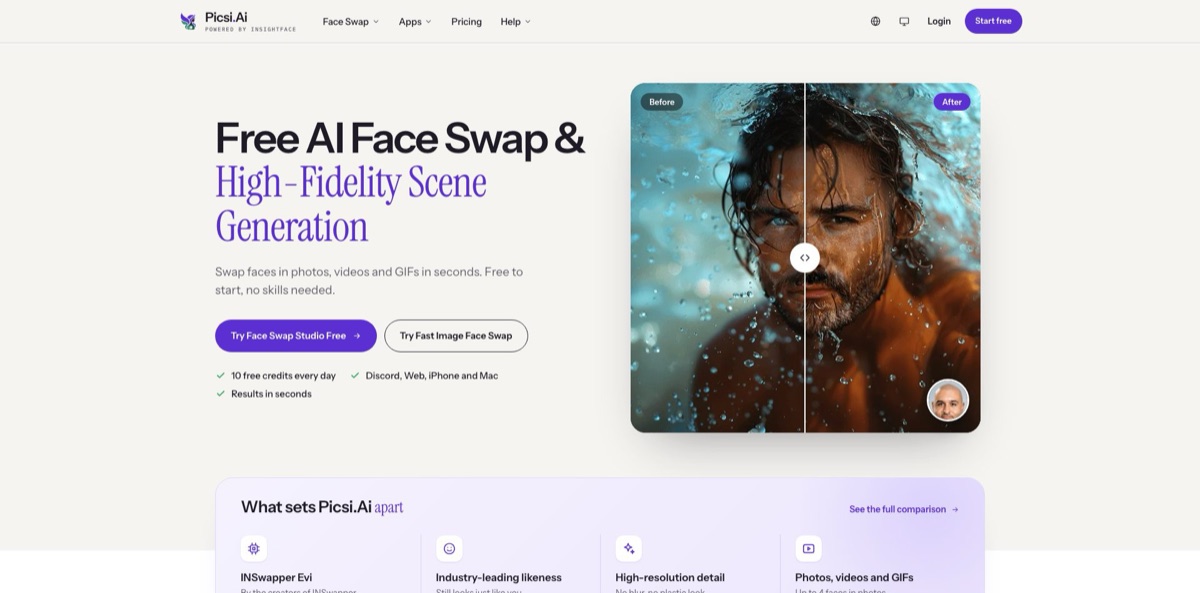
Picsi.Ai is the commercial face swap service of InsightFace, the open-source face analysis project, and its Terms of Use describe the company as a wholly owned subsidiary of InsightFace.Ai. You save a clear photo of a face, pick a target photo, video or GIF, and its own INSwapper models (Evi by default in the web Studio, Dax on the Discord bot) replace the face while keeping the target’s pose, lighting and hair. One account works across the web Face Swap Studio, a Discord bot, iPhone and Mac apps, a Chrome extension and a Photoshop plugin, and a separate PersonaMagic Canvas generates new scenes around your identity. The weak spots are credit rules that differ by platform, account syncing that leans on Discord, and Terms governed by Chinese law. Pick it if you swap faces often, with the consent of the people involved, and want fine control over likeness.
How to start using Picsi.Ai?
Open Face Swap Studio in your browser and sign in with Discord or Google. Discord is the preferred login, because the Discord account is what links a membership to the bot, the Chrome extension and the Photoshop plugin. Every account gets 10 free credits a day, reset at 0:00 UTC, and no card is needed to start. If you would rather work on a phone, install Picsi.Ai Face Swap Live from the App Store (iOS 15 or later); the Mac app downloads as a .dmg file from the website.
Your first real job is usually a single image swap. In Image Face Swap mode, upload a source face and a target picture. The guides ask for a bright, front-facing source photo with no glasses, filters or heavy bangs, since source quality drives realism. Free accounts always swap the largest face in the target. Paid members get four source boxes that map to faces from left to right, so box 2 replaces the second face from the left.
The screen you will come back to is Advanced Image Settings, in the lower left corner of the Studio. Use Evi Model is ticked by default, Dax remains a separate toggle if you prefer its look, and Optimizer blends Dax with Expressionify and Shapify for single-face swaps. Fix toggles handle typical failures, such as Fix Occlusion for hands over the face and Fix Hairline for bangs. Similarity Intensity and Shapify are sliders, so move one at a time and compare results.
For video, switch to Video Face Swap mode. A single-face swap needs only a source face, but you can add a Reference Face of the person in the clip to target someone other than the largest face, then tune the Threshold slider (0 to 100, default 58). Lower it if a face is missed and raise it if the wrong person gets swapped. Multi-face video on paid plans needs one reference per source, up to four. Open each result in the lightbox and check eyes, teeth and jawline at full size before you download.
Who is it for?
AI art creators
You generate characters in Midjourney or Leonardo.ai, but the faces never match the person you have in mind. The Picsi.Ai Discord bot works inside the same server as Midjourney, and the Chrome extension adds a right-click swap on those sites. You keep one consistent face across a whole series without training a custom model.
Meme and short-video makers
You want a friend’s face, with their OK, on a trending GIF or clip for a group chat or a social post. GIF and video modes do that in the browser, and the iPhone app records Live swaps straight from the camera. A paid plan removes the watermark that covers free app outputs.
Photoshop retouchers
Swapping a face by hand in a composite takes masking, color matching and grain work. The paid Photoshop plugin swaps the face inside a rectangular selection and puts the result on a new layer. Your workflow stays non-destructive.
Filmmakers and previs teams
You want to preview how an actor reads in a scene, or test a stunt-double replacement on rough footage, before anyone films the final take. The Mac app imports long videos, up to 40 minutes on Ultra, and Studio swaps up to four faces per video with reference matching. Quick mockups replace costly manual compositing at the concept stage.
Small marketing teams
You need many variations of one visual with consenting models or staff. Studio batches up to 10 target files at once, and paid plans include commercial rights. Budget for the attribution clause, since commercial use requires crediting Picsi.Ai on every display and in the image metadata.
Picsi.Ai pricing
Picsi.Ai sells daily credits rather than a monthly pool. Each plan refills at 0:00 UTC and unused credits disappear, so the plan you need depends on your busiest day, not your monthly total. In Face Swap Studio an image swap costs 1 credit per face, video costs 2 credits per second per face, and a GIF costs 1 credit per 2 frames; the Mac app and Discord bot use their own rates. Annual billing costs 20% less than monthly. You can pay by card through Stripe, through Patreon linked to your Discord account, with crypto via NOWPayments (annual plans only) or with Apple inside the iOS app.
10 credits a day for image swaps on the largest face in Studio, Discord, the iPhone and Mac apps and Chrome, plus 20 saved faces on Discord. The iOS app lets free accounts record Live clips and export videos up to 5 seconds and GIFs up to 2 seconds, with repeating watermarks across the frame. The Terms do not allow commercial use of free results.
200 credits a day, video and GIF swaps on the web, Mac and Discord, up to 4 faces per photo, commercial use, watermark-free app output, LiveCam and ScreenCapture on Mac, the Photoshop plugin and the pro tools. Mac videos run up to 10 minutes, Discord clips up to 10 seconds (5 a day) and Discord GIFs up to 20 frames.
400 credits a day, Mac videos up to 20 minutes, Discord clips up to 20 seconds (6 a day), Discord GIFs up to 75 frames and lossless PNG output on Discord.
800 credits a day, Mac videos up to 40 minutes, Discord clips up to 45 seconds (8 a day) and Discord GIFs up to 150 frames.
They are a separate purchase used only for PersonaMagic Canvas, never expire and cannot be spent on face swaps.
Do the credit math first. On Basic, 200 credits cover about 100 seconds of single-face video in Studio, or 50 seconds with two faces. Paid iOS users can record and export clips up to 2 minutes locally with no per-creation credit charge, and extra daily credits cannot be bought.
Picsi.Ai key features
INSwapper Evi and Dax models: Picsi.Ai runs face swap models from the team behind INSwapper, the model family that open-source tools such as Roop and ReActor were built on. Evi is the newest and is on by default for image and video swaps in Studio, while Dax stays the default on the Discord bot. Switch per job and keep whichever gives the closer likeness.
Face Swap Studio v2: one browser workspace covers Image, Video and GIF modes, with batches of up to 10 target files (30 MB each) and jobs from different modes running at the same time. Video mode adds Reference Face targeting and, on paid plans, multi-face swaps of up to four people.
Fine-tuning controls: Advanced Image Settings expose Shapify for face-shape matching, Expressionify for copying the target’s expression on paid plans, Similarity Intensity, Eye Match and fixers for occlusion, hairline, ears, chin and closed eyes. Oldify and Youngify age the swapped face for paid members.
Live swaps on iPhone and Mac: the iOS app previews a swap through the front or rear camera, records it to a Library and offers a VR view for phone headsets. Since app version 4.0, local Live recording, video export and GIF creation cost no credits per creation; only new faces and cloud images do. The Mac app processes Live Camera on your Mac and adds Live Screen Capture for any video playing on screen.
Photoshop plugin and Chrome extension: paid members install a .ccx plugin, draw a rectangular selection, click Swap!
and get the result on a new editable layer. The Chrome extension adds a Face Swap with Picsi.Ai item to the right-click menu on most websites, including Midjourney, Leonardo.ai, Facebook and X, with up to 4 stored source faces. Both sign in with Discord.
Discord bot with saved identities: /saveid stores a face under a short name (20 faces on free, 60 on paid), /swapid applies it to a target and /picsi swaps without saving first. According to the guide, the bot keeps only a mathematical face-print and discards the photo file. A composite mode blends up to three saved faces into one, and it exists only on Discord.
PersonaMagic Canvas: a prompt-based generator that builds new scenes while keeping your identity, powered by Nano Banana Pro and other engines. It accepts up to 14 reference images for the Nano Banana models and outputs 0.5K to 4K, paid with Tokens instead of daily credits.
Picsi.Ai Pros & Cons
Pros
Picsi.Ai comes from the team that builds INSwapper, and its Dax and Evi models aim to keep the source identity while borrowing the target’s skin texture and lighting. Ten free credits every day is more useful than a one-time trial, since you can test on real projects over a week. One membership covers the web, Discord, iPhone, Mac, Chrome and Photoshop, and the iOS app now records and exports locally without spending credits. Studio gives real control: reference-face targeting in video, four faces per photo and fixers for hair, ears and occlusion. Paid plans include commercial rights. Build a small library of well-lit, front-facing source photos first, then reuse them on every platform.
Cons
Credit costs change by platform, so the same 30-second clip costs different amounts in Studio, on Discord and in the Mac app, and unused credits vanish at 0:00 UTC. Syncing depends on Discord: a Google or Apple purchase needs an extra Discord login, and Apple’s Hide My Email can block matching. Commercial use requires a Picsi.Ai credit on every display and in EXIF data. Disputes go to binding CIETAC arbitration in Suzhou, in Chinese, under the laws of China, and accounts terminated for violations get no refund. Free Discord video-trial results post to a public channel and cannot be deleted. Subscribe with Discord sign-in and read the Terms before any client work.
Use Picsi.Ai if you want…
- Swap your face into Midjourney and Leonardo.ai images.
- Replace up to four faces in one group photo.
- Turn a trending GIF into a personal reaction.
- Preview casting choices on rough video footage quickly.
- Record live face swaps with your iPhone camera.
- Swap faces inside Photoshop on a separate layer.
- Batch-process ten campaign photos in a single run.
- Generate new scenes that keep your face consistent.
Picsi.Ai alternatives

Picsi.Ai Reviews
App Store reviewers call the iPhone app quick and easy, praise the Live camera swaps and say the free version feels generous with no ads, although most of the 30 ratings behind its 5.0 average arrived around launch week and one reviewer says a friend built the app.
A designer who used the Discord bot to keep one model’s face consistent across Midjourney images found the swaps more accurate than expected, but queue waits sometimes ran 5 to 10 minutes and the right-click menu occasionally failed, so the /swapid command became the fallback.
On the InsightFace GitHub tracker, several Discord users in 2023 and early 2024 reported commands that never returned or an application-did-not-respond error even on private servers, and the maintainer pointed them to the support Discord.
Readers of a popular Midjourney tutorial got stuck on /saveid errors or could not find the INSwapper option, and both turned out to be setup issues: attach the image before pressing Enter and run both bots in the same server.
In r/StableDiffusion, open-source users criticized InsightFace in 2023 for copyright claims against YouTube tutorials about Roop and ReActor, while the company said its target was unlicensed commercial use of its swap model.
FAQ
Is Picsi.Ai free to use?
Yes. Every account gets 10 credits a day for image swaps on the largest face, on every platform except the Photoshop plugin. Web video and GIF swaps, multi-face swaps and pro tools need a paid plan, while the free iOS app records Live clips up to 5 seconds with a watermark.
Can I swap someone’s face without their permission?
The Terms say the service is meant for research and legal creation, and that Picsi.Ai does not condone replacing people’s faces without their express permission or altering the faces of political figures, public officials or other public figures. Sexual or suggestive content is banned outright, and violations lead to content removal and account suspension.
How can I stop my face from being used on Picsi.Ai?
Email requestremoval@picsi.ai with a clear front-facing photo and say whether you want existing content removed, a block on future use, or both. After verification, Picsi.Ai removes unauthorized content and restricts your likeness from future uploads and generations.
Does Picsi.Ai store my photos?
The Privacy Policy says source images used to create face IDs are not stored; only a mathematical representation of the facial features is kept. Web image swaps are processed temporarily, the iOS app keeps creations on your device, and images you upload to the Discord bot remain in your Discord chat history. You can ask for access or deletion at contact@picsi.ai.
Can I use the results commercially?
Only on a paid plan, and only if neither the source nor the target image has copyright issues. You must attribute the image to Picsi.Ai - Powered by InsightFace wherever it is displayed and include that credit in the file’s metadata and EXIF data.
What is the difference between credits and Tokens?
Credits come with every plan, refill daily and pay for face swaps. Tokens are bought separately, never expire and work only in PersonaMagic Canvas.
How do I cancel a subscription?
Cancel through the channel you paid with: Apple for App Store purchases, or the website’s Stripe or Patreon checkout for those. Cancelling an Apple subscription does not cancel a separate website subscription, and you can also email contact@picsi.ai.
Which languages and devices does Picsi.Ai support?
The website comes in 13 languages and the iOS app interface in 15. It runs in the browser, on Discord, iPhone, iPad, Mac, Chrome and Photoshop 2022 or later; the site lists no Android app.
Similar tools
 Picture to DrawingBrowser tool that turns photos into pencil, charcoal, ink or watercolor drawings, cartoons and coloring pages, with free daily tries and one-time
 Retouch4meAI retouching plugins and cloud apps that automate skin cleanup, dodge and burn, culling and color grading for photographers and video editors.
 Pixelfox AIBrowser-based AI photo and video editor for object removal, background cutouts, upscaling, virtual try-on and AI video on one shared credit balance.