

Picsman
Image EditingUpdated October 27, 2026
Browser-based AI photo editor with background removal, 30-image batch editing, object erasing, upscaling and access to image and video generation models.
We may earn a commission when you sign up through our links. It does not affect our reviews.
What is Picsman?
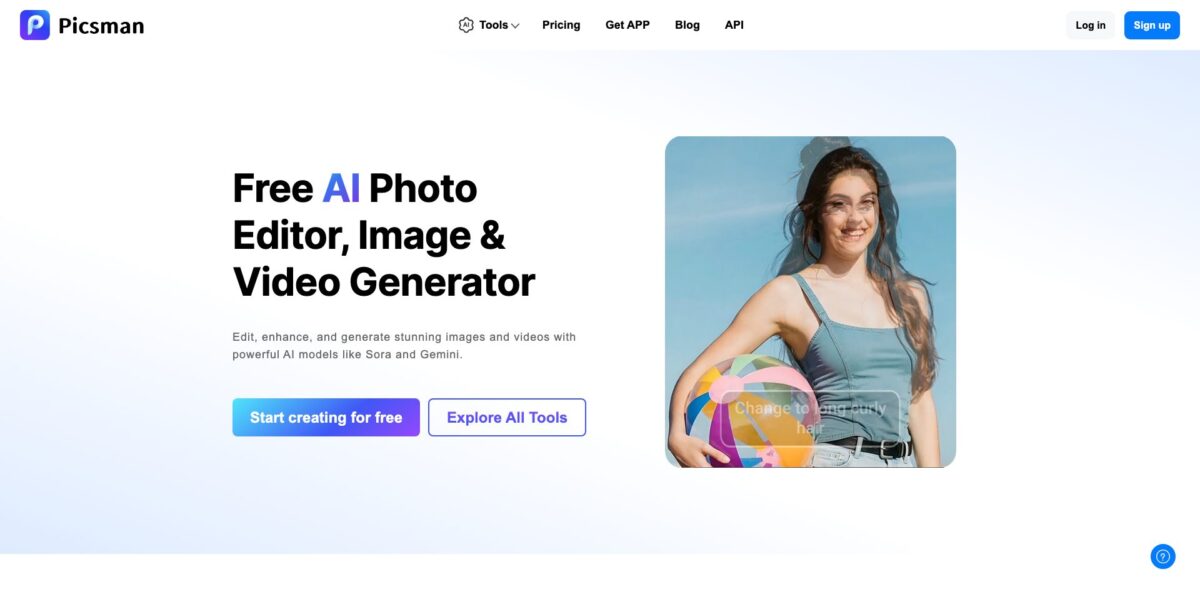
Picsman bundles more than 30 browser-based AI tools for photos and short videos under one account: background removal, a 30-image batch editor, object and watermark erasers, an upscaler, a prompt-driven photo editor and a generation hub that routes requests to third-party models such as GPT Image 2.5, Flux 2, Nano Banana Pro, Seedance 2.0 and Veo 3. The problem it targets is tool sprawl, especially for online sellers who need clean product shots, resized listing images and the odd promo clip without opening Photoshop. The weak spots are reliability and transparency: user reports describe repeated errors in the watermark and enhancement tools, the Android app is rated poorly, and advanced models burn through credits quickly. Pick it if you want cheap, fast e-commerce cleanup on the web and are willing to check every output before you publish it.
How to start using Picsman?
Create an account with the Sign up button in the top-right corner of picsman.ai. Email registration works, and the privacy policy confirms Google and Apple sign-in as well. You can stay on the free plan at first: the homepage FAQ says it covers most features and lets you export photos, while advanced image models and video run on credits. The same account also works in the iOS and Android apps, although users give the web version noticeably better feedback than the mobile apps.
For a first real job, open Explore All Tools and pick Remove Background. Upload a JPG, PNG, WebP, BMP, TIFF or HEIC file, or drag it onto the page. Picsman detects the main subject and cuts it out automatically, including hair and fur edges. You can then keep the transparent background, switch to a solid or gradient color, or send the cutout to AI Background to generate a studio-style scene. On pay-as-you-go credits a cutout costs 1 credit, which makes this the cheapest tool to learn the interface on.
For catalog work, Batch Edit is the screen that pays off. It takes up to 30 images at once, removes all the backgrounds, then applies one template, background or canvas size to the whole set, with output sizes for Amazon, Etsy, Shopify, Instagram, YouTube and other channels. The main editor adds text with more than 200 font effects, 3D shadows, reflections, crop and resize. Before you run anything heavier, open the Credits Usage Guide on the pricing page: AI image generation costs 2 to 12 credits per file and AI video generation 2 to 70 credits per second, depending on model, quality and duration.
Before you download, zoom into edges, text and faces, since the vendor itself says cutout quality depends on image quality and the contrast between subject and background. Finished files come out as JPG or PNG, and Full HD, watermark-free downloads are listed as paid-plan features. If a generative result is badly off, the pricing FAQ says support will look at the case, but pay-as-you-go purchases are otherwise non-refundable, so test on a small credit pack first.
Who is it for?
E-commerce sellers
You shoot products on a kitchen table and need white or transparent backgrounds for Amazon, Etsy or Shopify. Batch Edit cuts out 30 images at a time and resizes them per channel, so a new collection no longer eats a whole evening. AI Background adds a studio-style scene when a plain backdrop looks too flat.
Social media creators
You want Ghibli, cartoon, sketch or pixel-art versions of your photos, plus short clips from Seedance or Veo, without juggling five subscriptions. Picsman puts filters and video models behind one credit balance. Faces can drift in stylized filters, so it suits fun posts more than lookalike portraits.
Small marketing teams
Someone needs a resized banner, an image extended to a new aspect ratio and a quick promo video before lunch. The AI Image Extender, templates and video generator cover that without a designer in the loop. PRO+ includes 1,500 monthly credits, which is enough for regular campaign assets.
Casual photo fixers
Old family prints, blurry phone shots or a passport photo for a visa form are one-off jobs that do not justify Photoshop. Restore Old Photos, Unblur Image and Passport Photo Maker handle them in a few clicks. A small credit pack that never expires fits this pattern better than a subscription.
Resellers and marketplace flippers
You list dozens of second-hand items a week and need clean, consistent thumbnails fast. Background removal at 1 credit per image keeps the cost per listing tiny on a large pack. Uniform templates make a storefront look curated instead of improvised.
Picsman pricing
Picsman sells two things: PRO subscriptions, which give daily uses of the standard AI tools plus a monthly credit allowance for advanced image models and video, and one-time credit packs that never expire. A free plan covers the basics with limits. Prices were displayed in US dollars when checked in October 2026. The yearly toggle advertises a 40% saving, but the real discount against monthly billing works out to about 33% on PRO and PRO+ and 20% on PRO MAX.
According to the homepage FAQ, most features can be used and photos exported for free; Full HD and watermark-free downloads are listed as paid features. Good enough to judge cutout quality, not for daily production.
You get 50 uses per day of most AI tools, 300 credits per month for advanced models and video (up to 150 images or 30 videos), 5 GB of cloud storage and standard generation priority.
It raises the limits to 300 daily uses, 1,500 monthly credits (up to 750 images or 150 videos), 50 GB of storage and high priority. Picsman marks it as the most popular plan.
You get unlimited use of most AI tools, 5,000 monthly credits (up to 2,500 images or 500 videos), 100 GB of storage and the highest priority.
Larger packs cost $29.99 for 1,000, $59.99 for 3,000, $99.99 for 6,000 and $299.99 for 20,000 credits ($0.015 per credit). Credits stay valid permanently, but these purchases are not refundable and PRO design assets remain limited.
Custom. The API page lists Magic Eraser, Photo Enhancer, AI Clothes Changer, AI Image Extender, watermark removal and video enhancement, with access arranged through a contact form and no public rates.
Picsman key features
One-click background removal and replacement
Upload a photo and the model isolates people, products, cars, animals or graphics, including hair and fur, then outputs a transparent PNG or a new color, gradient or AI-generated scene. Related tools such as White Background, Green Screen Remover and PNG Maker share the same 1-credit cost. For catalog work this is the cheapest and most dependable part of the product.
Batch Edit for up to 30 images
Background removal, template application, background swaps and resizing run across a whole set in one pass, with output sizes for the major marketplaces and social networks. You stop repeating the same clicks for every SKU.
Prompt-based AI Photo Editor
You describe the change in plain text, such as recoloring clothes, swapping a background or removing an object, and the editor applies it; the tools list includes Nano Banana Pro and Flux 2 among the available models. Style transfer covers Ghibli, Pixar-like, comic and pixel-art looks. It replaces masking and layer work for quick edits, though stylized faces may lose their likeness.
Erasers and watermark removers
Magic Eraser, Remove People and Remove Text clean up photos, a family of tools strips watermarks, logos, signatures and stamps, and separate video tools remove TikTok or Sora watermarks and subtitles. Image removals cost 2 to 3 credits depending on the model, and video watermark removal 1 credit per second. Users report errors in the watermark tools, so inspect results closely.
Photo and video enhancement
Photo Enhancer, Image Enlarger, Unblur Image, Sharpen Image and Restore Old Photos upscale and repair images with a standard or an advanced model at 2 or 3 credits per file. AI Video Enhancer pushes clips up to 4K and is billed per second. It rescues low-resolution supplier photos and old family prints without manual retouching.
Generation hub with third-party models
The AI Image Generator handles text-to-image and image-to-image with GPT Image 2.5, Flux 2 and Nano Banana Pro, while the video generator offers Seedance 2.0, Veo 3, Kling, Sora and Hailuo plus ready-made templates such as Halloween clips. You reach several leading models through one balance instead of separate subscriptions.
Design assets and product touch-ups
Store and social templates, more than 5,000 stock photos, 2,000+ stickers, 200+ text effects, 3D shadows and reflections sit in the same editor, next to virtual try-on tools for clothes and hairstyles. That covers simple listing graphics and promo posts without exporting to a separate design app.
Picsman Pros & Cons
Pros
Picsman puts a wide spread of everyday edits behind one login: cutouts, batch resizing, object removal, upscaling, style filters, image generation and video models from OpenAI, Google, ByteDance and others. The entry price is low, with PRO at $9.99 a month and credit packs that never expire, which suits irregular workloads. Background removal costs a single credit, and the 30-image batch editor with marketplace sizing takes care of the dull part of catalog prep. File support is broad, including HEIC and TIFF, and the vendor states that edited images can be used commercially. Start with the background and batch tools, where the value is clearest.
Cons
Independent feedback is thin and mostly negative: Trustpilot shows 2.6 out of 5 from six reviews, and the Android app sits at 1.0 stars across 111 reviews, with complaints about repeated errors in watermark removal and HD enhancement. Some users say the free tier is too restrictive to judge quality before paying. Stylized filters can make faces generic, and Magic Eraser struggles with shadows and detailed textures. Ownership is also murky: the website names Picsman Inc. in Las Vegas, while the iOS app is published by Zhuhai Chaopin Network Technology. The yearly discount is smaller than advertised. Buy the smallest credit pack before committing to any subscription.
Use Picsman if you want…
- Remove product photo backgrounds for a single credit each.
- Batch edit up to 30 listing images at once.
- Resize one photo set for every marketplace channel.
- Erase stray objects and people from casual photos.
- Upscale low-resolution supplier images into Full HD files.
- Turn portraits into Ghibli, cartoon or sketch styles.
- Try GPT Image, Flux and Veo from one account.
- Restore faded family prints without learning Photoshop.
- Pay for credits once instead of a monthly subscription.
Picsman alternatives
 PixelcutRead review →
 PixlrRead review →
 Cutout.ProRead review →
 Removal.AIRead review →
 SnapEditRead review →
 BeFunkyRead review →
 FotorRead review →
Picsman Reviews
Watermark removal and HD enhancement keep returning error codes in the mobile app, so it feels unfinished, even though reviewers see real potential in the toolset.
Background removal and the clothes changer work better on the website than in the laggy Android app, but the few free daily uses run out far too quickly.
The anime and comic filters produce a different-looking person in a similar pose rather than a stylized version of you, and the app is less free than its description suggests.
A user who wanted to restore old photos could not try a single result before paying, which made it impossible to judge whether the quality was worth the money.
A hands-on reviewer found the sketch and cartoon conversions polished and faithful to the original composition, while Magic Eraser smudged complex backgrounds and the free allowance ran out fast.
FAQ
Is Picsman free to use?
Yes, there is a free plan that covers most standard tools with usage limits and allows exports. Full HD and watermark-free downloads, advanced image models and video require a PRO plan or purchased credits.
Do Picsman credits expire?
Credits bought in pay-as-you-go packs are permanently valid. PRO plans instead include a monthly allowance of 300, 1,500 or 5,000 credits for advanced models and video.
Which file formats does Picsman support?
You can upload JPG, JPEG, PNG, WebP, BMP, TIFF or HEIC images. Finished images download as JPG or PNG, and PNG keeps transparency.
Can I use Picsman images commercially?
Picsman says edited images can be used for advertising, e-commerce listings, social media and branding. For AI-generated images it gives no warranty that you can claim copyright or that the output will not infringe third-party rights.
How do I cancel a Picsman subscription and get a refund?
On the web, click your profile photo, open Settings, then Details, and choose Cancel Subscription; app purchases are cancelled through Apple or Google Play. Refunds are granted only in special cases such as unresolved technical problems or duplicate charges, and pay-as-you-go purchases are not refundable.
Is my data safe with Picsman?
Picsman says uploads are encrypted and images are deleted automatically after a few days, while billing records are kept up to 7 years and logs for 1 year. The website names Picsman Inc. in Las Vegas as the operator, but the iOS app is published by Zhuhai Chaopin Network Technology Co., Ltd., so read the privacy policy before uploading sensitive photos.
Does Picsman have an API?
Yes, an API covers tools such as Magic Eraser, Photo Enhancer, AI Clothes Changer, AI Image Extender, watermark removal and video enhancement. Access and pricing are arranged by contacting the company.
Is there a Picsman mobile app?
Yes, apps are available for iOS and Android with the same account. Ratings are weak and mixed: the US App Store listing averages about 4.1 from only 12 ratings, while Google Play shows 1.0 stars across 111 reviews.
Similar tools
 HamaFree browser-based AI eraser that removes people, objects, text and blemishes from photos with a brush, plus an inpainting API for developers.
 BgEraserBrowser-based AI background remover that turns up to 20 photos per batch into transparent PNGs without an account, plus offline apps for
 ImgkitsBrowser-based set of AI photo tools for background removal, object cleanup, upscaling, old photo restoration, image generation and image-to-video.