

PictureThis
AI AssistantsUpdated October 26, 2026
Mobile app that identifies plants from a photo, diagnoses diseases and pests, and sends watering and care reminders for houseplants and gardens.
We may earn a commission when you sign up through our links. It does not affect our reviews.
What is PictureThis?
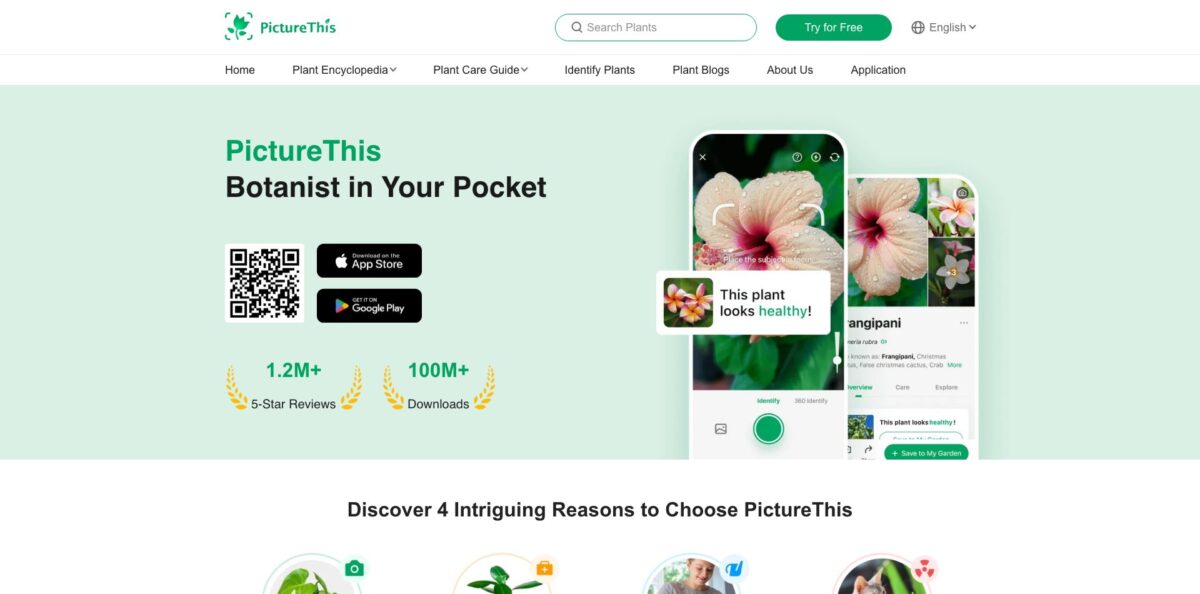
PictureThis is a mobile plant identifier from Glority that runs a photo of a leaf, flower, tree or weed through an image recognition model and returns a species name, care profile and health check in seconds. Glority says the engine covers more than 400,000 species with over 98% accuracy, a figure that comes from the developer rather than an independent test. Beyond naming plants, the app diagnoses diseases from photos of damaged leaves, flags plants that are toxic to pets and children, labels invasive weeds and schedules watering and fertilizing reminders for your own collection. The weak spot is the business model: most useful features sit behind a Premium subscription, and app store reviews are full of complaints about free trials that quietly convert into paid plans. Pick it if you garden regularly and want one app for ID, diagnosis and care tracking.
How to start using PictureThis?
Download PictureThis from the App Store (iOS 15.0 or later) or Google Play. You do not need to create an account: on first launch the app assigns a secure device account, and that is enough to identify plants or even buy Premium. Signing in with email from Me, then Settings, then Profile is still worth the minute it takes, because it keeps your garden data safe when you change phones and lets you share a Premium membership across iOS and Android devices.
Your first real scenario is a single identification. Tap the camera, frame one plant so the lens focuses on the leaves or flowers rather than the background, and shoot, or tap Album to pick a photo you already took. The result page shows the common and botanical names, toxicity notes, weed status and care basics. If the match looks wrong, scroll to the end and tap Change the result to enter the correct name yourself, or email the support team to have a human expert look at it.
The screen that turns PictureThis from a curiosity into a daily tool is My Garden. Open an identified plant, tap Add to My Garden, then go to Plant Care from the flower icon on the home page and set watering and fertilizing frequency. Notifications then remind you when each plant is due. For a plant you have not scanned yet, tap the plus button in Plant Care and photograph it directly into your garden.
When something looks sick, tap Diagnose on the home page and upload photos of the damaged part. The app returns likely causes and a treatment plan. If the automatic answer does not match what you see, the Ask Expert for Help button at the bottom of the Diagnose page sends a consultation ticket, and the botanist team promises a custom treatment plan within 24 hours. Cross-check any drastic advice, such as heavy pruning or chemical treatment, before you act on it.
Who is it for?
New plant parents
You keep buying houseplants and keep losing them to too much or too little water. PictureThis names each plant, builds a care profile and sends reminders, so you stop guessing. Treat the watering schedule as a starting point and check the soil before every reminder.
Home gardeners and new homeowners
You moved into a house with mature beds and have no idea what is growing in them. Scanning each plant tells you what to keep, what is a weed and what needs pruning. Several long-term subscribers describe using it this way across an entire yard.
Pet owners and parents of toddlers
A new plant arrives and you are not sure it is safe around a curious cat or a crawling child. The toxic plant warning flags risky species straight from the photo. It is a quick first check, not a substitute for a vet or poison control call.
Hikers and nature lovers
You see an unfamiliar tree or wildflower on a trail and want a name on the spot. Photos taken without signal are saved and identified once you are back online. Expect weaker results with grasses and look-alike trees that are not in bloom.
Educators and greenhouse staff
You manage collections or teach botany and need a fast way to narrow down a specimen. Users with academic greenhouse and field ecology backgrounds report using the app to shortlist candidates before confirming with keys. Use it to suggest a genus, then verify the species manually.
Vegetable and fruit growers
Your tomatoes have spotted leaves and you want to know whether it is a fungus, a pest or a watering issue. The diagnosis feature suggests causes and treatments, with paid expert tickets for stubborn cases. Compare its advice with your local extension service before spraying anything.
PictureThis pricing
PictureThis is free to download, but it runs on a freemium subscription. The website advertises a free trial, and app store reviews describe a 7-day trial that renews automatically into a paid plan unless you cancel at least 24 hours before it ends, as Apple’s subscription terms on the listing state. Glority does not publish a pricing page, so the figures below come from the in-app purchase list on the US App Store as of the checked date. Apple does not show the billing period for each item, and the in-app paywall may show different offers depending on your device and region.
Basic identification with limited free IDs. On Android, the official FAQ explains that the Free IDs button lets you earn at least 4 IDs a day by sharing the app or playing Feeling Lucky, and unused IDs expire.
Several US reviewers report that the trial converted into a $39.99 yearly charge, and one describes being billed about $8 a week, which suggests weekly and annual options exist. Pro is the Premium tier that opens unlimited identification, care plans and full plant details.
Glority does not explain publicly what it adds over Pro, so check the comparison screen inside the app before buying.
Each ticket sends your plant problem to the botanist team, which promises a tailored treatment plan within 24 hours.
$19.99 and $9.99 one-time purchases listed alongside the subscriptions.
PictureThis key features
Photo plant identification
Take or upload a picture and the engine returns a species match with common and botanical names, drawn from a database the developer puts at 400,000+ species. Results include care basics, toxicity and weed status on one page. You get a name for almost anything in your yard or on a walk within seconds.
Plant disease auto-diagnosis
Photograph the sick part of a plant and the app suggests the likely problem, such as fungal spots, pests or watering stress, along with a step-by-step treatment plan. When the automatic answer is not enough, paid expert tickets go to a botanist team with a 24-hour turnaround. Gardeners get a structured second opinion before a problem spreads.
Care plans and reminders
Add identified plants to My Garden and set watering and fertilizing frequency; the app then sends notifications when each plant is due. Care profiles also cover light conditions and fertilizing times. A busy owner of a dozen houseplants no longer has to keep a schedule in their head.
Toxic plant and weed alerts
The result page warns when a species is dangerous to pets, children or adults and marks plants considered invasive or unwanted. Tapping More on a weed opens guidance on how to identify and remove it. This turns a casual scan into a practical safety and garden-management check.
Light meter
A built-in tool measures how much light a spot gets so you can decide whether a plant should move closer to the window or out of direct sun. Indoor growers get a rough number instead of guessing from how bright the room feels.
Collection, wishlist and offline queue
Every identified plant is stored in the Me section, you can build a wishlist for future purchases, and photos taken without a connection are queued and identified once you are back online. Your plant history follows you to a new phone if you sign in with email.
Web plant encyclopedia
The picturethisai.com site hosts a free encyclopedia with plants A-Z, toxic plants, weeds, plants by region, care guides for houseplants, garden plants, flowers and vegetables, plus a plant questions section. It is handy for reading up on a species on a laptop, although identification itself still happens in the app.
PictureThis Pros & Cons
Pros
PictureThis combines identification, diagnosis, toxicity warnings, weed alerts and care reminders in one app, so you do not need separate tools for naming a plant and keeping it alive. Its scale is real: more than 1.1 million ratings averaging 4.8 on the US App Store, a 4.5 rating from over 800,000 reviews and 50M+ downloads on Google Play, where it carries an Editors’ Choice badge. Many long-time users say it identifies common garden and house plants reliably and that the care reminders changed how they look after their plants. No account is required, the interface is available in more than 25 languages, and a human expert channel exists for hard cases. Start with the trial, scan your whole garden in the first week, and judge the subscription on that.
Cons
The subscription model is the main source of frustration. Reviews on the App Store and Common Sense Media describe unclear trial terms, unexpected renewals and slow help with billing disputes, and some users dislike the unskippable intro and frequent Premium prompts. Accuracy drops with look-alike species, trees out of bloom and unusual cultivars, and some users report getting different names for the same plant on repeat scans. Care advice is generic, so following the watering schedule blindly has led some people to overwater. Several subscribers also say free general-purpose chatbots now answer plant questions just as well. Keep a renewal reminder and confirm critical IDs, especially anything you plan to eat, with a second source.
Use PictureThis if you want…
- Identify unknown plants from a single photo.
- Diagnose leaf spots, pests and plant diseases quickly.
- Get watering and fertilizing reminders for every plant.
- Check whether a houseplant is toxic to pets.
- Spot invasive weeds before they spread.
- Build a digital catalog of your garden.
- Ask a botanist about a stubborn plant problem.
- Measure light levels for indoor plant placement.
PictureThis alternatives


PictureThis Reviews
Long-term subscribers say the app reliably names the plants in their yard and on walks, and that the diagnosis suggestions for unhealthy plants have been on point, which is why they keep renewing year after year.
A common complaint is the free trial: users who did not cancel in time were charged $39.99 for a year, and some describe billing disputes where support was slow to respond, though at least one reviewer later got a refund.
Identification works well for common species, but reviewers report misses with look-alikes, such as a bird of paradise labeled as a banana plant, and different names for the same tree across several scans.
Some gardeners found the care guidance too generic, saying a strict watering schedule led them to overwater a plant, and suggest using the reminders as prompts rather than rules.
A few longtime users say general AI chatbots now give comparable plant answers for free, which makes the recurring subscription harder to justify for casual use.
FAQ
Is PictureThis free?
The app is free to download and offers limited free identifications, but most features, including unlimited IDs and full care plans, require a Premium subscription. On Android you can earn at least 4 extra free IDs a day through the Free IDs button.
How accurate is PictureThis?
Glority claims over 98% accuracy across more than 400,000 species. Users generally find it reliable for common plants, while look-alike species, trees out of bloom and unusual cultivars are more likely to be misidentified.
Does PictureThis work offline?
No, identification needs a network connection. Photos you take offline are saved to the Me section and identified automatically once you reconnect.
Do I need an account to use PictureThis?
No, the app creates a device account automatically, even if you buy Premium. Signing up with email is recommended so you can restore your garden data and share Premium on another device.
How do I cancel a PictureThis subscription?
Cancel through your Apple ID subscriptions on iOS or Payments and subscriptions in Google Play, at least 24 hours before the renewal date. Deleting the app does not stop billing.
Can PictureThis tell if a plant is toxic to pets?
Yes, the identification result shows toxicity warnings for pets, children and adults. The developer advises never tasting an unfamiliar plant without professional help.
Is there a web version of PictureThis?
The website offers a free plant encyclopedia, care guides and plant questions, but photo identification and diagnosis run in the iOS and Android apps.
Is my data safe with PictureThis?
The FAQ says the app needs gallery access but does not process photos without your permission and does not share personal information. You can delete your account from Settings, then Help, inside the app.
Similar tools
 FreedomGPTMulti-model AI app that puts hundreds of chat, image and video models, including its own censor-free Liberty models, behind one credit balance.
 ElephasPrivate desktop AI for Mac and Windows that answers questions from your own documents with page-level citations and hides personal details first.
 MagaiPaid AI workspace that puts ChatGPT, Claude, Gemini, Grok and dozens of image and video models in one chat, with memory and