

PixAI.ART
Art GenerationUpdated October 5, 2026
PixAI.art is a premier browser-based AI generator for creating high-quality anime characters and realistic digital art.
We may earn a commission when you sign up through our links. It does not affect our reviews.
What is PixAI.ART?
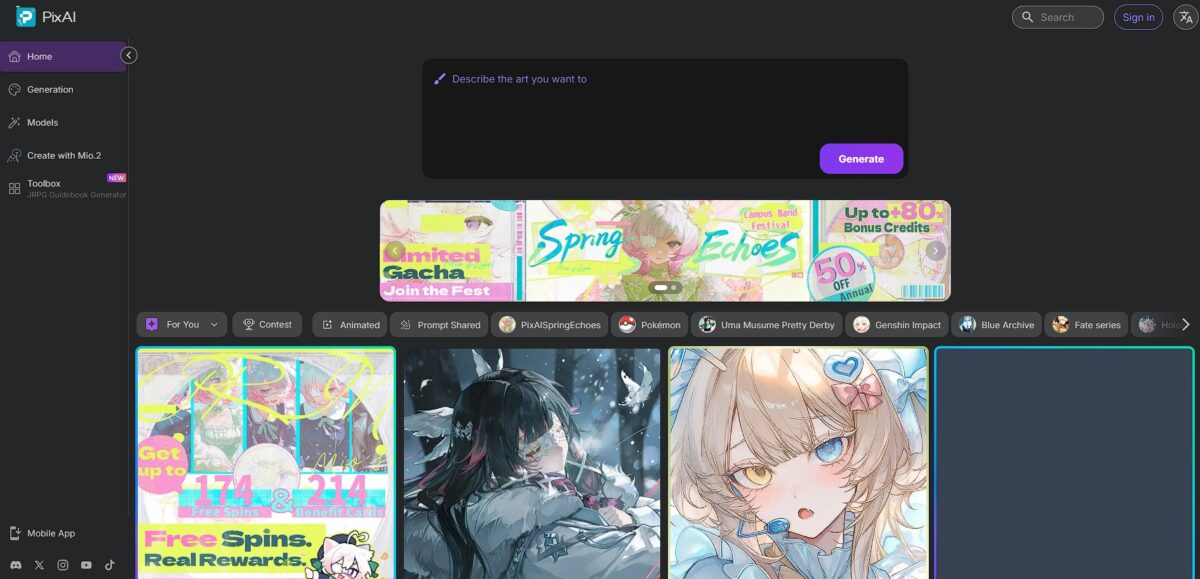
PixAI.art functions as a specialized gateway for anime-style and realistic character generation, leaning heavily on the Stable Diffusion ecosystem without requiring a local GPU. It bypasses the technical hurdle of setting up Python environments by hosting a variety of LoRA models and checkpoints directly in the browser or mobile app. The interface prioritizes character consistency, which helps when you are trying to recreate the same figure across different poses or scenes. The platform includes a chatbot layer for roleplay, though the credit system can feel restrictive if you are iterating rapidly on complex prompts. For creators who lack expensive hardware, that puts high-end diffusion models within reach. Use the daily credit login to test specific LoRAs before committing to a generation marathon.
How to start using PixAI.ART?
Start by heading to PixAI.art and creating an account to claim your daily credit allotment. This bypasses the need for a local GPU, as the heavy lifting happens on their servers. I noticed the mobile app version is surprisingly snappy for quick edits on the go, though the browser version offers a clearer view of the model library. Getting set up early lets you start banking credits for more complex renders later.
Browse the community models to find a specific aesthetic, like 90s anime or photorealistic portraits. Instead of writing a massive prompt from scratch, you can click on an image you like to see its exact settings and “remix” it. This saves you from the frustration of trial-and-error with empty text boxes. It’s a shortcut to understanding how specific LoRAs influence the final character’s look.
Adjust your generation settings by picking a model and adding negative prompts to filter out common AI artifacts like distorted hands. You can toggle between “Draft” for speed or “High Quality” for final assets, which helps manage your credit spend during the brainstorming phase. The “Character Consistency” features work best when you keep your base prompt short and stable. This prevents the AI from drifting away from your original design during long sessions.
Hit the generate button and wait a few seconds for the results to appear in your private gallery. If the face looks right but the clothing is off, use the inpainting tool to brush over specific areas and re-render only those sections. This surgical approach prevents you from wasting credits on entirely new images when you only need one small fix. It bridges the gap between random generation and actual art direction.
One useful takeaway: Use the “remix” function on popular community posts to learn which prompt tags actually trigger the best lighting and anatomy.
Who is it for?
Aspiring Visual Novel Authors
It generates consistent character sprites across various poses by locking in specific LoRA models. It helps maintain a uniform art style for Ren’Py projects without the need for a local GPU, saving hours of redrawing the same character for different dialogue scenes.
Mobile-first Digital Artists
The app-based workflow allows for prompt tweaking and generation while commuting or away from a desktop. It handles complex LoRA weights better than most mobile wrappers, though the small screen makes detailed inpainting a bit finicky. Downtime turns into productive sketching sessions.
Anime Hobbyists and Fan-artists
The platform specializes in 2D aesthetics and niche anime checkpoints that generic models often miss. The community gallery provides a direct way to copy prompt logic for specific cel-shaded looks, so you can achieve a specific studio’s style without wrestling with complex negative prompts.
Roleplayers and Character Designers
The integrated chatbot lets you interact with a character while generating their visual representation. It bridges the gap between text-based lore and visual assets, though the credit system might limit long, experimental sessions. The result is a feedback loop where the character’s personality can influence their design. Gotcha: Credits reset daily, so plan your “big” generations for the start of your session.
Stable Diffusion Beginners
It provides a browser-accessible gateway to advanced features like ControlNet and LoRA without requiring Python knowledge. You get the depth of a local install with the ease of a web interface, though the UI can feel crowded compared to simpler tools. This matters because it lets you learn professional-grade image control without buying a $1,000 graphics card.
PixAI.ART pricing
PixAI uses a credit-based system that reloads every 24 hours. You don’t need a wallet to start, but heavy users will hit the wall on the free tier once they start experimenting with LoRAs and high-resolution upscaling. Paying customers get a massive jump in monthly limits, which is necessary if you’re training characters or running batch generations. I noticed the annual discount is steep, making the monthly plans look expensive by comparison.
You get 10,000 credits daily. This works for casual prompts but limits your ability to test multiple LoRA combinations. Complex character builds require constant trial and error, so the cap shows up fast.
This grants 300,000 monthly credits. It removes the daily anxiety of running out of juice mid-session. You can work on a project for days without waiting for a daily reset.
You get 1,000,000 monthly credits. This targets creators churning out full sets of assets or complex scenes. At this level, you focus on the art instead of counting pennies per click. Rule: Use the free tier to find your style, then jump to Starter if you find yourself checking the credit balance more than once an hour.
PixAI.ART key features
Character engine with dedicated LoRA support
You can lock in a specific aesthetic or face by selecting community-trained weights, which keeps your character’s facial features from morphing between different prompts. This prevents the “random face” syndrome common in generic generators.
Native mobile application for iOS and Android
It moves the generation process away from the desktop, letting you refine prompts or claim daily credits while commuting. The mobile interface feels less cluttered than the web version for quick iterations, and you can manage long render queues without sitting at a desk.
Support for adult content and filtered toggles
Unlike mainstream tools that block suggestive keywords, this platform allows for uncensored output provided you navigate the specific community guidelines. It gives you the freedom to explore edge-case artistic styles without a corporate filter killing the process. No more “prompt blocked” errors for mature art.
Integrated AI chatbot features
You can interact with specific character personalities directly on the platform, which can help spark dialogue ideas or situational inspiration for your next visual prompt. It bridges the gap between text-based roleplay and image generation in a single dashboard. A static generator becomes a creative workspace.
Advanced generation controls like Inpainting and ControlNet
You can paint over specific errors, such as a sixth finger or a messy background, to fix local details without rerunning the entire prompt. It handles structural guidance well, though complex poses still require some trial and error with the reference depth maps. This matters because it saves your credit balance by fixing images rather than restarting them.
Credit-based system with 24-hour resets
You get a substantial daily allowance of 10,000 credits, which is enough for dozens of experiments if you avoid the most expensive high-res settings. It rewards consistent users who log in daily, though the “credit wall” hits fast if you are batch-rendering heavy animations. For hobbyists, that adds up to a functional “free-to-play” path.
PixAI.ART Pros & Cons
Pros
PixAI.ART removes the technical barrier of local Stable Diffusion setups. You skip the Python environment errors and GPU driver headaches by running heavy LoRA models directly on their servers. It handles anime-specific checkpoints with better anatomical accuracy than general-purpose generators, and you can maintain character consistency across multiple frames without needing a high-end graphics card. Use character-specific LoRAs to keep faces from morphing between prompts.
Cons
The credit-based economy forces a choice between patience and payment. Free daily credits vanish quickly when experimenting with high-resolution upscaling or training custom models. I noticed the interface can feel crowded on mobile, making precise inpainting a chore compared to the desktop version. The trade-off for accessibility is a lack of advanced local features like Clip Skip or complex custom schedulers. Start banking daily credits early so you have a buffer for complex renders.
Use PixAI.ART if you want…
- Anime characters with perfect facial consistency
- To generate adult content without restrictive filters
- High-quality renders without a local GPU
- To swap LoRA models for diverse artistic styles
- Consistent sprites for Ren’Py visual novel projects
- To transform selfies into stylized digital avatars
- Fast character prototyping via mobile or browser
- To utilize community-trained weights for niche aesthetics
PixAI.ART alternatives
 CivitaiRead review →
 SeaArt.aiRead review →
 ArtguruRead review →
 Leonardo.aiRead review →
 OpenArtRead review →
PixAI.ART Reviews
The best cloud-based hub for anime LoRAs. Daily free credits are generous, though high-res renders and video modes drain them far too quickly.
FAQ
Does PixAI allow adult content?
Yes, PixAI allows sensitive and explicit anime content, but it is strictly regulated. Explicit content is only visible to the creator, and realistic explicit imagery or content involving minors is strictly prohibited and can lead to account termination.
How do credits work on PixAI?
PixAI uses a credit-based system for generating and editing images. Users receive a daily allowance of free credits, which refresh at 00:00 UTC, and can earn more through community activities like publishing art, receiving likes, or sharing work on social media.
What is the difference between Normal, Flagged, and Sensitive content?
Normal content is safe for all audiences and visible to everyone. Flagged content contains mild suggestive themes like swimwear and is restricted to logged-in users over 18. Sensitive content includes explicit anime art and is private, visible only to the person who generated it.
Can I generate consistent characters with PixAI?
Yes, PixAI supports character consistency through the use of specific LoRA models and character reference tools, allowing creators to maintain a character’s visual identity across multiple generated scenes or poses.
What are LoRAs and how are they used?
LoRAs are specialized, community-trained models that allow users to apply specific styles, characters, or outfits to their generations. PixAI allows users to combine multiple LoRAs in a single task to achieve highly customized results.
Is there a mobile app for PixAI?
PixAI offers mobile applications for iOS and Android, as well as an APK version. However, the mobile apps often have stricter content filters and visibility restrictions for sensitive content compared to the desktop website.
What happens if my account is flagged for a violation?
If the AI moderation system flags content for violating safety guidelines, particularly rules regarding realistic explicit imagery or minors, PixAI may restrict the content or permanently terminate the user account. Users can appeal flags to human moderators for review.
What is Turbo Mode?
Turbo Mode is a premium feature available to PixAI members that allows for faster image generation. It is typically offered as an unlimited benefit for certain membership tiers at no additional credit cost.
Similar tools
 CustomuseAI 3D creation platform that chains image, video and 3D models into node workflows for game-ready assets, Roblox items and scenes.
 VisualGPTCredit-based AI image and video studio that runs Nano Banana, GPT Image, Seedream, Flux and Kling for product photos, photo edits and
 LovartAI design agent that turns a chat brief into logos, social posts, product shots, slides and videos on one editable infinite canvas.