

Podsqueeze
Content CreationUpdated October 21, 2026
AI podcast repurposing tool that turns each episode into transcripts, show notes, blog posts, newsletters, social posts, clips and audiograms.
We may earn a commission when you sign up through our links. It does not affect our reviews.
What is Podsqueeze?
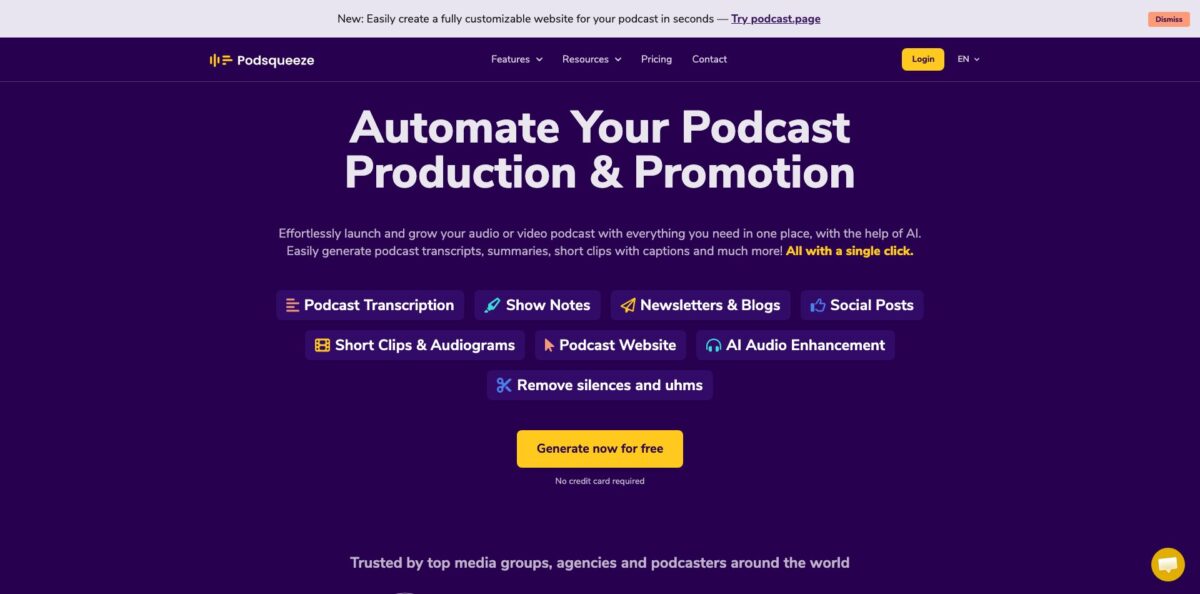
Podsqueeze is a post-production assistant for podcasters. You upload an audio or video episode, or pick one by searching for your show, and it transcribes the recording with speaker labels, then drafts the written and visual assets an episode usually needs: show notes with timestamps and chapters, titles, a blog post, a newsletter, social posts, quote images, short clips and audiograms. Around that core sit an audio enhancer that removes filler words and silences, a podcast website builder fed by your RSS feed, and a transcription API. The company says 70,000 creators use it. The catch is the minute budget: the cheapest plan covers 120 minutes a month and locks out custom prompts, so weekly long-form shows outgrow it quickly. It fits solo hosts, podcast managers and small agencies who want a cheap first draft of every promo asset from one upload.
How to start using Podsqueeze?
Create a free account on the website; no credit card is required, and the trial gives you a small allowance of minutes to judge output quality. In the dashboard, click “Convert new episode”. You can search for your podcast by name and pick an episode from its feed, upload an audio or video file directly, or paste a YouTube link. Starter files can be up to 4GB, and higher plans raise that to 10GB.
Your first real scenario should be a recent interview episode, because that format gives the AI clear speakers and topics to work with. Processing is quick: the company states that a typical 60-minute episode is transcribed in under five minutes. When it finishes, you get the transcript with speaker labels and an SRT file, followed by show notes containing a summary, timestamped chapters, bullet-point highlights and the resources mentioned on air.
The screen worth spending time on is the episode content page. Here you review each generated asset, edit the text, and move into clips. Podsqueeze splits the episode into chapters, and you pick a chapter to turn into a captioned clip (for video) or an audiogram (for audio-only shows). You can change aspect ratio, fonts and colors, and trim the clip by deleting lines from the subtitles. On Pro and above you can also chat with the transcript and save custom prompts so the AI writes in the voice of each show.
Before publishing, read the show notes against the episode, fix guest names and links, and check that the timestamps land where the conversation actually changes. Then copy the notes to your host, schedule the social posts, export clips, or publish an episode landing page and share the link with your newsletter list.
Who is it for?
Solo podcasters
You record and edit the episode yourself, and writing notes, titles and promo posts eats the rest of the evening. Podsqueeze drafts all of it from one upload, so your job shrinks to a quick edit. The Starter plan suits a show with a few shorter episodes a month.
Podcast managers and agencies
Juggling several client shows means keeping each voice distinct. Folders keep episodes organized, saved prompts per show keep the tone consistent, and a shareable content page lets clients review drafts before anything goes live.
Video podcasters building a social presence
Cutting Shorts and Reels by hand is slow and often outsourced. Chapter-based clips, editable subtitles and one-click shorts under 60 seconds give you a steady supply of vertical videos without opening a video editor.
Interviewers and researchers
You need searchable transcripts with speaker labels, not marketing copy. The transcription tool, SRT export and YouTube transcript conversion cover that, and the API can process a whole archive in batches.
Hosts recording in imperfect conditions
Phone recordings and echoey rooms make episodes hard to listen to. The audio enhancer strips ums, silences and background noise in one pass, which can rescue a remote interview.
Developers on podcast platforms
If you run a hosting service or internal tool, the REST transcription API with token authentication and Zapier support lets you add transcripts without building speech recognition yourself.
Podsqueeze pricing
Podsqueeze charges by processing minutes per month, plus a monthly cap on clips and audiograms. Unlimited uploads and unlimited YouTube conversions are included on every paid plan, and the annual toggle gives 30% off. On Pro and Agency Lite, unused minutes roll over up to three times your monthly allowance as long as you stay on the plan or upgrade; Starter minutes do not roll over. A free trial without a card is available, but note the refund rules: accounts that started as a free trial and then converted to paid are not eligible for refunds.
120 minutes per month, 8 video clips or audiograms, quote images, file uploads up to 4GB, podcast website, audio enhancement and the podcast audio editor. Chat with transcript, personalized results and saved video templates are not included.
320 minutes per month with rollover, 20 clips or audiograms, uploads up to 10GB, podcast landing pages, chat with transcript, personalized results and saved video templates.
600 minutes per month with rollover, 40 clips or audiograms and everything in Pro, aimed at teams handling several shows.
Custom. Everything in Pro with custom minutes and clip limits, priority support, feature requests, and team onboarding and training. You book a demo or contact sales by email.
Podsqueeze key features
Transcripts with speaker detection
Upload a file or paste a YouTube link, and Podsqueeze returns a timestamped transcript with speakers identified, plus an SRT file for subtitles. A one-hour episode is typically done in under five minutes, according to the company. That transcript then feeds every other asset, so accuracy here shapes everything downstream.
Show notes and written assets
From the transcript you get show notes with a summary, timestamped chapters, highlights and mentions, alongside titles, a blog post, a ready-to-send newsletter and short social posts. Output is available in multiple languages.
Custom prompts per show
On Pro and above, you can tune and save prompts for each podcast and reuse them on future episodes. Agencies use this to keep every client’s tone consistent without rewriting the AI’s default style each week. It also makes the outputs less generic, which is a common complaint about AI show notes.
Clips, audiograms and quote images
The AI splits episodes into chapters, and you turn any chapter into a captioned clip or audiogram for TikTok, Instagram or YouTube Shorts. A text-based editor lets you trim video by deleting words from the subtitles, and one-click shorts cut a chapter to under 60 seconds. Clip counts are capped per plan, so prioritize your strongest moments.
AI audio enhancement
One click removes ums, silences and background noise and balances levels, which helps with phone or remote recordings. For high-volume enhancement, the same team runs a separate AudioEnhancer app. It improves sound only and does not upscale video quality.
Podcast website and landing pages
Connect your RSS feed and Podsqueeze builds a site with embedded players, automatic episode pages, show notes and SEO markup, with your own colors, fonts and layout. Pro adds one-click episode landing pages with playable chapters you can share before the episode reaches your host.
Transcription API and Zapier
A REST API with token-based keys from the dashboard returns plain text, JSON with timestamps, SRT or speaker-separated transcripts, and batch endpoints handle back catalogs. Usage is billed at the same minute-based rates as the web app.
Podsqueeze Pros & Cons
Pros
The main appeal is coverage per dollar. One upload produces a transcript, show notes, chapters, titles, a blog draft, a newsletter, social posts, quote images, clips and audiograms, and the entry plan costs less than $10 a month. Saved prompts per show are a genuine advantage for agencies, and podcast professionals cite them as the reason drafts stay on-brand across several shows. Chapter-based clipping with subtitle editing keeps short-form video simple for non-editors. The website builder and landing pages mean small shows can skip a separate site tool. Minute rollover on Pro and Agency Lite softens months with longer episodes. Start by building one saved prompt per show, since that does more for quality than any other setting.
Cons
The cheapest plan is thin: 120 minutes with no rollover, eight clips, and no custom prompts or transcript chat, so the outputs there lean more generic. The jump from $8.99 to $49 a month is steep for a solo host who just needs more minutes. Users report that generated titles and suggestions sometimes miss the point of an episode, and shows built on comedy, music or loose banter need heavier editing, as the company itself admits. The refund policy excludes accounts that converted from a free trial, which catches people who assume the usual money-back window applies. Plan your trial carefully and cancel before renewal if you are unsure.
Use Podsqueeze if you want…
- Turn every episode into publish-ready show notes.
- Generate timestamped transcripts with speaker labels and SRT files.
- Draft blog posts and newsletters from your recordings.
- Cut chapters into captioned clips for Shorts and Reels.
- Remove filler words and background noise in one click.
- Keep each client show’s voice consistent with saved prompts.
- Launch a podcast website straight from your RSS feed.
- Automate back-catalog transcription through an API or Zapier.
Podsqueeze alternatives
Podsqueeze Reviews
A podcaster who edits episodes in Audacity uses Podsqueeze only for the written side, getting the basics of a blog post, keywords and the transcript, while keeping the audio editing in their own hands.
The co-founder of a podcast hosting company, comparing several AI transcription tools, found that Podsqueeze produced the most useful show notes, timestamps, titles, mentions, sample blog posts and key quotes of the group.
An agency running multiple shows values being able to tune and save prompts per podcast so each show keeps its own voice, calling it a feature they could not find elsewhere.
Reviewers on an AI tools directory say one-click show notes and social posts save hours each week, but wish for more customization because the AI suggestions and titles can feel generic or miss the context of an episode.
Product Hunt gives it 3.8 from five reviews; one reviewer suggested it should flag which segments are likely to perform best on TikTok and Reels, since many hosts now record video for exactly that.
FAQ
Is Podsqueeze free?
You can sign up and try it free without a credit card, with a limited number of processing minutes. Ongoing use requires a paid plan starting at $8.99 a month, or $5.99 a month billed annually.
How long does transcription take?
The company states that a typical 60-minute episode is transcribed in under five minutes. Show notes and other text assets are generated from that transcript right after.
Does Podsqueeze support languages other than English?
Yes. The official pages say Podsqueeze supports multiple languages for transcripts and show notes, but they do not publish a full list, so test a short episode in your language first.
Can I import episodes from YouTube or my RSS feed?
Yes. You can search for your podcast by name, upload files directly, or paste YouTube links, and YouTube conversions are unlimited on paid plans. The website builder connects to your RSS feed to import episodes.
Is there an API?
Yes. Podsqueeze offers a REST transcription API with token-based keys generated in the dashboard, batch processing, and output in text, JSON with timestamps or SRT. A Zapier integration covers no-code automation.
What happens to my audio files?
According to the privacy policy, uploaded audio is stored on Google-hosted servers and generally removed once transcription succeeds, while generated text stays in your dashboard. OpenAI is listed as a language model provider, and deleting your account removes the stored information.
Do unused minutes roll over?
On Pro and Agency Lite, unused minutes accumulate up to three times your monthly allowance while you stay on the plan or upgrade. Starter minutes do not roll over.
How do I cancel, and can I get a refund?
Cancel any time under Dashboard, Account, Cancel Subscription; the plan stays active until the billing period ends. Monthly refunds apply only if you used under 50% of your minutes or 100 minutes in the current period, and accounts that began as a free trial are excluded.
Similar tools
 RunableGeneral AI agent that turns one prompt into websites, slide decks, social carousels, videos and apps, with plugins and scheduled tasks.
 AISEOAI writing suite with a text humanizer, article and Outrank generators, AI detector and plagiarism checker, plus AI search visibility tools.
 Octopus.doVisual sitemap builder that drafts page structure, block copy and SEO tags with AI, crawls existing sites and connects to ChatGPT, Claude