

Polycam
Art GenerationUpdated November 17, 2026
Mobile and web 3D capture app that turns photos, video and LiDAR scans into meshes, Gaussian splats, AI textures and measured floor plans.
We may earn a commission when you sign up through our links. It does not affect our reviews.
What is Polycam?
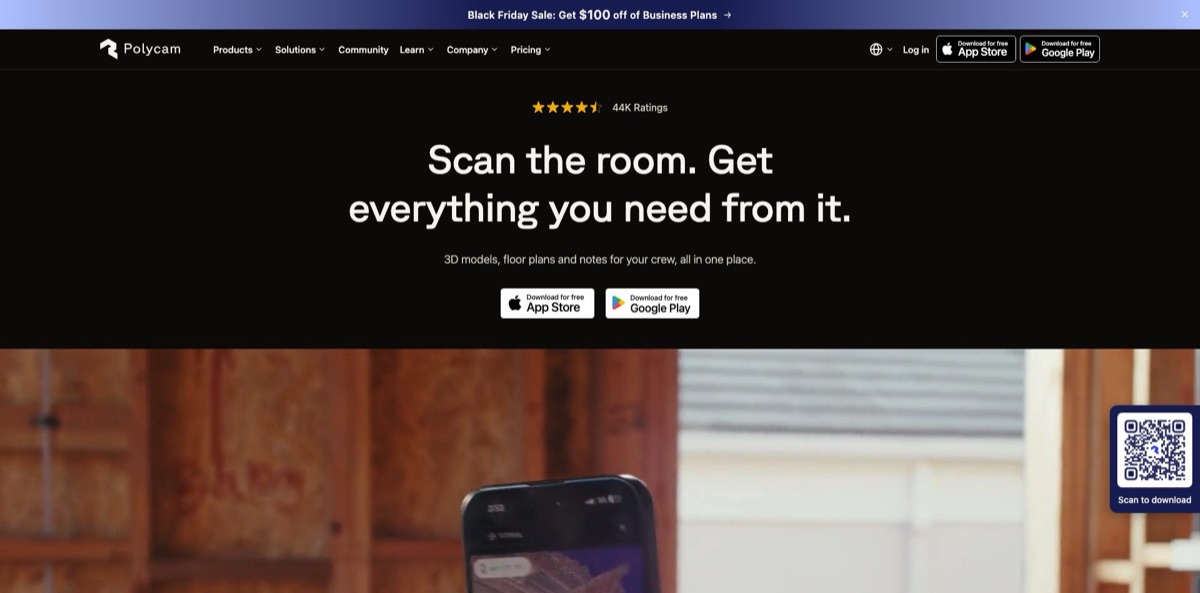
Polycam is a 3D capture app for iPhone, iPad, Android and the web that turns photos, video and LiDAR depth data into textured meshes, Gaussian splats, 360 panoramas and measured floor plans. For digital artists the useful parts are Object mode photogrammetry, Gaussian splatting from your own photos or footage, AI Capture that builds a 3D model from a single photo, and an AI Texture Generator that produces tileable materials from a text prompt. Results export to Blender, Unity, Unreal and other tools as GLTF, OBJ, FBX, USDZ and more. The weak spot is direction: the company now sells mainly to construction, insurance and real estate teams, so floor plans and serious measurement tools sit on the per-seat Business plan, and Android gets only Object mode. Pick it when you want real-world 3D assets from a phone fast, not hand-modeled art.
How to start using Polycam?
Install the app from the App Store or Google Play, or open poly.cam in a desktop browser, and create a free account. Check your hardware before you plan a project, because each capture mode has its own minimum. Space mode with LiDAR needs an iPhone 12 Pro or newer, Space mode without LiDAR needs an iPhone 13 or newer with at least 4 GB of RAM, and Object mode runs from iPhone 11 and on Android phones such as the Galaxy S20 or Pixel 6 and newer. All iOS modes require iOS 18. The Free plan gives you 10 photogrammetry captures, 3 AI captures, up to 150 images per capture and GLTF export only.
For a first real scenario, pick a small object with texture and matte surfaces, put it on a table with room to walk around, and start an Object capture. Circle it at two or three heights so every side is covered, then let the cloud pipeline build the mesh, which Polycam says takes minutes rather than hours. If you want a Gaussian splat instead, upload 20 to 200 PNG or JPG images, or an MP4 video, on the web splat tool. Keep shots crisp: motion blur and shallow depth of field create the floating artifacts that splat users call “floaters”.
Once the model is processed, spend time in the edit view. You can crop, rescale and extend captures, run remesh optimization, and adjust the background and color grade. Scenes let you combine captures and imported models into one layout, with 1 scene and 3 layers on Free and 3 scenes with 5 layers on Basic. On the web, the AI Texture Generator takes a prompt, an optional reference image with an image strength slider, a resolution from 512 to 2,048 px, and a batch size of 2, 4, 6 or 8 textures. Free accounts can preview textures, while downloads start on Basic.
Before you share anything, export the model and open it in the software where it will actually live. Free accounts get public links and GLTF files, Basic adds private links plus OBJ, FBX, DAE, STL and USDZ, and Business adds geo-referenced LAS files and TransformEngine for BIM output. If a client sees an all-black model on a phone browser, a Polycam developer reply on the App Store explains that mobile browsers fail on textures larger than 4K, so send a desktop link or the app instead. For splats, download the mesh version as well, since third-party plugin support is still uneven.
Who is it for?
Game and 3D artists
You need realistic props, rocks, food or furniture without sculpting each one by hand. Object mode and Gaussian splats turn real items into assets, and the texture generator fills in tileable ground and wall materials. Your asset library grows from a phone instead of from hours in a modeling package.
Filmmakers and VFX hobbyists
You want a believable 3D set or background from footage you already shot. Splats handle reflective surfaces and thin details that classic photogrammetry struggles with, and an iPhone video is a valid input. The result works as a reference scene or a virtual location for previs.
3D printing makers
You want to replicate or fit a case around a physical part. Basic adds STL export, so a scan goes straight into Cura or Fusion 360. Expect retakes on small parts, where Reddit users report failed meshes after several attempts.
Interior designers
You keep searching catalogs for “close enough” furniture models. AI Capture builds a 3D model from one photo of a specific sofa or estate-sale find, and Scenes lets you lay those pieces out for a client. Floor plans of the room itself, however, require the Business plan.
Contractors, architects and adjusters
You need measured plans without a tape measure or a second site visit. Space mode produces 2D and 3D floor plans measured to about 0.5 inch on standard interiors, with layered DXF and Xactimate ESX exports. This is the audience Polycam now builds for, and pricing reflects it.
DIY renovators
You want a model of your home to plan changes in SketchUp or Blender. The free capture modes cover the scanning, but exports beyond GLTF need a paid plan. Long-time users on the App Store say the price climb hurts most at this level.
Polycam pricing
Polycam sells subscriptions billed in USD, with your bank handling any currency conversion. Free accounts get capped capture counts; paid plans remove the caps and add export formats, image limits per capture and team tools. A 7-day free trial applies only to annual Basic and Business plans, monthly plans are paid upfront, and yearly plans are not refunded pro rata if you cancel. The old Pro plan is gone, although existing Pro subscribers keep their price as Legacy Pro. These figures come from the official pricing page as of November 16, 2026, during a Black Friday promotion.
10 photogrammetry captures, 3 AI captures, space captures, Gaussian splats, 150 images and 3-minute videos per capture, GLTF export, public link sharing, video with watermark, and texture previews without downloads.
Unlimited object, space, AI and splat captures, 300 images and 5-minute videos per capture, OBJ, FBX, DAE, STL and USDZ export, private links, AI texture downloads and 3 scenes with 5 layers. Single user.
Adds 2D and 3D floor plans, advanced measurement tools, a shared team library, point cloud exports including geo-referenced LAS, virtual walkthroughs, AI-generated reports, up to 2,000 images and 30-minute videos per capture, and unlimited scenes.
Adds a content management API, admin-controlled features, custom branding, role-based folders and invoice payment. SSO, SOC 2 Type 1 and Type 2 compliance, regional cloud storage and dedicated support are paid add-ons through sales.
Polycam key features
Object mode photogrammetry
You walk around a subject, the app records photos, and a cloud pipeline turns them into a textured mesh in minutes. Image limits grow from 150 per capture on Free to 300 on Basic and 2,000 on Business, and more photos usually mean finer detail on large or complex objects.
Gaussian splatting
Upload 20 to 200 photos or an MP4 video and Polycam trains a splat scene that renders shiny, reflective and thin geometry better than a classic mesh. The editor includes splat editing tools, and you can download a mesh version of any splat. Splat capture is not available on Android, so plan iPhone or web uploads.
AI Capture and the 3D Model Generator
AI Capture turns a single photo, typically a piece of furniture, into a 3D model you can drop into Scenes or export. The web 3D Model Generator works the same way and does best with an isolated object on a single-color background. Polycam labels the web generator as being in an evaluation and research phase, so treat results as drafts.
AI Texture Generator
Type a prompt such as weathered stone or bark and get tileable textures at up to 2,048 px, optionally guided by a reference image. Textures are watermark-free and come with an unrestricted, royalty-free commercial license, ready for Blender, SketchUp, Unreal or Unity. Downloads need Basic or higher.
Space mode and floor plans
With or without LiDAR, a walkthrough produces a 3D model of a room, and Business turns it into editable 2D and 3D floor plans with automatic fixture and furniture detection. Polycam quotes about 0.5 inch accuracy on standard interiors, layered DXF for AutoCAD or Revit, and ESX files sent to Xactimate in under 3 minutes.
Exports, sharing and APIs
The homepage claims more than 17 export formats, from GLTF and USDZ meshes to PLY, LAS, PTS and XYZ point clouds. Captures can be shared by link, embedded, commented on and viewed on Apple Vision Pro. Developers can send photos from any camera or drone to the Reconstruction API and receive photogrammetry models or splats back.
Polycam Pros & Cons
Pros
Polycam packs photogrammetry, Gaussian splats, LiDAR room scans, 360 photos and AI generation into one app that works on a phone, with processing in the cloud instead of on your computer. That makes it practical when your laptop is weak or you are scanning outdoors. The export list is wide enough for game engines, 3D printing and CAD, and the texture generator adds a royalty-free material source on top of the scans. The app holds a 4.6 rating from about 44,000 App Store ratings, and users praise how quickly a whole floor or object becomes a usable model. Start with Object mode and splats, where the free tier already shows what the engine can do.
Cons
The price has moved up as Polycam chased business buyers: exports beyond GLTF need Basic, floor plans need Business at $400 per seat a year, and long-time hobbyists complain about the increase. App Store reviews also describe billing friction, such as promo prices not honored and charges after cancelling through Apple, with support pointing users back to Apple. Android users get only Object mode, and some users report long multi-room scans failing midway or captures disappearing. The AI model generator is still labelled experimental. Cancel trials a day early and keep raw images backed up before you rely on it for paid work.
Use Polycam if you want…
- Turn real objects into game-ready 3D assets.
- Capture lifelike Gaussian splat scenes from phone video.
- Generate tileable, royalty-free textures from a text prompt.
- Build a 3D furniture model from one photo.
- Scan parts and export STL files for 3D printing.
- Create measured floor plans from a single room walkthrough.
- Send scans to Blender, Unity, Unreal or SketchUp.
- Share 3D models with clients through a simple link.
Polycam alternatives


Polycam Reviews
A property valuer on the App Store says measurements landed within a centimeter or two of a professional laser meter and that multi-room capture with appliance detection works well, but feels the Basic plan leaves out printable plans with dimensions.
A long-time DIY user on the App Store says the app used to be their go-to for renovations, but resents export costs rising to $150 a year and reports long multi-room scans turning blue and losing data.
Several App Store reviews focus on billing rather than scanning: promotional prices not honored at upgrade, surprise renewals after cancelling through Apple, and support that redirects users to Apple.
On Reddit, hobbyists describe Polycam as the first scanning app that made photogrammetry fun and accept the yearly fee, while more experienced users suggest moving to desktop tools such as Meshroom for more control.
A G2 reviewer praises the experience of creating and sharing photogrammetry models and Gaussian splats and the range of export formats, but misses a desktop app for generating models locally.
FAQ
Is Polycam free to use?
Yes. The Free plan includes 10 photogrammetry captures, 3 AI captures, space captures, Gaussian splats and GLTF export, while other export formats and unlimited captures start with Basic at $150 a year or $30 a month.
Do I need an iPhone with LiDAR?
No. Since January 2026, Space mode works without LiDAR on iPhone 13 and newer, while LiDAR scanning needs an iPhone 12 Pro, iPad Pro 2020 or newer. Object mode works from iPhone 11.
Does Polycam work on Android?
Yes, but only Object mode is available on Android, and Gaussian splat capture is not supported. Your phone needs at least 3.5 GB of RAM and a 64-bit chip, such as a Galaxy S20 or Pixel 6 and newer.
Can I use AI-generated textures commercially?
Yes. Polycam states that textures from its AI Texture Generator are watermark-free and carry an unrestricted, royalty-free commercial license, and downloading them requires a Basic plan or higher.
Which file formats can Polycam export?
All plans export GLTF. Basic adds OBJ, FBX, DAE, STL, USDZ, PLY and DXF, depending on the capture mode, while Business and Enterprise add geo-referenced LAS files and TransformEngine for BIM and custom 3D files.
How accurate are Polycam measurements?
Polycam quotes about 0.5 inch accuracy on standard interior captures, and notes that space complexity, scan coverage and the device used can widen that tolerance, so check key dimensions on site.
Is my scan data private?
Polycam stores captures with industry-standard encryption and does not share them unless you publish or share them yourself. Enterprise adds role-based folders, with SSO and SOC 2 compliance available as paid add-ons.
How do I cancel a Polycam subscription?
Cancel in the app, or through Apple ID or Google Play settings if you subscribed there. Yearly plans stay active until the renewal date because Polycam does not offer prorated refunds.
Similar tools
 Pixel DojoSubscription AI studio with 80+ image and 60+ video models, consistent characters, LoRA training and an agent that builds ads and short
 ArtbreederBrowser-based AI art studio for mixing, breeding and editing images with gene sliders, prompts, collages and a remix-friendly community.
 mnml.aiAI rendering studio for architects and designers that turns sketches, photos and SketchUp, Revit or Rhino views into photoreal renders and short