

Qoder
Developer ToolsUpdated October 5, 2026
Qoder is an agentic AI coding platform that automates complex workflows with autonomous agents and deep codebase insights.
We may earn a commission when you sign up through our links. It does not affect our reviews.
What is Qoder?
Qoder functions as an agentic coding environment that builds a live map of your entire repository instead of just scanning the file you have open. It indexes commit histories and architectural patterns to create a “Repo Wiki,” which translates that one weird legacy module only the senior dev understands into a searchable knowledge base. While typical autocomplete extensions guess the next word, Qoder targets autonomous task execution by drafting technical specs and implementing multi-file changes based on natural language objectives. That matters because it moves you from manual character typing to reviewing high-level logic and architectural consistency. I noticed it handles complex refactoring across dependencies significantly better than standard LLM chats, though it might feel like overkill for a simple one-page project. Use Quest Mode when you need to delegate a well-defined feature from start to finish rather than just getting a snippet of code.
How to start using Qoder?
Grab the installer from the Qoder website. You will find versions for macOS, Windows, and Linux. The macOS version requires 10.15 or later. Installation follows the standard wizard flow and gets the local IDE onto your machine, which the agent needs: it relies on local file access to understand your specific architectural patterns.
Next, open the app and find the user icon in the top-right corner. You can also use the ⌘ ⇧ , or Ctrl Shift , shortcut. Sign in using your GitHub or Google account to skip manual forms. Authentication bridges your local environment with the cloud-based orchestration layer. It costs you a brief browser redirect, but your settings and credits then sync across devices.
Once inside, you need to connect your codebase. Click Open to select a local folder or Clone repo to pull from GitHub. I saw a dedicated button for cloning that handles the SSH keys for you if you are already signed into the web portal. Qoder then begins a background indexing process. This turns a static pile of files into a searchable, semantic map the AI can actually navigate.
If you want to use specific models like GLM, head to the Models tab in settings. Click + Add and paste your API key. Qoder verifies the connection immediately, so you aren’t left guessing if the integration works. This flexibility lets you swap brains depending on whether you need cheap boilerplate or complex refactoring logic. It makes the tool feel less like a closed box and more like a modular dashboard.
Who is it for?
The Code Archaeologist
You inherited a monolith with cryptic variable names and zero documentation. Qoder maps these dependencies and explains how data flows from the API to the database. Instead of spending hours clicking through folders to find one calculation logic, you get a searchable knowledge base out of a “digital landfill.”
The Terminal Purist
You prefer the speed of a CLI over the visual noise of a heavy IDE. Qoder CLI brings Quest Mode directly to your shell for low-overhead multi-file edits. In testing, it used significantly less memory than desktop apps, and you stay in your flow without leaving the command line.
The Greenfield Architect
You need to spin up a full-stack feature but hate writing the same boilerplate. You provide a natural language goal, and the agent plans the schema and writes the controllers. It handles the coordination between frontend and backend repos, leaving you to review the system architecture.
The Security-Minded Lead
You want to catch hardcoded secrets and unvalidated inputs before they reach a PR. The tool flags leaks in the editor rather than failing a build later. It serves as an automated first pass for code reviews, and fixing a vulnerability in the IDE is cheaper than responding to a breach.
The Onboarding Mentor
Your team is growing fast, and new hires are drowning in technical debt. Qoder generates “Repo Wikis” that visualize call chains for unfamiliar modules. It answers “how does this work” so you don’t have to, which cuts down on manual peer-to-peer walkthroughs.
Qoder pricing
Qoder operates on a tiered credit system that favors active experimentation over flat monthly access. The free Community Edition provides a two-week trial with 300 credits, giving solo developers a chance to test the “Quest Mode” without immediate commitment. That’s enough to verify whether the agentic logic actually ships runnable code before you put down a credit card. Paid tiers shift toward heavy consumption, moving from 2,000 to 20,000 monthly credits as you scale project complexity.
You get limited completions and a 14-day Pro trial. It is a solid starting point for small scripts, but the credit burn accelerates quickly on multi-file refactors.
This tier provides 2,000 credits and unlocks the Repo Wiki. It handles daily feature implementation without the model losing track of local file dependencies, even across longer agentic loops.
These scale your resources to 6,000 and 20,000 credits respectively. They grant priority access to new foundation models, ensuring your agent uses the latest reasoning capabilities during peak traffic. Complex “Experts Mode” task decomposition also waits less in the queue.
Qoder key features
Deep codebase indexing maps your project’s logic without manual tagging
Qoder scans your directory structure and imports to build a mental map of how data flows between files. As a result, the AI stops suggesting code that ignores your existing helper functions.
Autonomous agents handle multi-file refactoring based on single-sentence prompts
Instead of you opening six tabs to rename a shared interface, the agent tracks down every implementation and updates them simultaneously. Goodbye to the “search and replace” fatigue that leads to broken builds.
Real-time security scanning flags vulnerable patterns as you type
It identifies common pitfalls like unvalidated inputs or hardcoded secrets before you even hit save. Catching a leak in the IDE is much cheaper than catching it in production.
Contextual chat allows you to ask questions about logic across different modules
You can query the sidebar to explain how a specific service interacts with the database without leaving your editor. No more “context switching” between your code and stale documentation.
Automated unit test generation writes edge-case scenarios based on your function’s signature
Qoder looks at your logic and creates a test suite that actually tries to break the code, not just verify the happy path. You end up handling null pointers and empty strings early.
Qoder Pros & Cons
Pros
Qoder shines when navigating massive legacy codebases. It maps complex function call chains and cross-file dependencies automatically. You stop grepping for variable origins across twenty tabs. Its agentic architecture handles multi-step refactoring while you monitor the progress. Your role shifts from manual syntax editing to high-level system architecture. Its repo documentation feature instantly clarifies architectural diagrams that usually stay hidden in senior devs’ heads. It’s the tool to reach for if you need to onboard onto a 100k-file project by next Monday.
Cons
The indexing phase can feel heavy on system resources during the initial scan. It occasionally suggests changes that ignore local custom linter rules unless specifically configured. Privacy terms regarding model data exchange remain a bit opaque for some corporate legal teams. This matters because sensitive intellectual property requires strict data sovereignty. The interface is optimized for agentic workflows, which might feel cluttered if you just want simple autocomplete. Skip it for tiny single-file scripts where a standard LLM chat suffices.
Use Qoder if you want…
- Delegate full-stack feature builds to autonomous agents.
- Automate tedious technical documentation and repo wikis.
- Ensure code matches your specific team style guides.
- Navigate complex legacy codebases with semantic search.
- Validate logic through spec-driven development loops.
- Offload model selection to an intelligent routing engine.
- Sync project context across IDE, plugin, and CLI.
- Accelerate refactoring with context-aware multi-line edits.
Qoder alternatives


Qoder Reviews
This free tool finishes projects in minutes that used to take me weeks. It is practically a technical canyon between humans and agents.
The code quality and professional approach are impressive. Even in larger NextJS projects, it currently beats every other solution I have tested.
I love how it auto-documents my repo. It saves hours of work and keeps the entire team on the same page.
Great for learning codebases on GitHub. It gives me a clear understanding of project architecture and helps me locate issues fast.
It makes coding so much easier by understanding project context and editing across multiple files seamlessly.
FAQ
Which IDEs and platforms does Qoder support?
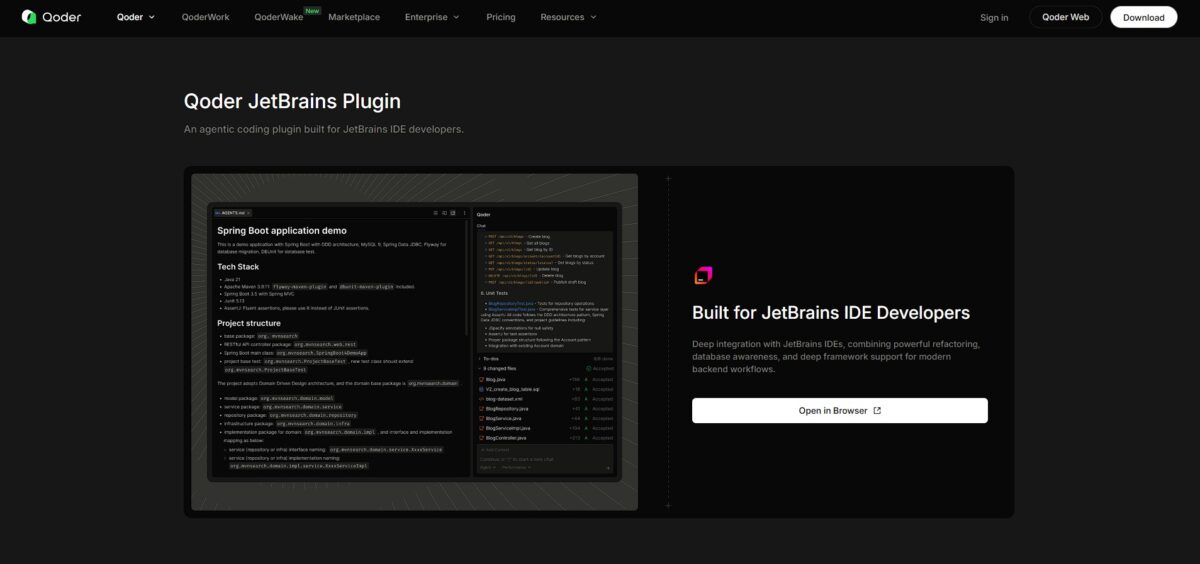
Qoder is available as a standalone AI-native IDE for macOS, Windows, and Linux. It also offers a dedicated plugin for all JetBrains IDEs, including IntelliJ IDEA, PyCharm, and WebStorm, as well as a command line interface (CLI) and a mobile app for managing agents on the go.
What is Quest Mode and how does it work?
Quest Mode is an autonomous agentic feature that allows you to delegate complex development tasks to AI. After you provide a prompt, the agent plans the architecture, writes the necessary code across multiple files, and performs self-healing by diagnosing and fixing its own errors until the task is complete.
Can I use my own LLM API keys with Qoder?
Yes, Qoder supports a Bring Your Own API Key (BYOK) model. While the platform provides built-in access to various models through its credit system, the Community Edition specifically allows you to connect your own API keys to power the AI features.
Does Qoder provide documentation for existing codebases?
The Repo Wiki feature automatically analyzes your project structure and code to generate comprehensive technical documentation. This includes architecture diagrams and explanations of hidden logic, making it easier for teams to onboard new developers or understand legacy repositories.
How does the credit system work for monthly subscriptions?
Usage is measured in credits which refresh at the start of each billing cycle. Unused monthly credits do not carry over to the next month, though credits from trial periods or specifically purchased credit packs may have different expiration rules.
Is there a way to use Qoder for free?
Qoder offers a Community Edition that is free to use with limited completions and chat requests. Additionally, new users typically receive a 14-day Pro trial with 300 credits to test advanced features like Quest Mode and Repo Wiki before committing to a paid plan.
Similar tools
 Novita AIDeveloper cloud with one API for 200+ open-weight AI models, plus GPU instances, dedicated endpoints and isolated sandboxes for AI agents.
 You.comDeveloper platform of web search, content extraction, cited research and model inference APIs that feed AI agents and RAG apps real-time web
 QodoAI code review platform that runs specialized agents on every pull request, enforces team rules and checks changes against tickets and linked