
Raycast
Developer ToolsUpdated October 21, 2026
Keyboard-first launcher for macOS, Windows and iOS with built-in AI chat, AI commands and agents that work through your apps and extensions.
We may earn a commission when you sign up through our links. It does not affect our reviews.
What is Raycast?
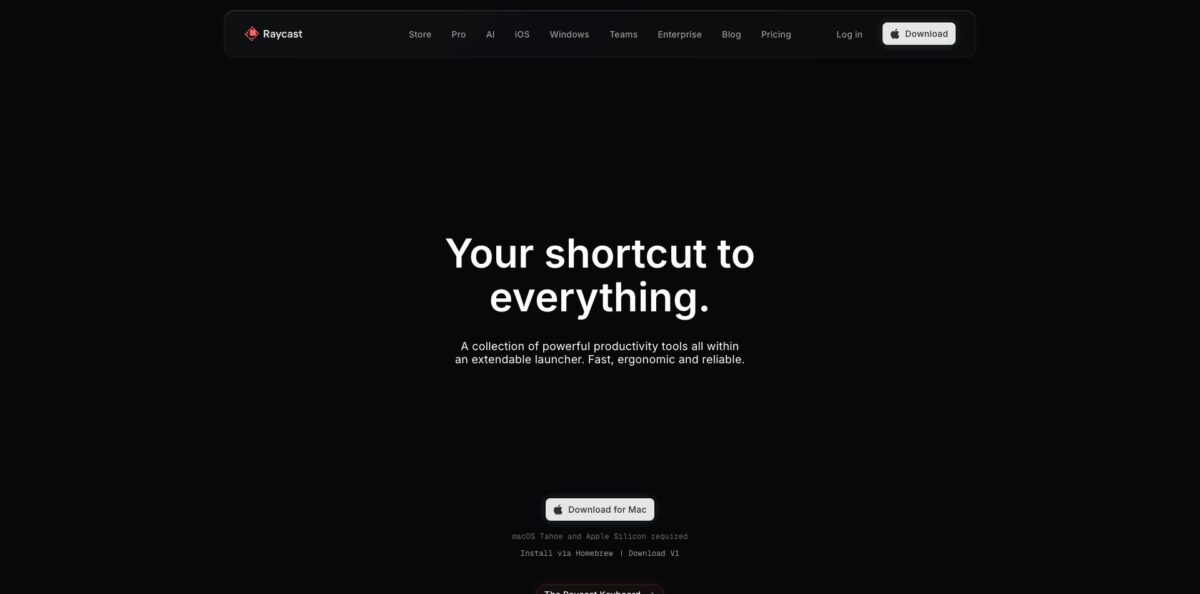
Think of it as a replacement for Spotlight that grew into a full productivity layer: one hotkey opens a search bar that launches apps, finds files, pastes from clipboard history, moves windows and runs thousands of community extensions for tools like Linear, GitHub, Jira, Slack and Notion. Raycast AI sits on top of that launcher. Quick AI answers from any app, AI Chat works as an agent that calls your extensions, writes and runs code and keeps going until a task is done, and AI Commands turn saved prompts into shortcuts. You pick models from OpenAI, Anthropic, Google, Perplexity, Mistral and others, or connect your own Claude or ChatGPT subscription. The weak spot is cost predictability: AI now runs on monthly credits, and agent-style tasks spend them quickly. Take it if you already live on the keyboard and want AI inside that same flow rather than in a browser tab.
How to start using Raycast?
Download the app from raycast.com and set a global hotkey during onboarding. You can bind it to any shortcut, including the one Spotlight normally uses. Raycast runs on macOS, Windows, iOS and iPadOS. The free plan covers the launcher, Clipboard History, Snippets, Quicklinks, Window Management, Calculator and the whole extension Store, so you can learn the core habits before spending anything. AI is not part of Raycast Free, but eligible new accounts can start a Pro trial that includes 500 AI credits.
Your first real scenario should be a small, repeated chore. Open Raycast, type the name of an AI Command such as Fix Spelling and Grammar or Improve Writing, and run it on selected text in your editor or email client. Then try Quick AI: press Tab after typing a question in Root Search and the answer appears right in the launcher. Developers usually try Find Bugs in Code or Explain This in Simple Terms on a pasted snippet next.
The key screen is Settings, then AI, then Models & Providers, then Manage Models. Here you choose which models appear in the picker, connect a Claude or ChatGPT account, or add your own API keys from OpenAI, Anthropic, Google or OpenRouter. Connected subscriptions and your own keys do not consume Raycast credits. If privacy is the priority, you can point Raycast at a local model through the Ollama integration instead.
Before you rely on agents, open AI Chat, mention an extension such as Linear or GitHub, and give it a narrow task. Watch which tools it calls and check the result. Run Show AI Credit Usage from Root Search to see what that task cost, then decide whether a cheaper model or your own subscription makes more sense for that kind of job.
Who is it for?
Software Developers
You switch between the IDE, terminal, GitHub, Linear and Slack dozens of times an hour. Raycast puts those tools behind one search bar, and AI Chat can check your open pull requests or explain an error without a new browser tab. The free extension API in React and TypeScript lets you script your own team workflows.
Engineering Managers
Status checks, PR triage and weekly updates eat your mornings. Automations run prompts on a schedule, for example checking open pull requests every hour or preparing a weekly changelog, and drop the result into a chat. You review a summary instead of clicking through five dashboards.
Writers and Marketers
You fix tone, shorten emails and rewrite copy all day. AI Commands bind those prompts to hotkeys, so selected text gets cleaned up in place. Dictation in Pro lets you draft by voice and send the text straight into the active app.
Product Designers
The Store has a dedicated Design Tools category, and Raycast lists designers among its best-known users. AI Chat can draft UI copy, summarize research notes or compare model answers side by side. You stay in the keyboard flow instead of juggling chat windows.
Teams Standardizing Workflows
Shared Snippets, Quicklinks and private extensions keep everyone on the same commands. Teams Free already allows a small shared library, and paid team plans add AI credits per seat. Enterprise adds SAML, SCIM and an AI provider allow-list for IT.
Privacy-Conscious Power Users
You want AI help but do not want prompts stored or used for training. Raycast says it does not log prompts, its model agreements prohibit training on your data, and local models via Ollama keep everything on your machine.
Raycast pricing
Raycast keeps the launcher free and charges for Raycast Pro, which bundles AI with sync and power-user extras. Since the September 2026 change, AI usage is measured in credits instead of rate limits. Every paid plan includes a monthly allowance; unused monthly credits roll over for one extra billing cycle, top-up credits last 12 months, and different models burn credits at different rates. There is no Pro plan without AI, although you can switch AI off in Settings. Verified students get 50% off Pro.
Core features, thousands of extensions, custom extensions, developer tooling, 3 months of clipboard history and 5 Raycast Notes. No AI.
500 AI credits per month, fast and powerful models from leading providers, Bring Your Own Key, Cloud Sync, Dictation, Translator, custom themes, unlimited clipboard history and Notes, custom window management commands.
Everything in Pro with 3,000 credits per month and access to top-tier models such as GPT-6 Astra and Claude Fable 5.1. This tier replaced the old Advanced AI plan.
Everything in Pro+ with 7,500 credits per month for heavy agent and automation use.
Unlimited members, up to 5 shared commands, 30 shared Quicklinks, 30 shared Snippets and a private extension Store.
Higher team tiers cost $25/user/month ($240/year) with 3,000 credits and $65/user/month ($624/year) with 7,500 credits, plus unlimited shared commands and snippets.
Custom pricing, billed annually only. SOC 2 Type II, SAML and SCIM, domain capture, MDM sign-in enforcement, IP allow-list and the AI Control Center with an AI provider allow-list and custom providers.
Raycast key features
Quick AI puts an answer one keystroke away
Type a question in Root Search, press Tab, and the reply appears in the launcher without opening a chat window. It suits fast lookups, short rewrites and explaining an error message you just copied.
AI Chat works as an agent rather than a simple chatbot
It can use your installed extensions, write and run code, check results and stop to ask you for a decision before continuing. Projects keep related chats together with their own memory and an optional working directory, such as a repo or a folder of invoices. You hand off multi-step chores instead of copying data between apps yourself.
AI Extensions connect the model to the tools you already use
Mention an extension like Linear, GitHub, Notion or your calendar, and the agent can read and act inside it. Recent releases also list MCP tools and extension skills in the chat composer. Developers can build their own AI Extensions and share them privately with a team.
AI Commands turn your go-to prompts into keyboard shortcuts
Built-in ones include Fix Spelling and Grammar, Improve Writing, Change Tone to Professional and Find Bugs in Code, and you can write custom commands with your own instructions and model. They run on selected text in almost any app. You stop retyping the same instructions twenty times a day.
Model choice and Bring Your Own Key give you one interface for many providers
The model list covers OpenAI, Anthropic, Google, Perplexity, Mistral, xAI, DeepSeek and more, and the picker previews how fast each model spends credits. You can also connect a Claude or ChatGPT subscription, add API keys or use local models through Ollama without touching your credits.
Automations and Screen Awareness push AI into the background
Automations run a prompt on a schedule, like triaging your inbox every morning, while Screen Awareness lets the agent see what is on screen so you explain less. Custom agents with their own instructions and models handle roles like code reviewer or docs writer.
The extension API is aimed squarely at web developers
Extensions use React, TypeScript and Node with typed APIs, hot reloading and built-in UI components, and one build runs on both macOS and Windows. The AI API lets an extension call Raycast AI without any API keys; users without Pro are prompted to upgrade. You can ship internal tools to your team through a private Store.
Raycast Pros & Cons
Pros
The biggest strength is context. AI lives in the same launcher you already use for apps, files, clipboard history and snippets, so asking a model something costs one keystroke instead of a window switch. The agent can act through real extensions, which makes it useful for practical chores like checking pull requests or filing tasks. Model flexibility is unusually wide: dozens of models, your own Claude or ChatGPT subscription, API keys or local Ollama models, all in one interface. Privacy terms are clear, with no prompt logging and zero data retention on most models. The free launcher is strong on its own. Start free, and only upgrade once you know which AI workflows you actually repeat.
Cons
The credit system makes costs harder to predict. Agent tasks with long context, attachments and tool calls spend credits fast, and some users report burning through a large chunk of their allowance in a day after the switch. Using your own API key now also requires a paid plan, which irritates people who already pay a model provider. There is no cheaper Pro tier without AI. Windows still lacks some macOS features, iOS does not run AI Extensions, and the current AI page lists macOS Tahoe and Apple Silicon as requirements. Check the credit cost per response for a week before committing to an annual plan.
Use Raycast if you want…
- Ask AI anything without leaving your current app.
- Turn repeated prompts into one-key text commands.
- Let an agent work through Linear, GitHub and Notion.
- Schedule recurring AI tasks like inbox and PR triage.
- Compare models from several providers in one window.
- Reuse your Claude or ChatGPT subscription on desktop.
- Build internal extensions with React and TypeScript.
- Replace Spotlight, clipboard managers and window tools at once.
Raycast alternatives



Raycast Reviews
Product Hunt reviewers describe it as a fast, keyboard-first Spotlight replacement that folds clipboard history, snippets, window management and scripts into one app, though the growing extension Store makes good extensions harder to find.
Several users say Raycast AI has become their main way to talk to LLMs because it is a hotkey away, but they want quicker access to brand-new models and note that the iOS app falls short of the desktop version.
G2 reviewers praise the speed and the depth of integrations, while warning that it takes time and a learning curve to use the app to its full potential.
Long-time Alfred users on Hacker News say the subscription for AI and unlimited clipboard history is hard to justify when they would rather bring their own API key to a one-time-purchase launcher.
After the move to AI credits, some subscribers complained that heavy agent use ate through about 1,000 credits in under a day and that requiring a paid plan for their own API keys felt like paying twice.
FAQ
Is Raycast free?
Yes. The launcher, core features like Clipboard History, Snippets, Quicklinks and Window Management, and the full extension Store are free for personal and organizational use. Raycast AI requires a paid Pro, Pro+ or Max plan.
How do Raycast AI credits work?
Each paid plan includes monthly credits: 500 on Pro, 3,000 on Pro+ and 7,500 on Max. Usage depends on the model and how much text it reads and writes, unused monthly credits roll over for one extra billing cycle, and you can buy top-ups that last 12 months.
Can I use my own API key or ChatGPT subscription?
Yes. On any paid plan you can connect a Claude or ChatGPT subscription or add your own OpenAI, Anthropic, Google or OpenRouter keys, and those requests do not consume Raycast credits. Local models through Ollama are also supported.
Which AI models does Raycast support?
Raycast offers models from OpenAI, Anthropic, Google, Perplexity, Mistral, xAI, DeepSeek and other providers. Top-tier models such as GPT-6 Astra and Claude Fable 5.1 require Pro+ or Max.
Does Raycast use my data to train AI models?
No. Raycast says it does not log or retain prompts, its agreements with AI providers prohibit training on your interactions, and most models run with zero data retention. Data is stored locally unless you turn on Cloud Sync, which encrypts it.
Is Raycast available on Windows, iOS or Linux?
Raycast runs on macOS, Windows, iOS and iPadOS. There is no Linux or Android version, the Windows app is still catching up on some macOS features, and AI Extensions do not run on iOS yet.
Can I build my own Raycast extensions?
Yes. Extensions are written in React, TypeScript and Node, run on both macOS and Windows, and can be published to the public Store or shared privately with your team. The AI API lets extensions call Raycast AI without separate keys.
Is there a student discount?
Yes. Verified students get 50% off the Raycast Pro plan by applying through Raycast’s student form.
Similar tools
 Novita AIDeveloper cloud with one API for 200+ open-weight AI models, plus GPU instances, dedicated endpoints and isolated sandboxes for AI agents.
 You.comDeveloper platform of web search, content extraction, cited research and model inference APIs that feed AI agents and RAG apps real-time web
 QodoAI code review platform that runs specialized agents on every pull request, enforces team rules and checks changes against tickets and linked