

Readdy
No-Code AIUpdated October 19, 2026
AI website builder that turns prompts, screenshots or a reference URL into responsive, hosted sites with forms, bookings, payments and SEO tools.
We may earn a commission when you sign up through our links. It does not affect our reviews.
What is Readdy?
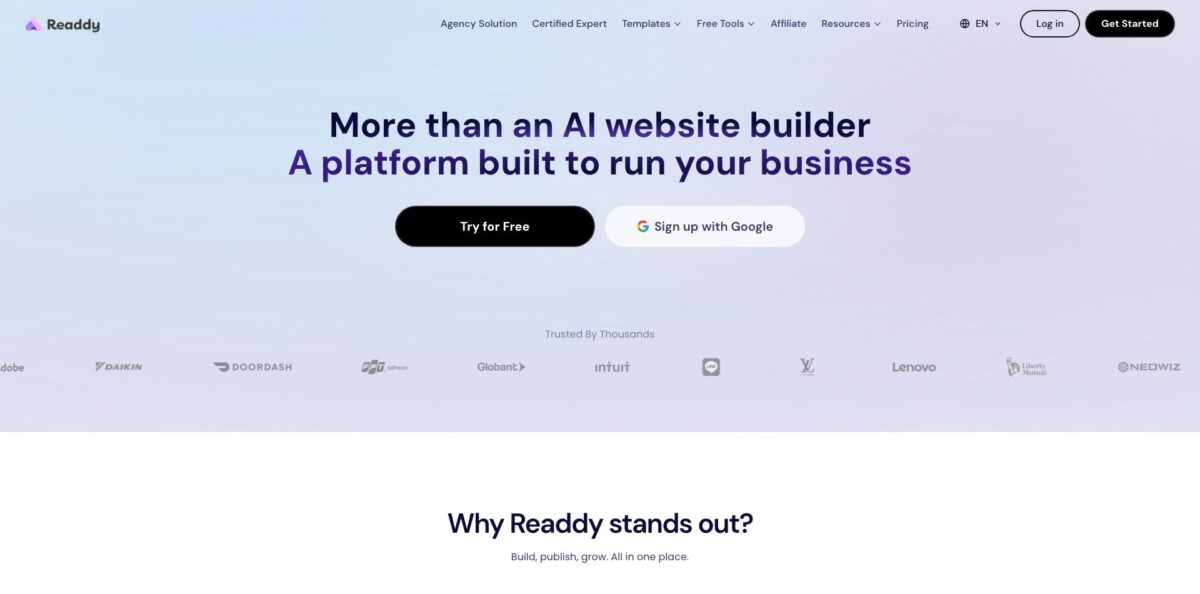
Readdy is a prompt-driven website builder that generates a full, responsive site from a plain-language brief, an uploaded screenshot or Figma frame, or the URL of a site you like, then lets you refine it by chatting or by clicking elements in a visual editor. Under the hood it produces a React, Tailwind CSS and TypeScript project, and it bundles the parts small businesses usually stitch together: hosting with SSL, domain purchase, forms, bookings, Stripe or Shopify checkout, an SEO panel and an AI receptionist that chats with visitors. The design output is the main draw, and reviewers on Product Hunt single it out as more polished than most AI generators. The weak spot is reliability on functional work: every AI action spends credits, and users report burning through allowances when forms, logins or Supabase connections refuse to cooperate. Pick it for marketing sites, portfolios, service businesses and agency client work rather than complex web apps.
How to start using Readdy?
Go to readdy.ai and sign up with Google or email. In the dashboard, click Create New Project and give it a name; the docs recommend keeping the default React Next.js project type for the best results. The Free plan gives you 250 credits a month, and since a generate or edit action costs 25 credits, that is roughly ten AI steps, so treat the free tier as a trial of the design quality rather than a way to build a finished site.
Next, pick how to start. You can type a detailed prompt (“a modern law firm site with services, about and contact pages”), choose one of the 500+ templates, upload reference images and explain what you like about them, or paste a website URL so Readdy copies its structure and layout logic into your own brand. The more specific you are about industry, audience, colors and required sections, the fewer paid revisions you will need later. The input box accepts up to 5,000 characters, so write a proper brief.
Once the first version appears, switch on Selector Mode and click any element. Plain text changes and image replacement are free, background removal costs 10 credits, an AI-generated background costs 50 and turning an image into a video background costs 150. For larger changes, select an element and describe the change in chat; one instruction can batch up to five edits for 25 credits. Add pages by asking in chat or by clicking a link that points to a page that does not exist yet. The Code tab opens a file explorer if you prefer to edit source directly.
When the site looks right, open the SEO Configuration panel to set titles, descriptions and keywords per page and preview sitemap.xml and robots.txt. Then click Publish in the top right corner. You can use a Readdy subdomain, buy a domain inside the flow or connect one you own by adding the A, CNAME or TXT records shown on screen. Connected integrations such as Stripe, Calendly or Mailchimp cost 25 credits each per project.
Who is it for?
Small business owners
You need a professional site for a salon, clinic, plumbing firm or restaurant and have no time to learn Webflow. Readdy generates the pages, handles hosting and SSL, and adds booking forms with Stripe or Calendly so customers can reserve and pay without phoning you.
Freelance web designers
Clients want a fast turnaround and you want to skip the wireframe stage. Readdy produces a polished first draft from a brief or a reference site, and you can export the page state to Figma or download the React code when a client needs a handover.
Web design agencies
Running many client sites gets expensive in seats and hosting. The Agency plans add client management, outreach campaigns and AEO/GEO tools, and Agency Pro puts the whole editor, login screen and published domains under your own brand with full white-label support.
Founders validating an idea
You want a landing page or presell page live this week, with a waitlist form and analytics. Readdy’s built-in backend stores form leads, and the version history lets you try bold redesigns without losing a working page.
Creators and coaches
Portfolios, blogs and membership areas are the core of your business. Readdy can generate login pages and user databases for gated content and connect payments for courses or subscriptions, which saves you from juggling several separate tools.
Designers who prototype
You think visually and want UI ideas fast. Product Hunt reviewers describe Readdy as a strong idea starter that skips the sketching phase, with output practical enough to present to stakeholders.
Readdy pricing
Readdy sells credit-based subscriptions. Most AI actions cost 25 credits, live sites are counted separately from projects, and you can pay monthly or commit to one, two or three years for 40%, 50% or 60% off. On a monthly plan credits refresh every month; on a one-year plan the whole year of credits lands upfront in a single balance. Prices below are from the official pricing page and plan documentation.
250 credits per month, 2 projects, 200 MB file storage, 10 Credit Care refunds, 1 editor and 5 viewers. No live site is included, so it is for trying the builder rather than publishing.
2,500 credits a month (30,000 a year upfront on annual billing), 1 live site, 10 projects, 1 GB storage, a free custom domain, Readdy Backend, AI Receptionist, 1,000 form leads a month, 2 editors and 10 viewers, and code export.
6,000 credits a month (72,000 a year on annual), 2 live sites, 50 projects, 5 GB storage, 10,000 leads a month and 50 Credit Care refunds.
The $120 tier ($72/month yearly) includes 6 live sites and adds AI SEO Analysis, AEO/GEO, Outreach Campaign, Client Management and branded email via Resend.
from $199/month, or $119/month billed yearly, with unlimited credits and 10 live sites; $299, $499 and $799 tiers raise that to 30, 60 and 120 sites. Adds GitHub sync, permission management and a fully white-labeled platform with your own login screen, domains and email templates.
Unlimited credits, projects, sites and storage, 50 editors and 200 viewers.
Extra live sites cost $6/month each on annual billing for Starter through Agency, according to the pricing page. A Reseller Mode for running your own branded website-builder business is arranged through a sales call.
Readdy key features
Four ways to generate a site: You can start from a text prompt, a template, a screenshot or Figma frame, or a live website URL. Readdy analyzes the visual style or page structure and rebuilds it as a responsive site in your brand. This is useful when a client says “make it feel like this site” and you want a draft in minutes instead of a day.
Selector Mode and Quick Edit: Click any element on the page to change text, swap images, adjust colors and spacing, or generate a new background with AI. Basic text edits and image replacements do not consume credits, which keeps routine polishing cheap.
Code Editor and export: The Code tab shows every file in the project, lets you edit source directly and downloads a standalone React, Tailwind CSS and TypeScript bundle as a .zip. Paid plans include code export, so you are not locked into Readdy’s hosting. The docs note that you need to run npm install before working on the exported project locally.
Readdy Backend and integrations: Paid plans include a built-in database, server-side functions and secrets, so forms, products and member data work without a separate service. You can connect Supabase instead, plus Stripe, Shopify, Calendly, Mailchimp, Resend, Google Analytics and GitHub. Note that Readdy Backend and Supabase cannot run on the same project at once.
AI Receptionist: Every paid site can carry a chat and voice assistant trained on the site’s content
It answers visitor questions, captures contact details and books appointments into your calendar, which turns a static brochure site into something closer to a front desk.
SEO and growth tools: The SEO panel generates or lets you write titles, descriptions and keywords per page, previews search snippets and shows sitemap and robots files. Site Diagnosis checks SEO, performance, security, accessibility and UX, AI Social Posts drafts posts for Facebook, Instagram, X and LinkedIn from your site, and agency tiers add AEO/GEO optimization and batch outreach campaigns.
White label and collaboration: Teams can invite editors and viewers, organize sites by client in Workspaces and restore earlier versions at any time. On Agency Pro and above, clients log in to an editor that carries your brand name, logo, domain and email identity, not Readdy’s.
Readdy Pros & Cons
Pros
The design output is the strongest argument for Readdy. Product Hunt reviewers repeatedly say its layouts look more finished than other AI generators, with sensible imagery and icons added without being asked. The input options are flexible: a screenshot, a Figma frame or a competitor’s URL can drive the first draft, which cuts briefing time for agencies. The all-in-one package covers hosting, SSL, domain purchase, forms, bookings, payments and SEO, so a small business does not need a stack of plugins. Code export on paid plans and a Figma plugin keep you from being trapped. Use the reference-URL option when you already know the structure you want, since it gives the AI a concrete target.
Cons
Credits drain fast once you move past visual design. Trustpilot reviewers describe spending large amounts of credits while the AI tried and failed to fix sign-in forms, Supabase connections or booking flows, and a few report pages or data being removed during a fix. Support gets mixed marks: complaints about slow replies, delayed refunds and unexpected renewals appear on both Trustpilot and Product Hunt, although the company does respond to many negative reviews and often refunds credits. Plan details also differ slightly between the pricing page and the docs, so confirm limits in the Subscription screen before paying. Keep backups or export code before asking the AI to change backend logic.
Use Readdy if you want…
- Launch a polished business website in one afternoon.
- Recreate a reference site’s layout in your own brand.
- Turn a Figma frame or screenshot into a live page.
- Add bookings and Stripe payments without extra plugins.
- Capture leads with forms stored in a built-in database.
- Put an AI receptionist on your site around the clock.
- Deliver client websites under your own agency brand.
- Export clean React code when a client wants handover.
Readdy alternatives

Readdy Reviews
Several Product Hunt reviewers say Readdy produced the best-looking layouts of the AI site builders they tried, turning a rough prompt into a presentable prototype in under an hour, though designers still see it as an idea starter rather than a finished creative solution.
Non-technical users on Trustpilot report getting a multi-page company or nonprofit site live quickly with only minor tweaks, while some wish they could move elements around manually with more freedom.
A recurring complaint is credit burn on functional fixes: users describe the AI claiming tasks were done when they were not and spending credits on repeated attempts to repair forms, logins or Supabase connections.
Billing and support draw criticism from a minority of reviewers, who mention renewals that did not activate credits, slow refund handling and email replies that took days, even as the company offers credit refunds in its responses.
FAQ
Is Readdy free to use?
Yes. The Free plan gives you 250 credits a month and 2 projects, enough for about ten AI generations or edits. It does not include a live site, so you need a paid plan to publish.
How many credits does an edit cost in Readdy?
Each generate or edit action costs 25 credits, as does connecting an integration or generating SEO content. Background removal costs 10, AI backgrounds 50 and video backgrounds 150, while Auto Fix, plain text edits and image swaps are free.
Can I export my Readdy website code?
Yes, paid plans include code export. The Code Editor downloads a .zip with a React, Tailwind CSS and TypeScript project that you can run locally after npm install and host anywhere.
Can I use my own domain with Readdy?
Yes. You can connect a domain you own by adding the DNS records shown in the publish flow, or buy one inside Readdy. Paid plans include one free custom domain, and SSL is set up automatically.
Does Readdy support e-commerce and payments?
Yes. You can connect Stripe or Shopify to sell physical products, digital downloads and subscriptions, and PayPal and Square integrations are listed in the docs.
Can I export Readdy designs to Figma?
Yes. The Export button copies the current page state, which you paste into the Readdy Figma plugin. Interactions and prototype flows do not carry over because the Figma canvas is static.
Does Readdy offer white-label for agencies?
Yes, on Agency Pro plans and above. You can set your own brand name, logo, login domain, published site domain and email sender, so clients never see Readdy branding.
How do I cancel a Readdy subscription?
Open Avatar, then Subscription, and switch your plan to Free. The change takes effect at the start of your next billing cycle, and existing projects are kept even if they exceed the new plan’s limits.
Similar tools
 MindflowNo-code and agentic automation platform for SecOps, ITOps and CloudOps teams that turns prompts into workflows across thousands of tool APIs.
 OnSpace.AINo-code AI app builder that turns chat prompts into React Native iOS and Android apps or web apps, with a managed backend,
 Jet AdminAI and no-code builder for internal tools, admin panels, dashboards and client portals that runs on top of your existing databases and