

Re:amaze
Customer SupportUpdated October 19, 2026
Helpdesk with a shared inbox, live chat, chatbots, FAQ and an AI agent billed per resolution, built mainly for ecommerce and online stores.
We may earn a commission when you sign up through our links. It does not affect our reviews.
What is Re:amaze?
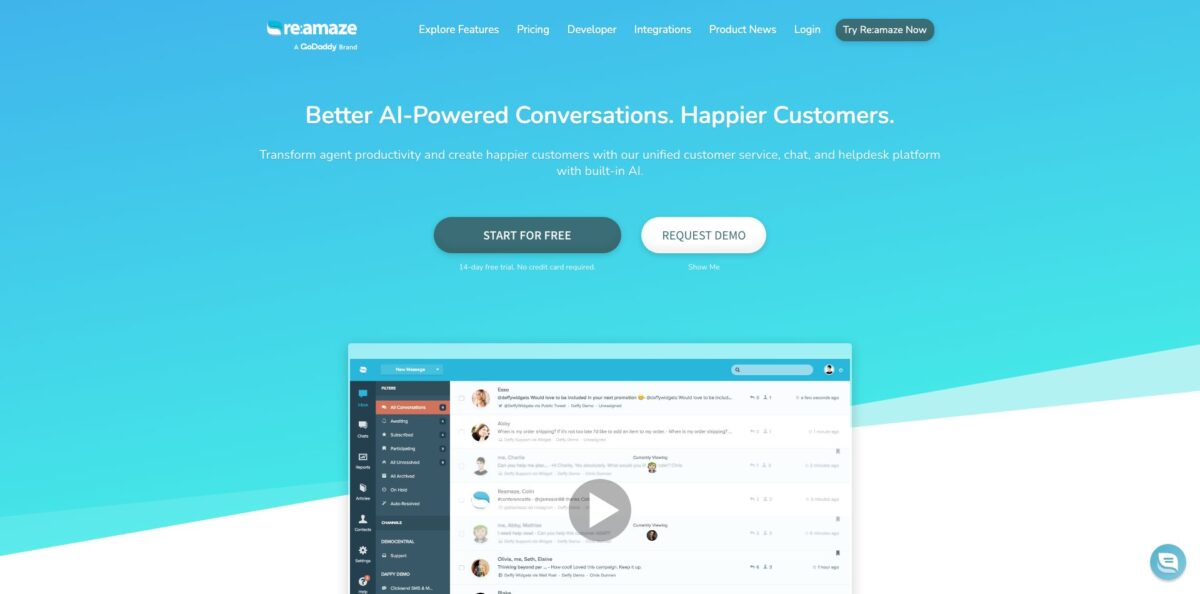
Think of it as a single support desk for small online businesses: email, live chat, Facebook, Instagram, X, SMS, VoIP and in-chat video calls all land in one shared inbox, with a help center, a status page and push campaigns bolted onto the same account. On top sits an AI layer built on OpenAI’s GPT models that drafts replies, translates and summarizes threads, plus an AI Agent that answers customers on chat, email and SMS and is billed per resolved conversation. The product has been owned by GoDaddy since 2021 and leans hard into ecommerce, pulling order data from Shopify, BigCommerce and WooCommerce right next to each message. The weak spots are the per-seat price once your team grows, a knowledge base editor that long-time users call dated, and AI features that still carry a Beta label. Pick it if you run one or several stores with a small team; look elsewhere if you need deep enterprise reporting.
How to start using Re:amaze?
Sign up with email, Google or Microsoft from the “Try Re:amaze Free” button. You get a 14-day trial with no credit card, and the trial includes every Plus plan feature, so you can test video calls, Peek co-browsing and staff roles before you pick a tier in account settings. There is no installation step; the dashboard runs in the browser, and iOS and Android apps cover replies on the go.
Next, connect your channels. Add your support mailboxes (every plan includes unlimited email inboxes), then hook up Facebook, Messenger and Instagram from the social settings. WhatsApp is available too, but the business number must be provided by Twilio. If you sell on Shopify, BigCommerce or WooCommerce, install the store integration so order numbers, items and history appear inside each conversation. The chat widget needs no code on popular ecommerce platforms and also works through Google Tag Manager.
Then build the self-service layer. Write FAQ articles in Markdown or HTML, mark some as internal, and embed the help center on your site, on its own domain, or inside the chat widget. These articles matter twice: they deflect questions directly and they become knowledge for the AI Agent. Set up response templates, tags and Workflows so incoming messages are routed and answered by rules, and add prebuilt bots such as the Order Bot, which lets shoppers check order status without an agent.
Finally, switch on the AI Agent under AI > Manage Bots > AI/Chatbots and choose which chat, email and SMS channels it covers. In the AI Settings, pick a personality (Professional, Cheerful or Laid-back), add response guidelines and reference URLs, and decide which knowledge sources it can read. Use the Test AI Agent tab to send sample questions first. Note that while the AI Agent is on, classic bots like the Hello Bot and Order Bot stop running, though Cue Bots and Workflow Bots keep working.
Who is it for?
Shopify and WooCommerce store owners
Most of your tickets are “where is my order” and return questions. Re:amaze shows the customer’s order next to the message and the Order Bot or AI Agent can answer the status question alone. Your agents spend their time on damaged parcels and refunds instead of copy-pasting tracking links.
Multi-brand operators
If you run several storefronts, the Pro plan lets you manage unlimited brands in one account, each with its own FAQ, chat widget and channels. Staff can move between brands without logging into separate tools, and one Capterra reviewer runs four to eight Shopify stores this way.
Small support teams of one to five people
You need email, chat and social in one place without paying enterprise prices. Collision detection shows when a teammate is already replying, and notes and assignments keep handoffs clean. The flat Starter plan can cover a whole team if you stay under 500 responded conversations a month.
SaaS and web app founders
The embeddable FAQ, status page and chat widget work inside your app, and the JSON API plus SDKs let you push your own customer data into conversations. When an outage hits, a status announcement can appear before customers even submit a chat.
Sales-minded ecommerce marketers
Live View shows who is on your site right now, where they are and what pages they have visited, and Cues send targeted messages based on rules. Push Campaigns add browser notifications for people who have left your site, so support and re-engagement live in one tool.
Teams testing AI without a big commitment
Every paid seat includes a small number of AI Agent resolutions, so you can measure real deflection before paying overage. Learned Answers and corrections let you shape replies gradually instead of handing everything to a bot on day one.
Re:amaze pricing
Re:amaze charges per team member per month, with a 10% discount for annual billing and no contracts. There is no free plan, only a 14-day trial with all Plus features. AI Agent usage is metered separately: each plan includes a set number of resolutions per user per month, and anything above that costs $0.85 per resolution. A resolution is a conversation the AI Agent handles without escalating to a human, counted once per thread no matter how many messages it contains. You can turn usage overage off and let classic chatbots run as a free fallback.
All Basic features for unlimited team members, capped at 500 responded conversations per month. A good deal for a growing team with modest ticket volume.
Unlimited email inboxes and social channels, live chat, public and internal FAQ, Workflows, response templates, chatbots, Cues, basic reporting and the AI Agent with 5 resolutions per user per month. Limited to one brand.
Adds unlimited brands, Live View of site visitors, advanced reporting, SMS and voice channels, a custom hosted domain, customizable email appearance, AI Intents and the Status Page. Includes 10 AI resolutions per user per month.
Adds Peek live screensharing, departments, staff performance reporting, shifts and vacation days, custom staff roles, customer satisfaction ratings, in-chat video calls, optional Classic Chat mode and FAQ edit history. Includes 20 AI resolutions per user per month.
Custom. The help center mentions volume plans without seat-based limits, where every AI resolution is billed at $0.85; terms come from sales.
Re:amaze key features
Shared omnichannel inbox
Email, chat, Facebook, Instagram, X, SMS/MMS and voice conversations arrive in one queue with notes, reminders, assignments and collision detection. You can reply from the web dashboard, the mobile apps or plain email. Your team stops switching between five tools and nobody answers the same customer twice.
AI Agent with resolution billing
The agent answers on chat, email and SMS using FAQ articles, response templates, custom AI context, external URLs and Shopify or WooCommerce product and order data. Each reply shows which sources it used, and an Improve Response button lets you store up to 100 corrections. You pay only for conversations it closes without a human.
Learned Answers
When a human finishes a conversation the AI escalated, the system drafts a suggested answer in a For Review list. You can save, edit or delete it; unapproved suggestions expire after 14 days and you can keep up to 50 saved answers. The agent gets better at your edge cases without you writing new articles.
AI writing assistant
Inside the inbox, AI suggests replies, translates foreign-language messages on demand, summarizes long threads, answers questions about a conversation and drafts response templates and FAQ articles. Roles and permissions control who can use it.
Chatbots and Cues
Prebuilt Hello, Order and FAQ bots plus a visual builder for custom branching bots that qualify leads or recommend products, all with no code. Cues trigger proactive messages based on rules to upsell, cross-sell or prevent site abandonment. Both are included on every paid plan.
FAQ, Status Page and Live View
The help center supports Markdown or HTML, public, internal and draft articles, custom domains and embedding in chat. The Status Page posts incidents to your FAQ and chat automatically, while Live View shows active visitors, geolocation and activity so you can message them one-on-one.
Integrations and API
The integrations directory covers Shopify, BigCommerce, WooCommerce, Stripe, Klaviyo, Recharge, ShipStation, Slack, Jira, Aircall, RingCentral, Pipedrive, Zapier and more. A JSON API exposes conversations, contacts, articles and reports, and a Custom Module SDK lets you show your own backend data in the dashboard.
Re:amaze Pros & Cons
Pros
You get a lot of channels for the money. Even the Basic seat covers unlimited email inboxes, social channels, live chat, an FAQ, chatbots and proactive messages, and the flat Starter plan opens the whole team for $59 a month. Ecommerce context is the standout: order details from Shopify, BigCommerce or WooCommerce sit beside each message, which reviewers repeatedly credit for faster replies. Multi-brand support on Pro is rare at this price, and the AI Agent’s per-resolution billing means you only pay when it actually closes a ticket. Users on Capterra and the Shopify App Store also praise the vendor’s support team. Start with Basic plus AI-suggested replies and upgrade only when you need SMS, voice or extra brands.
Cons
Per-seat pricing climbs fast; one reviewer described the jump from a starter setup to a larger team as feast or famine. The knowledge base editor draws steady criticism as clunky and dated, and older reviews note awkward image handling in articles. The AI features still wear a Beta tag, and some store owners on the Shopify App Store say the AI chat gives vague answers or does not fit their needs. The chat widget cannot show two languages automatically, according to the vendor’s own reply to a review. Reporting covers volume and response times but is not built for deep analytics. Run the AI Agent in test mode and watch Learned Answers for a few weeks before trusting it on email.
Use Re:amaze if you want…
- Answer email, chat, social and SMS from one inbox.
- Show Shopify order details next to every customer message.
- Run support for several brands in one account.
- Let an AI agent close routine tickets per resolution.
- Publish a branded FAQ that also trains your bot.
- Send proactive chat messages to reduce cart abandonment.
- Watch live site visitors and message them directly.
- Announce outages with a built-in status page.
Re:amaze alternatives





Re:amaze Reviews
Store owners like that email, voice, SMS, social and Shopify data come together in one place with quick setup and a pleasant agent interface, though some still ask for better ways to merge conversations across channels.
Small teams call it a lot of features for a modest price and value the frequent updates, but the knowledge base editor feels a generation behind the rest of the product.
Multi-store operators say it keeps separate Shopify stores organized under shared procedures, while the difference between resolved and archived conversations can confuse new staff.
Recent Shopify App Store reviews are split on AI: some find the AI demo and account managers helpful, others say the AI chat answers too vaguely and the widget lacks automatic multi-language display.
Long-time users praise fast, friendly vendor support and stable performance, yet mention occasional lag that needs a page refresh and API limits for custom work.
FAQ
Does Re:amaze have a free plan?
No. You get a 14-day free trial with all Plus plan features and no credit card, then choose Starter, Basic, Pro or Plus. You can cancel any time with no contracts or cancellation fees.
How is the Re:amaze AI Agent billed?
Each seat includes 5 (Basic), 10 (Pro) or 20 (Plus) resolutions per month, and extra resolutions cost $0.85 each. Only conversations closed without escalation to a human count, once per thread.
Which channels does Re:amaze support?
Email, live chat, Facebook, Messenger, Instagram, X, SMS/MMS, voice and in-chat video calls. WhatsApp works through an integration that requires a Twilio-provided number, and SMS and voice need the Pro plan or higher.
Does Re:amaze integrate with Shopify and WooCommerce?
Yes. Shopify, BigCommerce and WooCommerce integrations show order data in conversations, power the Order Bot, and can feed product and order details to the AI Agent.
Can I manage several stores in one account?
Yes, on Pro and Plus, which allow unlimited brands. Basic and Starter are limited to one brand.
Does Re:amaze have an API?
Yes. A JSON API covers conversations, messages, contacts, articles, response templates and reports, and there are Embed, Mobile and Custom Module SDKs.
Who owns Re:amaze and how is data handled?
Re:amaze is offered by Lantirn, Inc., a GoDaddy company, and GoDaddy’s Global Privacy Notice and European Privacy Notice apply to its processing of personal data. The AI features run on OpenAI’s GPT models.
Can I control what the AI Agent says?
Yes. You choose its personality, write response guidelines, select knowledge sources, test it in the Test AI Agent tab, and refine it through AI Agent Corrections and Learned Answers.
Similar tools
 Level AIContact center AI platform that scores every call, chat and email, runs voice and chat virtual agents, and gives live agents real-time
 TelozAI cloud contact center and business phone system with an AI receptionist, omnichannel inbox, dialers and live analytics for US teams.
 CallbellShared team inbox for WhatsApp, Messenger, Instagram, Telegram and TikTok with a no-code bot builder, AI agents and WhatsApp broadcasts.