
Recraft
Art GenerationUpdated October 19, 2026
AI design studio that generates editable SVG vectors, illustrations, icons and on-brand images using custom styles, mockups and an API.
We may earn a commission when you sign up through our links. It does not affect our reviews.
What is Recraft?
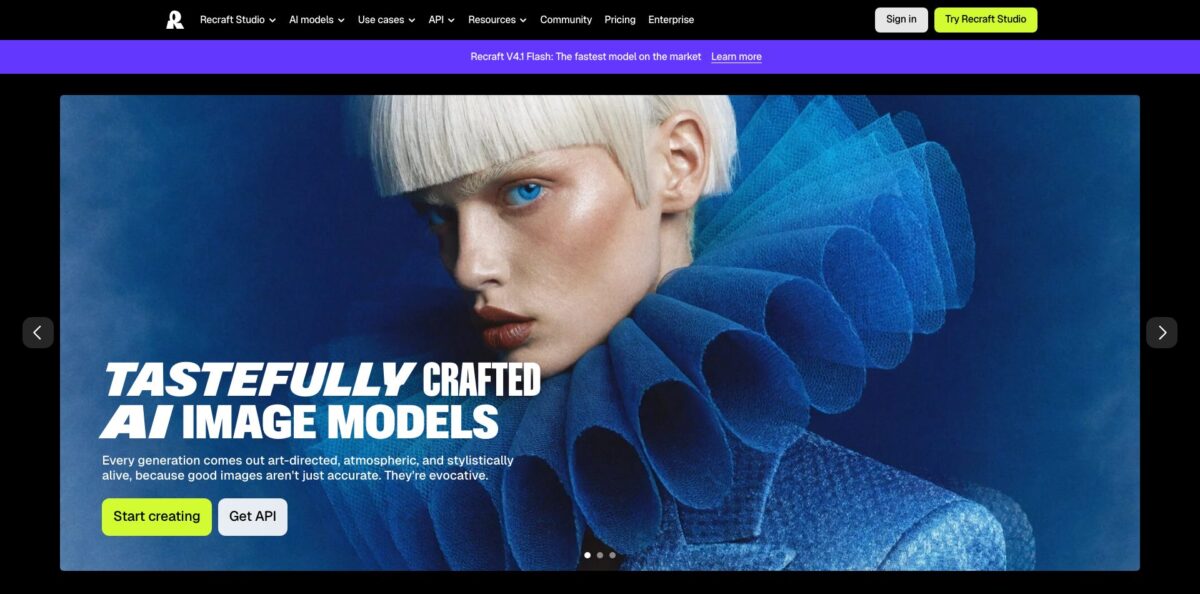
Recraft is a browser-based design studio built around its own image models (V2, V3, V4 and V4.1) that can output true SVG vectors as well as raster images, with third-party models such as Nano Banana, GPT Image, Flux, Ideogram and Seedream available on paid plans. The problem it solves is a familiar one: most image generators hand you a flat PNG, while a logo, icon set or packaging illustration needs editable paths and a consistent look across dozens of assets. Recraft answers that with a canvas, a point-level vector editor, reusable custom styles, color palettes and mockups in one place, plus an API and MCP server for developers. The weak spot is cost control, because credits drain unevenly across models and complex vectors still need cleanup. Pick it if you produce brand graphics regularly and want SVGs you can open in Figma or Illustrator.
How to start using Recraft?
Go to recraft.ai and sign in with email, Google, Discord or Apple. There is no password; email sign-ups get a one-time code. New accounts receive free credits, and you land on the Projects view. Click Create new project to open an empty canvas. The left panel opens on the Chat tab, where you can describe a task in plain language, or you can switch to the Create tab to set every option yourself.
For a first real job, try a set of icons for a website. In Create, set the generation type to Vector, pick a Recraft vector model, write a short description and choose how many variations you want. Results appear on the canvas in a few seconds as separate objects. If you already have a mood board, attach reference images instead (references work with the Image type, not with Vector), or open the Style library and choose a curated style filtered by Photo, Illustration, Graphic design, Icon or Logo.
The key screen to learn is the style creator. Click Style above the prompt panel, then Create style. In V4 Styles mode you can upload up to 10 reference images, adjust the weight of each one with sliders, set the type to Raster or Vector and attach a palette. Use the Test it panel to generate a preview before you save. Once saved, the style sits in My styles and can be applied with Precise or Flexible matching on every future generation, which is how you keep a whole series on-brand.
Before you publish, click any result to open the right panel. Modify holds background removal, area editing, remix, color adjustment and outpaint. Double-click a vector to edit its points and curves directly. When it looks right, select it and click Export: vectors go out as SVG, PDF or Lottie, rasters as PNG, JPG, TIFF or PDF. Check which plan you are on first, because Free plan images are public and not licensed for commercial use.
Who is it for?
Brand and graphic designers
You need logos, icon families and illustrations that match each other, and you are tired of tracing AI output by hand. Recraft generates native SVG and lets you edit points, curves and fills on the canvas. You start from an editable draft instead of a picture you have to rebuild.
Startup founders without a designer
You need a logo, palette, app icon and social visuals this week, not a month from now. The Design Agent on paid plans turns one product description into four creative directions and then a set of around 12 matching assets. You get a coherent starting identity you can extend later.
Print-on-demand and merch sellers
T-shirts, stickers, mugs and tote bags need clean artwork and believable product photos. Recraft combines vector generation, vectorization of existing artwork and ready-made mockup collections for apparel, packaging, devices and outdoor ads. You move from idea to listing image in one tool, with commercial rights on paid plans.
Marketing teams
Campaigns need dozens of on-brand banners, hero images and social posts in different formats. Shared custom styles, centralized billing and SSO on the Teams plan keep everyone generating within the same look. Fewer off-brand assets slip into review.
Product and web designers in Figma or Framer
Switching tabs to generate a single icon breaks your flow. The Figma and Framer plugins generate rasters or editable SVGs, remove backgrounds and upscale inside your file using the same Recraft credits. Assets drop straight into your layout as layers.
Developers building image features
You need predictable per-image costs and vector output via code. The Recraft API bills from $0.007 per image and supports generation, editing, vectorizing and background removal, while the hosted MCP server lets agents such as Claude or Cursor call the same tools. You can ship image generation without training your own model.
Recraft pricing
Recraft runs on credits. Paid plans include a monthly allowance that resets each billing cycle and does not roll over, while top-up packs never expire. Each action has its own price: generating with Recraft V4.1 costs 2 credits per image, V4.1 Vector costs 4, V4.1 Pro Vector costs 12, and external models range from 1 to 63 credits per image. Chat mode messages also cost credits, and the cost grows as a conversation gets longer. Annual billing saves 20%, and prices exclude VAT.
Limited free credits, 3 image uploads per day and up to 2 images per generation, Recraft models only, basic editing tools, no parallel generation. All images are public in the community gallery, owned by Recraft and not licensed for commercial use.
1,000 credits per month, access to external models such as Nano Banana, Seedream, GPT Image and Flux, commercial rights and private generations, unlimited uploads, custom color palettes, Magic wand, Creative upscale, up to 20 images per generation and up to 5 parallel generations.
Higher tiers cost $40 ($32 annually) for 4,000 credits, $80 ($64) for 8,000 credits and $160 ($128) for 16,000 credits. Adds video generation with models such as Kling, Veo, Seedance and Grok Imagine Video, priority image generation and up to 10 parallel generations.
Minimum 2 seats. Adds a shared workspace, shared custom styles, centralized account management and billing, premium 24/7 support and SSO. Credits are not shared between members.
$2 for 200 credits, $4 for 400, $8 for 800 and $16 for 1,600, available on paid plans only.
Raster images cost from $0.007 (V4.1 Flash) to $0.04 (V4), vector images from $0.044 (V2) to $0.08 (V4.1), and tools such as background removal or vectorizing cost $0.01 per request.
Recraft key features
Native vector generation produces real SVG files rather than traced PNGs
You select Vector as the generation type, describe the icon, logo or illustration, and export the result as SVG or PDF. Designers get layered artwork that scales without quality loss.
The built-in Vector Editor lets you change every point, curve and color without leaving the canvas
Double-click a vector to split it into shapes, reorder layers, recolor fills, add or delete points and adjust tangents. This removes the export-to-Illustrator step for small fixes. It works on imported SVG files too.
Custom styles turn up to 10 reference images into a reusable visual rule set
You weight each reference, choose raster or vector output, attach a palette and test before saving. Every later generation can follow that style precisely or loosely, which keeps a campaign or icon family consistent across weeks of work.
Chat mode and the Design Agent handle multi-step work conversationally
You can ask for a product shot, then remove its background, then vectorize the silhouette in one session. Paid subscribers can ask the Design Agent for a brand kit and get four directions, then a set of around 12 matching assets saved as a reusable Design Kit.
Mockups place your artwork on product photography
Pick a ready-made mockup from the Apparel, Packaging, Devices or Outdoor ads collections, generate one from a prompt, or convert your own product photo into a mockup frame. An optional Enhance realism step for 11 credits blends the design more naturally onto flat surfaces such as boxes and screens.
Vectorize, upscale and background tools cover everyday cleanup
Vectorizing costs 1 credit and includes a color reduction slider plus swatch and spectrum recoloring modes. Crisp upscale and background removal also cost 1 credit each. Photoreal or heavily textured images may produce artifacts when vectorized, so test on simple artwork first.
Integrations extend Recraft beyond the browser
Plugins exist for Figma and Framer, add-ons for Google Docs and Slides, a Chrome extension, iOS and Android apps, a REST API and a hosted MCP server at mcp.recraft.ai that bills against your subscription credits. Your credits, styles and projects sync across all of them.
Recraft Pros & Cons
Pros
Recraft is one of the few AI generators where vector output is a first-class format, not an afterthought. You get editable SVGs, a point-level editor and export to SVG, PDF or Lottie in the same workspace where you generate. Custom styles built from up to 10 references, saved palettes and shared team styles make it practical to keep a brand consistent across hundreds of assets. Paid plans open up a wide model menu, from Recraft V4.1 to Nano Banana, GPT Image and Flux, so you can pick the right engine per job without juggling subscriptions. SOC 2 Type 2 certification and an API that never uses inputs for training help with business adoption. Save one tested style per brand and reuse it on every project.
Cons
The credit system takes effort to manage. Costs vary by model from 1 to 63 credits per image, chat messages grow more expensive as a session lengthens, and monthly credits disappear at renewal. App Store reviewers report failed generations that still consumed credits and slow support replies, and the mobile app offers fewer tools than the web canvas. Complex vectors can come out with messy paths that need cleanup in Illustrator. Free plan images are public and owned by Recraft, and training opt-out is not available on Free; paid users must switch off Help improve Recraft in settings themselves. Turn that toggle off on day one and watch the credit counter during long chat sessions.
Use Recraft if you want…
- Generate editable SVG icons and logos from text prompts.
- Keep every campaign asset in one consistent brand style.
- Turn raster sketches or old artwork into clean vectors.
- Place your designs onto realistic product and apparel mockups.
- Build a starter brand kit from one product description.
- Use Nano Banana, Flux and GPT Image under one subscription.
- Generate images and vectors inside Figma, Framer or Google Slides.
- Add vector and raster generation to your app via API.
Recraft alternatives
 IdeogramRead review →
 MidjourneyRead review →
 Leonardo.aiRead review →
 Adobe FireflyRead review →
 Canva Text to ImageRead review →
 KreaRead review →
Recraft Reviews
G2 reviewers rate the vector output and style controls highly and find the tool easy to pick up, but several say the free credits run out mid-project when iterating on concepts.
Designers on G2 note that simple vectors come out clean, while complex SVGs often have messy paths that need tidying in Illustrator before production use.
App Store users praise how closely images follow detailed prompts and call vectorizing fairly priced, though some say the mobile app has far fewer tools than the web version.
Several App Store reviewers complain that failed generations still used up credits and that support was slow to reply or declined refund requests.
FAQ
Is there a free version of Recraft?
Yes. The Free plan gives limited credits that reset daily, 3 image uploads per day and up to 2 images per generation using Recraft models. Images made on Free are public, owned by Recraft and cannot be used commercially.
Can I use Recraft images commercially?
On any paid plan you get full ownership and commercial rights to images generated while subscribed, and those images stay private and yours even after you cancel. Recraft’s terms forbid using generated assets to train other AI models on any plan.
What file formats can I export?
Vector images export as SVG, PDF or Lottie, and raster images as PNG, JPG, TIFF or PDF. You can set dimensions and resolution in the Export dialog.
Does Recraft use my images to train its models?
By default, images, prompts and chat content from Free and paid accounts may be used for training. Paid users can opt out by turning off Help improve Recraft in Profile settings, Teams workspaces are opted out by default, and API data is never used for training.
Does Recraft have an API?
Yes. The REST API covers raster and vector generation, editing, inpainting, outpainting, vectorizing, background removal and upscaling. It is billed in prepaid API units at $0.001 each, separately from Studio subscription credits.
Which integrations and apps are available?
Recraft offers plugins for Figma and Framer, add-ons for Google Docs and Google Slides, a Chrome extension, iOS and Android apps, and a hosted MCP server for clients such as Claude and Cursor.
What languages does the interface support?
The interface is available in English, German, Spanish, French, Ukrainian and Russian. You can switch from the Language dropdown in your Profile.
How do I cancel my subscription?
Click your profile in the upper right, choose Manage subscription, then Cancel plan. Your plan stays active until the end of the current billing period.
Similar tools
 CustomuseAI 3D creation platform that chains image, video and 3D models into node workflows for game-ready assets, Roblox items and scenes.
 VisualGPTCredit-based AI image and video studio that runs Nano Banana, GPT Image, Seedream, Flux and Kling for product photos, photo edits and
 LovartAI design agent that turns a chat brief into logos, social posts, product shots, slides and videos on one editable infinite canvas.