

Removal.AI
Image EditingUpdated October 19, 2026
AI background remover with a bulk uploader, simple design editor, desktop app, Figma plugin and API, sold through monthly or three-year credit packs.
We may earn a commission when you sign up through our links. It does not affect our reviews.
What is Removal.AI?
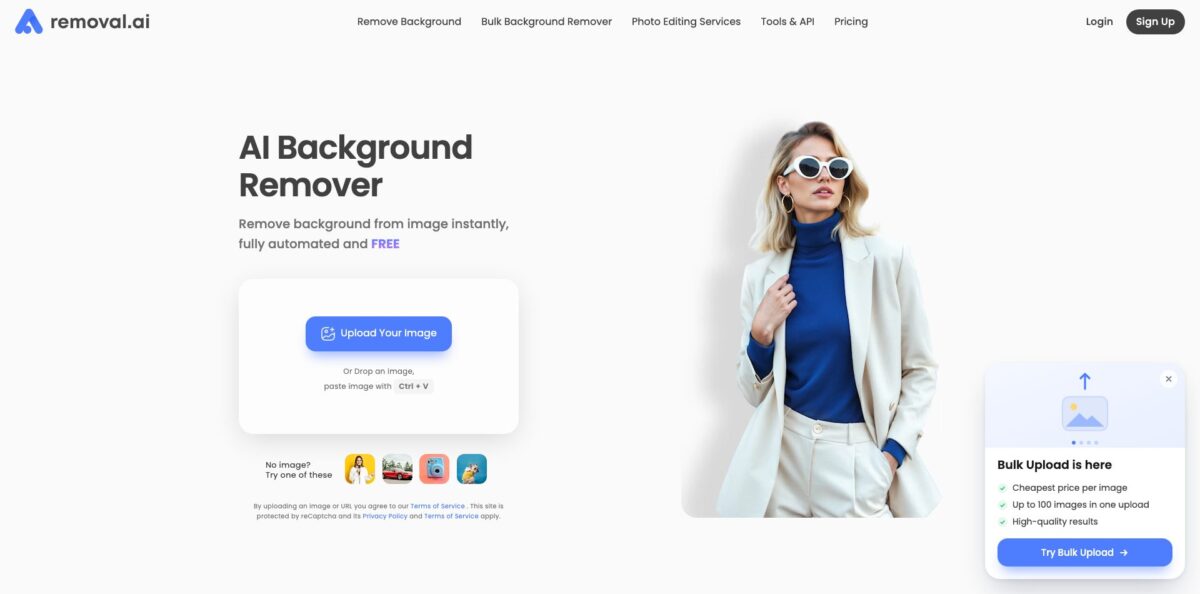
Removal.AI is a browser-based cutout service that detects the subject in a JPG, PNG or WebP photo, strips everything behind it and hands back a transparent, white or custom background in a few seconds. Around that core sit a bulk uploader, a basic design editor for text, shadows and marketplace templates, desktop apps for Mac and Windows, a Figma plugin and a REST API, all paid for from one pool of credits. The free tier only gives low-resolution previews, so anything you plan to publish costs a credit. Its strongest argument is price: monthly packs drop to a few cents per image. Its weak spot, according to users, is fine detail such as hair, glass and subjects that share colours with the background. Choose it for steady product or portrait cutouts on a budget, not for hero shots that need pixel-level masking.
How to start using Removal.AI?
Go to removal.ai and drop an image onto the upload box, paste one with Ctrl + V, or pick one of the sample photos. No account is needed for a first test. The tool returns a side-by-side view of the original and the cutout, with tabs for a preview image and a Full HD image. The preview download is free but capped at 0.25 megapixels, which is fine for checking edge quality and not much else.
Your first real job is usually a single product or portrait. If the AI clipped a strap or left a halo, open Erase/Restore and brush the edge back in or out. Sign up to get one free credit for a high-resolution download, then decide whether the quality on your own photos justifies buying a pack. Source files can be up to 12MB each, and anything above 36 megapixels is resized down.
For catalog work, the Bulk Background Remover is the screen that matters. You log in, upload up to 100 images or a whole folder at once (up to 20MB per file and 200MB per upload), and the queue processes them while you close the browser. Each image costs half a credit here instead of one, and failed images are refunded. Results are grouped by day or folder and can be downloaded one by one or as a ZIP.
Before you publish, open a handful of results at full size, especially items with fur, mesh or reflective surfaces. Fix the worst ones in the editor, or send them to the paid manual editing service if they are hero images. Then download, because both originals and results in the bulk tool are deleted automatically after seven days.
Who is it for?
E-commerce sellers
You shoot products on a kitchen table and need the white backgrounds that Amazon, eBay, Etsy and Shopify expect. Bulk uploads at half a credit per image make a few hundred listings cost less than a lunch. You stop spending evenings with the Photoshop pen tool.
Car dealers and marketplaces
Lot photos come in by the dozen every day and need consistent backgrounds. Removal.AI runs a dedicated page for car dealerships and offers high-volume contracts with custom rate limits. Your inventory looks uniform without a photo studio.
Developers and SaaS builders
You want background removal inside your own app without hosting a segmentation model. One POST request with an API token returns a transparent PNG, and the documentation lists samples for Python, PHP, JavaScript and Node.js. You ship the feature in an afternoon.
Designers working in Figma
Cutting out a headshot or a product for a mockup is a small task that keeps interrupting real design work. The Figma plugin brings the remover into the canvas, and credits are shared with the web tool. You stay in one window.
Marketers and social media managers
Banners, thumbnails and ad creatives need a clean subject on a branded background. The built-in editor adds text, shadows and preset canvas sizes for Facebook, Instagram, Pinterest and Shopify. Simple graphics no longer wait for a designer.
Photographers with occasional cutouts
Most of your work never needs a background change, so a subscription feels wasteful. Lifetime packs stay valid for three years, and difficult jobs can go to Removal.AI’s manual editors. You pay only when a client asks for it.
Removal.AI pricing
Everything runs on credits: one high-resolution download costs one credit, whether you use the website, the desktop app, the Figma plugin or the API, and the bulk uploader charges half a credit per image. You can buy credits as a monthly subscription, where unused credits roll over up to five times your monthly budget as long as you stay subscribed, or as a one-time Lifetime pack that stays valid for three years. Payment is by card or PayPal, and first purchases carry a 14-day money-back guarantee if you have processed fewer than 50 images.
Unlimited previews at 0.25 megapixels for personal use, one free high-resolution credit on sign-up, and 10 free preview credits per month through the API.
Enough for a small shop that adds a few listings each week.
A sensible tier for sellers who refresh a catalog regularly.
Per-image cost falls to roughly four to six cents, which is where agencies and busier stores usually land.
The largest tier works out to around two cents per image.
Per-image prices are higher than monthly plans, from $0.63 down to about $0.11.
Custom. For 10,000+ images per month you get negotiated credit and rate limits, dedicated support and an option to train a model on your own images; prices are quote-based.
$3.99 for one image, $8.99 for three, up to $25.99 for 20 images, returned within 24 hours on weekdays and not covered by the money-back guarantee.
Removal.AI key features
Automatic background removal
The model detects products, people, cars, animals and graphics and returns a cutout in a few seconds, with options for transparent, white or solid colour backgrounds. Erase/Restore brushes let you fix edges the AI misjudged. For most catalog photos, this replaces manual masking entirely.
Bulk Background Remover
Upload up to 100 images or a whole folder per batch, close the browser while the queue runs, and download results individually or as a ZIP. Each image costs 0.5 credit, failed images are refunded, and files are deleted after seven days.
Free online photo editor
After removal, the Edit button opens a canvas with preset sizes for blog posts, Facebook, Instagram, Pinterest and Shopify. You can swap in a background image or colour, add text with shadows, apply drop shadows and adjust brightness, contrast, blur and opacity. It covers quick banners and listing images without a separate design app.
Background Removal API
A single POST request to the remove endpoint with your Rm-Token returns a transparent PNG or a URL, accepting direct uploads or image URLs up to 25 megapixels. The stated rate limit is up to 500 one-megapixel images per minute, scaling down with resolution. It fits marketplaces, print shops and listing tools that need cutouts on upload.
Desktop apps for Mac and Windows
The free app connects with your API token and processes whole folders with pause and resume, a background colour setting, an “Optimize images for Ecommerce” option and automatic cropping to the object. It suits photographers who keep large shoots on local drives rather than in the browser.
Figma plugin and integrations
A Figma Community plugin brings background removal into design files, and the same credits work across every Removal.AI tool. Designers can cut out assets without exporting and re-importing images.
Human editing fallback
For images the AI cannot handle, Removal.AI sells manual clipping path, masking and retouching done by its own editors, with a 24-hour turnaround on weekdays.
Removal.AI Pros & Cons
Pros
Per-image cost is the headline. Monthly packs start at $5.99 for 100 credits and fall to about two cents per image at the top tier, while bulk uploads use only half a credit each. Users on G2 and Slashdot consistently mention speed and simplicity: drop an image, get a clean cutout in seconds, and try it without creating an account. Having the editor, bulk uploader, desktop app, Figma plugin and API on one credit balance means you do not pay separately for each workflow. The 14-day money-back guarantee and credit rollover lower the risk of buying the wrong tier. Start with the smallest monthly plan and move up only once you know your real volume.
Cons
Accuracy drops on hard subjects. Reviewers report lost hair detail, trouble with transparent objects and parts of the subject being cut when its colour is close to the background, which means manual cleanup with the eraser. The free tier is barely usable for real work because previews are limited to 0.25 megapixels. The editor is basic compared with Canva or Photoshop, independent reviewers describe support as email-based with slow replies, and some limits are stated inconsistently across pages (25 megapixels for the API, 36 for the web tool). Bulk results also disappear after seven days. Test your trickiest images first and keep a backup of every batch.
Use Removal.AI if you want…
- Remove backgrounds from product photos in seconds.
- Process hundreds of catalog images at half a credit.
- Create white-background listings for Amazon and Etsy.
- Add background removal to your app via API.
- Cut out images directly inside your Figma files.
- Design quick banners from transparent product cutouts.
- Batch process local photo folders on Mac or Windows.
- Pay a few cents per image instead of subscriptions.
- Send difficult images to human editors when needed.
Removal.AI alternatives




Removal.AI Reviews
Upload a picture and the background is gone within seconds, and you can use it without making an account; the downside is that when the subject and background share similar colours, part of the image gets cut and needs the manual eraser.
Handles rough and complex edges better than expected and makes swapping backgrounds easy, with batch processing for store work, but HD downloads require a paid plan and busy backgrounds take longer to process.
One of the more affordable automatic removers and good enough for e-commerce product shots, yet it loses fine hair detail and struggles with transparent objects, and email support replies can take a day or two.
Fast and handy for batches of images, though photos with complex backgrounds sometimes still need manual adjustments afterwards.
FAQ
Is Removal.AI free?
Yes, for low-resolution previews of 0.25 megapixels and personal use. High-resolution downloads and commercial use require credits, and new accounts get one free HD credit.
What is the difference between monthly and Lifetime plans?
Monthly plans are cheaper per image and roll over unused credits up to five times your monthly budget while you stay subscribed. Lifetime packs are a one-time purchase whose credits stay valid for three years.
Which file types and sizes are supported?
The web tool accepts JPG and PNG files up to 12MB, and images above 36 megapixels are resized. The bulk uploader also takes WebP, with up to 20MB per file, 200MB per upload and 100 images per batch.
Does Removal.AI have an API?
Yes. You send a POST request with your API token and an image file or URL, and you get back a transparent PNG; the documentation includes samples for Python, PHP, JavaScript and Node.js, plus 10 free preview credits per month.
What happens to my uploaded images?
Removal.AI says images are never published or used for anything except processing your request. In the bulk tool, originals and results are deleted automatically after seven days, and support can remove them sooner on request.
Can I get a refund?
First purchases are covered by a 14-day money-back guarantee if you processed fewer than 50 images. Coupon purchases, custom offers and manual editing orders are excluded.
Can I cancel or change my subscription?
Yes, monthly plans can be upgraded, downgraded or cancelled at any time without a long-term contract.
Is there a desktop version?
Yes, free apps for macOS and Windows connect with your API token and process whole folders, but each download still uses credits.
Similar tools
 HamaFree browser-based AI eraser that removes people, objects, text and blemishes from photos with a brush, plus an inpainting API for developers.
 BgEraserBrowser-based AI background remover that turns up to 20 photos per batch into transparent PNGs without an account, plus offline apps for
 ImgkitsBrowser-based set of AI photo tools for background removal, object cleanup, upscaling, old photo restoration, image generation and image-to-video.